Pakistan Number Telegram Registration with OTPGET: Step-by-Step
Pakistan Number Telegram Registration with OTPGET: Step-by-Step
Registering Telegram with a Pakistan number can be straightforward when you have access to a suitable phone number and can receive the required verification code. The difficult part for some users is not installing Telegram or entering their details; it is getting access to a number that can receive the Telegram OTP without unnecessary delays or complications.
For users who need an alternative to their primary phone number, a virtual number can be a practical option. OTPGET provides virtual numbers intended for SMS-based verification and lists Pakistan among its available countries and Telegram among supported services.
This guide explains the Pakistan number Telegram registration process, how Telegram OTP verification generally works, what to do when a code does not arrive, and how OTPGET can fit into the workflow.
Why Telegram Registration Can Be Difficult
Telegram registration normally requires a phone number that can receive a verification code. In a straightforward situation, you enter the number, request verification, receive the Telegram OTP, and enter the code.
Problems can occur when any part of that process fails.
Common issues include:
- The phone number was entered incorrectly.
- The country code does not match the number.
- SMS delivery is delayed.
- Too many verification requests were made in a short period.
- The number has previously been associated with a Telegram account.
- The verification flow uses another available delivery method.
- A user does not have convenient access to a suitable phone number.
These problems can make an otherwise simple Telegram account registration process frustrating. Having reliable access to the number receiving the verification message is therefore an important part of the process.
What You Need for Telegram Registration With a Pakistan Number
Before starting, make sure you have the basic requirements in place.
You generally need:
- A suitable Pakistan phone number.
- The Telegram app or an available Telegram web interface.
- A stable internet connection.
- Correct country and phone-number information.
- Access to the channel through which Telegram sends the verification code.
- A way to enter the received code during registration.
If you are using a Pakistan virtual number for Telegram, make sure the number is actually available for the intended verification service before requesting the OTP. Availability can vary, so users should not assume that every virtual number will work for every verification attempt.
What Is OTPGET?
OTPGET is a virtual-number and OTP verification platform that provides numbers for SMS verification across multiple countries and services. Its published service information includes Pakistan numbers and Telegram verification support.
The basic idea is simple: instead of relying exclusively on your personal SIM number, you can obtain a suitable virtual phone number through the service and use that number where legitimate verification requires it. The incoming verification message can then be accessed through the service's interface.
For someone researching how to register Telegram with Pakistan number access, this can reduce the friction involved in finding a suitable number and waiting for an SMS on a personal line.
OTPGET also documents options for temporary virtual numbers and longer-term rentals, although the appropriate choice depends on the user's specific requirements and Telegram's verification behavior.
How to Register Telegram With a Pakistan Number Using OTPGET
The following workflow keeps the process simple and focuses on legitimate account registration.
-
Open Telegram.
Install or open the official Telegram application and begin the account registration process. Follow the instructions shown on the screen rather than trying to work around Telegram's verification process. -
Select the appropriate country.
Choose Pakistan when entering the phone number. Check the country code carefully before continuing. -
Obtain a suitable Pakistan number through OTPGET.
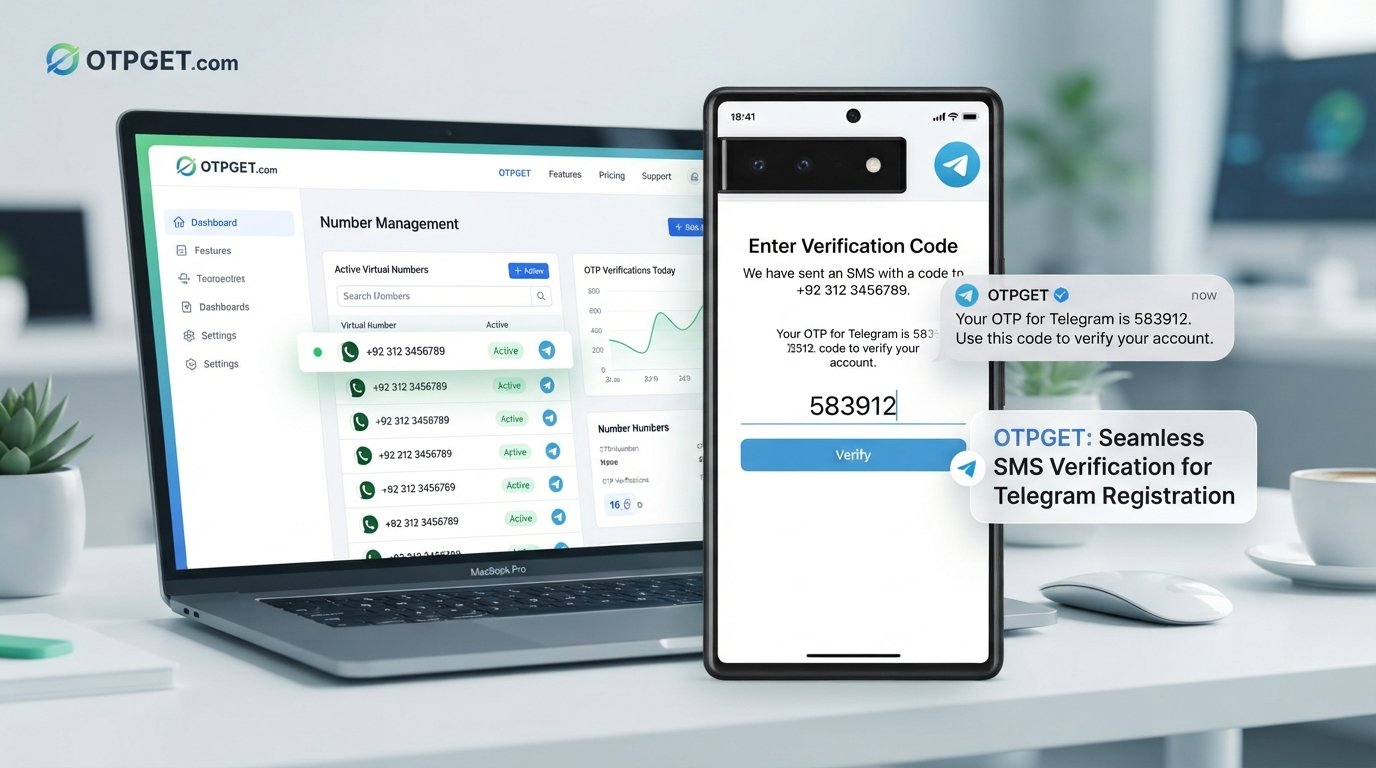
If you need a separate number for verification, use OTPGET to look for an available Pakistan number intended for the relevant SMS verification service. OTPGET's documentation shows country and service selection as part of its number-request workflow. -
Enter the number carefully.
Copy the number accurately into Telegram. Check every digit before requesting the verification code. -
Request the Telegram verification code.
Continue through Telegram's normal verification process. Avoid repeatedly requesting codes if the first message does not arrive immediately. -
Check for the incoming OTP.
If the number is eligible and Telegram sends an SMS verification message, check the corresponding OTPGET interface for the incoming code. The service documents an OTP retrieval workflow for SMS numbers. -
Enter the verification code in Telegram.
Carefully enter the code exactly as received. Never share a Telegram OTP with another person. -
Complete the account setup.
Once Telegram accepts the verification code, finish the remaining account setup steps displayed by Telegram. -
Secure the account.
After registration, review Telegram's available security and privacy settings. If you intend to retain access to the account, make sure you understand how the registered number and account recovery options work.
OTPGET can simplify the number-and-OTP portion of the workflow, but it does not replace Telegram's own verification requirements and should not be treated as a method for bypassing them.
How to Receive a Telegram OTP
A Telegram OTP is part of the platform's account verification process. The first step is making sure the phone number is entered correctly, including the correct country code.
Once Telegram requests verification, follow the delivery instructions displayed in the app. Depending on the circumstances, the verification flow may not always behave exactly as a user expects, so it is better to follow the instructions on screen than to repeatedly request new codes.
If you are using OTPGET, the relevant number's incoming SMS can be checked through the service's OTP workflow. The platform's documentation describes requesting a number for a selected service and checking its status for the received code.
The important point is that receiving a Telegram verification code depends on both Telegram's verification process and the availability of a number capable of receiving the required message.
What to Do If Telegram OTP Is Not Received
A Telegram OTP not received does not necessarily mean that the number is unusable. Start with the simplest checks.
Check the phone number
Confirm that every digit is correct and that Pakistan is selected as the country. A single incorrect digit can prevent the message from reaching the intended number.
Avoid repeated requests
Requesting multiple codes in rapid succession can make troubleshooting harder. Wait for the existing verification attempt to resolve before trying again.
Check the OTP service
If you are using a Pakistan virtual number through OTPGET, make sure you selected the correct country and service and that the number request was completed successfully.
Consider delivery delays
SMS delivery can occasionally take longer than expected because of network or service conditions. Give the current attempt reasonable time before starting another one.
Check whether Telegram uses another verification path
Telegram may provide different instructions depending on the account and verification situation. Follow the method presented by Telegram rather than assuming an SMS must always be the next step.
Consider number history
A number that has previously been associated with an account can behave differently from a completely unused number. If the registration flow produces an unexpected message, follow Telegram's instructions.
If the underlying issue is simply access to a suitable verification number, OTPGET can be considered as an alternative source for a Pakistan number rather than repeatedly retrying the same unsuccessful setup.
Why Use OTPGET for Pakistan Telegram Registration?
The main advantage of using OTPGET is convenience. Instead of depending entirely on a personal phone number, a user can look for a virtual number intended for SMS verification.
That can be useful when someone wants to keep their primary number separate from a particular registration workflow or simply needs access to a number capable of receiving the required SMS.
OTPGET's published information describes virtual numbers across multiple countries, including Pakistan, along with support for Telegram and other services. It also documents temporary numbers and rental options for different use cases.
However, users should keep expectations realistic. A virtual number is not a guarantee that every registration attempt will succeed. Telegram controls its own verification process, and acceptance can depend on the number, account status, delivery route, and other factors.
The practical benefit is therefore simpler access to a suitable verification number, not a promise to defeat or bypass Telegram's security controls.
Tips for a Smooth Telegram Registration
A few simple habits can make Telegram number verification easier:
- Double-check the Pakistan country code and phone number.
- Make sure the number is intended for the required verification service.
- Keep your internet connection stable.
- Avoid repeatedly requesting verification codes.
- Check the OTP delivery interface carefully.
- Enter the verification code exactly as received.
- Never give your verification code to another person.
- Follow Telegram's own instructions if the verification flow changes.
- Review account security settings after registration.
- Keep control of any number that you intend to use for future account access.
These steps help reduce avoidable mistakes and keep the registration process focused on legitimate verification.
FAQ Section
Can I register Telegram with a Pakistan number?
Yes, Telegram registration can be completed using a Pakistan phone number when the number is accepted by Telegram and can receive the required verification process. A suitable virtual number may also be an option, depending on Telegram's verification behavior.
How do I receive a Telegram OTP?
Enter the correct phone number in Telegram and follow the verification instructions shown by the app. If you use a suitable OTPGET number, you can check the service for the incoming SMS verification code.
What should I do if Telegram does not send my verification code?
First, verify the phone number and country code. Then avoid repeated requests, allow reasonable time for delivery, and follow any alternative verification instructions shown by Telegram. If the problem is related to number access, consider another suitable verification number.
Can OTPGET help with Telegram number verification?
OTPGET provides virtual numbers intended for SMS verification and lists Telegram among its supported services. It can therefore help with the number-and-OTP portion of registration, but Telegram ultimately controls whether a verification attempt is accepted.
Is a Pakistan virtual number suitable for Telegram registration?
It can be suitable when the number is available for the required service and Telegram accepts it. However, virtual numbers are not universally guaranteed to work in every verification situation.
Why is my Telegram OTP delayed?
Possible causes include SMS delivery delays, network conditions, repeated verification attempts, number-related issues, or temporary service problems. Check the number and verification instructions first, then avoid repeatedly requesting new codes.
How can I make Telegram registration easier?
Prepare the correct Pakistan number, enter the country information carefully, follow Telegram's verification instructions, and use a suitable OTP service when you need access to a separate verification number. OTPGET can be a practical option for handling the number and OTP part of the process.
Conclusion
Pakistan number Telegram registration is generally straightforward when you have access to a suitable number and can receive the required verification code. The most common difficulties arise when the number is unavailable, the country code is incorrect, an SMS is delayed, or the verification flow does not work as expected.
The key is to follow Telegram's legitimate registration process while making sure the number used for verification is appropriate and accessible.
For users who prefer not to rely on their primary phone number, OTPGET offers a practical way to access virtual numbers for SMS verification, including Pakistan numbers and Telegram-related verification services.
If you need a simpler way to handle the number and OTP side of Telegram registration, OTPGET can be a practical place to start. Always follow Telegram's verification requirements and protect the verification code associated with your account.