How to Get a Philippines Number for Facebook OTP with OTPGet
How to Get a Philippines Number for Facebook OTP — OTPGet
Need a Philippines number for Facebook OTP but don't want to purchase another physical SIM just to receive a verification message? An online phone number can be a practical alternative when you need access to SMS verification and don't have a suitable Philippine mobile number.
Facebook may request phone verification as part of account-related processes. When that happens, you need a number capable of receiving the requested SMS verification code. For users specifically looking for a Philippines number, OTPGet provides a convenient online option to consider.
This guide explains how Philippines virtual numbers work, how Facebook OTP verification generally works, and how you can use OTPGet to obtain a Philippines number for SMS verification where supported.
[Internal Link: OTPGet Homepage]
Why You May Need a Philippines Number for Facebook OTP
There are several legitimate situations where someone may need a Philippines phone number for Facebook verification.
For example, you may:
-
Need a Philippine number for an account-related verification request.
-
Be working with a Philippines-focused project or audience.
-
Need to receive an SMS OTP without obtaining another physical SIM.
-
Be outside the Philippines but require access to a Philippines number.
-
Prefer an online number for a specific verification task.
A physical SIM is not always the most convenient option. Getting one can involve purchasing a SIM, activating it, keeping it accessible, and maintaining the associated mobile service.
An online Philippines number can simplify that process when the service and destination platform support SMS reception.
The important point is that having a number does not guarantee that Facebook will accept it. Facebook determines whether a particular phone number can be used for its verification process.
What Is a Philippines Virtual Number?
A Philippines virtual number is a phone number that is provided through an online service rather than through a traditional physical SIM card in your phone.
Depending on the service, the number may allow you to receive SMS messages through an online interface. This makes virtual numbers useful for certain situations involving SMS OTP, online verification, and other services that require a phone number.
There are three common types of numbers worth understanding:
Physical SIM Number
This is a conventional mobile number associated with a physical SIM card. You insert the SIM into a compatible phone and receive calls or SMS directly on the device.
Virtual Number
A virtual phone number is accessed through an online service rather than requiring a physical SIM in your personal phone. It can be useful when you specifically need a number from another country or want online access to SMS.
Temporary Number
A temporary number is generally intended for short-term use. Its availability and lifespan can vary, so it may not be appropriate for an account where you expect to need the same number for future recovery or verification.
For this reason, always consider how long you may need access to a number before using it for an important account.
[Internal Link: Philippines Numbers]
How Facebook OTP Verification Works
Facebook OTP verification is relatively straightforward when the requested phone number is accepted.
The typical process looks like this:
-
Facebook asks you to verify a phone number.
-
You enter the requested phone number.
-
Facebook sends an SMS verification code.
-
The number receives the Facebook verification code.
-
You enter the OTP into Facebook.
-
Facebook checks the code and completes the verification process if the request is accepted.
The exact verification flow can vary depending on Facebook's requirements and the account activity involved.
It's also important to understand that not every virtual number will necessarily work. Some numbers may already be associated with accounts, unavailable for a particular service, or rejected by Facebook's verification system.
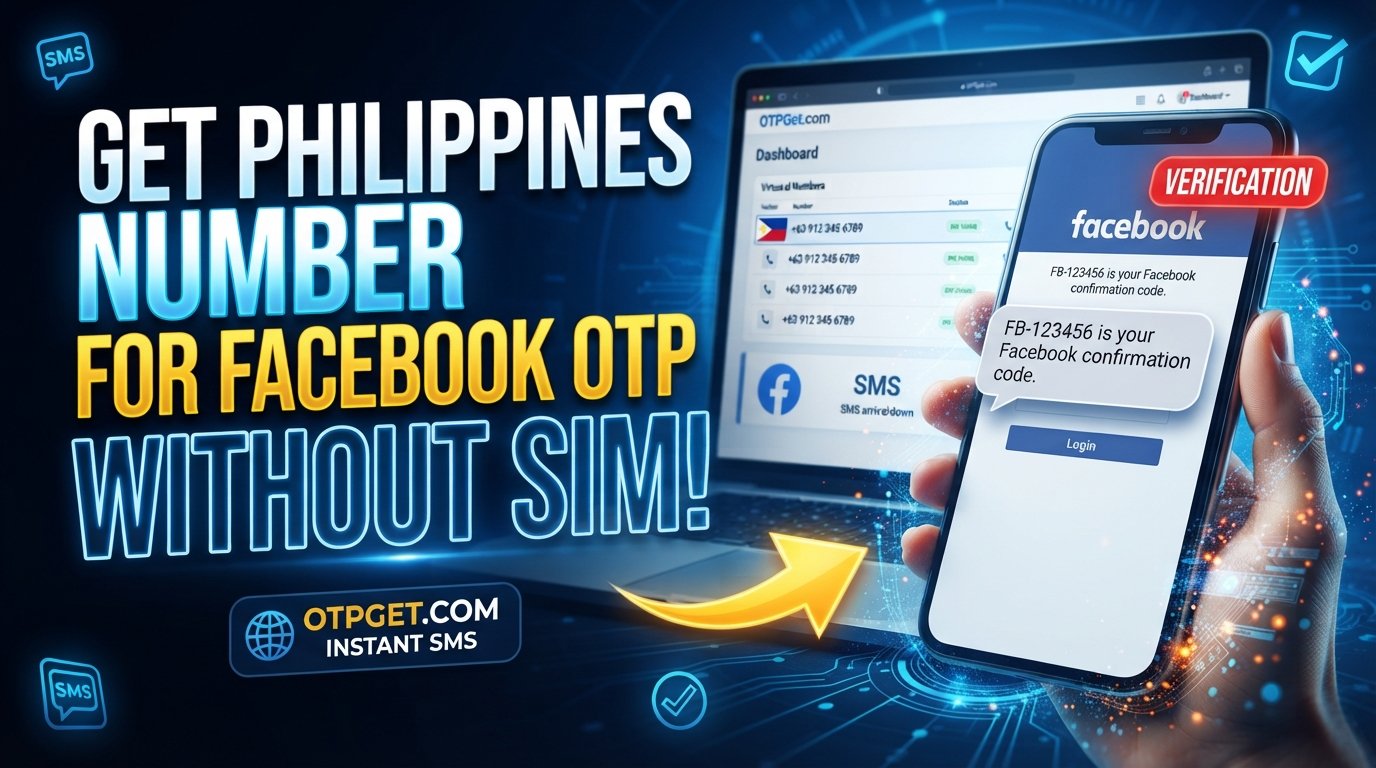
How to Get a Philippines Number for Facebook OTP with OTPGet
If you specifically need a Philippines number for Facebook OTP, OTPGet can provide an online option for obtaining a number and receiving an SMS verification code where supported.
The general process is simple:
1. Visit OTPGet
Start by accessing OTPGet and reviewing the available options for obtaining a Philippines number.
2. Select the Philippines
Choose the Philippines as the desired country or number location.
Availability can vary, so select an available option that is appropriate for your intended SMS verification.
3. Choose an Available Number or Service
Select the available Philippines number or service option provided by OTPGet.
Before proceeding, make sure the option is suitable for receiving the type of SMS verification you need.
4. Enter the Number on Facebook
When Facebook requests a phone number, enter the Philippines number provided through OTPGet.
Make sure the country selection and phone number are entered correctly.
5. Wait for the SMS OTP
If Facebook sends a verification message and the number is eligible to receive it, the SMS OTP should appear through the relevant OTPGet service interface.
6. View the Verification Code
Check OTPGet for the incoming verification message and identify the Facebook verification code.
7. Enter the Code on Facebook
Enter the received OTP into the Facebook verification field.
Avoid repeatedly requesting new codes unless necessary, as multiple verification attempts can sometimes create additional restrictions or delays.
8. Complete Verification if Accepted
If Facebook accepts the number and verification code, follow the remaining on-screen instructions to complete the process.
OTPGet provides access to the number and SMS reception service; Facebook ultimately controls whether the number is accepted for its verification process.
[Internal Link: SMS Verification Guide]
Why Use OTPGet for a Philippines Number?
For someone specifically searching for a Philippines number online, the main attraction of OTPGet is convenience.
Instead of obtaining another physical SIM solely for an SMS verification task, an online service can provide a more accessible alternative when the required service is supported.
Potential practical advantages include:
-
Online access: You can access the number through an online service rather than relying on another physical SIM.
-
Philippines-specific option: Useful when you specifically need a Philippines number.
-
SMS verification: The service concept is designed around receiving verification messages where supported.
-
Simple workflow: The basic process involves selecting a suitable number, using it for the verification request, and checking for the incoming SMS.
-
Centralized message access: Verification messages can be accessed through the service rather than requiring another physical mobile device.
The exact availability of numbers and supported verification services can vary. It's therefore sensible to check the available OTPGet options before beginning your verification attempt.
Philippines Number vs. Physical SIM for Facebook Verification
Both approaches have their place. The better choice depends on why you need the number and how long you expect to use it.
| Factor | Philippines Virtual Number | Physical SIM |
|---|---|---|
| Convenience | Online access | Requires a physical SIM |
| Setup | Typically handled online | Requires SIM acquisition and activation |
| Physical SIM | Not required for the online number | Required |
| SMS reception | Through the supported online service | Directly on the mobile device |
| Accessibility | Useful for online verification needs | Useful for ongoing mobile use |
| Best suited for | Specific online SMS needs | Long-term mobile ownership and use |
If you only need a Philippines number for a particular SMS verification task, an online option may be more convenient. If you need a long-term personal mobile number, a physical SIM may be more appropriate.
Common Problems When Receiving a Facebook OTP
Sometimes the verification code does not arrive or Facebook does not accept the number. Several issues can cause this.
OTP Not Arriving
SMS delivery can occasionally be delayed. Give the system some time before requesting another code.
Number Already Associated With an Account
Facebook may identify a number as already connected with another account or otherwise unsuitable for the current verification request.
Facebook Rejects the Number
A number can be technically capable of receiving SMS but still not be accepted by Facebook. This is controlled by Facebook's own verification policies and systems.
Incorrect Country Code
Double-check that you have selected the Philippines and entered the number using the correct format requested by Facebook.
Number Is Expired or Unavailable
Temporary or limited-use numbers may no longer be available when you need them. Check the status of the number through the service you are using.
Too Many Verification Attempts
Repeatedly requesting codes can lead to delays or temporary limitations. If the process is not working, pause before trying again.
Tips for Successful Facebook OTP Verification
A few simple practices can make the process smoother:
-
Enter the correct Philippines country code.
-
Carefully check every digit before submitting the number.
-
Make sure the selected number is intended to receive SMS.
-
Wait for the message before requesting another OTP.
-
If multiple codes arrive, use the newest valid code.
-
Avoid repeatedly entering incorrect verification codes.
-
Follow Facebook's instructions exactly.
-
Check whether Facebook accepts the selected number.
-
If verification is temporarily limited, wait and try again according to Facebook's instructions.
These steps can reduce avoidable errors, but they cannot override Facebook's own verification requirements.
Is a Philippines Virtual Number Safe to Use?
A virtual number is not automatically suitable for every account or verification situation. Before using one, consider privacy, ownership, reliability, and future access.
One important question is whether you may need the same number later for account recovery. A number intended for a short-term verification task may not be the right choice for an account that depends on long-term access to the number.
You should also understand how SMS messages are handled by the service you choose. If sensitive verification information is involved, consider the privacy implications of using an online SMS service.
Finally, review Facebook's applicable rules and OTPGet's terms before using a number for account verification.
A virtual number should be viewed as a convenient verification option—not as a way to bypass Facebook security or its number-acceptance policies.
Frequently Asked Questions
1. How can I get a Philippines number for Facebook OTP?
You can use an online service such as OTPGet to select an available Philippines number and use it for SMS verification where supported. Facebook must still accept the number for the verification request.
2. Can I use a Philippines virtual number for Facebook verification?
A Philippines virtual number may be usable for Facebook verification if Facebook accepts that particular number and the number can receive the required SMS. Not every virtual number is guaranteed to work.
3. How do I receive a Facebook OTP on a Philippines number?
Enter the eligible Philippines number when Facebook requests phone verification. If Facebook sends an SMS and the number supports the request, you can view the received verification code through the service providing the number.
4. Can I get a Philippines phone number online?
Yes, online services can provide access to Philippines phone numbers without requiring you to obtain a physical SIM. OTPGet is an option for users specifically looking for a Philippines number for supported SMS verification purposes.
5. Why is my Facebook verification code not arriving?
The delay may be related to SMS delivery, the number itself, Facebook's verification system, or repeated verification requests. Check the number and country code, wait before requesting another code, and follow Facebook's instructions.
6. Does every Philippines virtual number work with Facebook?
No. Facebook decides whether a particular number is accepted for verification. A virtual number may be capable of receiving SMS while still being rejected by Facebook.
7. What should I do if Facebook rejects my phone number?
Check that the country and number are correct, avoid repeated attempts, and consider whether the number meets Facebook's verification requirements. You can also try another eligible number if appropriate.
8. Can I receive SMS verification codes online?
Yes, certain online phone-number services support SMS reception through an online interface. Whether a particular verification service works with a number depends on that service's policies and requirements.
Conclusion
If you need a Philippines number for Facebook OTP, an online number can be a convenient alternative to obtaining another physical SIM solely for verification.
OTPGet is a practical option for users who want to access a Philippines number online and receive SMS verification messages where supported. The process is straightforward: choose an available Philippines number, enter it when Facebook requests verification, wait for the SMS, and enter the received OTP.
The key thing to remember is that Facebook controls its own verification process. A number's availability for SMS does not guarantee that Facebook will accept it.
Ready to try a Philippines number for Facebook OTP? Explore OTPGet and choose an available Philippines number that fits your verification needs.