Philippines Number for Instagram OTP: Get Verified with OTPGET
How to Get Philippines Number for Instagram OTP — OTPGet
Getting a phone number for Instagram verification can be frustrating when you need a Philippines number but do not have access to a local SIM card. In some account-related situations, Instagram may ask for a phone number or send a verification code by SMS. If you are outside the Philippines, obtaining a suitable number can become an unnecessary obstacle.
This is where virtual phone numbers and online SMS receiving services can be useful. Instead of purchasing and activating a physical SIM, users may be able to access a Philippines number online and use it for supported verification workflows.
OTPGET can make that process more convenient by providing an online approach to receiving OTP messages. However, virtual numbers are not guaranteed to be accepted by every platform or verification flow, so it is important to use them appropriately and follow Instagram's requirements.
Why You May Need a Philippines Number for Instagram OTP
There are several legitimate reasons someone might need a Philippines number for Instagram-related verification.
Instagram can use phone verification as part of account signup, account security, recovery, or other account-related processes. Depending on the situation, a verification code may be sent by SMS to confirm access to the submitted phone number.
A Philippines number can be useful if:
- You need to complete an Instagram sign-up verification process with a Philippine number.
- You are temporarily outside the Philippines and do not have your usual SIM available.
- You need a Philippine phone number for a supported account-security workflow.
- You do not want to use your personal number for a particular verification process.
- You need remote access to SMS without obtaining a physical SIM.
Not every Instagram user will be asked for an OTP, and requirements can vary depending on the account and verification flow.
What Is a Philippines Virtual Phone Number?
A Philippines virtual phone number is an online-accessible number that can potentially receive calls or SMS through a supported service rather than through a traditional physical SIM in your phone.
For verification purposes, the most relevant feature is SMS reception. When a service provides an appropriate number, an incoming verification message can be displayed through its online interface or another supported method.
The main difference from a physical SIM is how you access the number. With a traditional SIM, the mobile network delivers SMS directly to your phone. With a virtual number, the service handles the number and provides access to supported incoming messages online.
This can be convenient for international users who need a Philippine phone number without visiting a local mobile provider or obtaining a physical SIM.
However, not every online phone number works with every website or application. Some platforms may restrict temporary, shared, or virtual numbers. That is why users should consider platform compatibility before relying on a virtual number for an important account.
Why Getting Instagram OTP Can Be Difficult
Receiving an Instagram verification code sounds simple, but several practical problems can get in the way.
No Philippine SIM: If you are not in the Philippines, you may not have an active local mobile number available.
International access: Travelers, remote workers, businesses, and other international users may need a Philippines number without having local mobile service.
SMS delays: Even when a number is supported, verification messages can sometimes take time to arrive because of network or provider delays.
Privacy concerns: Some users prefer not to attach their personal phone number to every online verification workflow.
Multiple verification workflows: Managing different accounts or services can make access to suitable phone numbers more complicated, particularly when local numbers are required.
These issues do not necessarily mean that Instagram verification will fail. They simply explain why having access to an appropriate SMS-capable number can be useful.
How to Get a Philippines Number for Instagram OTP
The general process is straightforward when the selected number and verification flow are compatible.
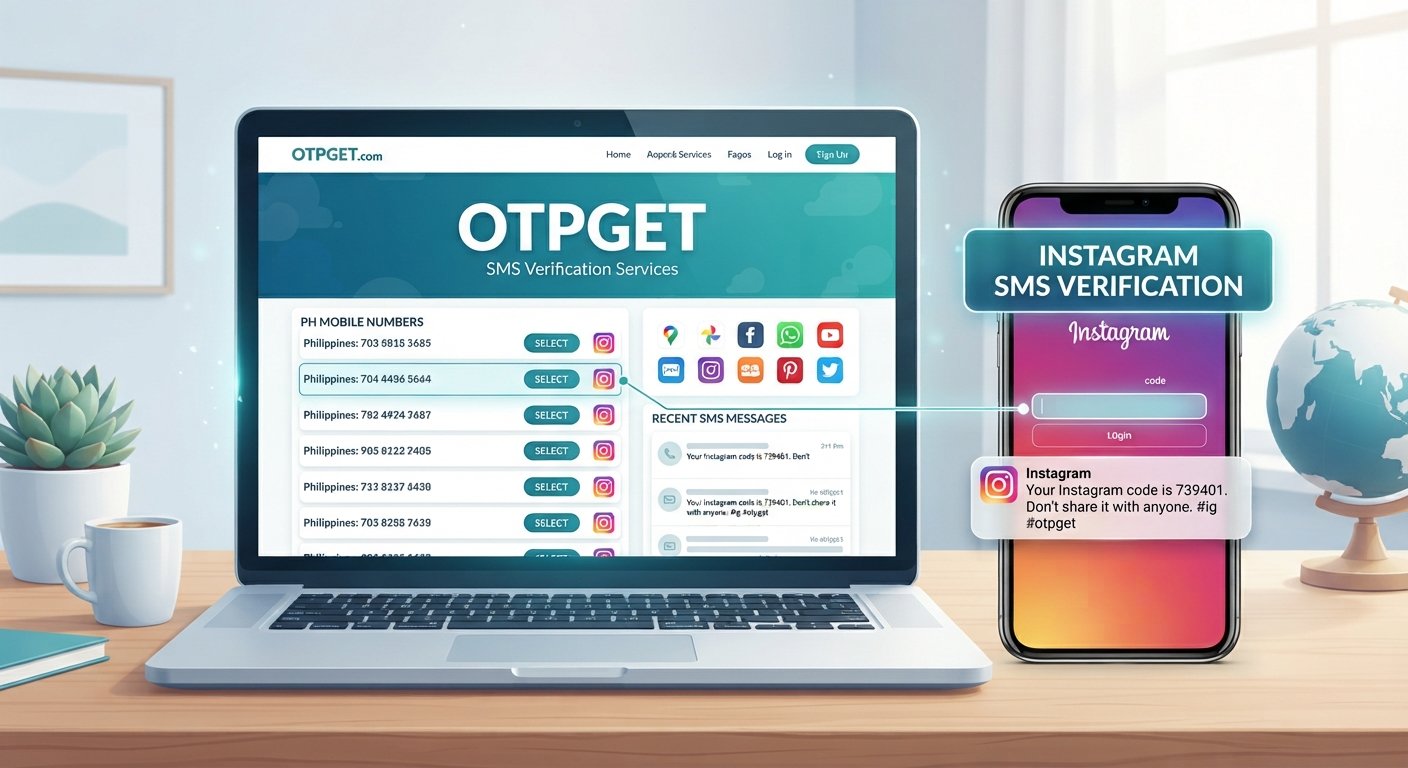
- Choose a reputable Philippines virtual-number or SMS service. Look for a service that clearly explains how its numbers and incoming SMS work.
- Create an account if required. Complete the service's normal registration process.
- Select an available Philippines number. Choose a number appropriate for your intended verification workflow.
- Enter the number on Instagram. When Instagram asks for phone verification, enter the Philippines number exactly as provided.
- Wait for the verification SMS. Give the message enough time to arrive rather than repeatedly requesting new codes.
- Retrieve the OTP. If the service receives the SMS, locate the verification code through its supported interface.
- Enter the code into Instagram. Carefully enter the received verification code before it expires.
- Complete the verification process. If Instagram accepts the number and code, continue with the instructions displayed by Instagram.
The key point is compatibility. Instagram may not accept every virtual or temporary number, and no legitimate service should promise that every verification attempt will succeed.
OTPGET — A Simple Solution for Philippines Instagram OTP
For users who need a Philippines number remotely, OTPGET can simplify the process of obtaining a number and receiving an OTP through an online workflow.
Instead of dealing with the practical difficulties of finding a physical Philippine SIM, users can use OTPGET as a convenient online option when a suitable number is available for their verification needs.
The potential advantages include:
- Convenient access: A suitable number can be accessed online rather than requiring a physical SIM.
- Simplified OTP receiving: The verification workflow can be easier to manage when incoming SMS is available through the service.
- Remote usability: Users outside the Philippines may find an online number more convenient than arranging local mobile service.
- Less setup: There may be no need to purchase, activate, and physically manage a local SIM.
- Straightforward workflow: The basic process involves selecting a number, entering it into the relevant service, and checking for the incoming OTP.
- Potential privacy benefits: Depending on the situation, users may prefer not to use their personal number for a particular verification workflow.
OTPGET should be viewed as a convenience tool rather than a way to bypass Instagram's security controls. Whether a number works depends on Instagram and the specific verification process being used.
How to Use OTPGET for Instagram OTP
Step 1: Visit OTPGET
Start by accessing OTPGET and reviewing the available options for online phone-number and SMS verification services.
Step 2: Select a Philippines Number
Choose an available Philippines number that is suitable for the verification workflow you want to complete.
Step 3: Enter the Number on Instagram
When Instagram requests phone verification, enter the selected number carefully. Check the country code and remaining digits before submitting.
Step 4: Wait for the OTP
Instagram may send an SMS verification code to the number. Avoid repeatedly requesting new codes while waiting, as this can make troubleshooting more difficult.
Step 5: Enter the Code
If the message is received through OTPGET, locate the Instagram verification code and enter it into the appropriate field.
Step 6: Finish Verification
Once Instagram accepts the code, follow any remaining instructions shown on the platform to complete the process.
If the number is not accepted or the message does not arrive, do not assume the service is necessarily malfunctioning. The number type, provider, or Instagram's current verification requirements may affect the outcome.
Benefits of Using OTPGET for a Philippines Number
A virtual Philippines number can be particularly convenient for users who do not have immediate access to a local SIM.
Key benefits can include:
- Convenience: Manage a verification workflow without obtaining a physical SIM.
- Remote access: Useful for people who are outside the Philippines.
- Simpler setup: An online service can eliminate some of the practical steps involved in getting local mobile service.
- OTP retrieval: Supported incoming SMS can be easier to access through an online service.
- International usability: A Philippines number can be useful when a verification workflow specifically calls for a Philippine phone number.
- Privacy considerations: Users may prefer a separate number instead of exposing their everyday personal number.
- Time savings: An online workflow may be faster than arranging a new physical mobile connection.
These benefits depend on the number available, the service's capabilities, and the platform's acceptance policies.
Philippines Number vs. Physical SIM for Instagram Verification
| Feature | Physical SIM | Virtual Philippines Number |
|---|---|---|
| Requires physical SIM | Yes | No |
| Remote access | Limited | Generally easier |
| Setup convenience | Can take more effort | Often simpler |
| SMS access | Via mobile device | Through supported online service |
| Useful for international users | Less convenient | More convenient |
A physical SIM can be preferable when you need long-term, personal control over a number. A virtual Philippines number may be more convenient when the immediate goal is an online SMS verification workflow.
Neither option guarantees acceptance by Instagram. Platform rules and verification systems ultimately determine whether a particular number can be used.
Tips for Successful Instagram OTP Verification
A few simple habits can make the process smoother:
- Enter the Philippines number carefully, including the correct country code.
- Confirm that the selected number is capable of receiving SMS.
- Wait for a delayed message before requesting another code.
- Check the service interface for newly received messages.
- Avoid repeatedly changing numbers during the same verification attempt.
- Follow the instructions displayed by Instagram.
- Use legitimate and reputable services.
- Never give your OTP to another person.
- Treat verification codes as confidential account-security information.
- Do not use a phone-number service to bypass security protections or platform restrictions.
If you need long-term access to an Instagram account, also consider whether a number you control consistently is more appropriate than a temporary or shared option.
Common Problems When Receiving Instagram OTP
OTP Doesn't Arrive
First, check that the number was entered correctly and that it can receive SMS. Wait a reasonable amount of time before requesting another code.
Number Isn't Accepted
Instagram may restrict certain virtual, temporary, or shared numbers. If the number is rejected, the issue may be compatibility rather than an error in the number itself.
Code Expires
Verification codes can be time-sensitive. If a code has expired, request a new one through the normal Instagram process and enter it promptly.
Too Many Attempts
Repeatedly requesting codes can sometimes lead to temporary restrictions or additional verification steps. If this happens, stop making repeated attempts and follow the instructions provided by Instagram.
SMS Delay
SMS delivery can occasionally take longer than expected. Check that the selected number is active and capable of receiving messages, then allow some time for the verification SMS to arrive.
Is a Philippines Virtual Number Safe for Instagram OTP?
A virtual number is not automatically safe simply because it is online. The quality and privacy practices of the provider matter.
If you use an online SMS receiving service, consider these points:
- Choose a reputable provider.
- Keep OTPs confidential.
- Avoid sharing verification codes through chats, email, or social media.
- Be cautious with shared or publicly visible numbers.
- Understand that temporary numbers may not provide the same account-control benefits as a personal mobile number.
- Follow Instagram's account and security requirements.
OTPGET can provide a convenient route to an online Philippines number, but users should still make sensible security decisions. For an important account, consider whether you need a number that you can reliably control over the long term.
Frequently Asked Questions
1. How can I get a Philippines number for Instagram OTP?
You can use a Philippines virtual-number service such as OTPGET when a suitable number is available. Select a number, enter it in the Instagram verification flow, and retrieve the SMS code if the number receives it.
2. Can I use a Philippines virtual number for Instagram?
A Philippines virtual number may work for some Instagram verification workflows, but acceptance is not guaranteed. Instagram can restrict certain virtual or temporary numbers.
3. How do I receive an Instagram OTP online?
Use an online SMS receiving service that provides a compatible number. Enter the number into the relevant Instagram verification field and check the service for the incoming verification SMS.
4. What is a Philippines SMS verification number?
It is a Philippines phone number capable of receiving SMS messages used in supported verification workflows. It may be provided through a physical SIM or an online virtual-number service.
5. Can OTPGET receive Instagram verification codes?
OTPGET can be used as an online number and OTP receiving solution where the selected number supports the relevant SMS workflow. Whether Instagram sends and accepts a code depends on its verification system and policies.
6. Why isn't my Instagram OTP arriving?
Possible reasons include an incorrect number, SMS delay, provider limitations, or restrictions affecting the selected number. Check the number, wait before requesting another code, and follow Instagram's troubleshooting instructions.
7. Is a virtual Philippines number better than a physical SIM?
It depends on your needs. A virtual number can be more convenient for remote, online verification, while a physical SIM may provide more consistent long-term control over a personal phone number.
Final Thoughts
Getting a Philippines number for Instagram OTP can be inconvenient when you do not have access to a local SIM. A suitable virtual phone number can provide a simpler way to participate in supported SMS verification workflows without arranging physical mobile service.
For users who need a Philippines number remotely, OTPGET can make the process more convenient by simplifying access to online numbers and OTP receiving. The basic workflow is straightforward: select a suitable number, enter it where Instagram requests verification, wait for the SMS, and enter the received code.
Just keep in mind that virtual numbers are not guaranteed to work with every Instagram verification attempt. Always follow Instagram's instructions, protect your OTP, and use the service for legitimate verification purposes.
If you are looking for a convenient way to access a Philippines number online, explore OTPGET and see whether an available number fits your verification needs.