Phone OTP Verification Guide: How It Works with OTPGET
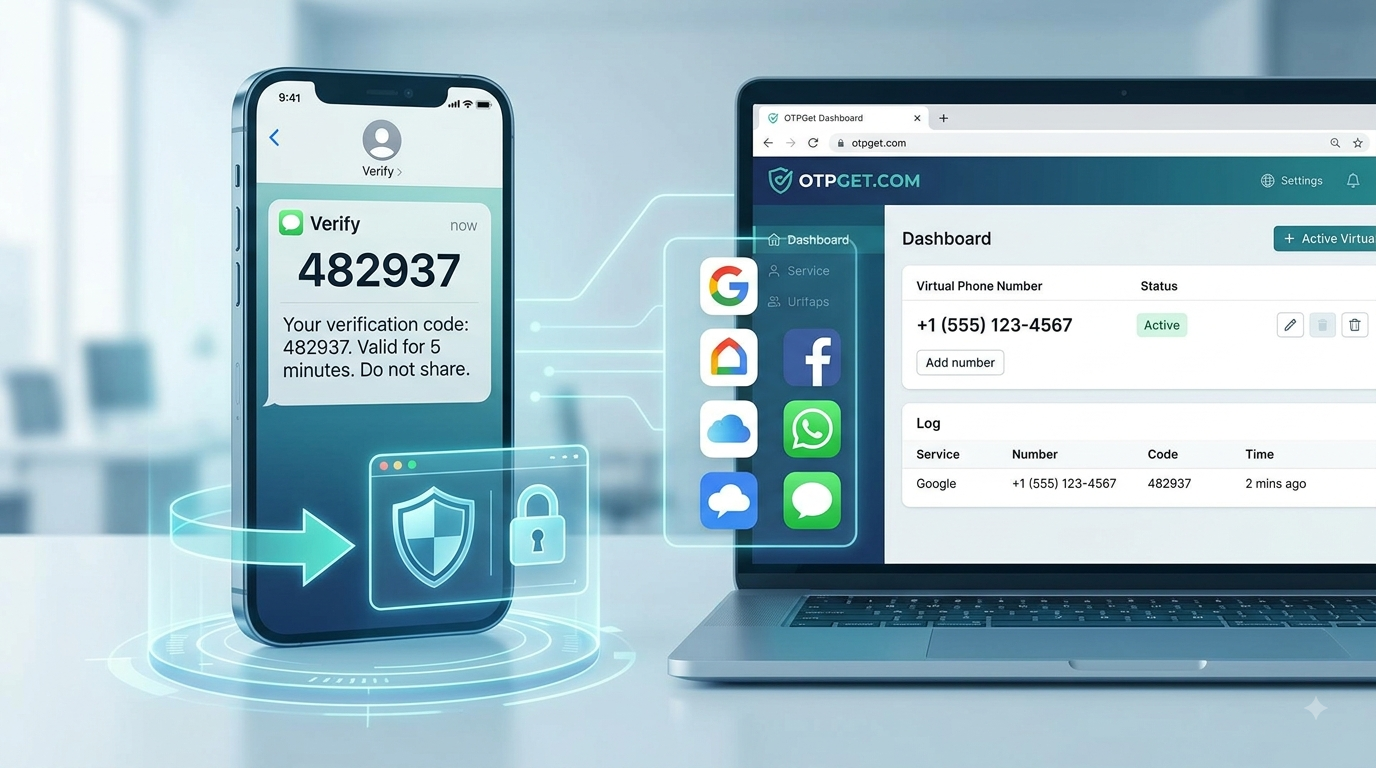
Phone OTP Verification: A Complete Guide
If you've ever created an account, recovered a password, or confirmed a login, you've probably used phone OTP verification. The process is simple from a user's perspective: enter a phone number, receive a code by SMS, and type that code into the website or app.
Behind those few steps is a security system designed to confirm that the person completing the action can access the phone number they entered. Businesses use this method because it is familiar, relatively quick, and easy for most users to understand.
In some legitimate situations, people may prefer not to use their personal mobile number. Developers testing applications, businesses separating work from personal communication, or users working with supported international services may need a virtual phone number instead. Services such as OTPGET provide online virtual numbers that can receive SMS verification codes where the third-party platform supports them.
Understanding how phone OTP verification works helps you solve common problems, choose the right type of number, and use verification services safely.
What Is Phone OTP Verification?
Phone OTP verification is a security process in which a website or app sends a one-time code to a phone number to confirm that the user can access that number.
OTP stands for One-Time Password. Unlike a regular password, it is intended for a single verification attempt and usually remains valid only for a short period.
A typical SMS verification code contains a small set of digits. When you enter it into the website or app, the system compares your entry with the code it originally generated.
If the two match, the service confirms that you received the message sent to that phone number.
Businesses use phone OTP verification for several reasons:
- Confirming phone ownership
- Protecting account signups
- Recovering accounts
- Adding an extra security step during login
- Reducing some types of fraudulent activity
The SMS message is usually delivered through an SMS gateway, which connects the application's verification system with mobile networks.
How Does Phone OTP Verification Work?
The process follows a predictable sequence:
- The user enters a phone number. The website or app asks for a mobile or supported virtual number.
- The service creates an OTP. Its verification system generates a temporary code.
- The user receives the SMS. The message is sent through an SMS gateway to the phone number.
- The user enters the verification code. The code is typed into the verification screen.
- The platform validates the code. The system checks whether the submitted code matches the generated one.
- Verification is completed. If the code is correct and still valid, the action is approved.
Most verification systems also monitor whether the code has expired or has already been used. This helps prevent the same OTP from being reused.
Why Do Websites and Apps Use OTP Verification?
Phone verification has become common because it adds another layer of security without requiring users to remember another password.
Some of the most common uses include:
- Account registration: Confirming that a phone number belongs to the person signing up.
- Login security: Requiring an OTP when logging in from a new device.
- Account recovery: Sending a verification code before resetting credentials.
- Two-step verification: Adding a second confirmation step after entering a password.
- Number confirmation: Checking that a contact number is active.
- Fraud prevention: Making automated or suspicious activity more difficult.
- Suspicious-login protection: Verifying access after unusual login behavior.
- Transaction confirmation: Confirming certain account actions or purchases.
Although OTP verification improves security, users should remember that an OTP itself is a security credential. It should never be shared with anyone who is not authorized to use the account.
Physical SIM vs Virtual Phone Number for OTP Verification
Both physical SIM numbers and virtual phone numbers can receive SMS messages, but they serve different needs.
Physical SIM Number
A physical SIM is the traditional mobile number issued by a carrier.
Its advantages include:
- Connected directly to a mobile network
- Suitable for long-term personal use
- Often preferred for accounts you expect to keep indefinitely
However, using a physical SIM can be inconvenient if you need a number from another country or want to keep business and personal verification separate.
Virtual Phone Number
A virtual phone number is provided digitally through an online service.
Depending on the provider and availability, it may:
- Receive SMS messages online
- Offer numbers from multiple countries
- Avoid the need to insert another physical SIM
- Be useful for supported verification scenarios, testing, or business workflows
It is important to understand that platform compatibility varies. Some websites accept certain virtual numbers, while others may restrict them according to their own verification policies.
When Might You Need a Virtual Number for SMS Verification?
There are several legitimate situations where a virtual number can be useful.
For example:
- Testing an application during development
- Quality assurance and QA testing
- Separating business and personal communications
- Working on international projects
- Receiving SMS verification without exposing a personal number where permitted
- Managing business operations that require separate contact numbers
- Accessing services that legitimately support the selected region
A virtual number should be used according to the terms of the service requesting verification. It is not intended for fraud, impersonation, spam, or unauthorized access.
Common Problems With Phone OTP Verification
Even though the process is straightforward, SMS OTP verification does not always go smoothly.
OTP Not Arriving
The message may be delayed because of carrier congestion or network issues. Waiting briefly before requesting another code often helps.
Incorrect Phone Number
A single incorrect digit or the wrong country code prevents the SMS from reaching the intended number.
Expired OTP
Most verification codes are valid for only a limited period. If too much time passes, you may need to request a new one.
Too Many Verification Attempts
Repeated requests or incorrect code entries can temporarily limit further attempts.
Carrier Restrictions
Some mobile networks filter or delay automated SMS messages.
Unsupported Numbers
Certain platforms may not accept some virtual numbers or specific number ranges.
Platform Restrictions
The website or app itself may have rules about which countries or number types it supports.
If a verification code does not arrive, check the number carefully, confirm the correct country prefix, wait for any delivery delay, and avoid repeatedly requesting new codes unless necessary.
How OTPGET Helps With Online Phone OTP Verification
OTPGET is designed for users who need a practical way to access virtual phone numbers for supported SMS verification scenarios.
Instead of managing another physical SIM card, users can choose from available virtual numbers and receive SMS messages online where the third-party service supports those numbers.
Some of the benefits include:
- Access to virtual phone numbers
- Multiple country options depending on availability
- Online access without another physical SIM
- Convenient SMS reception
- A straightforward user experience
- Affordable options for different verification needs
- Useful for testing, business workflows, and supported online phone verification
OTPGET does not control the policies of websites or apps that send verification codes. Acceptance depends on the platform, the selected country, and the availability of supported number ranges.
If you need a virtual number for a legitimate verification process, you can explore the available options at https://otpget.com and choose a number that fits your requirements.
How to Use OTPGET for Phone OTP Verification
The process is designed to be simple.
Step 1: Visit OTPGET
Open the OTPGET website and review the available virtual phone number options.
Step 2: Choose a Suitable Country or Number
Select a country and available number that matches the service you intend to use.
Step 3: Select the Intended Service
Where applicable, choose the relevant supported service or verification category.
Step 4: Use the Number for Verification
Enter the selected virtual number into the website or app during a legitimate phone verification process.
Step 5: Receive the SMS OTP
If the platform accepts the number, the incoming SMS verification code should appear through the service.
Step 6: Enter the Verification Code
Copy the OTP into the verification screen before it expires.
Step 7: Complete Verification
The website or app decides whether verification succeeds based on its own policies and the validity of the code.
Benefits of Using a Virtual Phone Number for OTP
Virtual numbers offer several practical advantages.
Convenience: You can manage SMS messages through an online service rather than carrying another SIM.
Privacy: In supported situations, a separate number can help keep personal and business communication distinct. This does not mean complete anonymity.
International Accessibility: Depending on availability, virtual numbers can provide access to phone numbers from different countries.
Reduced SIM Dependence: There is no need to purchase or manage another physical SIM for supported use cases.
Testing and Business Workflows: Developers, QA teams, and businesses may find virtual numbers useful when testing SMS verification or organizing communication.
Is Phone OTP Verification Safe?
Phone OTP verification is widely used as an additional security measure, but its effectiveness depends on how users handle verification codes.
Follow these safety practices:
- Never share an OTP with strangers.
- Never post a verification code publicly.
- Use reputable services for virtual numbers.
- Be cautious of unexpected verification requests.
- Check that you are entering the code on the correct website or app.
- Treat every OTP as a security credential.
- Never use verification services for fraud or unauthorized account access.
OTPGET should be used only for legitimate online verification purposes that comply with the relevant platform's rules.
Best Practices for Using OTP Verification Services
To reduce verification problems, keep these tips in mind:
- Choose the correct country number.
- Check whether the platform supports virtual numbers.
- Enter the phone number carefully.
- Request another OTP only when necessary.
- Use the verification code before it expires.
- Keep your account credentials secure.
- Never share OTP messages.
- Follow the website or app's terms of service.
- Use established SMS verification services for supported needs.
These habits can help prevent unnecessary delays and improve the overall verification experience.
Why Choose OTPGET?
OTPGET focuses on providing a practical online option for users who need virtual phone numbers for supported SMS verification.
Its main strengths include:
- Convenient access to virtual numbers
- International number options where available
- Online SMS reception
- A simple selection process
- A user-friendly interface
- Competitive pricing options
- Useful support for legitimate verification, testing, and business needs
The service is intended to make accessing a virtual number more convenient while remaining transparent about the fact that third-party websites and apps control whether they accept a particular number.
Frequently Asked Questions About Phone OTP Verification
What is phone OTP verification?
Phone OTP verification sends a temporary code to a phone number to confirm that the user can access that number.
How does an SMS OTP work?
A website generates a one-time code, sends it by SMS, and verifies the code when the user enters it.
Can I receive OTP online?
Yes, some online services provide virtual phone numbers that can receive SMS verification codes where supported.
What is a virtual phone number?
It is a phone number provided digitally through an online service rather than through a physical SIM card.
Can a virtual number receive SMS verification codes?
Many virtual numbers can receive SMS messages, but acceptance depends on the website or app sending the verification code.
Why is my OTP not arriving?
Possible causes include network delays, an incorrect phone number, carrier restrictions, or the platform not supporting the selected number.
Are virtual phone numbers accepted for every service?
No. Each platform has its own verification policies, and compatibility varies.
How does OTPGET work?
OTPGET provides available virtual phone numbers that users can select for supported SMS verification scenarios and receive messages online.
Can I use OTPGET to receive verification SMS?
Yes, OTPGET can be used to receive verification SMS where the third-party platform supports the selected virtual number.
Is phone OTP verification secure?
It adds an extra layer of security, provided users keep their OTPs private and enter them only on trusted websites or apps.
Can I receive an OTP without a physical SIM?
For supported services, a virtual phone number can provide an alternative to using another physical SIM.
What should I do if my verification code expires?
Request a new OTP if the platform allows it, then enter the new code before it expires.
Phone OTP verification remains one of the simplest ways for websites and apps to confirm access to a phone number while adding an extra layer of account security. Knowing how the process works makes it easier to troubleshoot delays, choose between a physical SIM and a virtual number, and keep verification codes secure.
If you need a convenient way to access a virtual phone number for supported SMS verification needs, OTPGET provides a practical online option. Explore the available numbers and select the one that fits your legitimate verification requirements at https://otpget.com.
11. Suggested Internal Links
- virtual phone number — link to OTPGET's virtual number service page.
- receive OTP online — link to a guide about receiving OTP codes through OTPGET.
- SMS verification — link to the SMS verification service page.
- temporary phone number — link to temporary virtual number information.
- virtual number for verification — link to a relevant OTPGET category page.
- OTP verification service — link to the main OTPGET service overview.


