Pinterest SMS Verification Using a Temporary Number | OTPGet
Pinterest SMS Verification Using a Temporary Number — OTPGet
When an online platform asks for a phone number, many users hesitate to provide their personal mobile number. Privacy concerns, account separation, and simple convenience can all make a temporary or virtual phone number worth considering.
Pinterest may request phone verification as part of an account or security process. When SMS verification is required, the basic process is straightforward: a number is provided, Pinterest sends a verification code, and the code is entered to complete the relevant step.
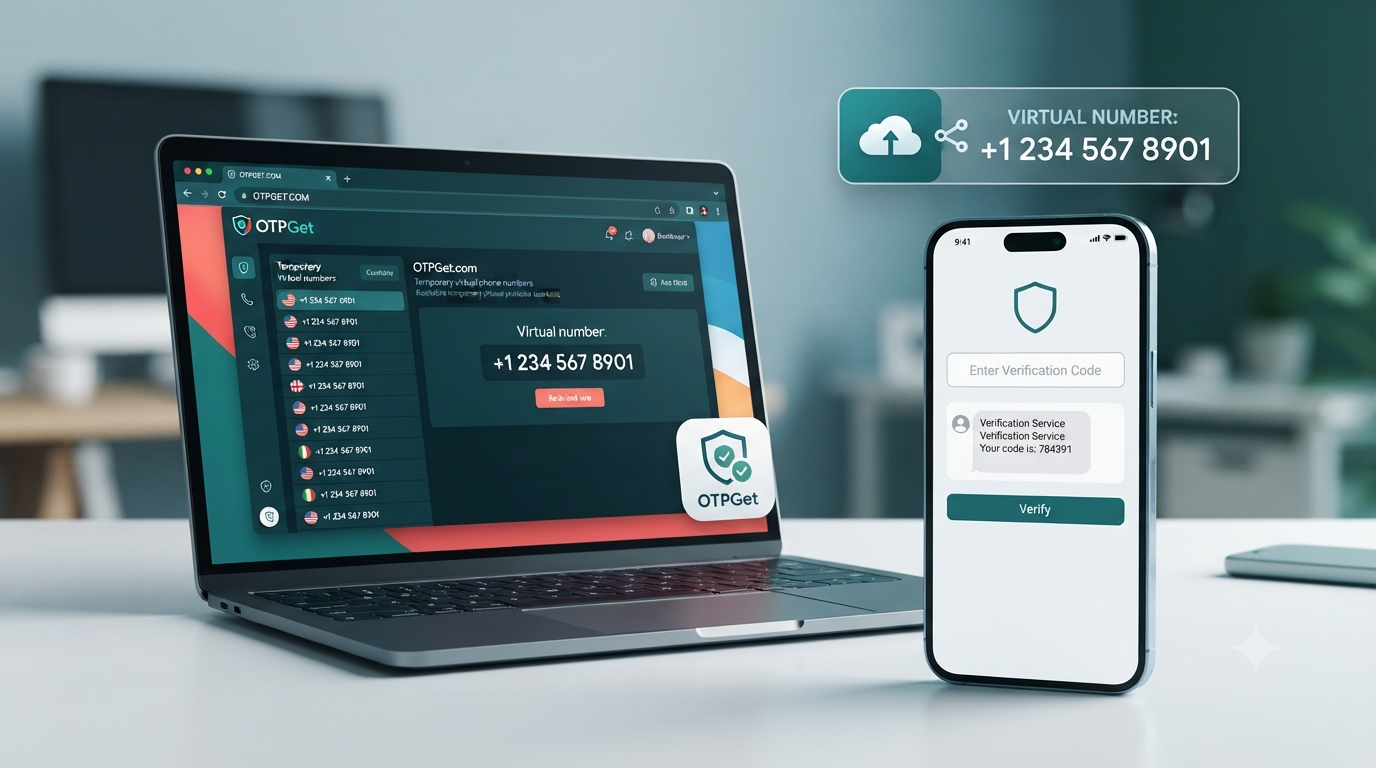
For users who prefer not to expose their primary number, a temporary number can be a practical option where supported. OTPGet provides virtual numbers intended for SMS and OTP verification, giving users another way to receive verification messages without relying on a personal SIM card.
This guide explains how Pinterest SMS verification using a temporary number works, what to consider before using one, and how OTPGet can fit into the process.
What Is Pinterest SMS Verification?
SMS verification is a process where a service sends a one-time code to a phone number. The recipient enters that code into the relevant verification field to confirm access to the number.
For Pinterest, a phone verification request may be part of an account or security workflow. The exact verification requirements can vary depending on the situation, account, region, and the options Pinterest makes available.
The general process looks like this:
- Pinterest requests a phone number.
- You provide an appropriate number.
- Pinterest sends an SMS verification code.
- You receive the message.
- You enter the code where requested.
- The verification step is completed if the code and number are accepted.
A temporary phone number follows the same basic concept. Instead of receiving the message on your everyday mobile number, you use a virtual number supplied by a temporary-number service.
This can be useful for people who want to separate online services from their primary phone number.
Why Use a Temporary Number for Pinterest?
There are several legitimate reasons someone might prefer a temporary number for Pinterest SMS verification.
Privacy: A temporary number can reduce the need to share your personal mobile number with another online service.
Account separation: Some users prefer to keep personal communications separate from online registrations and services.
Convenience: A virtual number can be accessed online rather than requiring another physical SIM card or phone.
Testing legitimate workflows: Developers, businesses, and other users may need temporary numbers when testing account-related processes where such use is permitted.
Reduced exposure of a primary number: Keeping your everyday number limited to important personal services can help reduce unwanted exposure.
However, a temporary number is not automatically the best choice for every account. If you expect to rely on a phone number for long-term account recovery, a personal number that you permanently control may be more appropriate.
How Pinterest SMS Verification Using a Temporary Number Works
The process is generally simple, although number availability and acceptance can vary.
- Choose a suitable temporary number. Select an available virtual or temporary number from a service that supports SMS reception.
- Select the appropriate service. If the provider requires you to specify the service you are verifying, choose the relevant option.
- Enter the number on Pinterest. Use the temporary number in the phone-number field when Pinterest requests verification.
- Wait for the SMS verification code. Pinterest sends a code if the number and verification method are accepted.
- Retrieve the code. Open the temporary-number service and check for the incoming SMS.
- Enter the code. Copy the received Pinterest verification code into the appropriate field.
- Complete verification. Follow Pinterest's remaining instructions to finish the legitimate verification process.
Not every temporary number will necessarily be accepted by every verification attempt. Some services may restrict particular number types, regions, or previously used numbers.
Why Choose OTPGET for Pinterest SMS Verification?
OTPGet is designed around virtual numbers and SMS OTP verification. Its website describes access to virtual phone numbers for SMS verification across multiple countries and services.
For someone looking for a temporary number for Pinterest, the main appeal is straightforward: OTPGet provides a way to obtain a virtual number and access incoming verification messages online rather than using a primary personal SIM.
The platform also offers different types of virtual-number services, including temporary numbers and longer-term rental numbers. That distinction can be useful because a one-time verification need is different from a situation where continued access to a number matters.
The practical benefits include:
- Access to temporary virtual numbers
- Online SMS reception where supported
- A workflow designed around OTP verification
- Less need to expose a personal phone number
- Options that can suit short-term or longer-term needs
- A straightforward approach for users who are new to virtual numbers
OTPGet's own policies also explain that temporary numbers operate through automated systems and third-party providers, which is an important limitation to understand before using the service.
How to Use OTPGET for Pinterest Verification
If you decide that a temporary number is appropriate for your legitimate Pinterest verification need, the process can be approached step by step.
Step 1: Visit OTPGET
Start by accessing OTPGet and reviewing the available virtual-number services.
Step 2: Select a Suitable Temporary Number
Choose an available number appropriate for the verification service and country requirements presented by the platform. Availability can change, so there is no single number that should be assumed to work for every Pinterest verification attempt.
Step 3: Enter the Number on Pinterest
When Pinterest presents a phone verification field, enter the temporary number exactly as provided.
Double-check the country code and number before submitting it.
Step 4: Wait for the Verification SMS
If Pinterest accepts the number and sends a verification message, wait for the SMS to arrive. Avoid repeatedly requesting new codes while the first message is still pending.
Step 5: Retrieve the OTP
Check the OTPGet interface for the incoming SMS. OTPGet states that received OTP messages can be accessed through its verification workflow.
Step 6: Enter the Code
Copy the Pinterest SMS code into the verification field shown by Pinterest. Make sure you use the current code rather than an older message if multiple messages have arrived.
Step 7: Complete Verification
After the code is accepted, continue with Pinterest's instructions. Keep in mind that temporary-number availability and platform acceptance can vary.
Benefits of Using OTPGET for SMS Verification
For users who want an alternative to their personal phone number, OTPGet can offer several practical advantages:
- Privacy: Use a separate number instead of immediately exposing your primary mobile number.
- Convenience: Access virtual numbers without needing another physical SIM.
- Separation: Keep online verification activity separate from everyday communications.
- Temporary access: A temporary number can be suitable for short-term verification needs.
- Simple workflow: The process follows the familiar pattern of selecting a number, receiving an SMS, and entering the OTP.
- Flexible options: OTPGet also lists rental numbers for users who need access for a longer period.
These advantages should be considered alongside the limitations of temporary numbers, particularly when long-term account recovery is important.
Temporary Number vs. Personal Phone Number for Pinterest
| Factor | Temporary Number | Personal Number |
|---|---|---|
| Privacy | Helps limit exposure of your everyday number. | Requires sharing your primary number. |
| Convenience | Useful for short-term online verification. | Convenient when the phone is always available to you. |
| Long-term access | Access may end or the number may later be unavailable. | Usually remains under your direct control. |
| Account recovery considerations | Can be less suitable if you later need the same number. | Generally better when ongoing recovery access matters. |
| Best use case | Short-term, privacy-conscious verification where supported. | Long-term accounts where stable ownership and recovery are priorities. |
The better option depends on your needs. A temporary number prioritizes separation and convenience, while a personal number can provide stronger continuity for an account you expect to maintain for a long time.
What If the Pinterest Verification Code Does Not Arrive?
An SMS verification code may fail to arrive for several reasons. The issue does not necessarily mean there is something wrong with your account.
Possible causes include:
- The temporary number is not supported.
- The number has previously been used for the service.
- SMS delivery is delayed.
- The number was entered incorrectly.
- The temporary-number provider is experiencing a service issue.
- Pinterest is limiting or declining particular verification attempts.
Start by checking the number and country code. Then allow reasonable time for the message to arrive instead of repeatedly requesting new codes.
If the number is not supported, trying another currently available number through OTPGet may be appropriate. OTPGet's policies also explain that temporary-number orders have specific cancellation and refund conditions when an OTP is not received, so users should review the applicable terms before purchasing.
Most importantly, do not use repeated verification attempts as a way to circumvent platform safeguards.
Tips for Successful Pinterest SMS Verification
A few simple habits can make the verification process easier:
- Double-check the temporary number before submitting it.
- Confirm that the number is currently available for SMS reception.
- Wait for an existing code before requesting another.
- Avoid excessive verification attempts.
- Keep access to the temporary number until verification is complete.
- Consider a personal number when long-term recovery is important.
- Review the service's terms before using a temporary number.
- Follow Pinterest's applicable rules and policies.
Remember that a temporary number is a convenience and privacy option, not a guarantee that a particular verification attempt will be accepted.
Is Using a Temporary Number for Pinterest Safe?
Using a temporary number can have privacy advantages because you do not have to expose your primary mobile number for every online verification request. However, temporary numbers also introduce limitations.
One important consideration is continued access. If a number is temporary, you may not control it indefinitely. Number recycling can also mean that a number previously used by someone else may eventually be assigned elsewhere.
That makes temporary numbers less suitable for accounts where you expect to need the same phone number for recovery over a long period.
There is also an important distinction between privacy and account security. A temporary number can reduce exposure of your personal number, but it does not automatically make an account secure. Users should still protect their passwords, follow platform security recommendations, and use recovery methods they can reliably access.
OTPGet's terms state that its temporary numbers are supplied through automated systems and third-party providers, so users should understand that availability and service conditions can vary.
For legitimate, short-term verification needs, a temporary virtual number can be useful. For an important long-term account, a number you permanently control may be the safer choice.
Frequently Asked Questions
Can I use a temporary number for Pinterest SMS verification?
You may be able to use a temporary number when Pinterest offers SMS verification and accepts that number type. However, acceptance is not universal. Some temporary or virtual numbers may already have usage history or may not be supported. If you use OTPGet, choose an available number appropriate for the intended verification and follow Pinterest's instructions.
How can I receive a Pinterest verification code online?
If Pinterest sends a verification SMS to a number you control through an online virtual-number service, you can retrieve the message through that service's interface. With OTPGet, the general workflow is to select a suitable virtual number, enter it where Pinterest requests a phone number, and check for the incoming OTP.
What is the best temporary number for Pinterest verification?
There is no single temporary number that is guaranteed to work for every Pinterest verification request. Availability, country, previous usage, and Pinterest's own acceptance rules can affect the result. The practical approach is to select a currently available number through a service such as OTPGet and use it only for a legitimate verification purpose.
Why isn't my Pinterest SMS verification code arriving?
A missing Pinterest SMS code can result from an unsupported number, previous number usage, delivery delays, an incorrectly entered number, provider issues, or limits on verification attempts. Check the number carefully, wait before requesting another code, and consider another supported OTPGet number if appropriate.
Can I use OTPGET to receive a Pinterest OTP?
OTPGet provides virtual numbers intended for SMS OTP verification, but whether a specific Pinterest verification attempt is accepted depends on Pinterest and the number being used. OTPGet's service information describes online access to incoming verification messages, making it a practical option to consider where supported.
Is a temporary phone number suitable for long-term Pinterest accounts?
It can be less suitable for an account that you expect to keep for a long time. Temporary numbers may not remain available to you, which can create problems if the same number is later needed for account recovery. For important long-term accounts, consider using a personal number or another recovery method that you permanently control.
What should I do if Pinterest does not accept my temporary number?
First, check that the number and country information were entered correctly. If Pinterest rejects the number, avoid repeatedly attempting the same verification. You can consider another currently available number through OTPGet if appropriate, or use a verification method that Pinterest makes available to you. Do not attempt to bypass Pinterest's security controls.
Conclusion
Pinterest SMS verification is designed around a simple idea: provide a phone number, receive a one-time SMS code, and enter that code to complete the applicable verification step.
For users who prefer not to expose their personal phone number, a temporary or virtual number can provide a useful privacy and convenience option. It can help separate online verification from everyday communications while avoiding the need for another physical SIM.
There are limitations, though. Temporary numbers may not always be accepted, SMS delivery can vary, and access to a temporary number may not continue indefinitely. For an important long-term Pinterest account, a personal number you permanently control may be the better choice.
If a temporary number fits your legitimate use case, OTPGet is a practical service to consider for receiving SMS verification codes through virtual numbers. Review the available options, choose a number appropriate for your needs, and follow both OTPGet's terms and Pinterest's applicable rules before proceeding.
For publication, you can also adapt the article into a shorter landing-page version or a more conversion-focused blog format while keeping the same SEO intent.


