Pinterest SMS Verification Temporary Number | OTPGET Easy Guide
What Is Pinterest SMS Verification?
Creating or managing an online account can sometimes involve an extra verification step. When Pinterest requests SMS verification, a code may be sent to a phone number so the user can confirm access to that number.
The basic process is straightforward: enter an eligible phone number, request a verification message, receive the Pinterest verification code, and enter the code on the appropriate verification screen. If the code is correct and still valid, the verification process can continue.
The inconvenience often comes from the phone number itself. Some users may not want to provide their personal number to every online service. Others may need a separate number for online activity or may simply not have their usual phone available.
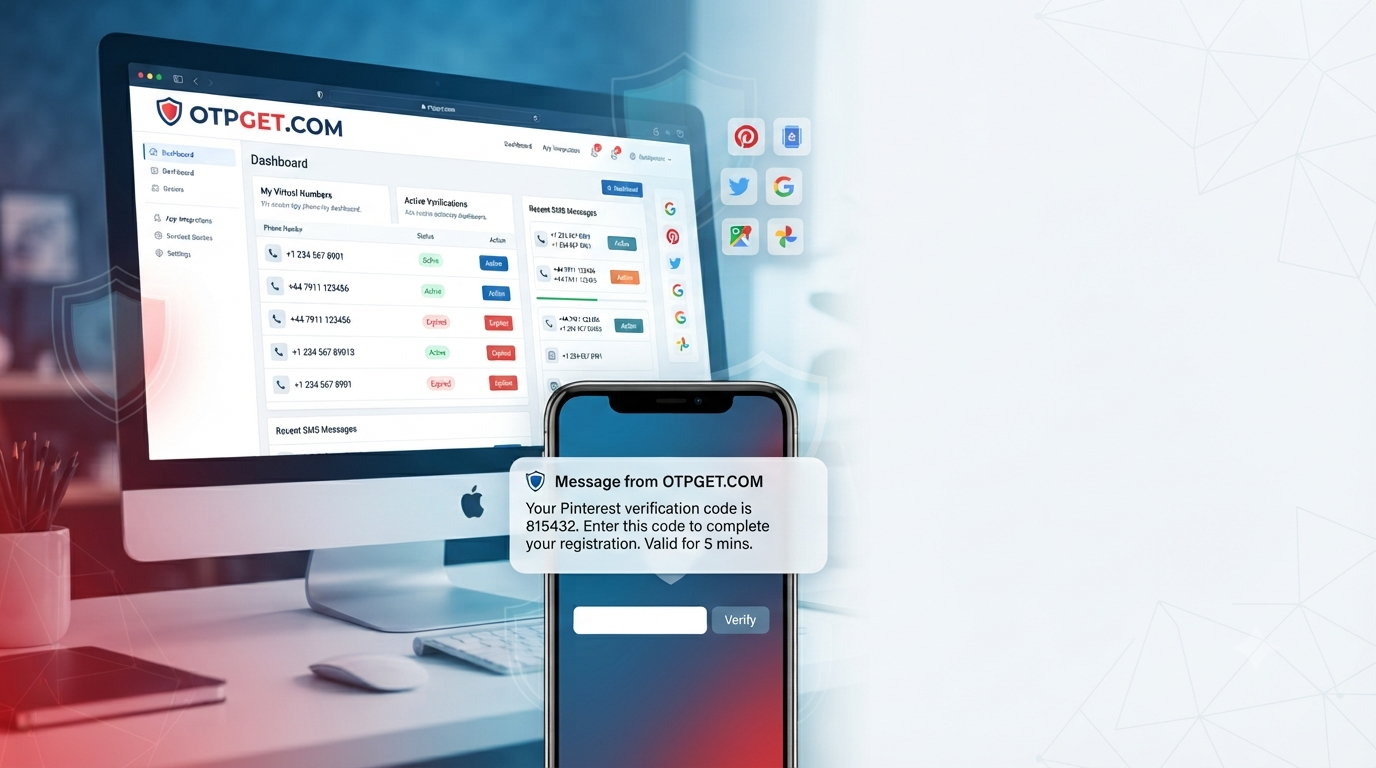
A temporary or virtual number can be an option in situations where the service and platform accept it. OTPGET is designed around the practical need for temporary SMS access, giving users another option to consider when they need a verification number.
This guide explains how Pinterest SMS verification works, how temporary numbers fit into the process, what limitations to consider, and how OTPGET may help.
Why Use a Temporary Number for Pinterest Verification?
A personal mobile number can be useful for long-term account ownership, but it is not always the preferred choice for every online service.
There are several legitimate reasons someone might consider a temporary phone number:
- Privacy: Keeping a personal number separate from online services can reduce unnecessary exposure.
- Separation: A dedicated number can help distinguish personal communications from online account activity.
- Convenience: A virtual number may be useful when a personal phone number is temporarily unavailable.
- Online account management: Some users prefer using a separate number for services that require SMS verification.
- Practicality: A temporary SMS number can provide an alternative when the user's normal number is not suitable for the particular situation.
A temporary number should not be viewed as a way to bypass Pinterest's rules or create misleading identities. Users should follow the platform's requirements and consider whether the number will remain available if the account later requires recovery.
How a Pinterest Temporary Number Works
The general verification workflow is simple, although the exact experience can vary depending on Pinterest and the number provider.
- Choose a suitable temporary or virtual number.
Select a number that can receive SMS and is appropriate for the intended verification purpose.
- Enter the number where verification is requested.
If Pinterest accepts the number, submit it through the relevant verification process.
- Request the verification SMS.
Pinterest may send a one-time verification code to the submitted number.
- Check the SMS inbox.
If the message is successfully delivered, look for the Pinterest verification code.
- Enter the code.
Submit the current code in the verification field.
- Complete verification.
If the code is valid and the platform accepts the number, the verification process can continue.
There is an important limitation: not every temporary number is accepted by every online service. Some numbers may also have limited availability or may have been used previously. A temporary number therefore should not be treated as a guaranteed replacement for a personal or long-term phone number.
How OTPGET Helps With Pinterest SMS Verification
OTPGET can be a practical option for users looking for temporary SMS functionality rather than exposing a personal phone number for every online verification task.
The main value is convenience. Instead of relying on a personal number, users can consider a temporary or virtual number when that approach is appropriate and accepted by the service.
For Pinterest SMS verification, the general idea is to obtain an available number through OTPGET, use it for the relevant verification request, and check whether the expected SMS arrives through the service.
Potential advantages include:
- A more convenient temporary verification workflow
- Separation between personal and online phone usage
- Access to SMS functionality for suitable verification tasks
- A dedicated option when a personal number is unavailable
- Easier management of verification messages in one place
OTPGET should be viewed as a practical option rather than a guarantee that every Pinterest verification request will succeed. Platform acceptance, number availability, message delivery, and account requirements can all affect the outcome.
Step-by-Step: Using OTPGET for Pinterest Verification
If a temporary number is appropriate for your situation, the process can generally be approached in a few simple stages.
Step 1: Select a Suitable Number
Start by choosing an available temporary number that supports SMS reception and is suitable for the verification task. Availability can change, so the number shown to you may not always be available later.
Step 2: Copy the Number
Use the provided number in the phone-number field when Pinterest requests SMS verification. Double-check the number before submitting it.
Step 3: Request the Pinterest SMS
Continue with the verification request. If Pinterest accepts the number, a Pinterest SMS code may be sent to it.
Step 4: Check OTPGET for the SMS
Return to the relevant OTPGET SMS inbox and check for the incoming message. Delivery can sometimes take a little time, so avoid repeatedly requesting new codes immediately.
Step 5: Enter the Verification Code
When the Pinterest verification message arrives, enter the newest valid code into the appropriate verification field.
Step 6: Finish Verification
Complete the remaining verification steps. If the number is rejected or the SMS does not arrive, consider troubleshooting the issue rather than repeatedly submitting requests.
Exact interface labels, availability, supported locations, pricing, and other service details can change, so users should rely on the information displayed by OTPGET and Pinterest when completing the process.
Temporary Number vs. Personal Phone Number
Neither option is automatically better for every Pinterest account. The right choice depends on whether the number is needed only for a temporary verification task or may be important later.
| Factor | Temporary/Virtual Number | Personal Phone Number |
|---|---|---|
| Privacy | Can separate personal contact details | Requires sharing your personal number |
| Convenience | Useful for suitable temporary tasks | Convenient when already available |
| Accessibility | Depends on provider and availability | Usually accessible to the owner |
| Long-term recovery | May be unsuitable if access expires | Generally better for ongoing recovery |
| Number ownership | May be temporary or service-managed | Normally controlled directly by you |
| Verification reliability | Can vary by platform and number | Often more predictable |
| Best use case | Short-term or privacy-conscious needs | Long-term account management |
The biggest consideration is future access. If Pinterest later requires the same number for account recovery, a temporary number may not be available. For an important long-term account, that can be a significant disadvantage.
What to Consider When Choosing a Temporary Number
Before using a temporary SMS number, consider more than whether it can receive one message.
Number availability: A suitable number may not always be available when needed.
SMS receiving capability: Make sure the service actually supports incoming SMS for the intended purpose.
Reliability: Delivery can vary. A delayed or missing message can interrupt verification.
Privacy: Understand what information the service displays and how the temporary number is managed.
Platform acceptance: Some platforms may reject certain virtual, shared, or previously used numbers.
Number reuse: A temporary number may have been used by another person previously or may become available to someone else later.
Account recovery: This is one of the most important factors. If you lose access to a temporary number, recovering an account that depends on it may become more difficult.
Temporary versus long-term needs: If you expect to need the number repeatedly, a long-term number may be more appropriate than a disposable option.
Common Pinterest Verification Problems
Verification SMS Isn't Arriving
First, confirm that the number was entered correctly and that the service can receive SMS. Wait briefly before requesting another code, since repeated requests can sometimes create confusion over which code is current.
The Code Arrives Late
Use the newest valid message. Older verification codes may expire, particularly if another request was submitted afterward.
Pinterest Doesn't Accept the Number
The platform may not accept every temporary or virtual number. In that situation, trying the same number repeatedly may not help. A different eligible number or a personal/long-term number may be more appropriate.
The Number Has Already Been Used
A temporary number may have previous usage. If Pinterest indicates that the number is already associated with an account or cannot be used, select another appropriate option.
The Verification Code Has Expired
Request a new code and use the latest one rather than an older message.
The Code Was Entered Incorrectly
Check the digits carefully before submitting. Avoid copying extra spaces or characters if the interface does not accept them.
The Temporary Number Becomes Unavailable
This is an important limitation of temporary services. If continued access is important, a long-term phone number may be a better choice.
Best Practices for Pinterest SMS Verification
A few simple habits can make the process clearer and reduce unnecessary problems:
- Use the correct phone number and verify it before submitting.
- Check the SMS inbox carefully for the latest message.
- Enter the newest verification code.
- Avoid requesting multiple codes in rapid succession.
- Follow Pinterest's account and verification requirements.
- Never share a verification code with another person.
- Consider whether the number will be needed for future account recovery.
- Use a temporary number only when it fits the purpose of the account.
- Keep long-term account access and recovery requirements in mind.
These practices are useful regardless of which SMS verification service you choose.
Is a Temporary Number Right for Pinterest?
A temporary number can make sense when privacy, separation, or short-term convenience is more important than maintaining permanent access to the same phone number.
It may be less suitable for an account that you expect to manage for a long time, especially if the phone number could later be needed for recovery or additional security checks.
The key question is not simply whether a temporary phone number can receive a Pinterest SMS. It is whether using one fits the account's long-term needs and Pinterest's current requirements.
For users who specifically need temporary SMS access, OTPGET can be considered as a practical option. The important thing is to understand the limitations before choosing a temporary number.
Frequently Asked Questions
What is a Pinterest SMS verification temporary number?
A Pinterest SMS verification temporary number is a phone number intended to receive an SMS verification code without necessarily using a user's primary personal number. It may be virtual or temporary, depending on the provider. Whether Pinterest accepts a particular number can vary, so users should not assume every temporary number will work.
Can I receive a Pinterest verification code on a temporary number?
It may be possible when Pinterest accepts the number and the temporary service supports incoming SMS for the verification request. However, acceptance and delivery are not guaranteed. If the message does not arrive, check the number, wait for delivery, and consider whether another eligible number is necessary.
How does Pinterest SMS verification work?
Pinterest SMS verification generally involves submitting a phone number, requesting a verification message, receiving a one-time code, and entering that code in the verification process. The exact steps can vary depending on the account and platform requirements. Users should follow the instructions displayed by Pinterest rather than relying on assumptions about the interface.
What is a Pinterest virtual number?
A Pinterest virtual number is a phone number provided through a virtual or online telephone service rather than necessarily being tied directly to a user's physical SIM card. Such numbers may support SMS reception, but their acceptance depends on the platform and the particular number.
Why isn't my Pinterest verification code arriving?
Possible reasons include an incorrect number, delayed SMS delivery, an unsupported number type, temporary service availability issues, or repeated verification requests. Check that the number is correct and can receive SMS, then wait before requesting another code. If the problem continues, consider using an alternative eligible number.
Can I use OTPGET to receive verification SMS?
OTPGET can be considered by users looking for temporary SMS access for suitable verification tasks. If Pinterest accepts the selected number, the service may provide a place to receive the relevant SMS. Availability and platform acceptance can vary, so OTPGET should not be treated as a guarantee of successful Pinterest verification.
Is a temporary phone number suitable for long-term Pinterest accounts?
Not always. A temporary number may be convenient for a short-term verification need, but long-term accounts can require reliable access to the original phone number for recovery or additional verification. If maintaining the same number is important, a personal or long-term number may be the safer choice.
What should I consider before using a temporary SMS number?
Consider whether Pinterest accepts the number, whether SMS delivery is reliable, how long the number remains accessible, whether it may be reused, and whether you could need it for account recovery later. Privacy and convenience are useful benefits, but they should be balanced against long-term account access.
Final Thoughts
Pinterest SMS verification is usually straightforward, but choosing the right phone number can make the process more complicated than expected. A personal number may be convenient for long-term account access, while a temporary or virtual number can provide a useful alternative when privacy, separation, or short-term convenience matters.
The main limitation is that temporary numbers are not universally accepted and may not remain available for future recovery. That makes it important to think beyond the initial verification step.
For users whose needs fit temporary SMS verification, OTPGET can be a practical option to explore. It provides an alternative approach to managing verification messages without automatically relying on a primary personal number.
Before proceeding, consider the platform's requirements, the importance of future account recovery, and the availability of the selected number. If those factors fit your situation, exploring OTPGET can be a sensible next step.


