How to Receive Indian OTP Codes Online: Easy Steps with OTPGET
How to Receive Indian OTP Codes Online: Easy Steps with OTPGET
Need an Indian number to receive a verification SMS, but don't want to rely on a personal SIM? In legitimate situations, an online Indian number can provide a practical way to receive an OTP without putting your everyday phone number into another service.
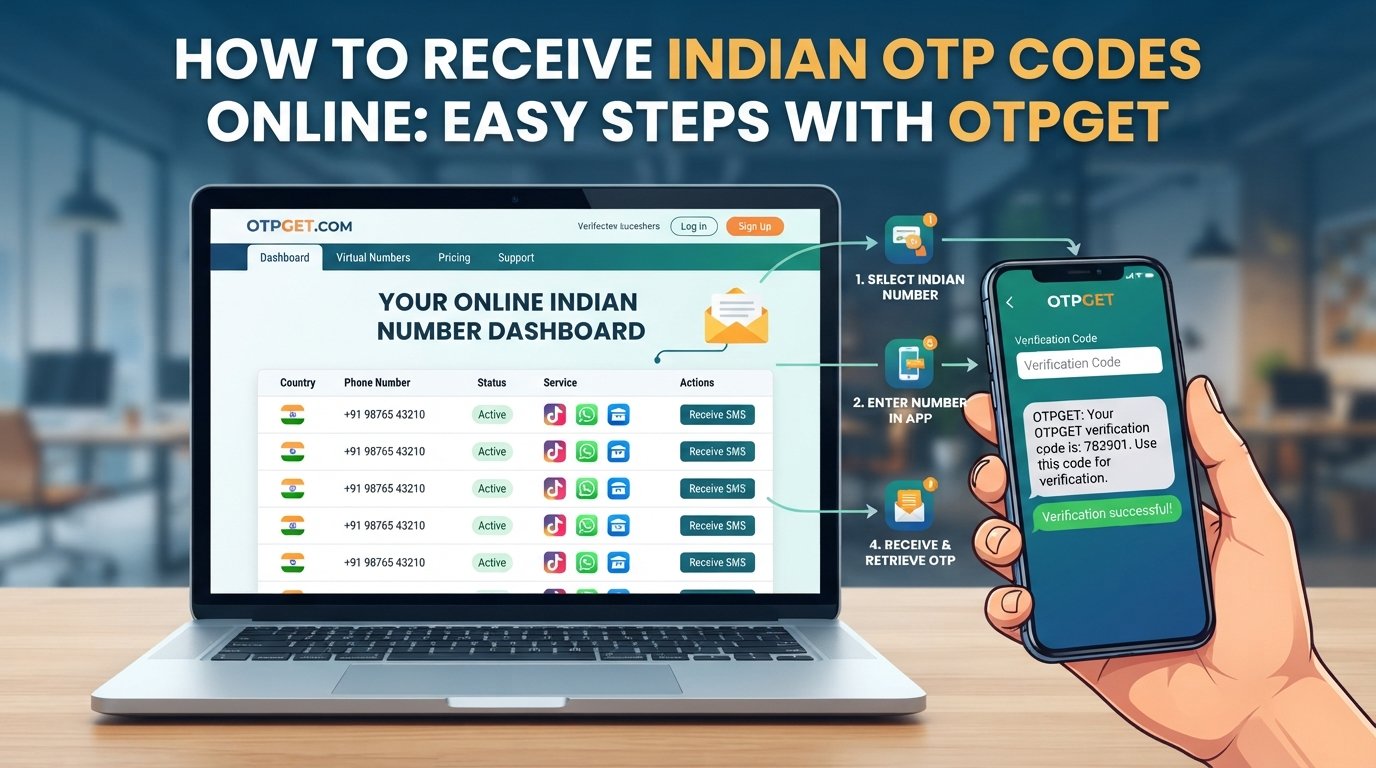
The basic process is straightforward: choose an available Indian number that supports the service you are using, enter it during an authorized verification process, wait for the SMS, and retrieve the code through the online platform. OTPGET provides virtual numbers for SMS-based verification and can be considered by users who need this type of service.
However, online numbers are not a universal replacement for personal mobile numbers. Availability, compatibility, delivery speed, and the policies of the website or app you're verifying can all affect the experience. Here's what to know before you start.
What Is an Indian OTP and How Does It Work?
An OTP, or One-Time Password, is a temporary verification code sent to a user through a channel such as SMS. It is commonly used to confirm that someone has access to the phone number entered during registration, login, or another authorized action.
To receive an Indian OTP online, you generally use an Indian virtual phone number capable of receiving SMS. When the service sends its verification message, the SMS is routed to the number and made available through the online number provider.
A typical SMS verification process looks like this:
- A website or app asks for a mobile number.
- You provide an eligible Indian number.
- The service sends an OTP by SMS.
- The message reaches the selected number.
- You view the SMS through the online service.
- You enter the OTP into the original website or app.
An Indian mobile number may be required when a service limits registration or verification to Indian numbers. Using an online Indian number can therefore be useful when you have a legitimate reason to use a number separate from your personal device.
Why Receive Indian OTP Codes Online?
There are several legitimate reasons someone may want to receive an Indian verification SMS online.
For example, a developer testing an application may need an Indian number to test SMS workflows. A business team working with an India-specific service may need access to a suitable number without assigning a personal SIM to the task. Someone who wants to keep their personal number separate from a particular online service may also prefer a virtual number where the service permits it.
An online Indian number can be useful for:
- Testing SMS and verification workflows.
- Authorized business or development activities.
- Separating a personal number from certain online registrations.
- Accessing services that legitimately require an Indian number.
- Receiving an SMS verification code when a suitable virtual number is supported.
The important point is authorization. An online OTP service should not be used to create fraudulent accounts, impersonate another person, evade identity checks, or circumvent a platform's security controls.
How to Receive Indian OTP Codes Online with OTPGET
For users looking to receive Indian OTP codes online, OTPGET provides virtual phone numbers for SMS verification and lists India among its available countries. Its platform describes both temporary virtual numbers and longer-term rental options.
The exact availability of an Indian number or supported service can change, so check the options shown on the platform before beginning verification.
Step 1: Visit OTPGET
Open OTPGET and review the available virtual-number options.
If an account is required for the option you want to use, complete the registration process according to the platform's instructions.
Step 2: Choose an Available Indian Number or Service
Look for India as the country and select an available option appropriate for your intended, authorized verification.
Availability can vary by service. A number that works for one website or app may not necessarily be accepted by another.
Step 3: Enter the Number for Authorized Verification
Copy the assigned Indian phone number and enter it into the website or application requesting verification.
Double-check the number before submitting it. A single incorrect digit can prevent the SMS from reaching the intended number.
Step 4: Request the OTP
Submit the verification request on the relevant service.
The service will send an SMS if it accepts the number and completes its normal verification process.
Step 5: Wait for the SMS
Return to the OTPGET interface and allow time for the verification message to arrive.
SMS delivery is not always immediate. Network conditions, the sender's systems, number availability, and the receiving service can all affect delivery.
Step 6: View the Received Code
Once the SMS arrives, retrieve the OTP through the available OTPGET interface or workflow.
Avoid sharing the code with anyone else. An OTP is intended to complete the verification action you initiated.
Step 7: Enter the OTP
Enter the received code into the original website or app while the verification request is still active.
If the code has expired, request a new one only when appropriate.
Why Use OTPGET for Indian OTP Messages?
The main appeal of an online OTP service is convenience. Instead of needing a physical SIM and another handset for every verification scenario, a virtual number can provide an online route for receiving SMS.
OTPGET describes its platform as offering virtual numbers across many countries, including India, with numbers available for different verification scenarios.
For an appropriate use case, the potential practical benefits include:
- Convenience: Receive SMS through an online workflow rather than relying on a physical SIM.
- Number separation: Keep certain authorized verification activities separate from your everyday number.
- Accessibility: Manage number and SMS activity online.
- Flexible options: Availability may include temporary numbers as well as rental arrangements.
- Simple workflow: Choose a number, submit it for verification, wait for the SMS, and retrieve the code.
These benefits should be viewed alongside the limitations of virtual numbers. Not every service accepts every online number, and availability can change.
How to Choose an Indian OTP Receiving Service
Choosing an online OTP service involves more than finding an Indian number. The number must also be suitable for the service you intend to use.
Before selecting an Indian virtual phone number, consider the following:
Number Availability
Check whether Indian numbers are currently available for the service you need. A country being listed does not necessarily mean that every service will have an available number at all times.
Service Compatibility
Look for clear information about supported services. Some websites may reject virtual, temporary, recycled, or previously used numbers.
OTP Delivery
Consider how the platform handles incoming SMS and whether there is a clear way to monitor the verification message.
Ease of Use
The process should be understandable without unnecessary technical steps. For occasional users, a straightforward online dashboard can make receiving an OTP easier.
Privacy Considerations
Understand whether a number is temporary, shared, or rented for a longer period. Read the provider's privacy and usage policies before using the service for anything sensitive.
Transparency
Look for clear information about pricing, availability, usage restrictions, and what happens if an SMS does not arrive.
OTPGET is one option to evaluate against these criteria. Its published terms also prohibit illegal, fraudulent, abusive, or harmful use of its services.
Common Problems When Receiving Indian OTPs Online
Even when the process appears simple, an OTP may not arrive immediately. Several issues can cause delays or failed verification.
OTP Not Arriving
Wait briefly and check whether the selected number is still active and appropriate for the requested service. Avoid repeatedly requesting codes because multiple requests can sometimes create confusion over which OTP is current.
Delayed SMS
An SMS can take time to reach an online inbox. If the service provides a waiting period, allow that period to pass before assuming the request failed.
Number Already Used
Some websites restrict numbers that have previously been associated with an account. In that situation, another number may be required if the service permits it.
Unsupported Service
A virtual number may work for one platform but fail on another. Service compatibility is determined by the receiving website or app, not simply by the fact that the number is Indian.
Expired OTP
OTP codes are generally time-sensitive. If the code has expired, start a fresh verification request rather than relying on an old message.
Incorrect Number
Always check the complete Indian number before submitting the verification request. An incorrect number means the SMS may go somewhere else or fail to arrive.
Tips for Receiving Indian OTP Codes Successfully
A few simple habits can make the process smoother:
- Confirm that the selected number is intended for your specific service.
- Copy the number carefully before submitting it.
- Give the SMS reasonable time to arrive.
- Avoid repeatedly requesting OTPs unless necessary.
- Use the newest valid OTP if several messages arrive.
- Check whether the service permits virtual or temporary numbers.
- Never share an OTP with another person.
- Avoid using online numbers for sensitive accounts when a personal number is required or more appropriate.
- Use an OTP receiving service only for legitimate, authorized activities.
These steps won't guarantee successful delivery, but they can reduce common mistakes and make troubleshooting easier.
Is Receiving an Indian OTP Online Safe?
Receiving an Indian OTP through an online number can be practical, but it should not automatically be treated as equivalent to using a private personal mobile number.
The biggest consideration is number privacy. Depending on the service and number type, a virtual number may be temporary or potentially shared. That makes some online numbers unsuitable for highly sensitive accounts, long-term account recovery, or situations where you need exclusive control of the telephone number.
You should also understand what information the provider collects and how it handles account activity. OTPGET's published privacy information states that it may collect information such as an email address, IP address, transaction records, and account activity logs for purposes including account security, payment verification, fraud prevention, and service improvement.
For that reason, use an online SMS number thoughtfully:
- Do not use shared or temporary numbers for accounts requiring long-term number ownership unless the service explicitly allows it.
- Never give an OTP to someone who asks you to forward it.
- Do not use an online OTP service to defeat identity or security requirements.
- Read the provider's terms and privacy information.
- Use your personal number when a service requires it or when it is the safer choice for account recovery.
Frequently Asked Questions
1. How can I receive an Indian OTP online?
You can use a virtual Indian phone number that supports SMS reception. With OTPGET, the general process is to select an available Indian number or compatible service, enter the number during an authorized verification request, wait for the SMS, and retrieve the OTP through the available online workflow.
2. Can I receive an Indian SMS verification code online?
Yes, an online virtual number can receive an SMS verification code when the selected number supports the service sending the message. However, not every website accepts every virtual number, so compatibility should be checked before starting verification.
3. How does OTPGET help with Indian OTP verification?
OTPGET provides virtual phone numbers for SMS-based verification and lists India among its available countries. Users can select an appropriate available option, use the number for an authorized verification request, and retrieve the incoming SMS through the service.
4. Can every website accept an online Indian number for OTP?
No. Acceptance depends on the website or app. Some services may restrict virtual, temporary, shared, or previously used numbers. Always check the receiving service's requirements.
5. What should I do if my Indian OTP does not arrive?
First, verify that the number was entered correctly and that it is compatible with the service. Wait for a reasonable delivery period, then check whether the number or activation is still available. If necessary, follow the provider's process for trying another eligible number.
6. Is it safe to use an online number for OTP verification?
It can be appropriate for some legitimate, low-sensitivity verification tasks, but suitability depends on the number type and the account involved. Shared or temporary numbers may not provide the same control as a personal mobile number, so sensitive accounts may require a private number.
7. Can I use the same Indian number for multiple OTPs?
That depends on the number type, provider, and receiving service. Some numbers are intended for specific verification transactions, while rental arrangements may provide longer-term access. Never assume that one number will work across multiple services.
Conclusion
If you need to receive Indian OTP codes online, a virtual Indian number can simplify the SMS verification process when the receiving service permits it. The basic workflow is easy: choose an eligible number, enter it for an authorized verification request, wait for the SMS, retrieve the OTP, and complete the verification.
OTPGET provides a practical option for users looking for online virtual numbers and SMS-based verification, including Indian numbers.
The key is to use the service responsibly. Check compatibility before starting, understand whether the number is temporary or longer-term, protect every OTP you receive, and use online numbers only for legitimate purposes.
If that matches your needs, explore the available Indian number options through OTPGET and choose an option appropriate for the service you are authorized to verify.
INTERNAL LINK SUGGESTIONS
1. Indian Virtual Numbers
Anchor text: Indian virtual numbers for OTP
Suggested destination: OTPGET Indian numbers page
Purpose: Direct readers who specifically need an Indian number to the relevant product or country selection page.
2. OTP Verification Guide
Anchor text: how OTP verification works
Suggested destination: OTPGET OTP verification guide or blog article
Purpose: Explain the broader SMS OTP process for readers who want more background before choosing a number.
3. OTPGET FAQ
Anchor text: OTPGET frequently asked questions
Suggested destination: OTPGET FAQ
Purpose: Help users find answers about number availability, verification, account usage, and common issues.
4. Rental Numbers
Anchor text: long-term virtual number rentals
Suggested destination: OTPGET rental numbers page
Purpose: Introduce a longer-term option for legitimate use cases that require continued access to a number.
5. Pricing
Anchor text: OTPGET pricing and available numbers
Suggested destination: OTPGET pricing page
Purpose: Give users a clear path to review current pricing and availability before purchasing.