Sign Up for Facebook Using an OTPGet Number: A Practical Guide
Sign Up for Facebook Using an OTPGet Number: A Practical Guide
Signing up for Facebook is usually straightforward until the phone verification screen appears. For some users, entering a personal phone number is not the preferred option, while others may simply need a supported number that can receive an SMS verification code.
This is where an OTP receiving service can be useful. OTPGET provides an option for obtaining a verification number where the required service, region, and number are supported.
If you want to sign up for Facebook using an OTPGet number, this guide explains what phone verification means, how OTPs work, how the general OTPGET process works, and what to do if your verification code does not arrive.
The important point is that OTPGET can help with receiving a verification message, but Facebook ultimately controls whether a number is accepted and whether additional verification is required.
Why Does Facebook Require Phone Verification?
Phone verification is commonly used by online platforms as part of account creation and security processes. A phone number can provide an additional way to confirm that a signup request is associated with a reachable communication channel.
Facebook may ask for a phone number during signup or at another point in the account process. The exact verification requirements can vary depending on factors such as region, account activity, and Facebook's own systems.
Phone verification can also help distinguish genuine signup activity from certain types of automated or abusive behavior. However, users should not assume that completing SMS verification guarantees account approval or removes the possibility of additional checks.
If Facebook asks for verification, the safest approach is to follow the instructions shown by Facebook and provide accurate information.
What Is an OTP Verification Number?
An OTP, or one-time password, is a temporary verification code used to confirm an action.
For example, when Facebook requests phone verification, it may send an SMS containing a short code. You enter that code into the relevant verification field to confirm that the number can receive the message.
An OTP verification number is simply a phone number used to receive such verification messages.
You may encounter several related terms:
- OTP: A one-time password or verification code.
- Verification code: The temporary code sent by a service.
- SMS verification: Confirming a phone number through a text message.
- Temporary phone number: A number made available for a limited verification purpose.
- OTP receiving service: A service designed to provide access to numbers that can receive supported verification messages.
The key distinction is between the phone number and the OTP code. The number receives the SMS; the code inside the SMS is what you enter during verification.
What Is OTPGET?
OTPGET is an option for users who need a number capable of receiving an OTP verification message for a supported service.
For Facebook signup, the general idea is simple: instead of relying on a personal phone number, a user can select an available OTPGET number when the service and region support Facebook verification.
OTPGET should be viewed as a convenience for receiving verification messages, not as a way to bypass Facebook's security systems.
Number availability, SMS delivery, regional compatibility, and Facebook's acceptance of a particular number can vary. A number that works for one service or situation may not necessarily work for another.
That distinction is important because OTPGET provides the number and receiving functionality, while Facebook controls its own verification and account-creation process.
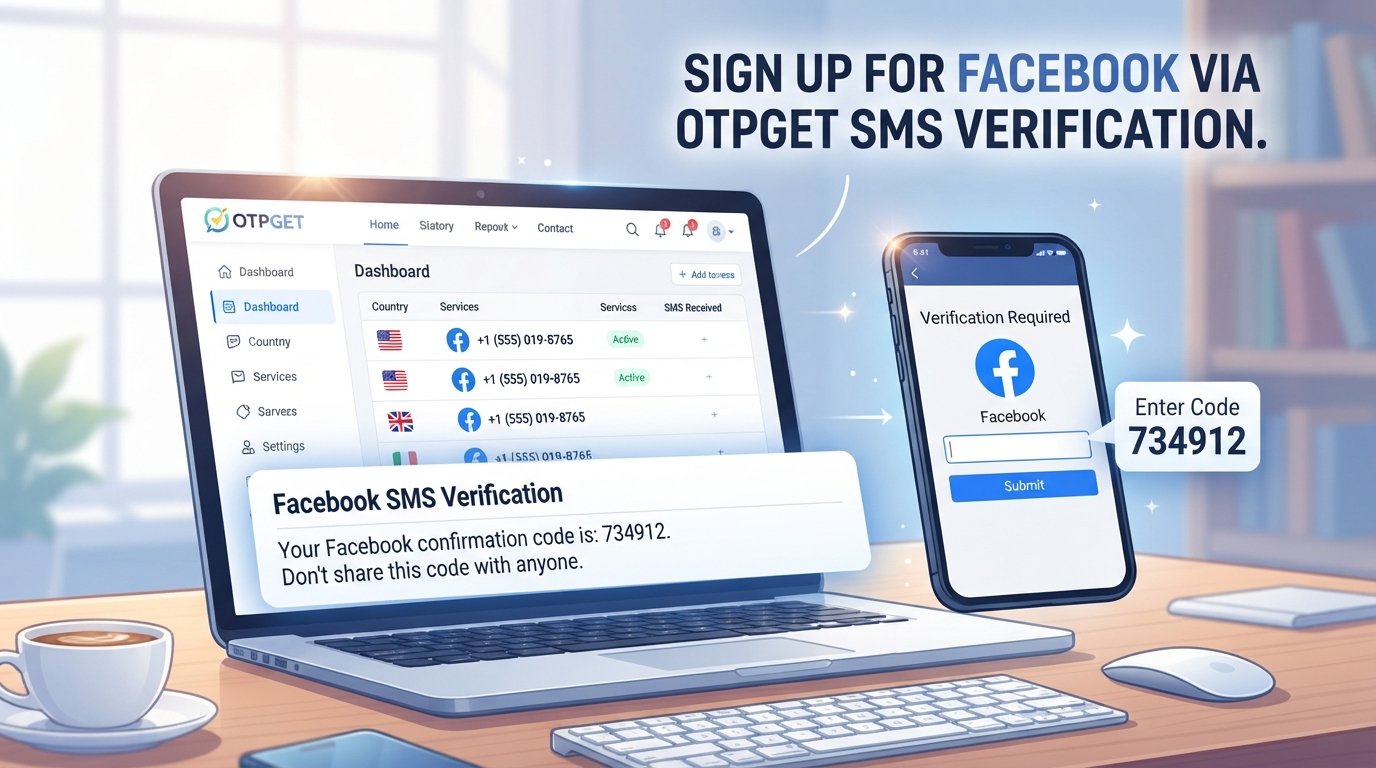
How to Sign Up for Facebook Using an OTPGet Number
If OTPGET has a suitable number available for Facebook and your region, the general process can be completed in a few straightforward steps.
1. Open the Facebook signup page
Start the normal Facebook account creation process through Facebook's official signup interface.
Use accurate information and follow the signup instructions presented on the platform.
2. Begin creating your account
Enter the information requested by Facebook. Continue until you reach the phone verification stage, if Facebook requires one.
3. Check the verification requirements
Before selecting a number, identify the country or region Facebook is requesting. This helps you look for an appropriate OTPGET number where available.
4. Select a suitable OTPGET number
Open OTPGET and choose an available number that supports the required service and region.
Availability can change, so make sure the number is currently presented as suitable for the intended verification purpose.
5. Enter the number on Facebook
Return to the Facebook signup screen and enter the OTPGET number in the phone-number field.
Double-check the country code and number before requesting the verification SMS.
6. Request the verification code
Submit the number and wait for Facebook to send its verification message.
Do not repeatedly request codes if a message takes a little time to arrive. Multiple requests can make troubleshooting more confusing.
7. Check OTPGET for the incoming SMS
Monitor the OTPGET interface for the Facebook verification message.
If the SMS arrives, locate the one-time verification code provided by Facebook.
8. Enter the OTP on Facebook
Return to Facebook and enter the received code in the verification field.
The code should be entered exactly as provided and within any applicable validity period.
9. Complete the remaining signup steps
Once Facebook accepts the code, continue with the remaining account setup instructions.
Remember that SMS verification is only one part of the signup process. Facebook may request additional information or verification depending on its requirements.
Why Choose OTPGET for Verification?
One reason users consider an OTP receiving service is convenience. A suitable OTPGET number can provide an alternative to using a personal phone number when the relevant service and region are supported.
Potential advantages include:
- Convenient OTP receiving: Verification messages can be accessed through the OTPGET service.
- Alternative to a personal number: In situations where it is appropriate and permitted, users may prefer not to use their everyday number.
- Simple workflow: The basic process involves selecting a supported number, entering it on the relevant service, and checking for the incoming code.
- Useful for verification purposes: OTPGET can be practical when a supported verification number is needed.
However, these benefits should not be confused with guarantees. OTPGET cannot guarantee that Facebook will accept every number, that every SMS will arrive, or that an account will be approved.
Common Problems When Using an OTP Number for Facebook
Even when the process looks simple, verification can sometimes fail. Here are some common situations and sensible steps to take.
The verification SMS does not arrive
There may be a delivery delay, the number may not support the requested service, or Facebook may not have sent the message successfully.
Wait briefly, check the OTPGET receiving area again, and avoid repeatedly requesting new codes.
Facebook does not accept the number
Facebook may reject a number for reasons determined by its own systems or requirements.
If the number is not accepted, check whether another supported OTPGET number is available for the correct region and service.
The number has already been used
A verification number may not be suitable if Facebook indicates that it has already been associated with an account or otherwise cannot be used.
In that situation, do not try to circumvent Facebook's restrictions. Instead, follow Facebook's available signup or account-verification options.
The number is unavailable or expires
Temporary verification numbers can have limited availability. If access to a number ends, it may not be appropriate for long-term account recovery.
This is one of the biggest differences between an OTP service and your personal mobile number.
Facebook asks for additional verification
Receiving an SMS code does not guarantee that Facebook will not request another verification step.
If Facebook asks for additional verification, follow the instructions displayed by Facebook rather than attempting to bypass them.
OTPGET vs. Using Your Personal Phone Number
Both options can have a legitimate place depending on your needs.
| Consideration | OTPGET Number | Personal Phone Number |
|---|---|---|
| SMS verification | Useful where supported | Usually straightforward if accepted |
| Convenience | Can provide an alternative number | Uses a number you already control |
| Long-term recovery | May have limitations | Generally more suitable |
| Number availability | Depends on available numbers | Depends on your mobile service |
| Facebook acceptance | Determined by Facebook | Determined by Facebook |
| Best suited for | Supported verification needs | Long-term account access and recovery |
If your priority is long-term account security and recovery, a personal number that you control may be preferable.
If you specifically need a supported verification number and understand the limitations of temporary numbers, OTPGET may be a convenient alternative.
Tips for a Smooth Facebook Verification Process
A few simple practices can reduce unnecessary verification problems.
- Use accurate account information.
- Select the correct country or region when applicable.
- Make sure the OTPGET number supports Facebook before using it.
- Enter the phone number carefully.
- Check the OTPGET interface for incoming messages.
- Enter the verification code promptly.
- Avoid repeatedly requesting new codes.
- Allow reasonable time for SMS delivery.
- Follow Facebook's instructions if additional verification appears.
- Consider long-term recovery before relying on a temporary verification number.
Most importantly, use verification services responsibly. Do not use them to create fake identities, spam accounts, fraudulent accounts, or to evade restrictions imposed by Facebook.
Frequently Asked Questions
What is an OTPGET number?
An OTPGET number is a phone number provided through OTPGET for receiving supported verification messages. When a service supports the selected number, it can receive an SMS containing a one-time verification code.
Can I use an OTPGET number for Facebook verification?
You may be able to use an OTPGET number for Facebook verification when Facebook accepts the number and the relevant OTPGET number supports the required service and region. Acceptance is controlled by Facebook and is not guaranteed.
How do I receive a Facebook verification code through OTPGET?
Select a suitable OTPGET number, enter it on Facebook's verification screen, request the SMS, and monitor OTPGET for the incoming message. If the SMS arrives, enter the provided code into Facebook.
Why is my Facebook OTP not arriving?
Several factors can affect delivery, including number compatibility, service availability, regional requirements, or delays. Check the selected number and OTPGET receiving area, then follow Facebook's instructions if the message does not arrive.
Can a Facebook verification number be rejected?
Yes. Facebook can determine whether a number is accepted for verification. A number may not be suitable because of Facebook's requirements, regional considerations, previous use, or other factors.
Is an OTP number suitable for long-term Facebook account recovery?
Not necessarily. Temporary or verification-focused numbers can have limitations for long-term access. If you need reliable account recovery, consider using a phone number or other recovery method that you personally control and can maintain.
What should I do if Facebook asks for additional verification?
Follow the verification instructions provided by Facebook. Do not attempt to bypass identity checks, CAPTCHA challenges, account restrictions, or other security requirements.
Is using an OTP service allowed for every Facebook signup situation?
No single OTP service or number can be assumed to work for every signup. Availability and acceptance can depend on Facebook's requirements, the selected region, and the particular number. Always follow Facebook's applicable rules and signup instructions.
Conclusion
Phone verification can be an unexpected obstacle when you are trying to create a Facebook account, particularly if you would prefer not to use your personal number for a particular verification situation.
An OTP receiving service can provide another option. OTPGET is a practical choice to consider when you need a supported number for receiving a verification SMS and an appropriate number is available for your service and region.
The process is straightforward: select a suitable OTPGET number, enter it during Facebook signup, wait for the verification message, retrieve the OTP, and enter it into Facebook. If the number is not accepted or the message does not arrive, use reasonable troubleshooting steps rather than attempting to bypass Facebook's security requirements.
For users who need a convenient OTP verification number, OTPGET can simplify the receiving side of the process while leaving Facebook in control of account verification and approval. Explore the available OTPGET options, choose a number that supports your intended service, and complete Facebook's verification process responsibly.


