Sign Up for TikTok Using an OTPGet Number: Easy OTP Guide
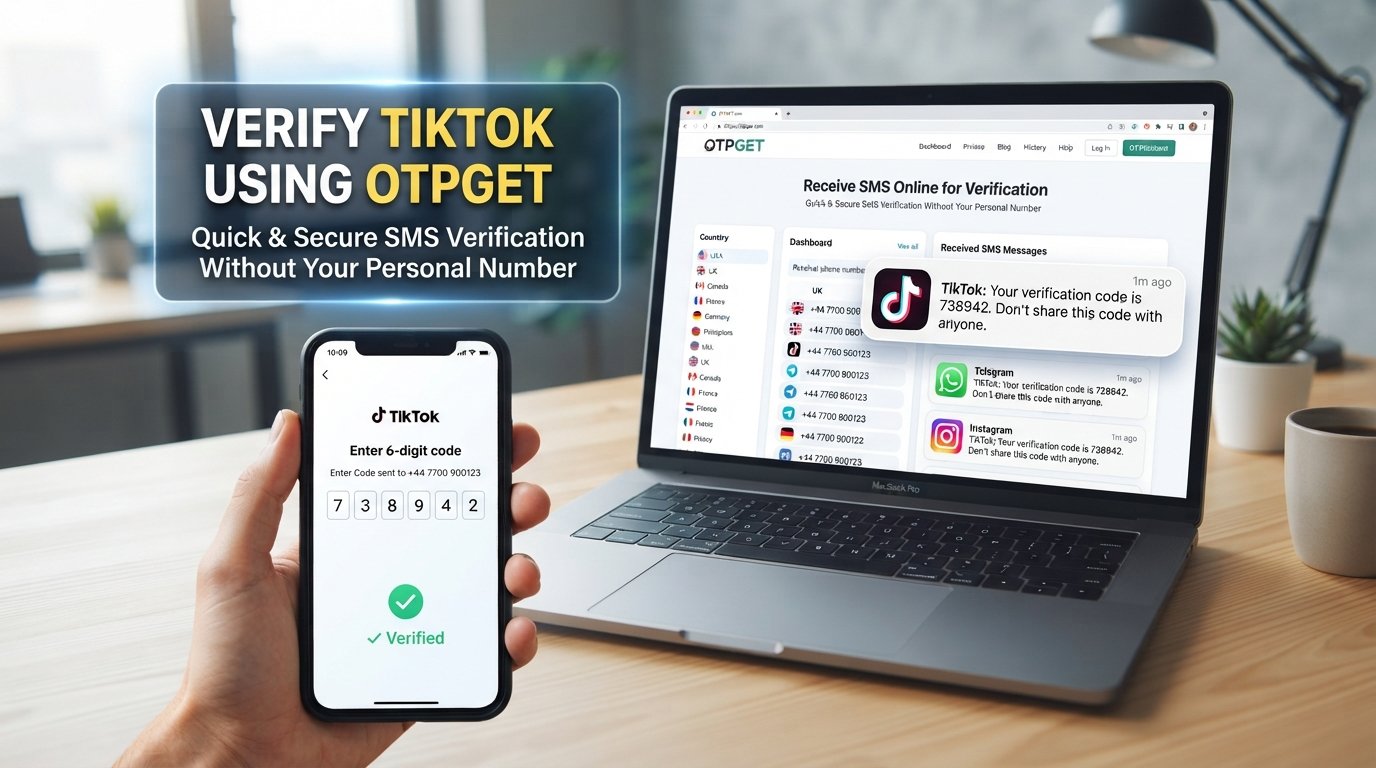
Sign Up for TikTok Using an OTPGet Number
Creating a TikTok account is usually straightforward, but phone verification can add an extra step. If TikTok asks you to confirm a phone number by SMS, you need access to a number that can receive the verification code.
That is where OTPGET can be useful. An OTPGet number can provide an alternative way to receive SMS verification messages where supported, allowing you to complete a phone-based signup without necessarily using your personal mobile number.
This guide explains how to sign up for TikTok using an OTPGet number, how TikTok OTP verification works, what to do when a code does not arrive, and what to consider before choosing an alternative verification number.
Why TikTok May Ask for Phone Verification
Phone verification is commonly used during account registration to confirm access to a phone number. A platform may use SMS verification as part of its account-security process or to help limit automated and abusive registrations.
During TikTok registration, you may be asked to provide a phone number and enter a verification code sent by SMS.
The basic process is simple:
-
Enter a supported phone number.
-
Request a verification code.
-
Receive the SMS.
-
Enter the code on the signup screen.
-
Continue creating the account.
Not every signup flow necessarily requires the same verification method. Available options and verification requirements can vary depending on factors such as location, account activity, and TikTok's current registration process.
What Is an OTPGet Number?
An OTPGet number is a number that can be used for receiving SMS verification messages where the relevant service supports it.
For users who need an OTP verification number, the appeal is convenience. Instead of relying exclusively on a personal mobile number, a user can explore an online number for TikTok verification and check whether the incoming verification SMS is available through OTPGET.
The concept is straightforward: obtain an appropriate number through OTPGET, provide it when a supported signup form requests a phone number, and check OTPGET for the incoming message if the SMS is delivered.
This can be useful for people looking to:
-
Receive SMS online instead of relying on their personal phone.
-
Keep certain verification workflows separate from a personal number.
-
Access a number specifically for an SMS verification task.
-
Receive a TikTok verification code where the selected number is supported.
Before using any number, remember that acceptance depends on the platform's requirements. An OTPGet number is an alternative verification option, not a guarantee that every signup attempt will be accepted.
If you need an alternative number for a legitimate verification workflow, explore OTPGET and check the available options before beginning your TikTok signup.
How to Sign Up for TikTok Using an OTPGet Number
If TikTok presents phone registration and accepts the type of number you are using, the process can be completed in a few basic steps.
1. Open TikTok's signup process
Start the TikTok registration process and choose the option to create a new account.
TikTok may present several registration methods. Select the phone-based option if it is available and appropriate for your situation.
2. Choose phone-number registration
Select the signup method that asks for a phone number.
The exact wording or layout can change, so focus on the option that allows registration or verification by phone.
3. Get an appropriate number through OTPGET
Open OTPGET and select an available number suitable for the verification task.
Pay attention to the number's country or other relevant details before using it. The number should match the requirements presented by the signup form.
4. Enter the OTPGet number
Return to TikTok and enter the selected OTPGet number in the phone-number field.
Check the digits carefully before requesting the SMS. A simple typo can prevent the verification message from reaching the intended number.
5. Request the TikTok verification code
Submit the number and request the verification SMS.
TikTok may send a one-time verification code to the number you entered.
6. Check OTPGET for the incoming SMS
Open the relevant OTPGET interface and look for the incoming verification message.
If the message arrives, identify the current verification code. Avoid using an older code if multiple messages have been requested.
7. Enter the verification code
Enter the latest TikTok OTP into the verification field.
Take care when entering the digits. Verification codes are generally time-sensitive, so use the current code shown in the message.
8. Complete the account setup
Once TikTok accepts the verification code, continue with the remaining account-registration steps.
You may need to choose account details and complete other parts of the signup process before the account is ready to use.
If you want to try OTPGET for this process, explore the available OTPGET numbers before starting your verification request so you can have the number ready when TikTok asks for it.
How to Receive a TikTok Verification Code Through OTPGET
Receiving a TikTok verification code through OTPGET depends on the number being supported and the SMS being successfully delivered.
The general workflow is:
Request SMS → monitor OTPGET → receive the message → copy the current code → enter it into TikTok.
After requesting the SMS, give the system a short amount of time to process the message. If the code arrives, use the latest valid OTP rather than an earlier message.
Avoid sharing verification codes with anyone else. An OTP is intended for the account-registration or verification process, and giving it to another person could put your account security at risk.
If you receive several codes, use the most recent code requested by TikTok unless the service specifically indicates otherwise.
Why Use OTPGET for TikTok Verification?
There are several practical reasons someone may consider an OTPGet number for a TikTok verification workflow.
Convenience: An online verification number can be useful when you do not want to use your personal number for a particular signup task.
Separation: Some users prefer keeping verification activity separate from their everyday mobile number.
Online SMS access: Where supported, OTPGET can provide a way to check for incoming SMS verification messages online.
Alternative verification option: If TikTok offers phone registration and accepts the selected number, an OTPGet number may provide another way to complete the SMS verification stage.
However, the important qualification is where supported. TikTok can apply restrictions to certain phone numbers or verification methods, and acceptance may vary. OTPGET should therefore be viewed as a practical option to try, rather than a guaranteed workaround for every signup situation.
What to Do If the TikTok OTP Does Not Arrive
A missing verification SMS does not necessarily mean something is wrong with your account. There are several possible causes.
Try these steps:
-
Check the number: Make sure you entered the correct OTPGet number.
-
Wait briefly: SMS delivery can sometimes take a little time.
-
Check OTPGET again: Refresh or revisit the relevant message area if appropriate.
-
Avoid repeated requests: Requesting multiple codes in quick succession can make troubleshooting more confusing.
-
Check number support: TikTok may not accept every type of online or temporary number.
-
Use the latest code: If multiple messages arrive, enter the most recent valid verification code.
-
Try another supported method: If TikTok provides another verification option, consider using it.
-
Follow TikTok's guidance: For persistent verification problems, use TikTok's applicable support or account-recovery instructions.
An expired, unavailable, or unsupported number may prevent the SMS from arriving. In that situation, changing the number or using another supported verification method may be necessary.
Tips for a Smooth TikTok Signup
A few simple habits can make TikTok registration easier:
-
Enter the phone number carefully.
-
Confirm that the selected number is suitable for the verification task.
-
Use the newest OTP you receive.
-
Do not repeatedly request codes without waiting.
-
Keep your login details private.
-
Never share an OTP with another person.
-
Follow TikTok's current signup and verification requirements.
-
If TikTok rejects a number, consider another supported registration option instead of repeatedly submitting the same number.
Most importantly, treat the verification code as sensitive account information. The code is part of the authentication process and should only be entered into the legitimate TikTok verification interface.
OTPGet Number vs. Using Your Personal Phone Number
Both approaches can make sense depending on what you want from the signup process.
| Personal phone number | OTPGet number |
|---|---|
| Directly connected to your normal mobile service | Can provide an alternative number for supported SMS verification |
| Convenient if you want your personal number associated with the account | Useful when you prefer not to use your personal number for a particular verification workflow |
| Familiar and generally straightforward | Availability and TikTok acceptance can vary |
| Suitable for users comfortable linking the account to their number | Suitable for users seeking an alternative SMS verification option |
Neither option is automatically better for everyone. Your choice depends on your privacy preferences, the signup method TikTok provides, and whether the selected OTPGet number is accepted.
Is Using an OTPGet Number Right for TikTok?
For users who need an alternative SMS verification option, OTPGET can be worth considering.
The key is to keep expectations realistic. TikTok controls its own registration and verification systems, and number acceptance can vary. A particular OTPGet number may work for one verification attempt but not be accepted in another situation.
If TikTok supports phone-based signup and accepts the selected number, OTPGET can make the verification process more convenient by providing access to an alternative number for receiving SMS.
Always use the service for legitimate account-registration purposes and follow the applicable requirements of TikTok and the verification service.
Frequently Asked Questions
Can I sign up for TikTok using an OTPGet number?
You may be able to sign up for TikTok using an OTPGet number when TikTok offers phone-number registration and accepts the selected number. The process involves entering the OTPGet number, requesting the TikTok verification code, checking OTPGET for the incoming SMS, and entering the valid code. Acceptance is not guaranteed because TikTok may restrict certain numbers or verification methods.
How do I receive a TikTok verification code on OTPGET?
First, select an appropriate OTPGet number and enter it in TikTok's phone verification field if the signup flow supports it. Request the SMS and then check OTPGET for the incoming verification message. If the code arrives, enter the latest valid OTP into TikTok. Delivery time can vary, and some numbers may not be accepted.
What should I do if my TikTok OTP does not arrive?
Start by checking that the number was entered correctly. Then wait briefly and check OTPGET for the message. Avoid repeatedly requesting codes in quick succession. If nothing arrives, the number may be unsupported, unavailable, or affected by a temporary service issue. You can consider another supported number or verification method if TikTok provides one.
Can I use an OTPGet number instead of my personal phone number?
An OTPGet number may serve as an alternative to a personal phone number for supported SMS verification workflows. Whether TikTok accepts the number depends on its current registration and verification requirements. If TikTok accepts the selected number, you can use the received verification code to continue the signup process.
Is OTPGET useful for TikTok SMS verification?
OTPGET can be useful for users who need an alternative way to receive SMS verification messages and prefer not to use their personal number for a particular signup workflow. Its usefulness depends on whether the selected number is available, can receive the message, and is accepted by TikTok during registration.
How long does a TikTok verification code take to arrive?
There is no single delivery time that applies to every verification attempt. SMS delivery can depend on the platform, number, network, and temporary service conditions. If a code does not appear immediately, wait briefly before requesting another one. Repeated requests can make it harder to determine which code is current.
What happens if TikTok does not accept the OTPGet number?
If TikTok rejects the number, repeatedly submitting the same number is unlikely to be helpful. Check that the number was entered correctly and consider whether TikTok supports that type of number. If another supported verification or signup method is available, you can use it instead. TikTok's own requirements should take priority when completing registration.
Final Thoughts
Phone verification can be one of the more important steps when creating a TikTok account. If you prefer not to use your personal number for a particular registration workflow, an OTPGet number can provide an alternative way to receive SMS verification where supported.
The basic process is straightforward: select an appropriate number, enter it during TikTok signup, request the verification SMS, check OTPGET for the code, and enter the latest valid OTP.
Just remember that number acceptance and verification requirements can vary. OTPGET is a practical option to explore, not a guarantee that every TikTok signup will accept every available number.
If you are ready to explore an alternative number for TikTok SMS verification, check OTPGET and choose an appropriate verification option for your signup needs.


