WhatsApp OTP Verification: Sign Up Using an OTPGet Number Easily
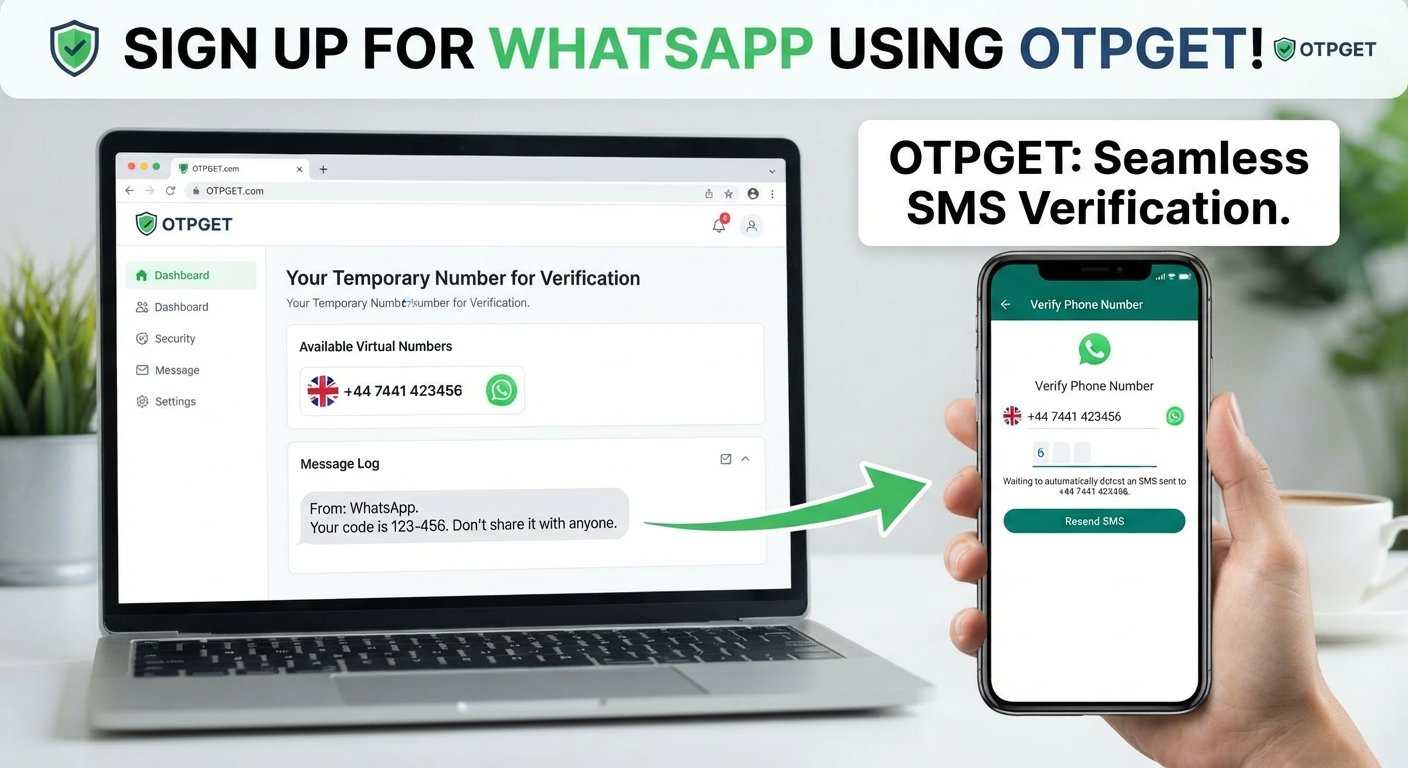
Sign Up for WhatsApp Using an OTPGet Number
Signing up for WhatsApp normally requires you to verify a phone number. During registration, WhatsApp sends a verification code to the number you enter, helping confirm that you can receive messages on that line.
For some users, using a primary personal number may not be the preferred option. You might want to keep a personal number separate, use a dedicated number for a particular account, or simply need an alternative number capable of receiving an SMS verification code.
That is where an OTPGET number can be useful when the selected number is supported for WhatsApp verification. OTPGET provides an option to obtain a number for receiving verification messages, making it a practical choice for people looking for an alternative number for WhatsApp registration.
In this guide, you'll learn how WhatsApp OTP verification works, how to use an OTPGET number during signup, what to do if your WhatsApp OTP does not arrive, and what to consider before choosing a verification number.
1. Why Does WhatsApp Require an OTP?
WhatsApp uses phone-number verification as part of its account registration process. When you enter a phone number, the service can send a verification code to that number through SMS or another available verification method.
The basic process is straightforward:
- Enter a phone number during WhatsApp registration.
- Request verification.
- Receive a WhatsApp verification code.
- Enter the code into WhatsApp.
- Complete the account setup if the verification succeeds.
The code acts as confirmation that the person registering the account has access to the phone number being used.
This is commonly referred to as WhatsApp OTP verification. OTP stands for one-time password, although in this context the code is primarily a temporary verification credential rather than a permanent password.
The exact verification experience can vary depending on WhatsApp's current registration flow, the country, the number, and the available verification methods.
2. Why Use an Alternative Number for WhatsApp?
There are several legitimate reasons to consider an alternative number instead of a primary personal number.
For example, separating communication channels can make account management more convenient. A person may want a dedicated number for a particular project, business activity, testing environment, or secondary account.
An alternative number can also reduce the need to share a primary phone number in situations where a separate number is appropriate.
Depending on the service and WhatsApp's acceptance of the number, options may include:
- A dedicated phone number for WhatsApp verification
- A virtual number for WhatsApp
- An online number for receiving SMS
- A temporary phone number
- Another number specifically used for account registration
The important point is that an alternative number is not a way to bypass WhatsApp's verification system. You still need to receive and enter the legitimate verification code sent during registration.
3. What Is an OTPGET Number?
OTPGET is a practical option for users looking for a number to receive verification messages online.
In the context of WhatsApp registration, an OTPGET number can be used as an alternative number when the particular number is supported for the verification process. Instead of using your primary personal line, you can select an appropriate number through the service and use it during registration.
The general idea is simple: you need a phone number capable of receiving the required verification message, and OTPGET can provide an option to obtain such a number.
However, it is important to keep expectations realistic. Not every number or number type is necessarily accepted by every online service. WhatsApp ultimately determines whether a particular number can be used for registration and whether the verification message can be delivered.
For that reason, select an OTPGET number appropriate for your intended use and follow WhatsApp's normal registration instructions.
4. How to Sign Up for WhatsApp Using an OTPGET Number
If you want to use an OTPGET number for WhatsApp registration, the process generally follows these steps.
Step 1: Choose an Appropriate OTPGET Number
Start by selecting a number through OTPGET that is suitable for the verification you need.
Pay attention to the country or region associated with the number and make sure it can receive the type of SMS required for the registration process.
Step 2: Open WhatsApp and Start Registration
Open WhatsApp on your device and begin the normal account-registration process.
When WhatsApp asks for your phone number, prepare to enter the selected OTPGET number.
Step 3: Enter the OTPGET Number
Enter the number in the appropriate field and select the correct country code.
Double-check every digit before continuing. A single incorrect digit can prevent the verification message from reaching the intended number.
Step 4: Request the WhatsApp Verification Code
Continue with WhatsApp's verification process and request the code.
WhatsApp will attempt to send the verification message to the number you provided.
Step 5: Check OTPGET for the Incoming Message
Return to the OTPGET service and check whether the WhatsApp verification message has arrived.
If the SMS is delivered successfully, you should be able to view the verification code through the available service interface.
Step 6: Enter the Verification Code
Enter the received WhatsApp OTP into the appropriate verification field in WhatsApp.
Take care when entering the digits. The verification code is temporary, so use the current code supplied for the registration attempt.
Step 7: Complete Your WhatsApp Setup
If WhatsApp accepts the number and the verification succeeds, continue with the remaining account-setup steps.
The important distinction is that using an OTPGET number does not guarantee successful registration. Verification depends on factors such as WhatsApp accepting the number and successfully delivering the verification message.
5. How to Receive a WhatsApp Verification Code
Receiving a WhatsApp OTP is usually a simple process when the selected number and delivery method are supported.
After entering the number, WhatsApp sends the verification code through its available verification process. If the SMS reaches your OTPGET number, you can check the service for the incoming message and enter the code into WhatsApp.
If you are waiting for an SMS verification code, avoid immediately requesting multiple codes. Repeated requests can make troubleshooting more confusing and may affect the verification process.
Before requesting another code, check:
- Whether the number was entered correctly
- Whether the country code is correct
- Whether the OTPGET number can receive the required SMS
- Whether a message has already arrived
- Whether enough time has passed for delivery
Using an OTP receiving number works best when you carefully follow the normal WhatsApp registration process rather than repeatedly restarting it.
6. What to Do If the WhatsApp OTP Does Not Arrive
A missing WhatsApp verification code does not necessarily mean something is wrong with your account. Several factors can affect SMS delivery.
First, verify the number you entered. An incorrect country code or digit can send the message somewhere else.
Next, check the OTPGET service or dashboard for an incoming message. Depending on the circumstances, SMS delivery may take some time.
You should also consider whether the selected number is supported for WhatsApp verification. Some numbers or number types may not be accepted by a particular service.
If you have requested several codes, stop and wait before trying again. Repeated requests can make the process harder to diagnose and may trigger temporary verification restrictions.
A useful troubleshooting checklist is:
- Confirm the country code.
- Check every digit of the number.
- Look for an incoming message in OTPGET.
- Wait for potential SMS delivery delays.
- Avoid requesting multiple codes in quick succession.
- Check whether the selected number is supported.
- Follow any instructions displayed by WhatsApp.
- Try again later if the verification process temporarily prevents another attempt.
OTPGET can provide the number and message-receiving option, but it cannot control whether WhatsApp accepts a number or sends a verification code.
7. Why OTPGET Can Be a Convenient Option
The main appeal of an OTPGET number is separation.
Instead of automatically using your primary personal number for every registration, you can consider an alternative number when that approach fits your situation and the service supports it.
This can be particularly useful when you need a dedicated number for a specific purpose or want to keep registration activity separate from your everyday phone number.
For someone searching for a phone number for WhatsApp verification, online SMS number, or alternative number for WhatsApp, OTPGET can therefore be a practical option to explore.
The key is to use it appropriately and understand that successful WhatsApp activation still depends on WhatsApp's verification process.
8. OTPGET vs. Using Your Personal Number
Choosing between a personal number and an OTPGET number depends on what you need from the registration process.
| Consideration | Personal Number | OTPGET Number |
|---|---|---|
| Privacy considerations | Uses your primary number | Can provide separation from your primary number |
| Account separation | Less separation | Useful for dedicated registration purposes |
| Convenience | Familiar and readily available | Useful when an alternative number is preferred |
| Verification messages | Delivered to your personal line | Designed to receive supported verification messages |
| Number management | Managed through your regular carrier/device | Managed through the applicable OTPGET service |
| Best use cases | Personal everyday WhatsApp use | Situations where an alternative number is appropriate |
Neither option is universally better. Your choice should depend on your requirements, the type of number available, and whether WhatsApp supports that number for verification.
9. Tips for a Smoother WhatsApp Verification Process
A few simple precautions can make WhatsApp phone verification easier.
Choose the correct country code.
Make sure the country selected in WhatsApp matches the number you are using.
Double-check the number.
Review the number before requesting the WhatsApp OTP.
Confirm SMS capability.
The selected OTPGET number needs to be capable of receiving the required verification message.
Avoid repeated requests.
If the code does not appear immediately, give the process some time rather than repeatedly requesting new codes.
Enter the code carefully.
Use the latest valid verification code displayed in the incoming message.
Follow WhatsApp's instructions.
If WhatsApp provides additional verification instructions, follow them rather than attempting to work around the process.
Use a supported number.
Not every online, temporary, or virtual number will necessarily be accepted. Choose an OTPGET number appropriate for the intended verification.
Protect verification codes.
Treat an OTP like a sensitive credential. Do not share your WhatsApp verification code with someone else.
10. Frequently Asked Questions
Can I use an OTPGET number for WhatsApp verification?
You can consider an OTPGET number for WhatsApp registration when the selected number is supported and capable of receiving the required verification message. WhatsApp ultimately determines whether the number can be used.
How do I receive a WhatsApp OTP on an OTPGET number?
Select an appropriate OTPGET number, enter it during WhatsApp registration, request verification, and check OTPGET for the incoming SMS. If the message is delivered, enter the code into WhatsApp.
Can I sign up for WhatsApp without using my personal number?
You may be able to use an alternative number instead of your primary personal number. An OTPGET number can be one option to consider, provided WhatsApp accepts the number and delivers the verification code.
What should I do if my WhatsApp verification code does not arrive?
Check the number and country code, review the OTPGET service for incoming messages, allow time for SMS delivery, and avoid repeatedly requesting codes. Also consider whether the selected number is supported.
Is an OTPGET number the same as a regular phone number?
An OTPGET number is an alternative number provided through the OTPGET service. How it functions and what services accept it can depend on the number and the service being used.
Can I use a virtual number for WhatsApp verification?
A virtual number may be usable for WhatsApp verification in some circumstances, but acceptance is not guaranteed. WhatsApp must accept the specific number and successfully deliver the verification message.
Why does WhatsApp ask for a verification code?
WhatsApp uses phone-number verification as part of account registration. The verification code helps confirm access to the phone number being registered.
What should I check before choosing an OTPGET number?
Check the number's country or region, make sure it is suitable for your intended verification, and confirm that it can receive the required SMS. Remember that WhatsApp acceptance depends on its own verification process.
Final Conclusion
WhatsApp OTP verification is a standard part of registering a phone number for a WhatsApp account. While many people simply use their personal number, others may prefer an alternative number for separation, convenience, or a specific registration purpose.
An OTPGET number can be a practical option for users who need a number to receive a WhatsApp verification code, provided the selected number is supported and WhatsApp successfully delivers the OTP.
The process is straightforward: choose an appropriate number, enter it during WhatsApp registration, request the verification code, check OTPGET for the incoming message, and enter the code in WhatsApp.
If you need an alternative number for WhatsApp registration, OTPGET is worth exploring as part of your verification options. Just remember to choose a suitable number, follow WhatsApp's normal verification process, and keep your verification code private.


