SMS Authentication: How Phone Verification Works Step by Step
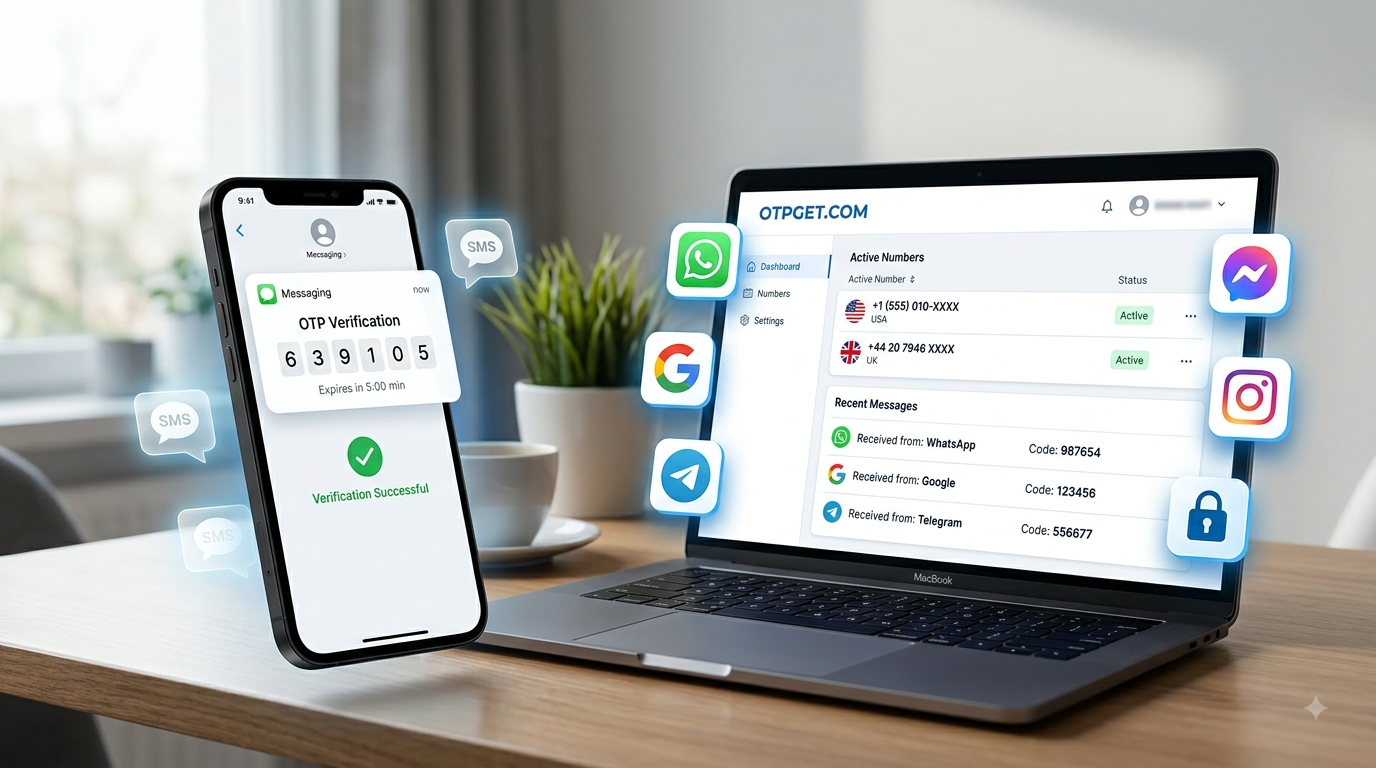
SMS Authentication: How Phone Verification Works
When a website asks you to enter a phone number and then sends a short code by text message, you are using a form of SMS authentication. The process is simple from the user's perspective, but several steps happen behind the scenes before a phone number is confirmed.
Phone verification is commonly used during account registration, login verification, password recovery, and other account-related actions. It gives a service a practical way to confirm that a user can access a particular mobile number.
For people who prefer not to use their personal number for every online service, a virtual phone number can sometimes provide a convenient alternative where the platform supports it. Services such as OTPGET are designed to provide online numbers for supported SMS verification needs.
Understanding how the process works makes it easier to choose the right verification method and troubleshoot problems when an OTP does not arrive.
What Is SMS Authentication?
SMS authentication is a verification method in which a service sends a temporary code to a phone number through SMS. The user enters that code into the website or application to demonstrate access to the number.
SMS stands for Short Message Service, the technology used to deliver text messages over mobile networks.
A typical SMS authentication process involves three parties:
- The website or application requesting verification
- The authentication system generating the code
- The mobile network delivering the SMS
The code itself is generally temporary. Once it expires or is successfully used, it is normally no longer valid.
SMS authentication is different from ordinary communication because the message contains a verification credential generated specifically for an authentication event.
How Does Phone Verification Work?
The basic phone verification process is straightforward:
- The user enters a phone number.
A website or app asks for a mobile number during registration, login, recovery, or another verification step. - The service generates a verification code.
Its authentication system creates an OTP or verification code associated with the verification request. - The code is sent through SMS.
The service sends the authentication message to the supplied number through an SMS delivery system. - The user receives the message.
The verification SMS appears on the phone or supported virtual-number platform. - The user enters the code.
The OTP is entered into the relevant verification field. - The server validates the code.
The service checks whether the code matches the pending request and is still valid. - The phone number is confirmed.
If the verification succeeds, the service can mark the number as verified.
The exact implementation varies between platforms, but this basic sequence explains how phone verification works in most familiar situations.
What Is an OTP?
An OTP, or one-time password, is a temporary authentication code intended for a specific verification event.
You may also see the terms one-time passcode, SMS OTP, or authentication code used to describe the same general concept.
An OTP is different from a permanent account password because it is generally designed to have a limited lifetime or limited use. For example, a service may generate a numerical code and require the user to enter it within a certain period.
This temporary nature helps reduce the usefulness of an intercepted code after the verification request has expired.
Users should treat OTP codes as sensitive information. A legitimate service generally does not need another person to receive or reuse your verification code. Never share an authentication code with someone who asks for it unexpectedly.
Why Do Websites and Apps Use SMS Verification?
Businesses use SMS verification for several legitimate purposes.
Account Registration
A service may ask for phone number verification when a new account is created. This can help confirm that the user has access to the number provided.
Login Verification
Some platforms send a verification code when additional confirmation is required during sign-in.
Password Recovery
A verified phone number can sometimes be used as one of several account recovery options.
Two-Factor Authentication
SMS can be used as one authentication factor in a two-factor authentication system.
Fraud and Spam Reduction
Phone verification can make automated account creation more difficult and provide another signal that a registration attempt is associated with a reachable number.
Account Protection
Adding another verification step can help a service distinguish between ordinary account activity and certain higher-risk actions.
SMS is not the only authentication method available, but its familiarity and broad accessibility have made it a common option.
SMS Authentication vs. Two-Factor Authentication
The terms SMS verification and two-factor authentication (2FA) are related but not identical.
SMS verification simply means that a service uses an SMS code to confirm access to a phone number.
Two-factor authentication means that two different authentication factors are used. These can involve something a person knows, something they possess, or another recognized authentication factor.
For example, a service might require a password and then send an SMS code. In that situation, SMS is being used as part of a two-step authentication process.
A phone number entered during registration does not automatically mean that full 2FA is enabled.
Why Use a Virtual Phone Number for SMS Verification?
A virtual phone number is a number that can be accessed through an online service rather than being tied exclusively to a physical SIM in the user's personal phone.
There are several legitimate reasons to use one for supported verification tasks.
Someone may want to separate personal communication from online services, reduce unnecessary exposure of a personal number, test an application, manage a business workflow, or obtain a separate number for a particular online service.
A virtual number can also be useful when a user needs to receive SMS online rather than relying on a personal mobile number.
However, virtual numbers are not accepted everywhere. Some websites and applications restrict particular number types, countries, carriers, or virtual-number ranges. Verification availability therefore depends on the service being used.
How to Receive an OTP Online
The general process for receiving an OTP online is simple:
- Choose a reputable virtual phone number provider.
- Select an available country and number where supported.
- Enter the number into the intended website or application.
- Request phone verification.
- Wait for the verification SMS.
- Open the received message and identify the OTP.
- Enter the code into the service's verification field.
OTPGET provides virtual phone numbers for supported SMS verification needs, giving users an online option when they need a separate number instead of relying exclusively on a personal SIM.
The important point is to use the number for legitimate verification purposes and to follow the rules of the service being verified. A virtual number should not be used to bypass identity checks, security controls, platform restrictions, or access controls.
Why Choose OTPGET for SMS Verification?
For users who need an online number for supported verification tasks, OTPGET can simplify the process of obtaining a virtual phone number and receiving verification messages.
Its core use case is straightforward: instead of depending entirely on a personal mobile number, users can access a virtual number for appropriate SMS verification requirements.
Potential advantages include:
- Access to virtual phone numbers
- Multiple country options where available
- Online SMS reception
- Convenient access to verification messages
- A separate number for supported online activities
- Reduced reliance on a personal SIM number
The most important consideration is compatibility. Not every website or application accepts every virtual number, so users should understand that successful verification depends on the destination platform and number availability.
For anyone who needs a practical SMS verification service for supported use cases, OTPGET can be worth exploring.
Benefits and Limitations of SMS Authentication
Benefits
SMS authentication has several practical advantages:
- Simple: Most users understand how to read and enter an SMS code.
- Widely familiar: Text-message verification is common across many online services.
- Fast: Codes can often arrive shortly after a verification request.
- Accessible: It does not always require a dedicated authentication application.
- Easy to use: The process usually involves entering a number and copying a short code.
Limitations
SMS authentication also has limitations.
SMS delivery can sometimes be delayed because of network conditions, service-side issues, or routing problems. Some platforms also restrict virtual phone numbers.
SMS-based authentication should not automatically be considered the strongest available authentication method. Depending on the account and service, other authentication mechanisms may offer different security characteristics.
For virtual numbers specifically, availability and acceptance can vary by country and platform.
Common SMS Verification Problems and Solutions
OTP Not Received
Check that the number was entered correctly and allow some time for delivery. Network conditions and service-side delays can affect SMS reception.
Verification Code Expired
OTP codes are generally temporary. If a code has expired, request a new one instead of repeatedly entering the old code.
Too Many Verification Attempts
Repeated requests can sometimes trigger temporary restrictions. If this happens, stop submitting new requests and follow the platform's instructions.
Virtual Number Not Accepted
Some websites reject certain virtual numbers. In that situation, the issue may be a platform policy rather than a problem with the verification process itself.
SMS Arrives Late
Avoid requesting multiple codes immediately. Several messages may arrive after a delay, which can make it difficult to determine which code is currently valid.
SMS Authentication Best Practices
A few simple habits can make phone verification safer and less frustrating:
- Never share OTP codes with strangers.
- Check the website or application before entering sensitive information.
- Use reputable SMS verification services.
- Avoid repeatedly requesting verification codes.
- Keep account recovery options updated.
- Use stronger authentication methods when a service provides them.
- Follow the platform's verification requirements and terms.
- Do not use verification services for fraud, impersonation, or unauthorized account access.
For privacy-conscious users, a virtual number can provide useful separation between a personal phone number and certain online services, provided the destination platform permits its use.
8. Frequently Asked Questions
What is SMS authentication?
SMS authentication is a verification method that sends a temporary code to a phone number. The user enters the code to confirm access to that number.
How does phone verification work?
A service receives a phone number, generates a verification code, sends it through SMS, and checks the code entered by the user.
What is an SMS OTP?
An SMS OTP is a one-time password or passcode delivered through a text message for an authentication or verification request.
Can I receive OTP online?
Yes, OTPs can be received online through supported virtual phone-number services. Availability depends on the service sending the SMS and whether it accepts the selected number.
What is a virtual phone number?
A virtual phone number is an online-accessible telephone number that is not necessarily tied exclusively to a physical SIM in a personal device.
Can a virtual number be used for SMS verification?
A virtual number can be used for supported SMS verification services, but acceptance varies between websites and applications.
Why am I not receiving my verification code?
Possible reasons include network delays, an incorrect number, service-side delays, unsupported number types, or temporary delivery problems.
Is SMS authentication secure?
SMS authentication provides a useful verification layer, but it has limitations and is not necessarily the strongest authentication method for every situation. Users should follow the security options recommended by the service.
Can I use OTPGET for SMS verification?
OTPGET provides virtual phone numbers for supported SMS verification needs. Whether a particular number works depends on the destination platform, number availability, and its verification policies.
Why do some websites reject virtual phone numbers?
Some services restrict virtual, temporary, or certain carrier numbers as part of their account-verification policies. Users should follow the platform's accepted verification methods.
9. SEO-Friendly Conclusion / CTA
SMS authentication remains a straightforward way for websites and applications to confirm access to a phone number. The process typically involves generating an OTP, delivering it through SMS, and validating the code before completing verification.
For users who want to separate online verification from their personal number, a virtual phone number can be a practical option where supported. It can make it easier to receive SMS verification codes online while reducing reliance on a personal SIM.
OTPGET offers virtual phone numbers for supported SMS verification requirements, giving users another option when a separate online number is appropriate. If you need a virtual number for a legitimate verification task, explore OTPGET and choose an option that is compatible with the service you intend to use.


