SMS Verification API Integration Guide: A Practical Tutorial
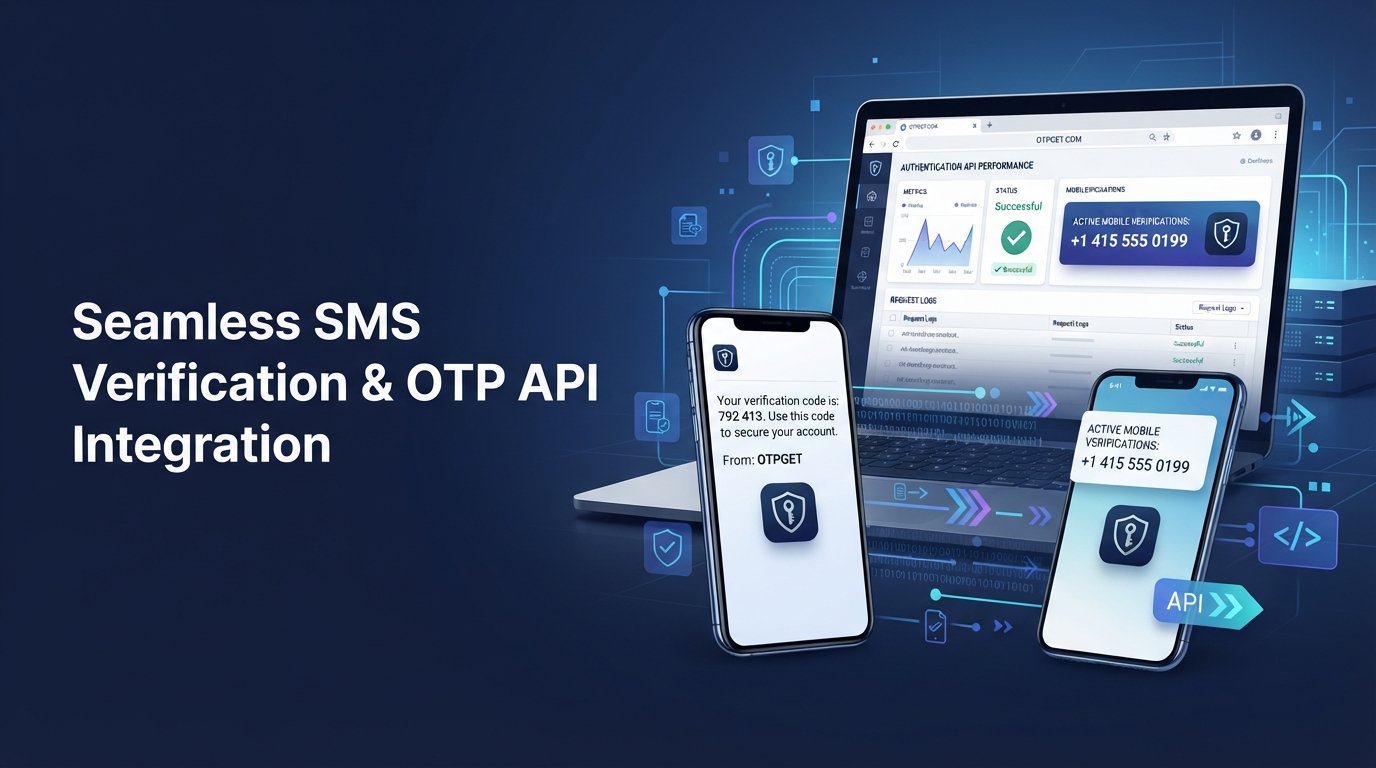
SMS Verification API Integration Guide
Phone verification has become a routine part of digital experiences. A user may need to confirm a phone number while creating an account, signing in, recovering a password, approving a transaction, or completing customer onboarding.
For businesses, the challenge is making that verification process secure without making it frustrating. Building every part of an OTP system internally can involve SMS delivery, verification logic, expiration handling, retry controls, error management, and ongoing maintenance.
An SMS verification API provides a simpler way to connect these capabilities to an application. Instead of creating the entire verification infrastructure from scratch, developers can integrate an API into their existing authentication workflow.
For businesses looking for a practical way to implement SMS OTP verification, can serve as a verification solution with API access for developers. This guide explains how SMS verification APIs work, how integration typically happens, what to look for in a provider, and how OTPGET can fit into the process.
What Is an SMS Verification API?
An SMS verification API is a software interface that allows an application to send and verify one-time passwords through SMS.
An OTP, or one-time password, is a temporary verification code used to confirm that a person has access to a particular phone number. An SMS verification API connects an application's authentication workflow with the service responsible for handling the verification process.
For example, when a new customer enters a mobile number during signup, the application can request an OTP through the API. The user receives the code by SMS, enters it into the application, and the application verifies the submitted code before completing the requested action.
This approach makes phone number verification easier to incorporate into websites, mobile applications, SaaS platforms, marketplaces, and business software.
The API acts as the communication layer between the application and the SMS verification service. Developers can use that layer to trigger verification requests and process the result without building an entire SMS-based authentication system themselves.
How SMS OTP Verification Works
Although implementations vary between providers, a typical SMS OTP verification flow is straightforward:
- The user enters a phone number.
The application collects the user's mobile number during registration, login, recovery, or another verification process.
- The application requests an OTP.
The backend sends a verification request to the OTP API with the required authentication information and phone number.
- The verification service sends the code.
The service generates or processes a one-time password and delivers it to the user's phone through SMS.
- The user enters the verification code.
The application provides a field where the user can submit the code received by SMS.
- The application verifies the OTP.
The backend sends the submitted code for verification or checks the verification result returned by the service.
- The action is completed.
If verification succeeds, the application can confirm the phone number or allow the requested action to continue.
The API is important because it provides the connection between the application's authentication workflow and the verification infrastructure.
Why Businesses Use SMS Verification APIs
SMS verification can support several parts of the customer journey.
User registration: Businesses can confirm that a phone number belongs to the person creating an account.
Login authentication: An OTP can provide an additional authentication step when a business requires stronger account protection.
Password recovery: Phone verification can help confirm a user's identity before allowing a password reset.
Transaction confirmation: Applications can request verification before completing sensitive actions.
Customer onboarding: Mobile number verification can become part of a broader account setup process.
Fraud reduction: Requiring access to a phone number can add friction to certain types of automated or fraudulent registration activity.
Two-factor authentication: SMS can serve as one authentication factor alongside another credential.
The value of an SMS verification API is not simply the ability to send a message. It is the ability to incorporate verification into an existing product workflow without forcing the development team to manage every underlying component.
What to Look for in an SMS Verification Provider
Choosing an SMS verification provider requires more than comparing API prices. The provider should fit the application's technical requirements and the business's operational needs.
API simplicity
A straightforward API reduces implementation effort. Developers should be able to understand how verification requests are created, authenticated, and completed.
Documentation
Clear API documentation is essential. Developers need to know which parameters are required, how authentication works, what responses mean, and how errors should be handled.
Reliability and delivery support
SMS delivery can be affected by carriers, regions, phone numbers, and network conditions. A provider should give developers enough information to handle successful and unsuccessful verification attempts appropriately.
Scalability
Verification requirements can change as an application grows. A provider should be suitable for the expected volume and workflow complexity of the business.
Security considerations
API credentials, OTP codes, user information, and verification results should be handled carefully. The provider should support an implementation that allows developers to protect sensitive data and control access.
Error handling and monitoring
Good integrations need visibility into failures. Developers should be able to distinguish between invalid numbers, incorrect codes, expired OTPs, failed requests, and other problems.
Transparent pricing
Businesses should understand how verification usage is charged and whether regional or operational factors affect costs.
For companies evaluating an OTP provider, these considerations are often more important than simply choosing the first SMS API they find.
How to Integrate an SMS Verification API
The exact implementation depends on the provider and application architecture, but the general process follows a familiar pattern.
Step 1: Create an account
Start by creating an account with the selected SMS verification provider. The account provides access to the services and credentials needed by the development team.
Step 2: Obtain API credentials
API keys or other authentication credentials allow the application to communicate with the provider.
Keep these credentials on the backend. Never expose private API keys in frontend JavaScript, mobile application code, public repositories, or other locations where unauthorized users could retrieve them.
Step 3: Prepare the phone number
Before sending a verification request, validate the phone number supplied by the user.
Use a consistent international format where appropriate, remove invalid characters, and reject obviously malformed numbers before making unnecessary API requests.
Step 4: Request an OTP
The backend sends a request to the verification API.
Depending on the provider, the request may contain the phone number, authentication credentials, message or template information, and other verification parameters.
The application should associate the request with the appropriate user or verification session so the returned result can be handled correctly.
Step 5: Deliver the OTP
The verification service processes the request and sends the one-time password to the user's phone.
The application should provide clear feedback while the user waits and avoid assuming that every message will arrive immediately.
Step 6: Verify the OTP
After receiving the code, the user enters it into the application.
The backend then sends the code to the verification service or uses the provider's documented verification mechanism. A successful result allows the application to mark the verification step as complete.
Step 7: Handle success and failure
A production-ready integration should account for more than successful requests.
Plan for:
- Incorrect OTPs
- Expired OTPs
- Resend requests
- Invalid phone numbers
- API errors
- Rate limits
- Failed SMS delivery
- Temporary service failures
- Repeated verification attempts
Do not create fictional endpoints or implementation details for a provider. Developers should always use the provider's current API documentation for the actual request and verification process.
How OTPGET Helps Simplify SMS Verification
For businesses that need an SMS verification solution, can provide a practical platform to work with verification-related workflows through API access.
The main advantage of using a dedicated provider is that the development team does not have to treat SMS verification as an entirely separate infrastructure project. Instead, the application can connect its authentication workflow to an external verification service.
OTPGET provides API access for developers and supports verification-related services, making it relevant for businesses that need to incorporate OTP workflows into their applications.
For developers looking for an SMS verification API, the goal is to reduce unnecessary complexity. A dedicated service can provide a clearer path between the application's phone verification flow and the underlying SMS service.
Businesses can use OTPGET as the verification layer within workflows such as account confirmation, mobile number verification, and other use cases where receiving and processing OTP messages is required.
The exact implementation should always follow OTPGET's available documentation and service capabilities rather than assuming that every standard OTP feature is automatically included.
OTPGET vs. Building SMS Verification From Scratch
Building an internal verification system may initially appear simple: generate a code, send an SMS, and check the response.
In practice, there are many additional responsibilities.
A complete system may need to manage:
- OTP generation
- SMS delivery
- Verification logic
- Code expiration
- Resend controls
- Attempt limits
- Error handling
- API and credential security
- Monitoring
- Scaling
- Provider integrations
- Operational maintenance
Every additional component creates something the development team must design, test, monitor, and maintain.
Using a dedicated provider such as OTPGET can make the implementation more manageable by providing an external service layer for verification-related requirements. This allows developers to concentrate on the application's user experience and business logic instead of building every underlying component themselves.
For smaller teams in particular, reducing infrastructure complexity can make an OTP verification project easier to plan and maintain.
Best Practices for SMS OTP Verification
A good SMS OTP implementation should protect both the application and the user experience.
Set reasonable expiration times. An OTP should not remain valid indefinitely. Short-lived verification codes reduce the opportunity for an old code to be reused.
Limit verification attempts. Repeated guesses can create security and operational problems. Apply sensible attempt controls.
Add resend controls. Give users a way to request another code without allowing unlimited automated requests.
Protect API credentials. Store sensitive credentials securely on the server and restrict access to them.
Validate phone numbers. Check formatting before making verification requests.
Handle failures gracefully. Tell users what they can do next without exposing technical details that are unnecessary or confusing.
Log useful errors. Technical logs should help developers investigate problems while avoiding sensitive OTPs and personal information.
Consider rate limiting. Rate limits can help prevent excessive verification requests and protect the application from abuse.
Optimize for mobile users. Make the code entry process simple, responsive, and easy to complete on a phone.
Common SMS Verification API Integration Mistakes
Even a straightforward API integration can fail when important edge cases are ignored.
Poor error handling
If every API failure produces the same generic message, users may not know what to do.
Better approach: Distinguish between invalid input, expired codes, temporary failures, and other actionable conditions.
Unlimited OTP retries
Unlimited attempts or resends can create unnecessary traffic and abuse opportunities.
Better approach: Apply reasonable limits and cooldown periods.
Exposing API credentials
Putting private API keys in frontend code is a common security mistake.
Better approach: Keep provider credentials on the backend.
Weak phone-number validation
Incorrect formatting can lead to failed requests and unnecessary SMS costs.
Better approach: Normalize and validate numbers before requesting verification.
No expiration policy
A code that remains valid too long increases unnecessary risk.
Better approach: Define an appropriate OTP lifetime and reject expired codes.
Ignoring failed delivery
An application should not assume that a successful API request always means the user has received the SMS.
Better approach: Design the workflow to account for delivery failures, retries, and support scenarios.
Inadequate monitoring
Without useful logs and operational visibility, recurring verification problems can be difficult to diagnose.
Better approach: Monitor verification outcomes, API errors, and unusual request patterns without storing unnecessary sensitive data.
When Should You Use an SMS Verification API?
An SMS verification API is useful whenever an application needs to confirm access to a phone number as part of an authentication or account workflow.
Common examples include:
- SaaS applications
- Marketplaces
- E-commerce platforms
- Mobile applications
- Customer portals
- Booking platforms
- Business software
- Online communities
- Financial applications
- Applications requiring phone verification
The decision becomes especially practical when the development team wants to add verification without building an entire SMS and OTP infrastructure internally.
For a growing product, an API-based approach can also provide a clearer separation between the application's business logic and its messaging or verification infrastructure.
Why Choose OTPGET for SMS Verification?
Businesses need authentication workflows that are practical to implement and maintain. Building every part of an OTP system internally can consume development resources that could otherwise be used on the core product.
OTPGET provides a dedicated platform with API access for developers, giving businesses an option for incorporating OTP and SMS verification workflows into their applications.
For teams evaluating an OTP provider, the most important question is whether the service fits their technical workflow, verification requirements, expected usage, and operational needs.
OTPGET can be a practical choice for businesses that want to reduce the complexity associated with managing verification infrastructure themselves. Developers can connect their application to the provider and build the surrounding user experience around the verification workflow.
As with any external API, teams should review the available documentation, supported services, authentication requirements, and operational policies before implementation.
Frequently Asked Questions
What is an SMS verification API?
An SMS verification API allows an application to request and process one-time passwords sent through SMS. It connects the application's authentication workflow with an SMS or verification service.
How does an SMS OTP API work?
The application sends a verification request containing a user's phone number. The service sends an OTP, the user enters the code, and the application verifies the submitted code before completing the requested action.
How do I integrate an OTP API?
Start by creating an account with a provider, obtaining API credentials, preparing phone numbers, sending OTP requests from your backend, verifying submitted codes, and handling errors, expiration, retries, and rate limits.
Is SMS OTP verification secure?
SMS OTP verification can add a useful authentication layer, but no authentication method should be treated as completely risk-free. Strong expiration, attempt limits, credential protection, rate limiting, and careful handling of user data are important.
What is the difference between an OTP API and an SMS API?
An SMS API generally focuses on sending messages, while an OTP API is designed around verification workflows involving one-time passwords. The exact capabilities depend on the provider.
How can I verify a phone number using an API?
A typical workflow sends an OTP to the submitted phone number and then verifies the code entered by the user. A successful verification indicates that the user was able to access the number during the verification process.
Why use OTPGET for SMS verification?
OTPGET provides API access for developers and can serve as a practical verification layer for businesses that need SMS and OTP-related workflows without building all of the supporting infrastructure internally.
Conclusion
Phone verification is an important part of modern user authentication. Whether a business needs signup verification, login protection, account recovery, transaction confirmation, or mobile number verification, SMS OTP can provide a familiar way to confirm access to a phone number.
An SMS verification API simplifies the technical side by connecting an application's authentication workflow with a dedicated verification service. The right integration should handle credentials, phone-number validation, OTP expiration, retries, rate limits, delivery issues, and clear user feedback.
Businesses should evaluate providers based on API simplicity, documentation, operational requirements, security considerations, scalability, and transparency.
For teams that want a practical way to incorporate SMS OTP verification without building every component from scratch, is worth exploring as a dedicated verification solution.
Review the available OTPGET API capabilities and documentation, then design the integration around your application's specific authentication needs. A well-planned verification workflow can reduce development complexity while giving users a clearer and more convenient authentication experience.


