Telegram OTP Code Not Received in Philippines: OTPGET Solution
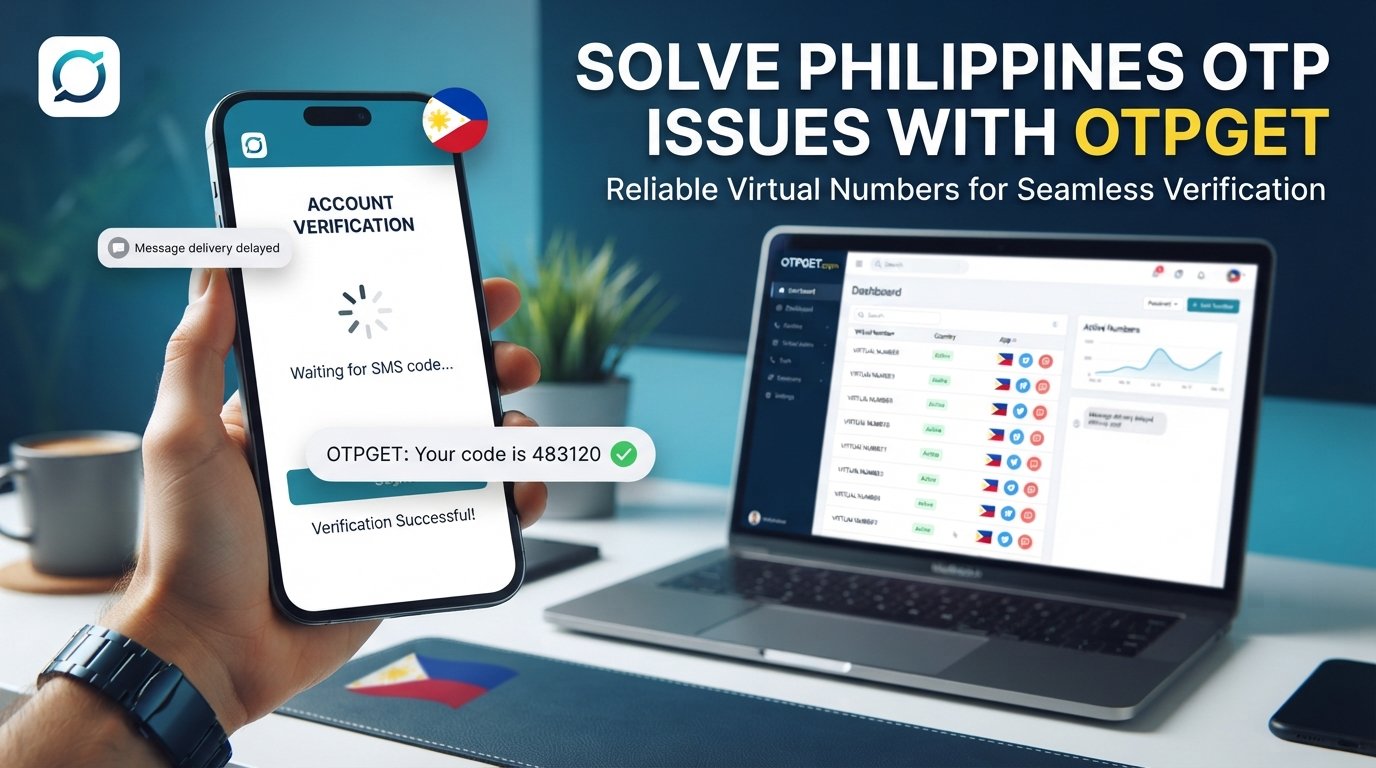
Telegram OTP Code Not Received in Philippines — OTPGET
Trying to log in to Telegram only to discover that the verification code never arrives can be frustrating. You enter your Philippine mobile number, wait for the SMS, check your phone again—and still nothing.
An OTP that does not arrive does not necessarily mean your Telegram account is broken. Several things can affect verification, including the number format, mobile connectivity, SMS delivery, previous login sessions, repeated verification attempts, or the way Telegram chooses to deliver a login code.
Telegram's official FAQ says users should enter their mobile number in international format and notes that, if Telegram has recently been used on another device, a login code may be delivered through Telegram rather than SMS.
If standard troubleshooting does not solve the problem, an alternative OTP receiving option may be worth considering. Depending on availability and the applicable service requirements, provides virtual numbers intended for receiving SMS verification codes.
Why Is My Telegram OTP Code Not Received in the Philippines?
There is no single reason why a Telegram verification code may fail to appear. The problem can occur at several points between Telegram sending the code and your phone receiving the message.
Delayed SMS delivery
SMS messages are not always delivered instantly. Carrier congestion, network conditions, routing problems, or temporary delivery delays can affect automated messages.
If you have requested a code only moments ago, waiting briefly before requesting another one can sometimes be better than repeatedly pressing the resend option.
Incorrect phone number or country code
Telegram recommends entering a mobile number in international format. For a Philippine number, this normally means using the +63 country code followed by the appropriate mobile number format.
A simple formatting mistake can prevent the verification message from reaching the intended number.
Mobile network or SIM problems
If your SIM cannot reliably receive ordinary SMS messages, an automated Telegram verification message may also be affected.
Check whether you can receive a normal text message. If regular SMS messages are also delayed or missing, the problem may be related to your carrier, SIM, or network rather than Telegram itself.
Telegram may send the code somewhere else
One important detail is easy to overlook: Telegram may deliver a login code through the Telegram app on another connected device instead of sending an SMS.
If you are already logged into Telegram on another phone, tablet, or computer, check that device for a message from the verified Telegram account.
Too many verification attempts
Repeatedly requesting verification codes can create additional delays or temporary restrictions. Telegram's login interface includes messages indicating that users may need to wait after too many attempts.
For that reason, repeatedly requesting new codes is usually not the best first response.
What to Check Before Requesting Another Telegram Code
Before looking for an alternative OTP solution, go through these basic checks:
- Confirm the phone number. Make sure every digit is correct.
- Use the international format. Check that the Philippine number is entered with the appropriate +63 country code.
- Check your mobile signal. A weak or unstable connection can interfere with SMS reception.
- Test ordinary SMS. Confirm that your SIM can receive other text messages.
- Check other Telegram devices. The login code may have been delivered through Telegram instead of SMS.
- Avoid repeated requests. Give delayed messages some time to arrive.
- Restart your connection. Try reconnecting to the mobile network or restarting your phone.
- Look carefully at Telegram's login screen. Follow any alternative verification method Telegram presents.
These steps are worth trying before assuming that you need a different number.
[Internal Link: Telegram Verification Troubleshooting Guide]
Telegram Verification Code Still Not Arriving?
If the normal checks do not resolve the issue, the next question is whether you have access to another suitable number that can receive the required verification SMS.
This can be relevant when your personal number is experiencing SMS delivery problems, when you need an alternative number for a legitimate verification purpose, or when you simply want to separate a verification process from your primary phone number.
However, not every virtual or temporary number is suitable for every platform. Availability can change, and the platform being verified may impose its own requirements.
That is where an OTP receiving service such as OTPGET can become an option to investigate.
How OTPGET Can Help With Telegram OTP Verification
OTPGET provides virtual phone numbers for SMS-based OTP verification and lists Telegram among the supported services on its website. It also lists coverage for the Philippines, subject to availability.
The basic process is straightforward:
- Visit OTPGET and create or access your account.
- Select an available virtual number and the relevant service, where supported.
- Use the number for the intended verification process where permitted.
- Wait for the verification SMS to be received.
- Retrieve the OTP through the OTPGET dashboard.
- Enter the received code into the appropriate verification screen.
OTPGET describes its service as providing virtual numbers from multiple countries for SMS verification, including numbers intended for Telegram verification.
Importantly, this should not be interpreted as a way to bypass Telegram security. A number still needs to be accepted by the service, and availability or verification results can vary.
[Internal Link: How OTPGET Works]
Why Consider OTPGET for OTP Verification?
For someone searching for a Telegram OTP solution in the Philippines, OTPGET may be useful because it provides an alternative to relying exclusively on a personal SIM for SMS verification.
Some potential advantages include:
- Alternative phone numbers: OTPGET offers virtual numbers intended for verification purposes.
- Country selection: Its platform lists numbers from multiple countries, including the Philippines, depending on availability.
- Online OTP reception: Verification messages can be accessed through the service rather than requiring a physical SIM in the user's phone.
- Different use cases: OTPGET offers temporary numbers as well as rental-number options.
- Simple workflow: Users can select a number, use it for the intended verification, and retrieve incoming SMS through the platform.
OTPGET also publishes terms explaining that its services must not be used for illegal, fraudulent, abusive, or harmful activities. Users remain responsible for how they use a purchased number.
That makes responsible use important. An alternative number should be used only for legitimate purposes and in accordance with the requirements of the service being verified.
Telegram OTP Not Received? Common Mistakes to Avoid
When a Telegram verification code is missing, some mistakes can make the situation more complicated.
Entering the wrong country code
Double-check the number before requesting another code. Philippine numbers should be entered using the appropriate international format.
Requesting codes repeatedly
If an SMS is delayed, repeatedly requesting new codes can create confusion and may trigger additional verification limits.
Ignoring another logged-in device
If Telegram has already delivered the login code through another connected Telegram session, requesting another SMS may not solve the problem. Check your other devices first.
Using a number that cannot receive SMS
An online number is useful only if it can actually receive the verification message and is accepted for the intended service.
Sharing your OTP
Never send your Telegram login code to another person, website operator, "support agent," or stranger.
Telegram specifically warns that account login codes should not be shared with anyone.
Assuming every delay means Telegram is down
A missing OTP can result from many factors. Check your number, SIM, network, other Telegram sessions, and SMS reception before concluding that Telegram itself is experiencing a widespread problem.
[Internal Link: Online OTP Services]
Is It Safe to Use an OTP Receiving Service?
The answer depends on the service, the number being used, how the number is handled, and the rules of the platform you are trying to verify.
Before using an OTP service, review its terms, privacy information, refund rules, and acceptable-use requirements. You should also understand whether a temporary number is appropriate for the account or verification process in question.
OTPGET publishes information about its privacy practices and terms of service, including restrictions against fraudulent or abusive use.
The most important security rule is simple: keep verification codes private.
An OTP is a credential used during authentication. If someone else obtains the code, they may potentially be able to interfere with the verification process or account access. Never provide a Telegram login code to someone claiming they need it to "activate," "verify," or "unlock" your account.
Telegram OTP Code Not Received in Philippines — Quick Fix Checklist
Before moving on, run through this checklist:
- Confirm the mobile number is correct.
- Check the +63 country code and international format.
- Make sure your SIM can receive ordinary SMS.
- Check your mobile signal and network connection.
- Look for a login code inside Telegram on another connected device.
- Avoid requesting multiple codes in rapid succession.
- Wait for a delayed SMS before trying repeatedly.
- Follow any alternative verification option shown by Telegram.
- If necessary, consider an alternative OTP receiving option.
- Explore OTPGET if a suitable number is available and its use is appropriate for your situation.
- Never share your Telegram verification code with anyone.
Frequently Asked Questions
Why am I not receiving my Telegram OTP in the Philippines?
Possible causes include incorrect number formatting, SMS delivery delays, mobile network issues, SIM problems, repeated verification attempts, or Telegram delivering the code through another connected device. Check your number and other Telegram sessions before requesting another code.
Why is my Telegram verification code not coming by SMS?
The SMS may be delayed, or Telegram may have delivered the login code through the Telegram app on another connected device. Check your other sessions and confirm that your mobile number is entered correctly in international format.
How can I receive a Telegram OTP?
Start with your normal mobile number and follow Telegram's verification instructions. If SMS delivery is not working and an alternative number is appropriate for your situation, an OTP service such as OTPGET may provide a virtual number for SMS verification, subject to availability and Telegram's requirements.
Can a network problem prevent Telegram OTP delivery?
Yes. A weak mobile connection or problems with SMS reception can affect your ability to receive automated verification messages. Testing whether your phone receives ordinary SMS can help identify whether the issue is broader than Telegram.
What should I do if Telegram keeps sending no verification code?
Stop repeatedly requesting codes and check your number, mobile network, SIM reception, and other Telegram devices. If the problem continues, consider whether an alternative verification number is appropriate.
Can OTPGET help with OTP verification?
OTPGET provides virtual numbers intended for SMS OTP verification and lists Telegram among its supported services. The availability of a suitable number and whether Telegram accepts it can vary, so there is no guarantee that every number will work for every verification attempt.
What should I check before requesting another Telegram code?
Verify your phone number and +63 country code, test SMS reception, check other logged-in Telegram devices, and wait for possible delivery delays. Avoid repeatedly requesting codes in a short period.
Is it safe to share a Telegram OTP?
No. Your Telegram login code should be treated as sensitive authentication information. Do not share it with other people, including anyone claiming to be Telegram support or an OTP service representative.
Final Thoughts
A Telegram OTP code not received in the Philippines can be caused by something as simple as incorrect number formatting or delayed SMS delivery, but it can also involve mobile connectivity, SIM issues, repeated verification attempts, or Telegram sending the code through another connected device.
Start with the basics: verify your number, check the +63 format, confirm that your SIM receives SMS, check your other Telegram sessions, and avoid repeatedly requesting new codes.
If your normal number continues to present problems, an alternative OTP receiving service may be worth considering. OTPGET provides virtual numbers designed for SMS verification and lists Telegram and Philippine numbers among its available options, subject to availability.
Explore OTPGET to see whether an appropriate number is available for your verification needs, and always use any number responsibly and according to the applicable platform rules.
[Internal Link: OTP Verification Guide]