Telegram SMS Verification & Temporary Numbers with OTPGET Guide
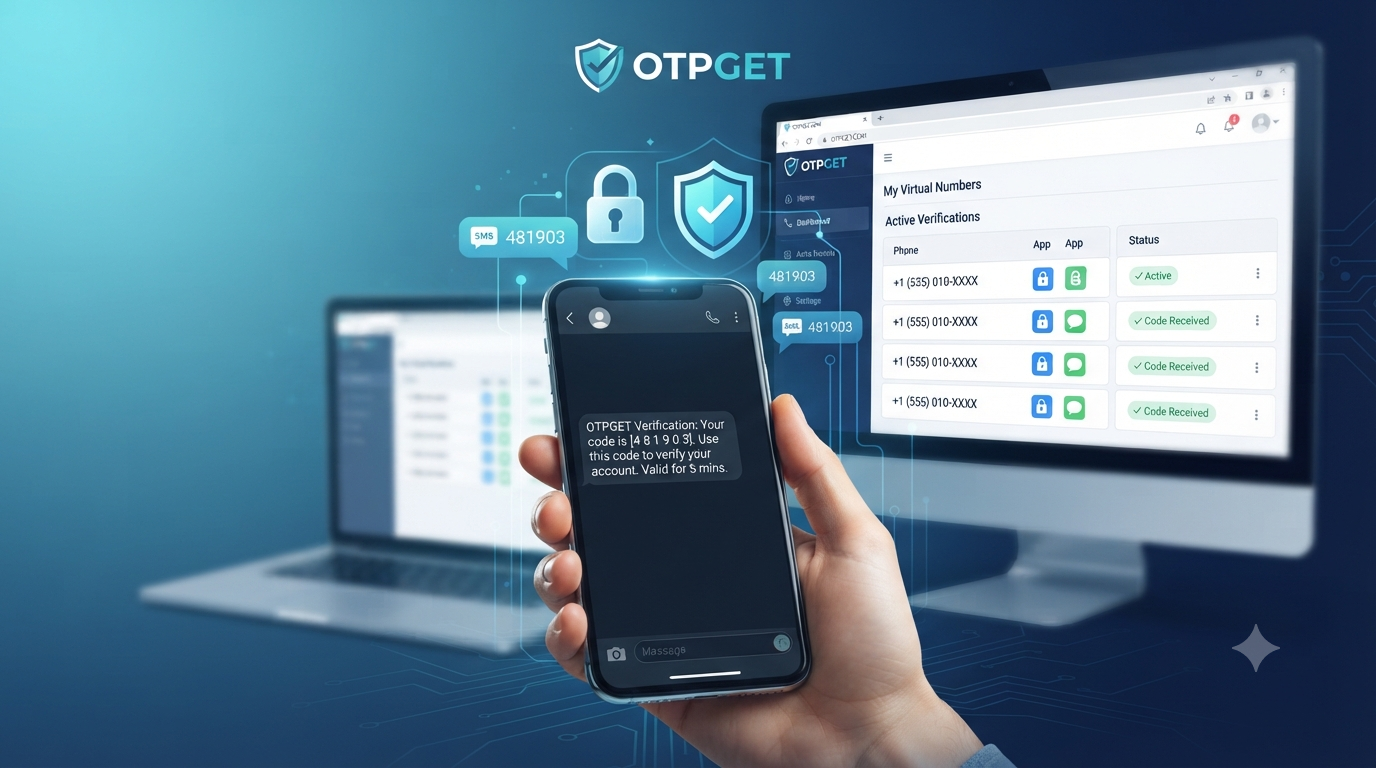
Telegram SMS Verification, Temporary Number & OTPGET
Introduction
Phone-number verification is a common step when creating or accessing online accounts. For Telegram, a phone number can be part of the verification process, which means users may need to receive an SMS or another verification prompt before completing the process.
For some people, using their primary personal number for every online service is not ideal. They may want to keep personal and online activities separate, reduce unnecessary exposure of their everyday number, or use a number specifically for a short-term verification requirement.
That is where temporary phone numbers and online SMS verification can be useful. Instead of relying exclusively on a personal SIM, users can choose a virtual number designed to receive verification messages.
OTPGET provides virtual numbers for SMS OTP verification and lists Telegram among its supported services. Its platform also offers temporary and rental-number options, giving users different choices depending on their verification needs.
The important point is to use a temporary number responsibly and understand its limitations before relying on it for an important account.
What Is Telegram SMS Verification?
Telegram SMS verification is the process of confirming access to a phone number by receiving a verification code or OTP.
OTP stands for One-Time Password. In an SMS-based verification process, a service sends a temporary code to the phone number entered during registration or verification. The user then enters that code into the appropriate verification screen.
The basic process is straightforward:
- A phone number is entered during verification.
- Telegram initiates the verification process.
- A verification code may be delivered through the available verification method.
- The user enters the received code.
- Telegram completes the relevant verification step if its requirements are satisfied.
The exact experience can vary depending on Telegram's requirements, the number being used, account history, device, and other factors.
A Telegram verification number therefore needs to be capable of receiving the relevant verification message. A virtual phone number can serve this purpose when the number and service are compatible.
Why Use a Temporary Number for Telegram?
There are several legitimate reasons someone might prefer a temporary number instead of immediately using their everyday phone number.
Keep your personal number separate
Giving your primary number to every online service increases the number of places where that number is stored. A temporary phone number can help create a separation between personal communications and certain online registrations.
Reduce unnecessary exposure
A temporary number can help reduce exposure of your everyday contact information in situations where long-term access to the number is not required.
This should not be confused with guaranteed anonymity. A temporary number is simply a different contact method, and users should still understand the provider's policies and the service's privacy requirements.
Manage online verification
Temporary numbers can be useful for legitimate testing, short-term registrations, and other situations where SMS verification is required but maintaining a personal number is inconvenient.
Separate online activities
Using a dedicated number can make it easier to distinguish personal communications from specific online activities.
However, temporary numbers are not automatically the best choice for every account. If an account is important and may need future recovery, a number that you can reliably control over the long term may be more appropriate.
How Telegram Temporary Numbers Work
A Telegram temporary number generally follows the same basic concept as other SMS verification numbers.
- Choose an appropriate temporary number.
Select a number compatible with the required service and country or region.
- Enter the number for verification.
Use the temporary number where Telegram requests a phone number.
- Wait for the verification SMS.
If the service sends an SMS to the number, the message must be successfully received.
- Retrieve the verification code.
If your temporary-number provider supports SMS reception for that service, the verification message can be viewed through the provider's available interface.
- Enter the Telegram OTP.
Enter the received verification code into Telegram when requested.
- Complete the verification process.
Follow any additional requirements Telegram presents.
Availability, SMS delivery, number history, and service acceptance can vary. A temporary number should therefore never be treated as a guaranteed route to successful verification.
OTPGET — A Simple Solution for SMS Verification
OTPGET is designed around virtual numbers and SMS-based OTP verification. According to its official site, users can select virtual numbers from multiple countries and use them for supported services, including Telegram. The platform also describes one-time virtual numbers and longer-term rental numbers for different use cases.
For someone searching for an OTPGET temporary number, the main advantage is having a dedicated number available for a verification workflow instead of immediately using a personal number.
OTPGET's stated workflow involves creating an account, adding balance, selecting a country and service, and receiving the verification SMS through its platform.
The service also provides a developer API for automated SMS OTP workflows, although that capability is more relevant to developers and businesses than to someone simply completing a one-time verification manually.
The practical value of an OTPGET Telegram number is therefore convenience and number separation. Users can select an appropriate number for an online verification task while keeping their primary number outside that particular workflow.
It is still important to remember that OTPGET cannot control Telegram's verification decisions. Number availability, SMS delivery, and acceptance can vary.
How to Use OTPGET for Telegram SMS Verification
Step 1: Choose a suitable number
Start by selecting a number that is appropriate for the verification service and your intended use.
Consider the country, availability, whether you need one-time access or longer-term control, and how important the associated account will be.
Step 2: Use the number for Telegram verification
Enter the selected number in Telegram's normal phone-number verification process.
Use the correct international format when Telegram requests it.
Step 3: Wait for the SMS verification code
If Telegram sends an SMS to the selected number and the number supports the relevant service, the verification message should become available through the provider's interface.
Delivery can vary, so avoid assuming that every number will receive every message.
Step 4: Enter the Telegram OTP
Once the verification code is available, enter it into Telegram's verification screen.
Treat the code as sensitive information and do not share it with other people.
Step 5: Complete verification
Follow Telegram's instructions to finish the process.
Telegram may apply additional account-security or verification requirements, so having a temporary number does not guarantee that an account will be created or verified successfully.
Benefits of Using OTPGET for Temporary SMS Verification
A temporary SMS verification service can offer several practical benefits:
- Number separation: Keep your everyday phone number separate from selected online verification activities.
- Convenience: Access a virtual number without depending exclusively on a physical SIM for the particular workflow.
- Temporary access: One-time numbers can be useful when long-term number ownership is unnecessary.
- Multiple options: OTPGET states that it provides virtual numbers across many countries and services.
- Online SMS reception: Verification messages can be accessed through the provider's supported system.
- Different usage periods: OTPGET describes both one-time numbers and rental numbers for longer-term needs.
- Developer support: An API is available for users who need programmatic OTP workflows.
These benefits make a temporary number worth considering for appropriate online verification scenarios, but they do not eliminate the need to consider account recovery, security, and service policies.
Temporary Number vs. Personal Phone Number
| Feature | Personal Number | Temporary Number |
|---|---|---|
| Privacy | More personal exposure | Can reduce exposure of your primary number |
| Convenience | Already available | Requires obtaining a number |
| Long-term ownership | Usually strong | Depends on the provider and number type |
| Reusability | Generally high | May be limited |
| Online verification | Suitable for many services | Useful for supported verification workflows |
| Personal exposure | Higher | Lower for the primary number |
| Account recovery | Usually better for long-term access | Can be more complicated after expiration |
Neither option is universally better.
A personal number may be preferable for an important Telegram account that you expect to maintain and recover for a long time. A temporary number may make more sense for a short-term or lower-dependency verification scenario.
The decision should depend on how important the account is and whether you will need reliable access to the number later.
Things to Consider Before Using a Temporary Number
Before choosing a temporary SMS number, consider these factors:
Number availability: The number you want may not always be available.
SMS delivery: Messages can sometimes be delayed or fail to arrive.
Expiration: A temporary number may not remain under your control indefinitely.
Reuse policies: Understand whether a number is intended for one-time use or longer-term rental.
Account recovery: Losing access to the number can make future account recovery more difficult.
Telegram requirements: Telegram controls its own verification process and may impose additional requirements.
Security: Never share verification codes unnecessarily, and be careful about where you enter them.
Terms of service: Use temporary numbers for legitimate purposes and follow the rules of both the number provider and the service being verified.
OTPGET's terms specifically prohibit illegal, fraudulent, abusive, or harmful use of its services.
Common Problems With Telegram SMS Verification
Verification SMS does not arrive
Check that the number was entered correctly and that it supports the requested service. If delivery remains unsuccessful, the number may not be suitable for that verification attempt.
The number is unavailable
Temporary numbers can have limited availability. Try selecting another appropriate number or country option.
SMS delivery is delayed
Wait before repeatedly requesting codes. Multiple requests can create confusion or cause you to receive an older code after requesting another one.
The number is already associated with an account
A previously used number may have an existing account history. Consider selecting another number rather than attempting to force the verification process.
Incorrect number format
Check the country code and formatting before submitting the number.
Telegram requests additional verification
Follow Telegram's instructions. A temporary number does not override Telegram's normal security or verification requirements.
The temporary number expires
If you need long-term account access, consider whether a rental or personally controlled number is more appropriate than a short-lived number.
Frequently Asked Questions
What is Telegram SMS verification?
Telegram SMS verification is a phone-number verification process in which a verification code may be delivered to the number associated with the verification attempt.
Can I use a temporary number for Telegram verification?
A temporary number may be used when it is available and accepted for the relevant Telegram verification process. However, acceptance and delivery are not guaranteed.
What is a Telegram OTP?
A Telegram OTP is a one-time verification code used as part of an account or login verification process.
How does a Telegram verification number work?
A Telegram verification number is simply a phone number used to receive the verification communication required during Telegram's verification process. It may be a personal, virtual, or temporary number depending on the situation.
Can I receive Telegram SMS online?
Yes, services that provide SMS-capable virtual numbers can allow users to receive supported verification messages through an online interface. OTPGET describes its virtual numbers as being usable for supported services, including Telegram.
Why might a Telegram verification code not arrive?
Possible reasons include number availability, SMS delivery problems, incorrect formatting, service compatibility, delays, or Telegram's own verification requirements.
Is a temporary number suitable for a long-term Telegram account?
It depends on whether you can maintain access to the number. For an important long-term account, reliable ongoing access to the verification number is an important consideration.
How can OTPGET help with SMS verification?
OTPGET provides virtual numbers intended for SMS OTP verification and lists Telegram among its supported services. It also offers one-time and rental-number options, subject to availability and service compatibility.
Why Choose OTPGET for Temporary SMS Verification?
Choosing between a personal number and a temporary number depends on your specific situation.
If your main concern is keeping your everyday number separate from selected online verification activities, a virtual number can be a practical option. If you need long-term account recovery, however, you should prioritize a number that you can reliably control over time.
OTPGET focuses on virtual numbers for SMS verification and provides different number options for one-time and longer-term requirements. Its official documentation also describes SMS OTP tools for developers who need an automated workflow.
The key is to approach temporary-number verification realistically. It can simplify the process of receiving an SMS code and reduce reliance on a personal number, but it cannot guarantee that Telegram will accept a particular number or complete verification.
Final CTA
If you need a practical way to separate your personal number from an online SMS verification task, OTPGET is worth exploring. Review the available virtual-number options, choose one that matches your intended use, and make sure you understand the number's availability and retention characteristics before proceeding.
For legitimate verification needs, a suitable temporary number can make the process more convenient while helping you avoid unnecessary use of your primary phone number.
Suggested Internal-Link Opportunities
- Anchor: temporary phone number
Suggested page/topic: Complete Guide to Temporary Phone Numbers
Placement: Section explaining why users choose temporary numbers.
- Anchor: virtual phone number
Suggested page/topic: What Is a Virtual Phone Number?
Placement: Introduction to Telegram temporary numbers.
- Anchor: SMS OTP verification
Suggested page/topic: Complete Guide to SMS OTP Verification
Placement: “What Is Telegram SMS Verification?” section.
- Anchor: rental virtual number
Suggested page/topic: Temporary vs. Rental Virtual Numbers
Placement: “Things to Consider Before Using a Temporary Number.”
- Anchor: online SMS verification
Suggested page/topic: How Online SMS Verification Works
Placement: Benefits section or FAQ section.
For publication, you can link the brand mentions to . The article intentionally avoids guarantees and unsupported claims while keeping OTPGET central.


