How to Get a Temporary Email for Online Verification | OTPGET
How to Get a Temporary Email for Online Verification
When you sign up for a website, download a resource, test an application, or access an online service, you may be asked to verify your email address. That is easy enough when the message is important, but not every signup deserves a place in your primary inbox.
This is where a temporary email can be useful. A temporary email address gives you a separate inbox for short-term messages, such as verification emails, without requiring you to use your everyday address.
For people who need a straightforward way to handle temporary verification messages, OTPGET provides a practical temporary email workflow. Instead of mixing short-lived signups with personal or business communication, you can use a separate temporary inbox when the website allows it.
The key is knowing when temporary email makes sense, how it works, and when a regular email account is the better choice.
What Is a Temporary Email?
A temporary email is an email address intended for short-term use rather than ongoing personal communication.
Unlike a permanent email account, a temporary mailbox is generally designed around quick, limited-purpose tasks. You might use a disposable email address to receive a verification email, confirm a registration, or complete another short-term online activity.
The basic idea is simple:
- You receive a temporary email address.
- Messages sent to that address appear in a temporary inbox.
- You open the verification message you need.
- You complete the relevant action on the website.
A temporary email service can therefore act as a buffer between your primary inbox and websites that require an email address.
This can be particularly useful if you want to protect your primary email from unnecessary promotional messages or keep short-term registrations separate from important correspondence.
Why Use a Temporary Email for Online Verification?
The most common reason to use a temporary email for verification is convenience. Your primary inbox may already contain work messages, personal conversations, receipts, alerts, and other important emails. Adding every temporary signup to that inbox can make it harder to stay organized.
A temporary email for verification can help with several everyday situations.
Reduce unwanted emails
Some websites send newsletters, promotions, product announcements, or other follow-up messages after registration. Using a separate address for an appropriate short-term signup can help keep those messages away from your main inbox.
Keep temporary signups separate
If you frequently try online tools, explore new services, or download resources, a disposable email address can create a useful separation between those activities and your primary communication.
Receive verification messages
Many online registrations require an email verification link or code. A temporary inbox can provide a convenient place to receive that message when temporary email is permitted.
Test websites or applications
Developers, testers, and everyday users may sometimes need an email address while evaluating a website or application. A temporary email account can be useful for suitable testing scenarios without involving a personal inbox.
Avoid unnecessary exposure of your primary address
Not every website needs your everyday email address. For lower-priority activities, using a temporary email can reduce the number of places where your primary address is shared.
Of course, temporary email should be used responsibly. It is not a way to bypass security systems, misrepresent your identity, or violate the rules of an online service.
How Does Temporary Email Work?
The process behind temporary mail is usually straightforward. While individual services can differ, the general workflow looks like this:
- Open a temporary email service. Choose a service that provides access to a temporary mailbox.
- Generate or obtain a temporary email address. The service provides an address that you can use for an appropriate short-term purpose.
- Copy the address. Use the temporary email address wherever the website asks for an email.
- Complete the website's signup or verification form. Enter the address and submit the form.
- Open the temporary inbox. Return to the temporary email service and check for incoming mail.
- Find the verification email. Look for the message sent by the website or service.
- Open the link or code. Follow the verification instructions provided in the message.
- Finish the intended process. Once the email verification step is complete, continue using the website according to its normal rules.
The important point is that a temporary mailbox is primarily designed for short-term email needs. It should not automatically be treated as a replacement for an email account you need to access for months or years.
How to Get a Temporary Email for Online Verification
Getting a temporary email for verification does not have to be complicated. The main thing is to choose a workflow that makes it easy to obtain an address, check incoming messages, and complete the verification step.
OTPGET fits naturally into this process for users looking for a practical temporary email solution.
How to Use OTPGET for Temporary Email Verification
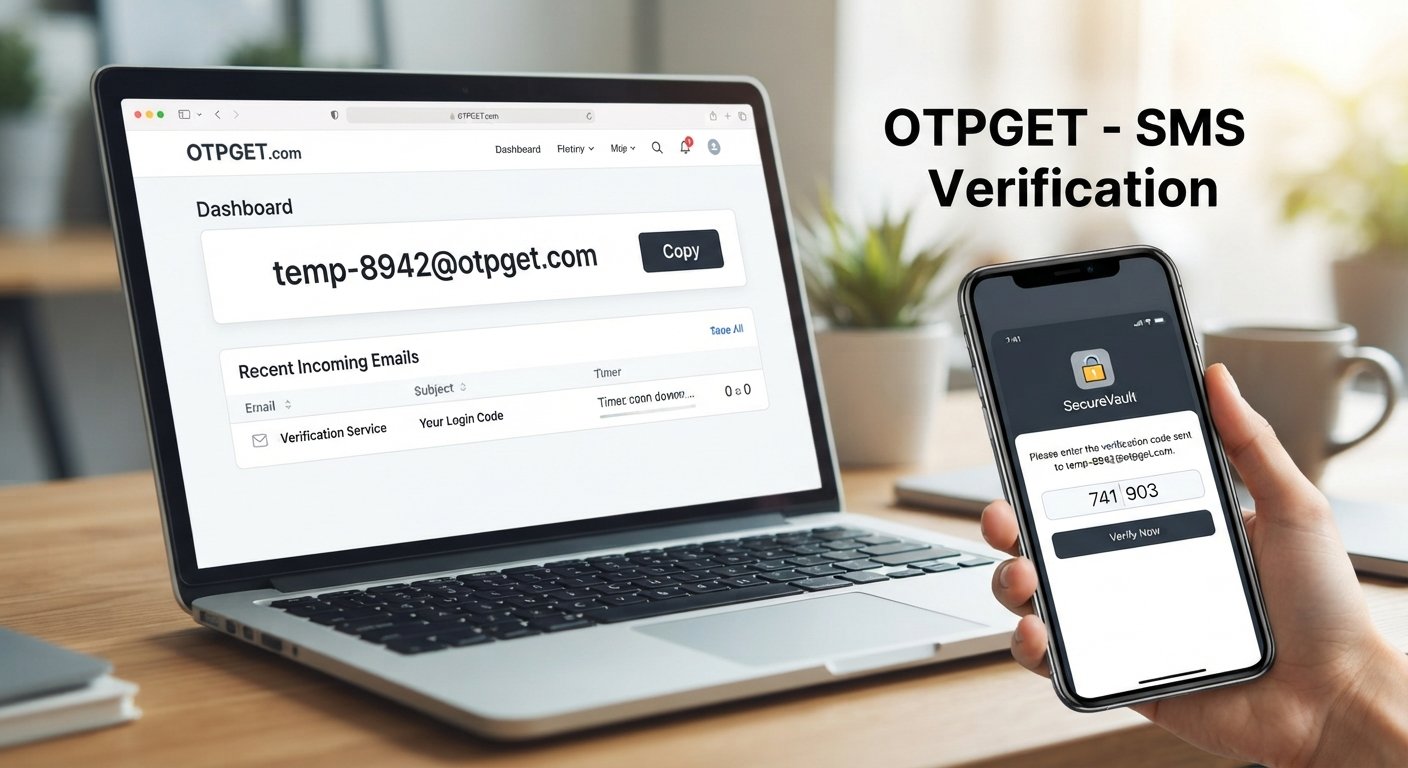
A typical OTPGET workflow can be handled in a few simple steps:
- Visit OTPGET.
- Generate or obtain a temporary email address through the service.
- Copy the temporary address provided for your short-term email need.
- Enter the address on the relevant website when temporary email is permitted.
- Return to OTPGET after submitting the website's form.
- Check the temporary inbox for the expected verification email.
- Open the message and use the verification link or code supplied by the website.
- Complete the registration or verification process on the original website.
This approach keeps the process focused: obtain an address, receive the verification message, complete the required action, and avoid unnecessarily adding another short-term signup to your primary inbox.
Because websites have different policies, always make sure the use of a temporary address is allowed before proceeding.
Benefits of Using OTPGET for Temporary Email
OTPGET can be useful when you need a simple way to handle short-term email requirements without bringing those messages into your main inbox.
Potential advantages of using a temporary email workflow through OTPGET include:
- Convenience: A temporary address can be useful when you need an email for a short-term task.
- Inbox separation: Verification messages and temporary signup emails can remain separate from important personal or work correspondence.
- Quick access: A temporary inbox can make it easier to look specifically for the verification message you are expecting.
- Simpler email management: Keeping low-priority registrations away from your primary address can make everyday inbox management easier.
- Focused verification workflow: You can obtain an address, receive the relevant email, and complete the intended verification process without unnecessarily using your regular inbox.
The exact suitability of temporary email depends on the website and the purpose of the registration. OTPGET should therefore be viewed as a practical tool for appropriate short-term email needs, rather than a universal replacement for a permanent account.
When Should You Use a Temporary Email?
Temporary email is generally most useful when the email address is needed for a limited purpose and long-term access is not important.
Examples include:
- One-time registrations where permitted.
- Short-term signups.
- Downloading resources from websites that require an email address.
- Testing websites or applications in appropriate environments.
- Receiving a verification email for a temporary activity.
- Separating promotional or low-priority registrations from your primary inbox.
However, there are situations where a permanent email address is clearly more appropriate.
Use a regular email account for important services such as:
- Banking and financial accounts.
- Important personal accounts.
- Account recovery and password-reset access.
- Long-term subscriptions or services.
- Business communication.
- Accounts where you may need to prove ownership later.
- Any service where continued access to the email address is essential.
A simple rule is useful: if you may need the email address for recovery, support, important notifications, or long-term access, use an email account you control and expect to keep.
Temporary Email vs. Regular Email
| Factor | Temporary Email | Regular Email |
|---|---|---|
| Purpose | Short-term tasks and verification | Long-term communication |
| Lifespan | Intended for temporary use | Designed for ongoing access |
| Long-term communication | Generally not ideal | Well suited |
| Privacy considerations | Can help avoid sharing a primary address for suitable tasks | Primary address is shared directly |
| Account recovery | Usually not the preferred choice | Better for ongoing recovery needs |
| Best use cases | Temporary signups, verification, testing | Banking, business, personal and important accounts |
| Inbox management | Helps separate short-term messages | Central place for ongoing communication |
Neither option is automatically right for every situation. The appropriate choice depends on how important the account is and whether you need reliable long-term access to its email address.
Things to Consider Before Using a Temporary Email
Temporary email is convenient, but it has limitations that should be understood before using it.
Some websites may reject disposable addresses. Certain services require a standard email account and may block temporary or disposable email domains. If that happens, follow the website's available registration options rather than trying to circumvent its controls.
Do not use a temporary inbox for important recovery. If you lose access to a temporary address, you may not be able to receive future password resets or account notifications. For important accounts, use a permanent email address that you can reliably access.
Follow website policies. A temporary email should be used only when it is appropriate and permitted by the service you are using.
Think carefully about sensitive communication. Financial information, legal correspondence, personal records, business communication, and other important messages generally belong in an appropriate permanent email account.
Understand that temporary does not mean universally private or anonymous. Avoid assuming that a disposable email service provides complete anonymity or guarantees about how information is handled. Check the service's own policies if privacy is an important consideration.
These limitations do not make temporary email ineffective. They simply highlight why it is best suited to the right type of short-term task.
Frequently Asked Questions
What is a temporary email address?
A temporary email address is an email address intended for short-term use. It provides a separate inbox that can be useful for receiving messages such as verification emails without using your primary email address.
How does temporary email work?
You obtain a temporary address from a temporary email service, enter it on an appropriate website, and then check the associated temporary inbox for incoming messages. You can use the verification link or code to complete the intended process.
Can I use temporary email for verification?
Yes, temporary email can be useful for some verification processes, provided the website accepts disposable addresses and its rules allow their use. Not every website supports temporary email.
Is temporary email useful for avoiding spam?
It can help reduce unwanted messages reaching your primary inbox when you use a separate address for suitable short-term registrations. It should not be considered a guarantee that you will never receive unwanted email.
How do I get a temporary email with OTPGET?
Visit OTPGET, obtain a temporary email address through the service, copy the address into the relevant signup or verification form, and then return to the temporary inbox to look for the verification email.
Can every website accept temporary email addresses?
No. Some websites may identify or reject disposable email addresses. If a service does not permit them, use an accepted permanent email option instead of attempting to bypass the restriction.
When should I use a permanent email instead?
Use a permanent email address whenever continued access matters. Banking, important personal accounts, business communication, account recovery, and long-term services are examples where a reliable ongoing email account is generally more appropriate.
Final Thoughts
A temporary email can be a useful way to handle short-term online verification without adding every registration, download, or temporary signup to your primary inbox.
The process is simple: obtain a temporary email address, use it where permitted, check the temporary inbox for the verification email, and complete the required step. The main consideration is choosing the right type of email for the job.
For short-term verification needs, OTPGET provides a practical workflow for obtaining and checking a temporary email address. It can help keep temporary messages separate from the inbox you rely on for important communication.
If you need a temporary email for an appropriate online verification task, explore OTPGET and use a temporary inbox when it fits the purpose and the website's policies.


