Temporary OTP Number for Telegram: Complete Setup Guide | OTPGET
How to Get Temporary OTP Number for Telegram — OTPGet
You want to sign up for Telegram, but there is one small problem: you would rather not use your personal phone number. Maybe you want to keep personal and online communication separate, need a number for testing, or simply prefer not to share your everyday number with another service.
That is where a temporary OTP number for Telegram can be useful. Instead of relying on your personal SIM, you can use a temporary or virtual phone number that is capable of receiving the verification message online.
A service such as is designed around this type of SMS verification workflow. Its platform offers virtual numbers for services including Telegram, with one-time numbers and longer-term rental options available.
This guide explains how Telegram phone verification works, how to get a temporary number, what to look for in a provider, and when a temporary number may not be the right choice.
What Is a Temporary OTP Number for Telegram?
A temporary OTP number is a phone number used for receiving a one-time verification code rather than relying on your primary mobile number.
The basic idea is straightforward. A virtual number exists through an online service rather than being tied to a physical SIM that you personally carry. When a supported platform sends an SMS verification code to that number, the message can be displayed through the provider's online interface.
For Telegram, this means the number can be entered during the phone verification step, provided the number is accepted by Telegram and is capable of receiving the required code.
There is an important distinction between a temporary number and a regular personal number:
- Personal number: Usually remains under your control for everyday communication and account recovery.
- Temporary number: Intended for short-term or specific verification purposes.
- Rental virtual number: Designed for users who need access to the same virtual number for a longer period.
describes its virtual numbers as cloud-based numbers that can receive SMS OTP codes without requiring a physical SIM.
Why Do You Need a Temporary Number for Telegram?
There are several legitimate reasons someone may prefer a temporary phone number for Telegram.
Privacy-conscious setup is one of the most common. You may simply want to avoid giving your primary number to an online service when a separate verification number is sufficient for your use case.
A separate number can also help with personal and professional communication. If you maintain a work-related Telegram account, for example, separating it from your everyday number can make account management easier.
Temporary numbers can also be useful for testing and short-term projects. Developers, QA teams, and businesses sometimes need numbers for account or SMS verification testing.
Telegram itself supports multiple accounts associated with different phone numbers, which can be useful when separating work and personal conversations.
The important limitation is that a temporary number should not automatically be treated as a permanent identity. If you intend to keep an account for a long time, continued access to its connected number can matter.
How Telegram OTP Verification Works
Telegram's verification process is relatively simple from the user's perspective.
- Enter a phone number.
Telegram asks for a mobile number during registration or login.
- Request verification.
Telegram sends a login or verification code using an available delivery method.
- Receive the OTP.
Depending on the situation, the code may arrive through SMS or Telegram on another connected device.
- Enter the code.
Enter the received verification code into the Telegram app.
- Complete verification.
If the code and number are accepted, you can continue with the account setup or login process.
Telegram's official documentation specifies that phone numbers should be entered in international format and notes that Telegram accounts are connected to mobile numbers rather than landlines.
One important point: Telegram may sometimes send a login code to Telegram itself when you already have an active session on another device. So an SMS not appearing does not always mean something is wrong with the number.
How to Get a Temporary OTP Number for Telegram
If you have decided that a temporary number fits your use case, the process is generally straightforward.
1. Choose a suitable virtual number service
Start with a provider that clearly explains how its numbers work and what services they support.
For example, lists Telegram among its supported services and provides virtual numbers for SMS OTP verification.
2. Select an available number
Choose the country and service you need. The availability of specific numbers can change, so check what is currently offered before proceeding.
OTPGET describes a workflow where users create an account, add balance, select a country and service, and then receive a virtual number.
3. Enter the number in Telegram
Open Telegram and enter the temporary phone number in the registration or login screen.
Make sure the country code and number are entered correctly. Using the proper international format is particularly important when entering a foreign number.
4. Wait for the Telegram verification code
Once Telegram sends the SMS, check the provider's dashboard or receiving interface.
With , the company says SMS verification codes can appear in its dashboard and advertises OTP delivery in under two seconds. Actual delivery can still depend on Telegram, the selected number, network conditions, and other factors.
5. Enter the OTP in Telegram
Copy the verification code and enter it into Telegram.
Never send the code to another person or enter it into a website, bot, or app that is not part of the legitimate Telegram login process.
6. Finish the account setup
Once Telegram accepts the code, complete the remaining setup steps. If you intend to keep the account, think carefully about whether you will still have access to the number later.
Why Choose OTPGET for a Temporary Telegram OTP Number?
For someone specifically looking for an online OTP number, the main appeal of is that it puts the number-selection and SMS-receiving process in one place.
OTPGET currently states that its virtual-number service covers more than 180 countries and supports more than 5,000 services, including Telegram. It also offers one-time virtual numbers alongside longer-term rental numbers.
That creates a practical distinction depending on what you need.
If your goal is simply to complete a one-time verification, a temporary number may be appropriate. If you need to retain access to the same number for a longer period, a rental option may make more sense.
The workflow is also beginner-friendly: create an account, add balance, choose the country and service, receive the number, and monitor the OTP through the platform.
For users who do not want to expose their everyday phone number, that separation can be useful without requiring another physical SIM.
OTPGET vs. Using Your Personal Number
| Consideration | Personal Number | Temporary/Virtual Number |
|---|---|---|
| Privacy | Your regular number is shared | A separate number can be used |
| Convenience | No additional service required | Number can be obtained online |
| Long-term access | Usually strong | Depends on the number type |
| Temporary use | Less practical | Designed for short-term needs |
| Account recovery | Easier if you retain the number | Can be difficult after access ends |
| Separation | Personal and online use are connected | Can keep uses separate |
The biggest advantage of a temporary number is separation. The biggest disadvantage is also related to access: if you lose control of the number, recovering an account that depends on it can become difficult.
Telegram explicitly advises users to keep an up-to-date phone number under their control because losing access to the connected number can result in losing access to the account.
Tips for Using a Temporary OTP Number for Telegram
A few simple precautions can make the process smoother.
- Choose a reputable provider. Avoid random public SMS pages where messages may be visible to other users.
- Check Telegram support. Not every number will necessarily be accepted for every verification attempt.
- Use the correct international format. Telegram specifically recommends entering mobile numbers in international format.
- Never share your OTP. A verification code is sensitive authentication information.
- Do not rely on a temporary number for an important long-term account unless you have a way to retain access to the number.
- Keep recovery in mind. A number that works for initial registration may not be available to you later.
- Follow Telegram's rules and applicable laws. Temporary numbers should be used for legitimate purposes, not spam, fraud, harassment, or attempts to bypass security controls.
Common Problems When Receiving a Telegram OTP
Even when the process looks simple, verification can occasionally fail.
OTP not arriving
The SMS may be delayed, the number may not be suitable for the service, or Telegram may use another delivery method.
Check whether the code has appeared inside Telegram on another logged-in device before repeatedly requesting another SMS.
Number already being used
A number may already have a Telegram account associated with it. Telegram treats each phone number as a separate account identity.
Number not supported
Some virtual or temporary numbers may not be accepted. If a selected number fails, check whether another available number is supported rather than repeatedly submitting the same one.
Temporary number expires
A short-term number may only remain available for a limited period. If you wait too long, the verification session may no longer be useful.
Incorrect number format
Double-check the country code and number before requesting another OTP. Telegram recommends international formatting for phone numbers.
Too many verification attempts
Telegram's technical documentation includes errors for invalid numbers and excessive requests for codes. Repeatedly requesting new codes can therefore make the problem worse.
If you are using and a verification attempt does not work, follow the provider's current instructions rather than assuming every number will work for every Telegram account.
Is Using a Temporary OTP Number for Telegram Safe?
A temporary number can offer a useful privacy layer, but it is not automatically risk-free.
The main benefit is that you can avoid exposing your primary phone number during a particular verification process. That can help separate your personal communications from a temporary or secondary account.
The main risk is loss of number access. Telegram states that users should keep control of the phone number connected to their account. If you use a temporary number and later lose access to it, future login or recovery can become a problem.
There is also a provider-quality consideration. Choose a service that clearly explains its policies and use the number only for legitimate purposes.
Most importantly, never give your Telegram login code to another person. Telegram's official FAQ specifically warns users not to share login codes, including with other services or apps.
So, is a temporary number safe? It can be appropriate for short-term, legitimate verification, but it should not be treated as a guaranteed replacement for a phone number you permanently control.
Frequently Asked Questions
What is a temporary OTP number for Telegram?
It is a temporary or virtual phone number that can be used to receive a Telegram verification code without using your primary personal number. Whether a particular number works depends on Telegram and the number provider.
Can I use a temporary phone number to verify Telegram?
You may be able to use one if Telegram accepts the number and the number can receive the required verification message. Compatibility is not guaranteed for every number.
How do I receive a Telegram verification code online?
Choose a virtual-number service that supports Telegram, obtain an available number, enter it into Telegram, and monitor the provider's SMS inbox or dashboard for the verification code.
Is a temporary number better than using my personal number?
It depends on your needs. A temporary number can provide separation and reduce the need to share your personal number, while a personal number is generally more suitable when you need reliable long-term account access.
How does OTPGET help with Telegram verification?
provides virtual numbers for SMS verification and lists Telegram among its supported services. Its platform lets users select a country and service, obtain a number, and receive verification messages through its system.
What should I do if my Telegram OTP does not arrive?
Check the number and international format, avoid repeatedly requesting codes, and check whether Telegram has delivered the code through another connected device. If the number remains unsuccessful, consider another available number or follow your provider's troubleshooting process.
Can I use a temporary number for a long-term Telegram account?
You can, but it may not be ideal unless you retain access to the number. Telegram recommends keeping the account connected to a phone number you control because losing access to that number can put account access at risk.
Final Thoughts
A temporary OTP number can be a practical option when you need Telegram verification without immediately using your personal phone number. It can help separate personal and online communication, support legitimate testing scenarios, and provide another layer of control over which number you share.
The key is choosing the right type of number for your situation. A one-time number may be suitable for a short verification task, while a rental number can be more appropriate when continued access is important.
For users looking for a straightforward online verification workflow, is worth considering. Its platform is built around virtual numbers and SMS OTP verification, and it specifically lists Telegram among its supported services.
Just remember the most important rule: if an account matters to you long term, make sure you have a reliable way to retain access to its connected phone number. Privacy is useful, but account recoverability matters just as much.
Internal-Link Opportunities
1. Anchor text: temporary phone numbers
Suggested destination: /temporary-phone-numbers
Why this link is useful: Gives readers broader information about temporary-number options and use cases.
2. Anchor text: Telegram verification
Suggested destination: /telegram-verification
Why this link is useful: Supports readers who want a deeper guide specifically about Telegram's phone-verification process.
3. Anchor text: OTP verification
Suggested destination: /otp-verification
Why this link is useful: Explains OTPs, SMS verification, and how online verification numbers work.
4. Anchor text: OTPGET guide
Suggested destination: /otpget-guide
Why this link is useful: Provides a natural path from educational content into a product-focused guide.
External-Link Suggestions
Suggested source:
Claim it could support: Telegram phone-number requirements, international number formatting, alternative code delivery, account recovery considerations, and the importance of retaining access to the connected number.
Suggested source:
Claim it could support: Technical details about verification-code requests, invalid numbers, expired codes, and excessive verification attempts.
Suggested source:
Claim it could support: OTPGET's virtual-number workflow, supported services, country availability, rental options, and stated OTP-delivery capabilities.
Image / Thumbnail Prompt
Main thumbnail prompt:
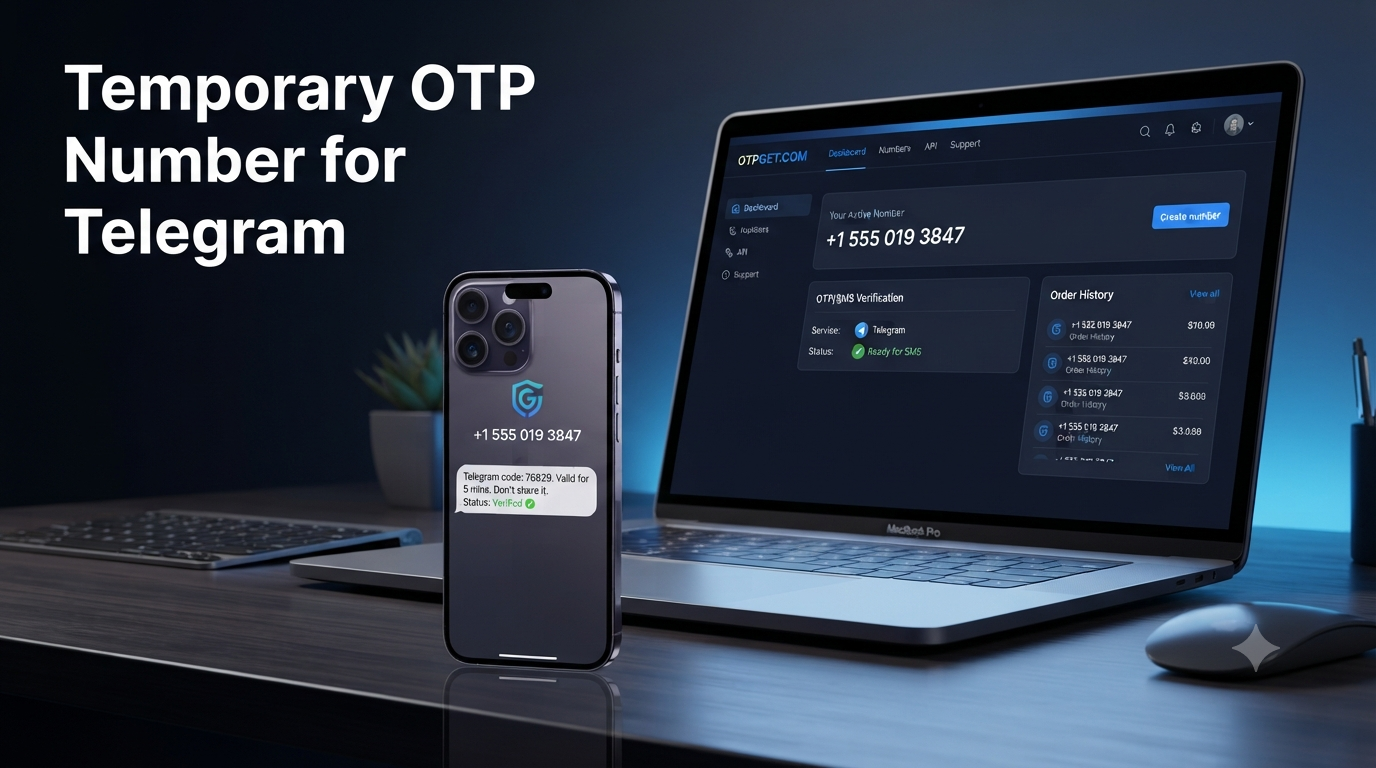
Create a premium SaaS-style technology blog thumbnail showing a modern smartphone with a Telegram-inspired messaging interface and a clearly visible generic OTP/security-code concept, alongside a sleek temporary virtual phone number card. Communicate privacy, SMS verification, and secure account setup through subtle lock and shield visual elements. Include OTPGET prominently as the brand name, integrated naturally into the composition. Use a sophisticated blue, white, and dark navy palette inspired by modern messaging and cybersecurity interfaces. High contrast, polished lighting, clean geometric shapes, premium software-product aesthetic, realistic but conceptual, strong visual hierarchy, generous negative space on one side for headline text, no clutter, no fake UI screenshot, no copyrighted characters, no unnecessary text, professional editorial technology-blog artwork.
Recommended aspect ratio:
16:9
Suggested thumbnail headline text:
Temporary OTP Number for Telegram
FAQ Schema-Ready JSON-LD
{
  "@context": "https://schema.org",
  "@type": "FAQPage",
  "mainEntity": [
    {
      "@type": "Question",
      "name": "What is a temporary OTP number for Telegram?",
      "acceptedAnswer": {
        "@type": "Answer",
        "text": "It is a temporary or virtual phone number that can be used to receive a Telegram verification code without using your primary personal number. Whether a particular number works depends on Telegram and the number provider."
      }
    },
    {
      "@type": "Question",
      "name": "Can I use a temporary phone number to verify Telegram?",
      "acceptedAnswer": {
        "@type": "Answer",
        "text": "You may be able to use one if Telegram accepts the number and the number can receive the required verification message. Compatibility is not guaranteed for every number."
      }
    },
    {
      "@type": "Question",
      "name": "How do I receive a Telegram verification code online?",
      "acceptedAnswer": {
        "@type": "Answer",
        "text": "Choose a virtual-number service that supports Telegram, obtain an available number, enter it into Telegram, and monitor the provider's SMS inbox or dashboard for the verification code."
      }
    },
    {
      "@type": "Question",
      "name": "Is a temporary number better than using my personal number?",
      "acceptedAnswer": {
        "@type": "Answer",
        "text": "It depends on your needs. A temporary number can provide separation and reduce the need to share your personal number, while a personal number is generally more suitable when you need reliable long-term account access."
      }
    },
    {
      "@type": "Question",
      "name": "How does OTPGET help with Telegram verification?",
      "acceptedAnswer": {
        "@type": "Answer",
        "text": "OTPGET provides virtual numbers for SMS verification and lists Telegram among its supported services. Its platform lets users select a country and service, obtain a number, and receive verification messages through its system."
      }
    },
    {
      "@type": "Question",
      "name": "What should I do if my Telegram OTP does not arrive?",
      "acceptedAnswer": {
        "@type": "Answer",
        "text": "Check the number and international format, avoid repeatedly requesting codes, and check whether Telegram has delivered the code through another connected device. If the number remains unsuccessful, consider another available number or follow your provider's troubleshooting process."
      }
    },
    {
      "@type": "Question",
      "name": "Can I use a temporary number for a long-term Telegram account?",
      "acceptedAnswer": {
        "@type": "Answer",
        "text": "You can, but it may not be ideal unless you retain access to the number. Telegram recommends keeping the account connected to a phone number you control because losing access to that number can put account access at risk."
      }
    }
  ]
}
Article SEO Checklist
[✓] 1,200–1,800 words
[✓] Primary keyword used naturally
[✓] Secondary keywords included naturally
[✓] SEO title within required length
[✓] Meta title included
[✓] Meta description exactly 160 characters
[✓] SEO-friendly URL slug
[✓] H1/H2/H3 structure
[✓] FAQ section included
[✓] OTPGET clearly positioned as the solution
[✓] Internal-link opportunities included
[✓] External-source suggestions included
[✓] Thumbnail prompt included
[✓] No keyword stuffing
[✓] No unsupported product claims
[✓] No fake testimonials, reviews, or statistics
[✓] Evergreen positioning
[✓] No calendar year mentioned in the package


