How to Get a Temporary OTP Number for LinkedIn — OTPGET Guide Online
How to Get Temporary OTP Number for LinkedIn — OTPGet
Creating or accessing a LinkedIn account can sometimes involve a phone verification step, and that can be inconvenient when you would rather not use your primary mobile number. A temporary OTP number for LinkedIn can be useful in situations where you need to receive a verification SMS while keeping your everyday contact number separate.
A temporary number is designed to receive SMS messages for a limited purpose or period. Instead of placing your personal number into another online workflow, you can use an available virtual or temporary number and check whether the requested verification message arrives.
For users exploring this option, provides temporary and virtual numbers intended for SMS OTP verification. The important point is to use such a service responsibly: LinkedIn may accept or reject a particular number depending on its verification requirements, country, number type, and other factors.
What Is a Temporary OTP Number for LinkedIn?
A temporary OTP number for LinkedIn is a phone number that can be used for receiving an SMS containing a one-time password or verification code. Rather than relying on your regular personal SIM number, you use a temporary or virtual number for the relevant verification step.
An OTP, or one-time password, is a short code sent to a phone number or another verification channel. The code is generally intended to confirm that the person completing a particular action has access to the associated contact method.
A temporary number differs from a permanent personal number in several important ways:
- It may be intended for short-term or specific verification use.
- It may not remain available indefinitely.
- It may not be suitable for long-term account recovery.
- Its acceptance can vary between online platforms.
- Depending on the provider, the number may be virtual rather than connected to a physical SIM in your phone.
The exact verification experience depends on the platform and the account activity involved.
Why Do People Use a Temporary Number for LinkedIn?
There are several legitimate reasons someone may prefer a temporary phone number for LinkedIn verification.
Privacy considerations: Some users prefer not to give their primary mobile number to every online service they use. A separate verification number can help keep personal and online contact information distinct.
Separating personal and online activity: A dedicated number can make it easier to keep a primary phone number reserved for family, friends, banking, and other important services.
Temporary workflows: Someone testing a legitimate account workflow or setting up a service may need a number for a specific verification task without intending to use it as a permanent contact method.
Reducing unnecessary exposure: When a temporary number is appropriate and accepted by the platform, it can provide an alternative to immediately sharing a personal number.
However, temporary numbers are not appropriate for every situation. If a phone number will be needed for future account recovery, security alerts, or continued access, a permanent number you control may be the better choice.
How LinkedIn OTP Verification Works
The exact LinkedIn verification process can vary depending on the account, security requirement, country, and verification method. In a typical SMS-based workflow, the process works broadly like this:
- You reach a phone verification or security step.
- You enter an eligible phone number.
- The service sends an SMS verification code if the number is accepted.
- You retrieve the code from the relevant phone or number provider.
- You enter the code into the verification field.
- The platform processes the verification.
LinkedIn's own information indicates that phone numbers can be used in connection with account security and recovery, although the exact verification requirements can differ by situation.
It is important not to assume that every temporary number will work. Some platforms may restrict particular number types, providers, countries, or previously used numbers.
How to Get a Temporary OTP Number for LinkedIn
If you have a legitimate reason to use a temporary verification number, the general process is straightforward.
1. Choose a reputable temporary number provider
Look for a provider that clearly explains its services, acceptable use policies, and how incoming verification SMS messages are handled.
2. Select an appropriate number
If the provider offers multiple countries or number types, choose an option that is appropriate for the verification process you are completing.
3. Enter the number during verification
Use the temporary phone number in the relevant LinkedIn verification field. Make sure the number is entered correctly, including the required country information.
4. Wait for the SMS
If the number and verification method are accepted, the SMS containing the LinkedIn verification code may appear in the provider's dashboard or designated receiving interface.
5. Retrieve the verification code
Open the incoming message and locate the one-time password. Do not share verification codes with other people.
6. Enter the code
Return to the relevant verification screen and enter the received code.
7. Complete the process
If LinkedIn accepts the number and code, complete the requested verification steps. If the number is rejected or the SMS does not arrive, consider using an eligible permanent number or another verification method offered by the platform.
Why Choose OTPGET for Temporary OTP Verification?
is designed around virtual numbers and SMS OTP verification, making it a practical option for users who need a temporary number for an online verification workflow.
The service describes virtual numbers for receiving SMS verification codes and provides a workflow where users select a country and service before receiving the incoming OTP through its system.
For someone looking for a temporary verification number, the potential benefits include:
- Convenient access to virtual numbers: A temporary number can be used instead of immediately providing a primary personal number.
- Simple SMS workflow: The basic process involves obtaining a number, using it for the relevant verification step, and checking for the incoming message.
- Privacy-oriented use: Users who want to keep personal and online contact details separate may find a temporary number useful.
- Flexible use cases: Temporary numbers can be suitable for certain short-term verification requirements.
- Clear account separation: A dedicated verification number can keep certain online activities separate from a primary phone line.
OTPGET also states that it provides both one-time virtual numbers and longer-term rental numbers, giving users different options depending on their requirements.
Acceptance is still determined by the platform requesting verification. OTPGET does not make a temporary number automatically valid for every service.
How to Use OTPGET for a LinkedIn Verification Code
Using OTPGET for a LinkedIn verification code generally follows a simple sequence:
- Visit .
- Choose an appropriate temporary number or available service option.
- Use the provided number during the relevant LinkedIn verification step.
- Wait for the verification SMS.
- Check the OTPGET receiving interface for the incoming code.
- Enter the code into the appropriate LinkedIn verification field.
- Complete the verification process if the number is accepted.
OTPGET's published workflow describes selecting a country and service, obtaining a virtual number, and receiving the SMS code through its system.
If an SMS does not arrive or the number is rejected, that does not necessarily mean there is a problem with your LinkedIn account. Number availability, carrier routing, platform restrictions, and service-specific acceptance can all affect the result.
Temporary Number vs. Personal Phone Number
The right choice depends largely on how important the number will be after verification.
| Factor | Temporary Number | Personal Phone Number |
|---|---|---|
| Privacy | Can help separate personal contact details | Directly associated with you |
| Convenience | Useful for short-term verification | Convenient for ongoing access |
| Long-term ownership | May be limited | Usually remains under your control |
| Reusability | Depends on the provider and number | Generally available to you |
| Verification suitability | Depends on platform acceptance | Usually intended for personal account use |
| Account recovery | May be unsuitable | Better for long-term recovery |
The biggest consideration is account recovery. If LinkedIn or another service may need the same number later for security checks, password recovery, or account access, a permanent number that you control can be a safer choice.
A temporary number is better viewed as a specific-purpose tool rather than a universal replacement for a personal phone number.
Things to Consider Before Using a Temporary OTP Number
Before choosing a temporary SMS number, consider the following:
Number availability: A particular country, carrier, or service may not always have a suitable number available.
SMS delivery: Messages can sometimes be delayed, unavailable, or routed differently depending on the provider and platform.
Platform acceptance: LinkedIn or another service may reject certain temporary, virtual, recycled, or previously used numbers.
Number reuse: Some temporary numbers can become available to another customer after their intended use. Avoid relying on such a number for long-term account recovery.
Privacy: A temporary number can reduce the need to expose your primary number, but it does not mean that the overall verification process is anonymous.
Terms and policies: Use the number only for legitimate purposes and follow the rules of both the verification provider and the platform.
OTPGET's own terms prohibit illegal, fraudulent, abusive, or harmful use of its services and state that users are responsible for how they use purchased services.
Common Questions About LinkedIn OTP Numbers
Can I use a temporary OTP number for LinkedIn?
You may be able to use a temporary number when LinkedIn presents an SMS verification option, but acceptance depends on LinkedIn's requirements and the specific number. There is no guarantee that every temporary number will be accepted.
How do I receive a LinkedIn verification code?
If LinkedIn requests SMS verification, enter an eligible phone number and follow the instructions shown on the verification screen. If the SMS is sent successfully, the code can then be entered into the requested field.
What is the best temporary phone number for LinkedIn verification?
There is no single number that is best for every user. Choose a reputable service and an available number that is appropriate for your legitimate verification need. Platform acceptance can vary.
Can I receive LinkedIn OTP online?
If LinkedIn sends the verification code by SMS to an eligible virtual number, the message may be available through the provider's online receiving interface. The platform must first accept the number and send the code.
Is a temporary number the same as a virtual phone number?
Not always. A temporary number describes how long or for what purpose a number is used, while a virtual phone number generally describes how the number is provided. A virtual number can be temporary or rented for longer-term use.
Why might a verification SMS not arrive?
Possible reasons include an unavailable number, incorrect number details, delivery delays, carrier issues, platform restrictions, or the platform not supporting that particular number type.
Is OTPGET suitable for temporary SMS verification?
OTPGET offers virtual numbers designed for SMS OTP verification and describes a workflow for obtaining a number and receiving verification messages. Whether a particular number works with LinkedIn depends on LinkedIn's acceptance of that number.
Should I use a temporary number for long-term account recovery?
Usually, you should consider a permanent number that you control if continued access or account recovery depends on that number. A temporary number may no longer be available when you need it later.
Final Thoughts
A temporary OTP number for LinkedIn can be useful when you have a legitimate reason to keep your primary phone number separate from a particular online verification process. It can provide a practical way to receive an SMS code without immediately using your everyday mobile number.
The key is to understand the limitations. Temporary numbers can vary in availability, SMS delivery, reuse, and platform acceptance. They should also be used responsibly and not as a method for creating false identities, bypassing legitimate security controls, or violating platform policies. LinkedIn's user agreement requires accurate identity information and prohibits false identities and misuse of its services.
For users who need a temporary verification number, offers a straightforward virtual-number and SMS OTP workflow. Explore the available options, choose a number appropriate for your legitimate verification need, and use it with the understanding that final acceptance is determined by LinkedIn.
Internal Link Suggestions
- Suggested anchor text: How temporary phone numbers work
Suggested page/topic: A guide explaining temporary and virtual phone numbers, their common uses, and limitations
Where to place it: In the section “What Is a Temporary OTP Number for LinkedIn?”
- Suggested anchor text: SMS verification guide
Suggested page/topic: A general guide to SMS OTP verification and common delivery issues
Where to place it: In the section “How LinkedIn OTP Verification Works”
- Suggested anchor text: Virtual phone numbers for OTP verification
Suggested page/topic: A dedicated OTPGET service page explaining available virtual-number options
Where to place it: In the section “Why Choose OTPGET for Temporary OTP Verification?”
- Suggested anchor text: Temporary numbers vs. rental numbers
Suggested page/topic: A comparison explaining one-time numbers and longer-term number rentals
Where to place it: In the section “Temporary Number vs. Personal Phone Number”
- Suggested anchor text: OTP verification FAQ
Suggested page/topic: A broader FAQ covering common questions about online SMS verification
Where to place it: Before or after the main FAQ section
Featured Image SEO
Alt Text:
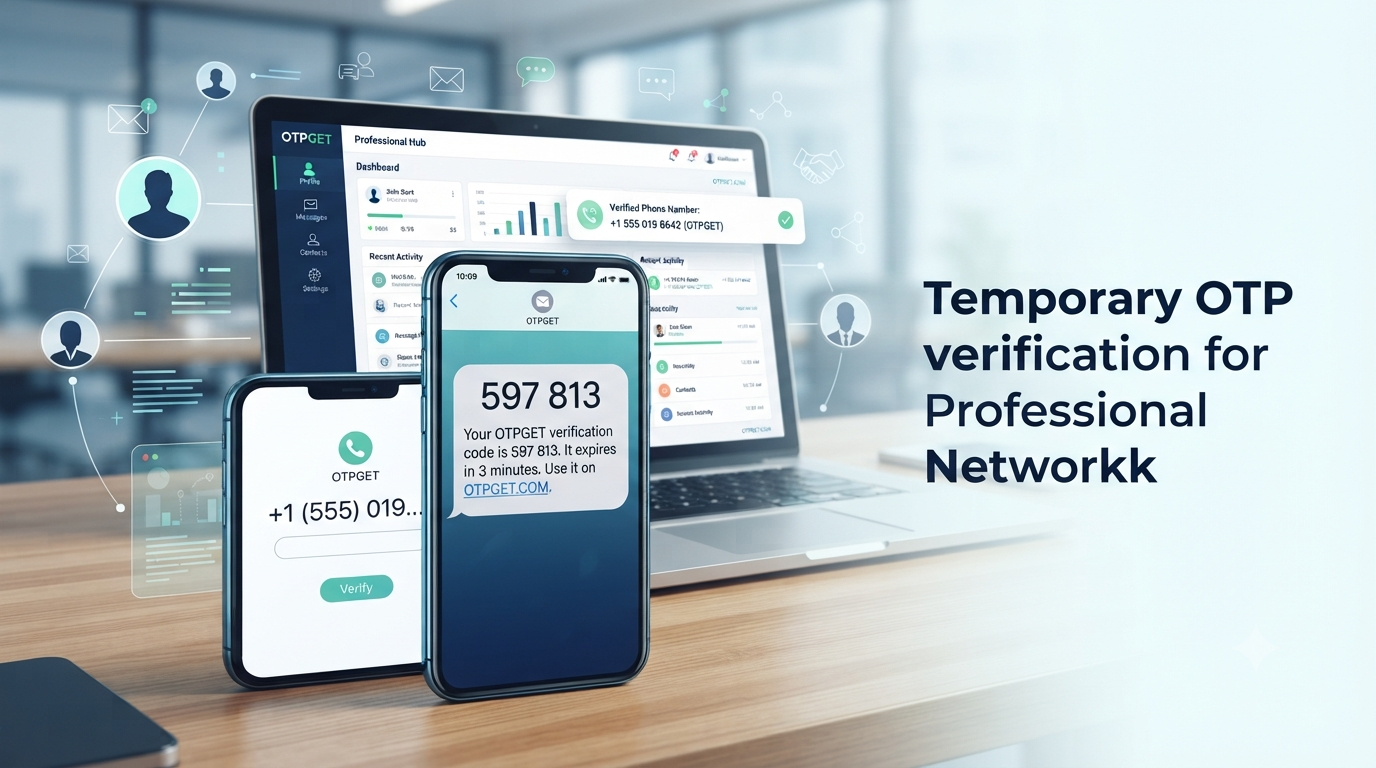
Temporary OTP number for LinkedIn verification shown on a smartphone with an SMS verification code and OTPGET interface
File Name:
temporary-otp-number-linkedin-otpget.webp
Caption:
Use a temporary verification number to receive an SMS OTP when appropriate for your LinkedIn verification workflow.
FAQ Schema JSON-LD
{
  "@context": "https://schema.org",
  "@type": "FAQPage",
  "mainEntity": [
    {
      "@type": "Question",
      "name": "Can I use a temporary OTP number for LinkedIn?",
      "acceptedAnswer": {
        "@type": "Answer",
        "text": "You may be able to use a temporary number when LinkedIn presents an SMS verification option, but acceptance depends on LinkedIn's requirements and the specific number. There is no guarantee that every temporary number will be accepted."
      }
    },
    {
      "@type": "Question",
      "name": "How do I receive a LinkedIn verification code?",
      "acceptedAnswer": {
        "@type": "Answer",
        "text": "If LinkedIn requests SMS verification, enter an eligible phone number and follow the instructions shown on the verification screen. If the SMS is sent successfully, the code can then be entered into the requested field."
      }
    },
    {
      "@type": "Question",
      "name": "What is the best temporary phone number for LinkedIn verification?",
      "acceptedAnswer": {
        "@type": "Answer",
        "text": "There is no single number that is best for every user. Choose a reputable service and an available number that is appropriate for your legitimate verification need. Platform acceptance can vary."
      }
    },
    {
      "@type": "Question",
      "name": "Can I receive LinkedIn OTP online?",
      "acceptedAnswer": {
        "@type": "Answer",
        "text": "If LinkedIn sends the verification code by SMS to an eligible virtual number, the message may be available through the provider's online receiving interface. The platform must first accept the number and send the code."
      }
    },
    {
      "@type": "Question",
      "name": "Is a temporary number the same as a virtual phone number?",
      "acceptedAnswer": {
        "@type": "Answer",
        "text": "Not always. A temporary number describes how long or for what purpose a number is used, while a virtual phone number generally describes how the number is provided. A virtual number can be temporary or rented for longer-term use."
      }
    },
    {
      "@type": "Question",
      "name": "Why might a verification SMS not arrive?",
      "acceptedAnswer": {
        "@type": "Answer",
        "text": "Possible reasons include an unavailable number, incorrect number details, delivery delays, carrier issues, platform restrictions, or the platform not supporting that particular number type."
      }
    },
    {
      "@type": "Question",
      "name": "Is OTPGET suitable for temporary SMS verification?",
      "acceptedAnswer": {
        "@type": "Answer",
        "text": "OTPGET offers virtual numbers designed for SMS OTP verification and describes a workflow for obtaining a number and receiving verification messages. Whether a particular number works with LinkedIn depends on LinkedIn's acceptance of that number."
      }
    },
    {
      "@type": "Question",
      "name": "Should I use a temporary number for long-term account recovery?",
      "acceptedAnswer": {
        "@type": "Answer",
        "text": "Usually, you should consider a permanent number that you control if continued access or account recovery depends on that number. A temporary number may no longer be available when you need it later."
      }
    }
  ]
}


