Temporary OTP Number for Zoom: Easy Verification with OTPGET
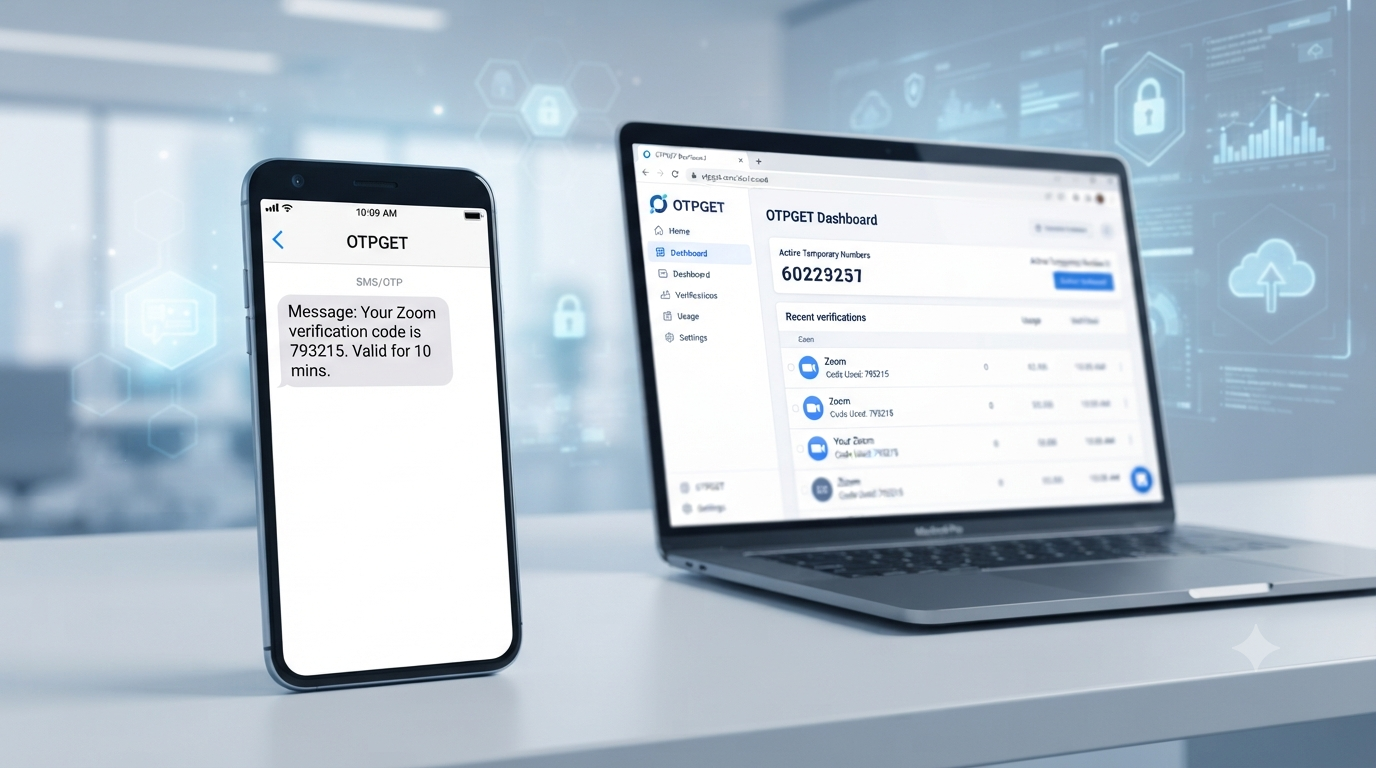
How to Get Temporary OTP Number for Zoom — OTPGet
If Zoom asks you to verify a phone number, you may not always want to use your personal number. Perhaps you prefer to keep your private contact information separate from online services, or you simply need a number for a temporary verification task.
That is where a temporary OTP number for Zoom can be useful.
A temporary number can receive an SMS verification code on your behalf, allowing you to complete a supported verification process without relying on your everyday phone number. Services such as OTPGET provide virtual numbers designed for receiving SMS and OTP messages online.
In this guide, you'll learn what a temporary OTP number is, how Zoom verification generally works, how to use OTPGET for temporary verification, and what to do if your verification code does not arrive.
What Is a Temporary OTP Number for Zoom?
A temporary OTP number is a virtual phone number that can be used for receiving a one-time SMS verification code during a supported online verification process.
An OTP, or one-time password, is a temporary code sent by a service to confirm that the person completing a sign-up or verification step has access to the provided communication channel.
In simple terms, the process works like this:
- You provide a phone number during verification.
- The service sends an SMS containing a verification code.
- The number receives the SMS.
- You retrieve the code.
- You enter the code into the verification screen.
A temporary phone number for verification can be useful when you do not want to use your personal number for every online service.
Whether a particular number can be used for Zoom depends on Zoom's current verification requirements and whether the number is accepted for that verification purpose.
Why Use a Temporary Phone Number for Zoom Verification?
There are several legitimate reasons someone might prefer a temporary number instead of a personal phone number.
Privacy: A temporary number can help keep your everyday contact information separate from online registrations and verification requests.
Separation: If you regularly use online services for work, testing, or other legitimate purposes, keeping verification activity separate from your personal communications can make things easier to manage.
Convenience: An online OTP number can eliminate the need to switch between different devices or SIM cards when receiving a verification SMS.
Temporary needs: If you only need a number for a specific verification task, a temporary SMS number may be more practical than maintaining another permanent mobile number.
The important point is to use temporary numbers responsibly. They should not be used for fraud, impersonation, spam, unauthorized access, or attempts to circumvent Zoom's security measures or policies.
How to Get a Temporary OTP Number for Zoom with OTPGET
OTPGET provides virtual phone numbers for SMS OTP verification. Its website describes temporary virtual numbers and SMS verification services, while its terms state that users are responsible for using the service lawfully and appropriately.
If a suitable number is available for your intended verification purpose, the general workflow is straightforward:
- Visit OTPGET.
[Explore OTPGET]
- Choose an appropriate temporary number or verification service.
Select an option that is suitable for receiving SMS and check the current availability and requirements.
- Use the provided number when Zoom requests phone verification.
Enter the number carefully, including the correct country or area format where required.
- Request the verification code.
Continue with the Zoom verification process and wait for the SMS message.
- Check OTPGET for the incoming SMS.
If the selected number supports the verification request, the incoming message can be viewed through the available OTPGET interface.
- Enter the valid verification code in Zoom.
Carefully enter the code before it expires.
- Complete verification.
If Zoom accepts the number and code, the verification process can continue.
OTPGET's service documentation describes virtual numbers for OTP verification and SMS retrieval, but availability can vary by service and number. Users should check the current options before starting a verification attempt.
[Get a Temporary OTP Number]
How Zoom OTP Verification Works
The basic concept behind SMS verification is simple.
First, a phone number is entered into the relevant Zoom verification field. If Zoom requires SMS verification for that particular account or action, it sends a Zoom verification code to the provided number.
A supported temporary number can then receive the SMS. The user retrieves the OTP and enters it into the verification screen.
The process can be summarized as:
Phone number → SMS request → verification code → retrieve OTP → enter code → verification
This is why people searching for a Zoom OTP number, Zoom verification number, or phone number for Zoom verification are often looking for a service capable of receiving SMS online.
Keep in mind that verification requirements can differ depending on the specific Zoom workflow. A temporary number is not a guarantee that a service will accept the number.
Benefits of Using OTPGET for Temporary Verification
OTPGET can be a practical option for users who need a temporary virtual number for a legitimate verification task.
Convenience
Instead of relying on a personal SIM card, a supported virtual number can provide an online route for receiving an SMS verification message.
Privacy
Using a separate number can help you avoid giving your everyday phone number to every service that requests verification.
Simple workflow
The general process is easy to understand: select a number, use it for the relevant verification request, retrieve the SMS, and enter the OTP.
Temporary use
If your requirement is limited to a particular verification task, a temporary number may make more sense than obtaining another permanent phone line.
Flexible verification options
OTPGET describes virtual numbers, rental numbers, temporary email, and SMS OTP services as part of its broader verification platform. Availability and suitability depend on the service and number selected.
Temporary OTP Number vs. Your Personal Phone Number
A temporary number and a personal phone number serve different purposes. Neither is automatically better for every situation.
| Feature | Personal Number | Temporary OTP Number |
|---|---|---|
| Privacy | Uses your everyday contact information | Can separate verification from your personal number |
| Convenience | Always available on your phone | Convenient for supported temporary verification |
| Personal communication | Mixed with verification messages | Keeps temporary verification separate |
| Temporary use | Usually intended for ongoing use | Designed for short-term needs |
| Verification workflow | Receive SMS directly on your phone | Retrieve SMS through the temporary-number service |
For long-term account recovery or important services, users should carefully consider whether a temporary number is appropriate. A number intended only for temporary use may not be suitable when you need reliable future access.
Tips for Using a Temporary Number for Zoom Verification
A few simple precautions can make the process smoother:
- Make sure the number supports SMS if SMS verification is required.
- Check availability before purchasing or selecting a number.
- Enter the number accurately, including the appropriate country code.
- Request the verification message only when you're ready to complete the process.
- Retrieve the OTP promptly, because verification codes can expire.
- Never share a verification code with another person.
- Use temporary numbers responsibly and only for legitimate purposes.
- Follow Zoom's applicable terms and verification requirements.
- If a number is rejected, do not repeatedly attempt to circumvent the verification system. Instead, use an accepted verification method.
Common Problems When Receiving a Zoom Verification Code
Sometimes an OTP does not arrive immediately. Here are common problems and practical things to check.
OTP Not Arriving
First, verify that the number was entered correctly and that the selected service supports SMS for the intended verification purpose. If the message still does not arrive, check the service's current status or try an appropriate available number.
Incorrect Phone Number
A single digit can prevent the message from reaching the intended number. Carefully compare the number you entered with the number provided by your verification service.
Expired OTP
Verification codes are generally intended for short-term use. If the code has expired, request a new code rather than repeatedly entering the old one.
Delayed SMS
SMS delivery can sometimes take longer than expected. Avoid requesting multiple codes in rapid succession, as doing so can make it harder to determine which code is current.
Number Not Accepted
Not every virtual or temporary number will necessarily be accepted by every online service. If Zoom rejects the number, check the available options and use a verification method supported by Zoom.
Verification Attempt Times Out
If the verification page times out, start the verification process again and request a fresh code. Make sure you have access to the SMS inbox before requesting another OTP.
OTPGET's policies also explain that temporary-number orders have specific conditions when an OTP is not received, so users should review the current terms before using the service.
Is a Temporary OTP Number Safe to Use?
A temporary phone number can offer privacy and convenience, but it should not be treated as automatically safe for every type of account.
The most important consideration is the purpose of the account and whether temporary verification is appropriate for it.
For example, a temporary number may make sense for a short-term verification task where you do not need the number for future account recovery. For an important account that you may need to access repeatedly, maintaining a reliable number you control may be a better choice.
Also remember that OTPs are sensitive verification credentials. Never share an OTP with another person, and do not use temporary numbers for fraudulent activity, unauthorized access, impersonation, spam, or attempts to bypass platform safeguards.
OTPGET's own terms prohibit illegal, fraudulent, abusive, or harmful use of its services.
Why Choose OTPGET for Temporary OTP Verification?
If you're specifically searching for a temporary OTP number for Zoom, OTPGET can be worth considering when you need a convenient way to receive SMS verification messages without immediately using your personal phone number.
Its platform is built around virtual numbers and OTP verification, with options for temporary numbers and longer-term rentals. The service documentation also provides information about SMS OTP and number-management capabilities.
The biggest advantage is simplicity: instead of managing another physical SIM card, you can use an online verification workflow when a suitable number is available.
That makes OTPGET particularly relevant for people who want to keep temporary verification activity separate from their everyday communications.
However, no temporary-number provider should be viewed as a guaranteed solution for every service. Number availability and acceptance can vary, so always check the current OTPGET options and Zoom's requirements before proceeding.
[Learn More About OTPGET]
FAQ: Temporary OTP Number for Zoom
What is a temporary OTP number for Zoom?
A temporary OTP number is a virtual phone number that can receive an SMS verification code for a supported Zoom verification process. You retrieve the code and enter it into the appropriate verification field.
Can I use a temporary phone number for Zoom verification?
You may be able to use one if Zoom accepts the particular number and verification method. Acceptance can vary, so check the current Zoom requirements and the available number options before starting.
How do I receive a Zoom verification code?
Enter an accepted phone number when Zoom requests SMS verification and request the code. If the number supports the verification request, the SMS can be retrieved from the service providing the number.
Where can I get a temporary OTP number?
Services such as OTPGET provide virtual phone numbers intended for SMS and OTP verification. Available numbers and supported verification purposes can vary.
Can OTPGET be used for temporary SMS verification?
OTPGET provides virtual numbers and SMS OTP verification services. Whether a specific number can receive a particular verification message depends on current availability and the requirements of the service involved.
What should I do if my Zoom OTP does not arrive?
Check the number, confirm that SMS is supported, wait briefly for delivery, and avoid repeatedly requesting codes. If the number is not accepted or the message does not arrive, check available options and use an accepted verification method.
Is a temporary phone number suitable for verification?
It can be suitable for legitimate, short-term verification needs. However, it may not be ideal for accounts where you need the same number for future recovery or ongoing access.
Can I use a temporary number instead of my personal number?
For a supported verification process, a temporary number can provide an alternative to your personal number. Always make sure the method complies with the service's requirements and is appropriate for your intended use.
Conclusion / CTA
A temporary OTP number for Zoom can be a convenient option when you want to separate online verification from your personal phone number. The general process is straightforward: obtain a suitable number, enter it during the supported verification step, receive the SMS, retrieve the OTP, and enter the valid code.
OTPGET offers virtual numbers and SMS OTP services designed around this type of temporary verification workflow. While availability and acceptance can vary, it provides a practical option to explore when you need an online number for legitimate verification purposes.
If privacy, convenience, or temporary access is your priority, explore the available options before beginning your Zoom verification process.
[Explore OTPGET]
[Get a Temporary OTP Number]
If you want, I can also adapt this into a more authoritative SaaS/blog style, a more sales-focused affiliate style, or a fully optimized WordPress format with suggested internal-link anchors and FAQ schema copy.