TikTok Verification With UK Number: Step-by-Step Guide | OTPGET
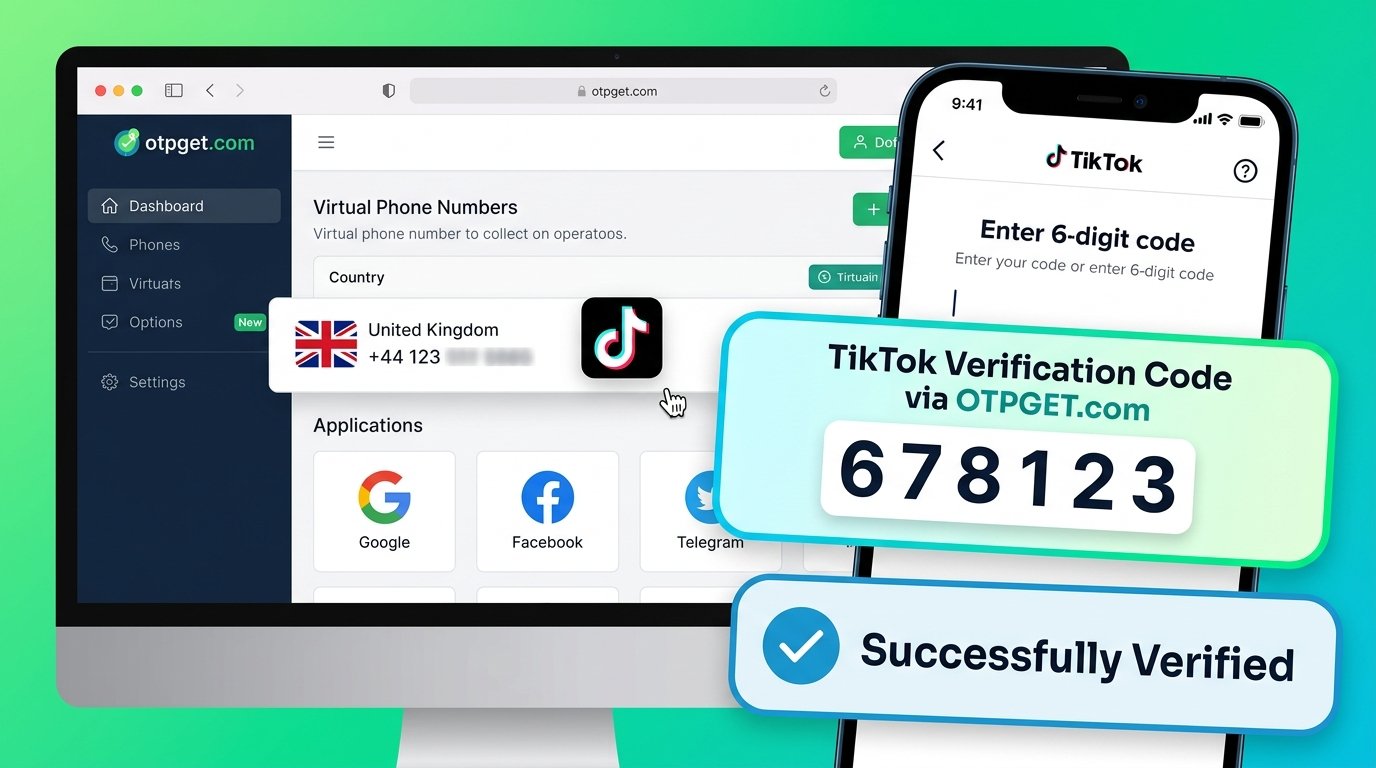
TikTok Verification With UK Number: Quick Guide
Introduction: Why TikTok Verification Matters
TikTok may ask you to verify your phone number when you create an account, update your contact details, sign in, or complete a security check. Phone verification helps the platform confirm access to a number and can support account security and recovery.
However, the process is not always straightforward. You might not have access to a UK mobile number, encounter SMS delivery delays, or receive an error when requesting a verification code.
If you are exploring TikTok verification with UK number, OTPGET is one option worth investigating. Its website advertises virtual phone numbers for online SMS verification, including UK numbers and TikTok among its supported services. Availability and acceptance can vary, so check the current options before proceeding.
This guide explains how to check for a suitable number, request a TikTok verification code, troubleshoot common problems, and protect your account throughout the process.
Ready to explore your options? Visit the official OTPGET website and check whether a suitable UK number is available for your intended use.
Why Use a UK Number for TikTok Verification?
A UK phone number may be useful if you live in the United Kingdom, maintain a UK-based business presence, or need a number that meets a platform's displayed country requirements.
Here are some potential benefits:
-
Convenient access: A suitable UK number can help when you need to receive a verification SMS associated with a UK number.
-
Business account management: Teams operating in the UK may prefer contact details aligned with their existing communication arrangements.
-
Alternative verification options: An online SMS service may be worth considering if you cannot use a personal number, provided the platform accepts the number type.
-
Privacy considerations: Using a separate number can reduce the need to disclose your personal mobile number to every service, although shared-number services introduce their own risks.
A UK number does not automatically change your TikTok account's region, unlock region-specific features, or guarantee that verification will succeed. TikTok may assess the number, account, and security circumstances before accepting a code.
Choose a number for legitimate verification purposes and follow TikTok's current requirements.
What Is OTPGET and How Can It Help?
OTPGET is an online platform that advertises virtual phone numbers for receiving SMS one-time passwords (OTPs). According to its website, it offers numbers across multiple countries, service-specific number options, and rental numbers. Its published service information also lists TikTok among supported platforms.
An OTP is a temporary code used to confirm an action, such as linking a phone number to an account. An online SMS service lets you access supported verification messages through its service workflow rather than relying exclusively on a physical SIM card.
OTPGET may suit you if you want to investigate an online OTP option without immediately using your personal number. Before paying for or selecting a number, check:
-
Whether a UK number is currently available.
-
Whether TikTok is listed for that specific number or service option.
-
How incoming messages are accessed.
-
Whether the number is shared, temporary, or rented.
-
What the current terms, charges, and cancellation conditions say.
Do not assume that every UK number offered by a provider will work with TikTok.
Explore OTPGET: Visit otpget.com, review the available UK number options, and confirm their suitability before starting verification.
How to Verify TikTok With a UK Number Using OTPGET
Follow these steps if OTPGET offers a suitable UK number and TikTok permits that number for your account.
Step 1 — Visit OTPGET
Open the official OTPGET website. Review its virtual number options and any instructions explaining how to obtain a number and access incoming SMS messages.
Read the applicable terms before proceeding.
Step 2 — Check for a Suitable UK Number
Look for the United Kingdom as the country and TikTok as the intended verification service, if the service selector offers that choice.
Confirm the number's availability, access period, and message-retrieval method. If TikTok is not listed for the available option, do not assume the number will receive its codes.
Step 3 — Open TikTok's Verification Settings
Open TikTok and navigate to your profile. Tap the menu, select Settings and privacy, and look under Account or Account Information for the phone number settings.
TikTok's official instructions describe this general route for adding a phone number, although labels may vary by app version and device.
Step 4 — Enter the UK Number
Enter the selected number using the correct international format. The UK country calling code is +44.
Follow TikTok's formatting instructions, and avoid duplicating the country code if the app has already selected it. Never choose a different country code simply to force the number to fit.
Step 5 — Request the Verification Code
Select the option to send an SMS code, if TikTok provides it. Wait for the message and avoid repeatedly requesting new codes while the first request is pending.
If TikTok displays an error, note the message before attempting another solution.
Step 6 — Retrieve and Enter the OTP
Return to OTPGET and follow its supported workflow for checking incoming SMS messages. If a code arrives, enter the latest valid OTP into TikTok before it expires.
Message delivery is not guaranteed. If no message appears, check the order or number status and the service's instructions rather than assuming the code will arrive immediately.
Step 7 — Confirm Verification
If TikTok accepts the code, follow any remaining prompts and check your account settings to confirm that the phone number has been linked or verified.
If verification fails, use the troubleshooting guidance below. Always follow TikTok's rules and OTPGET's terms when using an online SMS service.
Why Is My TikTok Verification Code Not Arriving?
Missing codes are frustrating, but several practical checks can help identify the cause.
|
Possible problem |
What you can do |
|---|---|
|
Incorrect number format |
Confirm the UK country code and the number's international format. |
|
SMS delivery delay |
Wait briefly, check the service status, and follow its message-retrieval instructions. |
|
Unsupported number |
Check whether the specific number and service combination supports TikTok. |
|
Too many requests |
Stop requesting new codes and wait before trying again. |
|
Expired OTP |
Request a fresh code when permitted and enter the newest valid message. |
|
Security restrictions |
Follow TikTok's prompts and contact official support if the issue persists. |
|
Device or network issue |
Check your internet connection, update the app if needed, and retry later. |
A shared or temporary number can also be unavailable when you need it again. If the number has already been associated with another account, TikTok may reject it or require a different number.
For persistent problems, consult TikTok's official account and login help resources. Avoid repeatedly submitting requests, which may trigger additional checks.
Is It Safe to Use OTPGET for TikTok Verification?
Safety depends on the number arrangement, how messages are handled, and the information you share. OTPGET advertises virtual number services, but you should independently review its current privacy practices and terms before using them.
Consider these precautions:
-
Check message privacy: A shared number may allow other users to see messages received through the same number or service.
-
Understand access duration: A temporary number may not remain available for future login checks or account recovery.
-
Protect verification codes: Never publish OTPs or share them with strangers.
-
Secure your account: Use a strong password, link a recovery email, and enable available security protections.
-
Review service terms: Understand how numbers are allocated, how long access lasts, and how your data is handled.
OTPGET should not be assumed to be officially affiliated with TikTok. A personally controlled mobile number is generally preferable for accounts where dependable long-term recovery matters.
OTPGET vs. Other UK SMS Verification Options
Different options suit different needs. The best choice depends on privacy, ongoing access, convenience, and whether TikTok accepts the number.
|
Option |
Main advantage |
Main consideration |
|---|---|---|
|
OTPGET |
Online access to advertised virtual number options |
Confirm availability, compatibility, privacy, and access duration. |
|
Personal UK mobile number |
Direct control and better continuity for recovery |
Requires access to a personal mobile service. |
|
Legitimate UK mobile provider |
May provide a dedicated number under a provider agreement |
Eligibility, cost, and service conditions vary. |
|
Other SMS verification services |
Additional providers and number options to compare |
Quality, privacy, availability, and number control differ. |
Our recommendation: Consider OTPGET if its available UK number and service terms match your verification needs. If you need a dependable number for future account recovery, a personal or dedicated number that remains under your control may be a better choice.
Tips for Successful TikTok Phone Verification
Before requesting your TikTok verification code, keep these recommendations in mind:
-
Confirm the country code and international number format.
-
Check UK number availability and TikTok compatibility first.
-
Avoid repeated SMS requests within a short period.
-
Enter the latest valid code before it expires.
-
Keep your password and verification messages private.
-
Review TikTok's current verification and account security requirements.
-
Do not assume a VPN changes your eligibility or makes an unsupported number acceptable.
-
Keep access to your number if you expect to need future recovery codes.
-
Add a recovery email and consider other available security methods.
These steps can reduce avoidable errors, but they cannot guarantee that TikTok will accept a particular number.
Frequently Asked Questions
1. Can I verify TikTok with a UK number?
Yes, if TikTok offers phone verification for your account and accepts the particular UK number. Number type, previous use, and platform security checks can affect acceptance.
2. How do I receive a TikTok verification code online?
Check an online SMS provider for a number specifically suitable for TikTok, follow its instructions, request the code in TikTok, and retrieve the incoming message through the provider's supported workflow.
3. Can OTPGET help me receive a TikTok OTP?
OTPGET advertises virtual numbers and lists TikTok among its supported services. Check its current UK availability and service-specific compatibility before purchasing or selecting a number.
4. Why is my TikTok verification code not arriving?
Possible causes include formatting mistakes, delivery delays, unsupported numbers, expired codes, or temporary security restrictions. Check the number and service status, wait before retrying, and contact TikTok support if necessary.
5. Is a temporary UK number suitable for TikTok verification?
It may work if the number is supported and TikTok accepts it. However, temporary access can create problems if you later need another code or must recover your account.
6. Can I use a UK number if I live outside the UK?
Potentially, depending on TikTok's requirements, the number's availability, and your account circumstances. A UK number alone does not establish UK residency or guarantee access to regional features.
7. Is using an online SMS verification service safe?
It depends on the provider and number arrangement. Review its privacy practices and terms, consider whether messages are shared, and avoid using a temporary number for an account that requires reliable long-term recovery.
8. What should I do if TikTok rejects my UK number?
Check the number format, confirm service compatibility, and wait before trying again. If the problem continues, use a supported personal number or contact TikTok through its official help channels.
Final Thoughts — Verify TikTok With OTPGET
Completing TikTok phone verification with a UK number starts with choosing a suitable number, entering it correctly, requesting an SMS, and submitting the valid OTP. The process is straightforward when the number and account meet TikTok's requirements, but acceptance is never guaranteed.
OTPGET is a practical option to explore if you want an online SMS verification solution. Check its current UK number availability, confirm that TikTok is supported for the option you choose, and consider privacy and future account recovery before proceeding.
Ready to get started? Visit the official OTPGET website, review the available number options and terms, and choose a suitable solution if one is offered. For accounts that matter to you long term, prioritize a number you can reliably access again.


