Twitter X Phone Verification: Receive Your Code Easily | OTPGET
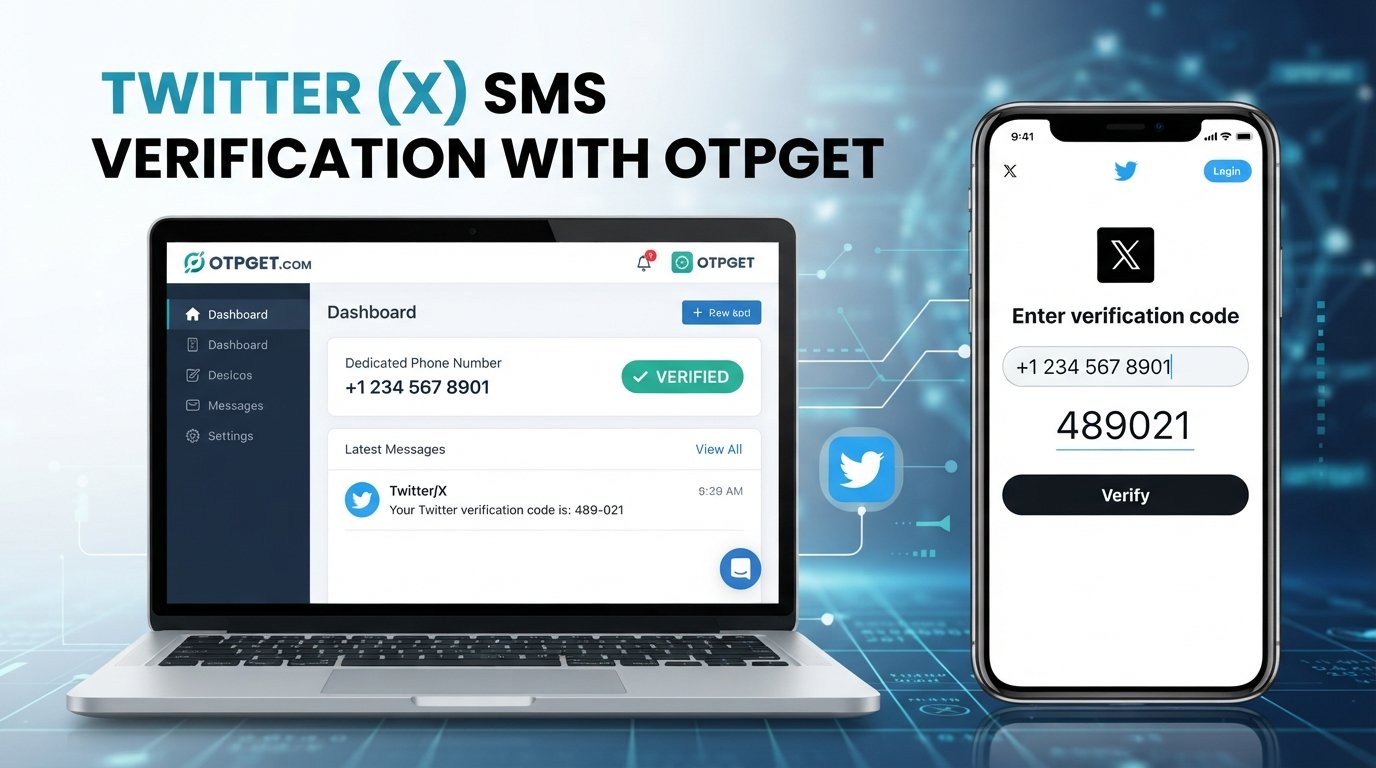
Twitter (X) Phone Verification – Receive Your Code | OTPGET
Waiting for a Twitter/X verification code can be frustrating when the SMS is delayed, the number is entered incorrectly, or you simply prefer not to use your personal phone number for a verification step. Understanding how the process works makes it easier to identify the problem and choose an appropriate solution.
Twitter phone verification generally involves entering a phone number, requesting an SMS, receiving a one-time verification code, and submitting that code during the account verification process. Requirements can vary depending on the account and the verification flow presented by X.
If you need a dedicated number for receiving verification messages, OTPGET provides a convenient option to consider for SMS and OTP reception. It can be useful when separating verification messages from your everyday personal communications makes sense.
What Is Twitter (X) Phone Verification?
Twitter/X phone verification is a process that uses an SMS-capable phone number to confirm access to that number.
Typically, the platform asks you to provide a phone number and then sends a verification code by SMS. You enter the received code into the relevant verification field to continue.
In simple terms, the process looks like this:
- Enter the requested phone number.
- Request an SMS verification code.
- Receive the one-time password, or OTP.
- Enter the code into the verification screen.
- Complete the applicable verification step.
The exact screens and requirements may differ depending on the account and the verification process presented by X.
Why Does Twitter (X) Ask for a Verification Code?
A phone verification code can be part of an account security or confirmation process. Platforms may use phone-based verification when they need to confirm that a user has access to a particular phone number.
You may encounter a phone verification request during situations involving:
- Account or phone-number confirmation
- Security-related checks
- Additional account verification
- Changes that require confirmation
- Other verification workflows presented by the platform
It is important not to assume that every Twitter/X account will receive the same verification prompts. If X displays a specific requirement, follow the instructions shown in your account.
How to Receive a Twitter (X) Verification Code
If Twitter/X asks for SMS verification, the basic process is straightforward.
1. Start the verification process
Open the applicable Twitter/X account flow and proceed until the platform asks you to verify a phone number.
2. Enter the requested phone number
Carefully enter the number in the format requested by the verification screen. Double-check the country or dialing information if it is displayed.
3. Request the SMS code
Submit the number and request the verification message. Avoid repeatedly requesting new codes while waiting for the first one.
4. Wait for the verification SMS
The code may arrive quickly, but SMS delivery can sometimes be delayed because of network, carrier, filtering, or service-related issues.
5. Enter the latest valid OTP
When the message arrives, enter the verification code into the appropriate field. Use the most recent valid code if multiple messages were requested.
6. Complete the verification step
Follow the remaining on-screen instructions. If the code has expired or is rejected, request another code only when necessary.
What If You Don't Receive the Twitter (X) Verification Code?
A missing Twitter verification SMS does not necessarily mean something is wrong with your account. Several practical issues can prevent or delay delivery.
Try these troubleshooting steps:
- Check the phone number: Make sure every digit is correct.
- Review network connectivity: Weak cellular service can interfere with SMS delivery.
- Check SMS filtering: Your phone or carrier may filter certain automated messages.
- Wait briefly: Delivery can occasionally take longer than expected.
- Avoid repeated requests: Multiple code requests can create confusion when older messages arrive after newer ones.
- Use the latest code: Earlier verification codes may no longer be valid.
- Restart the verification process if necessary: If the session has expired, beginning the process again may be required.
- Follow X's instructions: Platform-specific troubleshooting options should take priority.
If the problem continues, the issue may relate to the number, carrier, account, or verification flow rather than the SMS itself.
Can You Receive a Twitter (X) OTP Online?
Yes, OTP reception can be handled through online SMS verification services that provide suitable phone numbers for receiving verification messages.
The basic idea is simple: instead of relying exclusively on your everyday personal number, you use an available verification number where the relevant platform permits it. The incoming SMS can then be accessed through the service providing that number.
This can be useful for people who want a dedicated number for verification-related messages or who prefer to keep those messages separate from their primary mobile communications.
OTPGET is designed around this type of verification workflow, giving users a convenient way to access SMS and OTP messages through an appropriate verification number.
Availability and acceptance can vary by platform, number, and verification flow, so no SMS service should be presented as a guaranteed method for every Twitter/X verification request.
How OTPGET Helps With Phone Verification
OTPGET can simplify the SMS side of a verification process by providing access to verification numbers intended for receiving OTP messages.
For users who need a dedicated verification number, this can offer several practical advantages:
- Convenient OTP reception: Verification messages can be accessed through the service rather than relying solely on a personal number.
- Dedicated verification workflow: A separate number can help keep verification activity distinct from everyday communications.
- Simpler code access: When an SMS arrives, the verification code can be retrieved through the applicable OTPGET workflow.
- Greater flexibility: A dedicated verification number may be useful when using a personal number is not the preferred option.
- Less dependence on a primary number: Users can choose a suitable verification option where supported and permitted.
The important point is that OTPGET is a convenience tool for receiving verification SMS messages. It does not guarantee that Twitter/X will accept a particular number, deliver every message, or approve a verification request.
Twitter (X) Phone Verification With OTPGET: Step-by-Step
If using a dedicated verification number is appropriate for your situation and permitted by the applicable platform requirements, the workflow can be simple.
Step 1: Choose an appropriate option through OTPGET.
Select a suitable verification number or service option available through OTPGET.
Step 2: Enter the number where permitted.
Use the provided number in the Twitter/X verification flow if the platform accepts it for your particular request.
Step 3: Request the verification SMS.
Submit the number and request the code through the Twitter/X interface.
Step 4: Check OTPGET for the incoming message.
Monitor the applicable OTPGET interface for the verification SMS.
Step 5: Enter the received code.
Copy the valid OTP into the verification field on Twitter/X.
Step 6: Complete the process.
Follow the remaining instructions displayed by X.
If a number is not accepted or an SMS does not arrive, do not assume that repeated attempts will solve the problem. Check the number, review the platform's instructions, and use another permitted option if necessary.
Why Choose OTPGET for Verification SMS?
Using a dedicated verification number can be more convenient than depending exclusively on a personal phone number for every verification-related task.
For example, a user may prefer to keep personal communications separate from automated verification messages. A dedicated SMS verification service can also make it easier to organize access to one-time codes when that workflow is appropriate.
OTPGET fits this use case by focusing on receiving SMS and OTP messages rather than requiring users to treat their personal number as the only option.
The practical advantage is convenience—not a promise to bypass platform requirements. Twitter/X still determines whether a particular phone number and verification method are accepted.
Tips for a Smooth Twitter (X) Verification Process
A few simple habits can prevent common verification problems:
- Double-check the number before submitting it.
- Request a code only when you are ready to enter it.
- Avoid repeatedly requesting SMS messages.
- Check that your SMS reception is working.
- Keep the verification session active while waiting.
- Use the newest valid code if multiple codes arrive.
- Watch for expired codes and request a replacement when necessary.
- Follow the exact instructions displayed by Twitter/X.
If you are using an SMS verification service, also make sure you understand how the service displays incoming messages before starting the verification process.
Frequently Asked Questions
How do I receive a Twitter verification code?
Enter the requested phone number in the Twitter/X verification flow and request an SMS. When the message arrives, enter the valid OTP into the verification field.
Why am I not receiving my Twitter SMS code?
Common causes include an incorrect number, SMS delays, carrier issues, message filtering, temporary service problems, or expired verification sessions. Check the number and avoid repeatedly requesting codes.
What is an X phone verification code?
An X phone verification code is a one-time password sent by SMS when X requires confirmation of access to a phone number during an applicable verification process.
Can I receive a Twitter OTP online?
An online SMS verification service may provide a number capable of receiving an OTP. Whether a particular number can be used successfully depends on the platform's requirements and the specific verification flow.
How does OTPGET help with verification?
OTPGET provides a convenient way to receive SMS and OTP messages through an appropriate verification number. This can be useful when a dedicated number is preferable to a personal phone number.
How long does a verification code remain valid?
The validity period can vary by platform and verification process. If a code is rejected or expires, request a new one and use the latest valid code.
What should I do if my verification code expires?
Return to the applicable verification flow and request another code if the option is available. Enter the newest valid code rather than an older message.
Final Thoughts: A Simpler Way to Handle Twitter (X) Phone Verification
Twitter/X phone verification is usually straightforward when the requested number can receive SMS and the verification code arrives as expected. Problems tend to arise when messages are delayed, numbers are entered incorrectly, or older codes expire.
For users who prefer a dedicated number for receiving verification messages, OTPGET offers a practical way to handle SMS and OTP reception without relying exclusively on a personal phone number.
The key is to use any verification service responsibly and follow Twitter/X's applicable requirements. OTPGET can make the code-receiving side of the process more convenient, but it should not be viewed as a way to bypass platform rules or guarantee successful verification.
If you need a convenient SMS verification option, explore OTPGET and determine whether its available verification services fit your particular needs.
INTERNAL LINK SUGGESTIONS
- How OTP verification works
- Receive SMS verification codes online
- OTPGET phone verification services
- Temporary numbers for SMS verification
- Online OTP receiving guide


