Sign Up for Twitter (X) Using an OTPGet Number for Verification
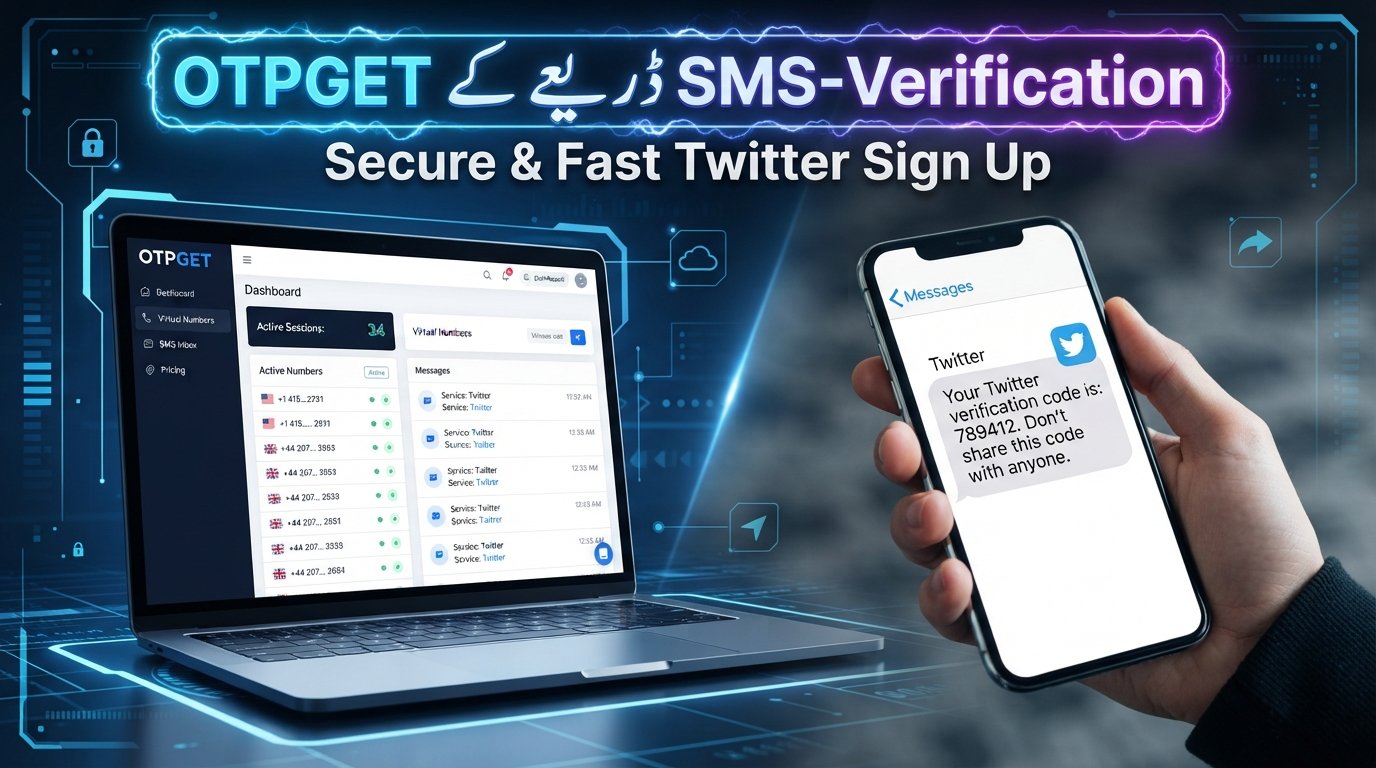
Sign Up for Twitter (X) Using an OTPGet Number
Creating a Twitter/X account is usually straightforward, but phone verification can become an extra step when the platform asks for an SMS code. For people who prefer not to use their primary personal number for every online registration, having a separate verification number can be useful.
That is where OTPGET can help. Where supported, an OTPGet number can provide a practical way to receive the SMS verification code needed during a Twitter/X signup or verification flow.
The process is simple in principle: obtain a suitable number through OTPGET, enter it when X requests a phone number, wait for the verification SMS, and enter the received code. However, acceptance is not guaranteed. X can apply different verification requirements depending on the account, location, number, and current platform policies.
Here is what you should know before getting started.
Why Does Twitter (X) Ask for a Phone Number?
Phone verification can serve several purposes during account registration and account security.
First, a phone number can help a platform verify that an account is associated with a reachable contact method. X states that accounts created with a phone number can be verified through an SMS message containing a code.
Phone verification can also help reduce automated or abusive registrations. In some circumstances, X may ask users to complete additional verification when its systems detect unusual or automated-looking activity.
There are also account-management considerations. X explains that an associated phone number can support security features and can be useful for account recovery.
For that reason, some users prefer having a separate number available for online registrations rather than immediately using their primary personal number.
What Is an OTPGet Number?
An OTPGet number is an online verification number intended for receiving SMS messages and one-time passwords for supported services.
Instead of relying on the SIM card in your everyday phone, the verification message can be delivered through the service's online interface when the selected number supports the requested service.
The important phrase is "where supported." Online and virtual numbers are not universally accepted by every website. A platform may reject a particular number, carrier range, number type, or region. The availability of a number through OTPGET therefore does not mean that X will necessarily accept it for every signup.
Think of OTPGET as a convenient option for obtaining a dedicated OTP receiving number when you need to receive a verification SMS without immediately using your primary number.
Why Use OTPGET for Twitter (X) Signup?
The biggest advantage is separation.
If you regularly register for online services, you may not want your personal phone number attached to every registration. A separate verification number can give you another option for supported signup workflows.
Other practical advantages can include:
- Less reliance on your primary number: Keep personal communications separate from selected online registrations.
- Convenience: Receive supported verification SMS messages through an online interface.
- A dedicated verification option: Useful when you specifically need a number for an OTP-based registration.
- Flexible signup workflows: An online SMS number can be useful when a service requires phone verification.
- Simpler organization: Keeping certain verification messages separate can make online registrations easier to manage.
However, convenience should not be confused with guaranteed acceptance. X controls its own signup and verification requirements, while OTPGET provides the number. The two services are separate.
How to Sign Up for Twitter (X) Using an OTPGet Number
The exact screens can change, but the general process is easy to follow.
Step 1: Open Twitter/X
Start with the official X website or the official X mobile app.
For web signup, X's official instructions currently direct users to begin through its signup flow and provide information such as a name plus an email address or phone number.
Step 2: Start Creating Your Account
Choose the option to create a new account and follow the registration prompts.
You may be asked for basic information such as your name, email address, or phone number. The options presented can vary by signup method and circumstances.
Step 3: Choose Phone Verification if Available
If X offers phone verification during your signup, you can use the phone-number option.
X explains that when a phone number is provided during signup, it may send an SMS containing a verification code.
If X gives you another verification method that better suits your situation, follow the option shown on the official signup screen.
Step 4: Get an OTPGet Number
Open OTPGET and select an available number that is suitable for the supported verification service.
Before choosing a number, check the available service and any information OTPGET provides about its intended use. Availability can change, so do not assume that every number is suitable for Twitter/X verification.
Step 5: Enter the Number During Signup
Return to the X signup screen and enter the OTPGet number in the phone-number field.
Make sure the country code and number are entered correctly. A simple formatting or digit error can prevent the verification SMS from reaching the intended number.
Step 6: Request the Verification Code
Continue the X signup process and request the verification code.
X's signup documentation explains that phone-based registration uses an SMS code to verify the supplied phone number.
Step 7: Retrieve the OTP Through OTPGET
Go back to OTPGET and check the selected number's incoming messages or OTP interface.
If the number supports the requested service and the SMS is delivered, the verification message should appear there.
Step 8: Enter the Verification Code
Copy the received Twitter verification code and enter it into the verification field on X.
Use the code only on the official X signup page or app. Never give a verification code to another person claiming they need it to "activate" or "verify" your account.
Step 9: Complete Account Setup
If X accepts the verification code, continue through the remaining account-creation steps.
You may then be able to configure your profile, username, preferences, and other account settings. X's official signup guidance notes that account setup continues after registration.
Remember that successful SMS verification does not guarantee permanent account access or immunity from later security checks. X can apply additional verification or account restrictions based on its own systems and rules.
What If the Twitter OTP Does Not Arrive?
A missing Twitter OTP does not necessarily mean something is wrong with your account. SMS delivery can depend on the platform, number, carrier, region, and current verification systems.
Try these steps:
- Wait briefly. SMS messages can sometimes take a little time to appear.
- Check the number carefully. Confirm that you entered the correct OTPGet number and country code.
- Check OTPGET again. Refresh or revisit the relevant message area to see whether a new SMS has arrived.
- Request another code if X allows it. Avoid repeatedly requesting codes within a very short period.
- Check number compatibility. The selected number may not support the particular service or verification flow.
- Try another supported number if necessary. A different available number may work better if the first one is not accepted.
- Check X for alternative verification options. The available signup methods can vary.
- Be patient with repeated failures. Constantly requesting new codes can make troubleshooting harder and may trigger additional platform checks.
X also publishes guidance about problems receiving account verification codes, so its official help resources are worth checking if the issue continues.
OTPGet Number vs. Your Personal Phone Number
| Feature | Personal Phone Number | OTPGet Number |
|---|---|---|
| Personal number exposure | Uses your everyday number | Can separate selected registrations from your personal number |
| Convenience | Familiar and always available if your phone is nearby | Convenient when a suitable number is available |
| Verification SMS | Delivered directly to your phone | Received through the OTPGET service when supported |
| Separation from personal communications | Limited | Better suited to keeping some verification activity separate |
| Best use case | Long-term accounts and recovery | Supported verification workflows where a separate number is preferred |
Neither option is universally better.
A personal number can be more practical for an account that you expect to keep for a long time, particularly when phone-based recovery matters. An OTPGet number may be more convenient when your priority is separating a particular online registration from your everyday phone number.
The right choice depends on the service's rules and how important long-term recovery access is to you.
Is Using an OTPGet Number Safe for Twitter (X) Signup?
Using an online verification number does not automatically make an account secure or insecure. What matters is how the number and account are managed.
Use OTPGET through its legitimate service interface, protect your X login credentials, and never share your password or verification code with strangers.
It is also important to think beyond the initial signup. If the number is temporary or no longer accessible later, you could face difficulties if X asks you to verify ownership or recover the account through that number. X's own recovery guidance notes that losing access to the phone number or email associated with an account can limit recovery options.
For a long-term account, consider keeping an accessible email address associated with the account and following X's security recommendations. X advises users to use strong, unique passwords and additional security measures where available.
Most importantly, use the service for legitimate account creation and verification. An OTPGet number should not be treated as a way to bypass X's security controls, identity checks, account restrictions, or platform rules.
Benefits of Using OTPGET for Online Verification
The usefulness of OTPGET extends beyond a single signup scenario.
For supported services, an online SMS number can be helpful when you want to:
- Keep personal and online communications separate.
- Receive a one-time verification SMS without using your primary number.
- Use a dedicated number for a specific registration workflow.
- Simplify certain privacy-conscious signup processes.
- Access verification messages through an online interface.
The key limitation is service compatibility. Some websites accept virtual or online numbers, while others may restrict them. Always check the available number and service information before beginning a verification process.
Frequently Asked Questions
Can I use an OTPGet number for Twitter signup?
You may be able to use an OTPGet number when X presents phone verification and the selected number is supported and accepted. Acceptance depends on X's current requirements, the number, region, and other factors.
Can I receive a Twitter verification code with OTPGET?
That is the intended process when the selected OTPGet number supports the requested service. Enter the number during the X verification flow, then check OTPGET for the incoming SMS. Delivery is not guaranteed.
Is OTPGet better than using my personal phone number?
It depends on your priorities. OTPGET can be useful for separating a signup from your personal number, while a personal number may be preferable for long-term recovery and ongoing account access.
What should I do if Twitter does not accept my OTPGet number?
First, verify that the number and country code were entered correctly. If the number is rejected, check whether the selected OTPGet number supports the service and consider another supported number or another verification method offered by X.
Can I use the same OTPGet number for multiple accounts?
Do not assume that you can. X may impose its own limits or restrictions on phone numbers and accounts, and number availability can change. Follow the platform's current rules rather than attempting to work around them.
Why is my Twitter OTP not arriving?
Check that the number is correct, wait briefly, refresh the OTPGET message area, and request another code only when X allows it. If the SMS still does not arrive, the number may not support the service or the platform may be experiencing a verification issue.
Can I use OTPGET for other verification services?
Potentially, yes, where the relevant service is supported and accepts the selected number. Availability and compatibility vary, so check OTPGET's current service and number options before relying on a number for a specific signup.
Final Thoughts
For users who prefer an alternative to entering their personal phone number during a supported Twitter/X verification flow, Sign Up for Twitter Using OTPGet Number can be a convenient approach to receiving an SMS verification code.
The process is straightforward: choose a suitable OTPGet number, enter it during the X signup flow, request the code, check OTPGET for the incoming SMS, and enter the code on the official X verification screen.
Just keep expectations realistic. Not every online number will be accepted, SMS delivery can vary, and a temporary or virtual number may not be ideal for long-term account recovery.
Before you start, check the number's availability and X's current verification requirements.
Need a convenient verification number for your next signup? Explore OTPGET and see whether a suitable number is available for your Twitter/X verification.
10. Suggested Internal Links
Use these as natural anchor-text opportunities for related OTPGET content:
- How OTP verification works
- Best uses for temporary phone numbers
- How to receive SMS verification codes online
- OTPGET supported services
- Online SMS verification guide
11. Suggested External Sources
For authoritative references, consider linking naturally to official X Help resources covering:
- X account signup instructions — X's official guide explains signup options and the basic registration process.
- X phone number FAQs — useful for explaining phone-number verification, security features, and verification-code issues.
- X account security guidance — useful when discussing passwords, account protection, and responsible account management.
- X password recovery guidance — particularly relevant when explaining why continued access to recovery information matters.
12. SEO FAQ Schema Suggestions
Use an FAQPage schema structure for the seven FAQ questions in the article, provided the visible page contains the same questions and answers.
Recommended FAQ schema questions:
- Can I use an OTPGet number for Twitter signup?
- Can I receive a Twitter verification code with OTPGET?
- Is OTPGet better than using my personal phone number?
- What should I do if Twitter does not accept my OTPGet number?
- Can I use the same OTPGet number for multiple accounts?
- Why is my Twitter OTP not arriving?
- Can I use OTPGET for other verification services?
Keep the schema answers concise and consistent with the visible FAQ content. Do not add guarantees or claims in structured data that are not present on the page.


