Twitter X SMS Code Online: Easy SMS Verification Using OTPGet
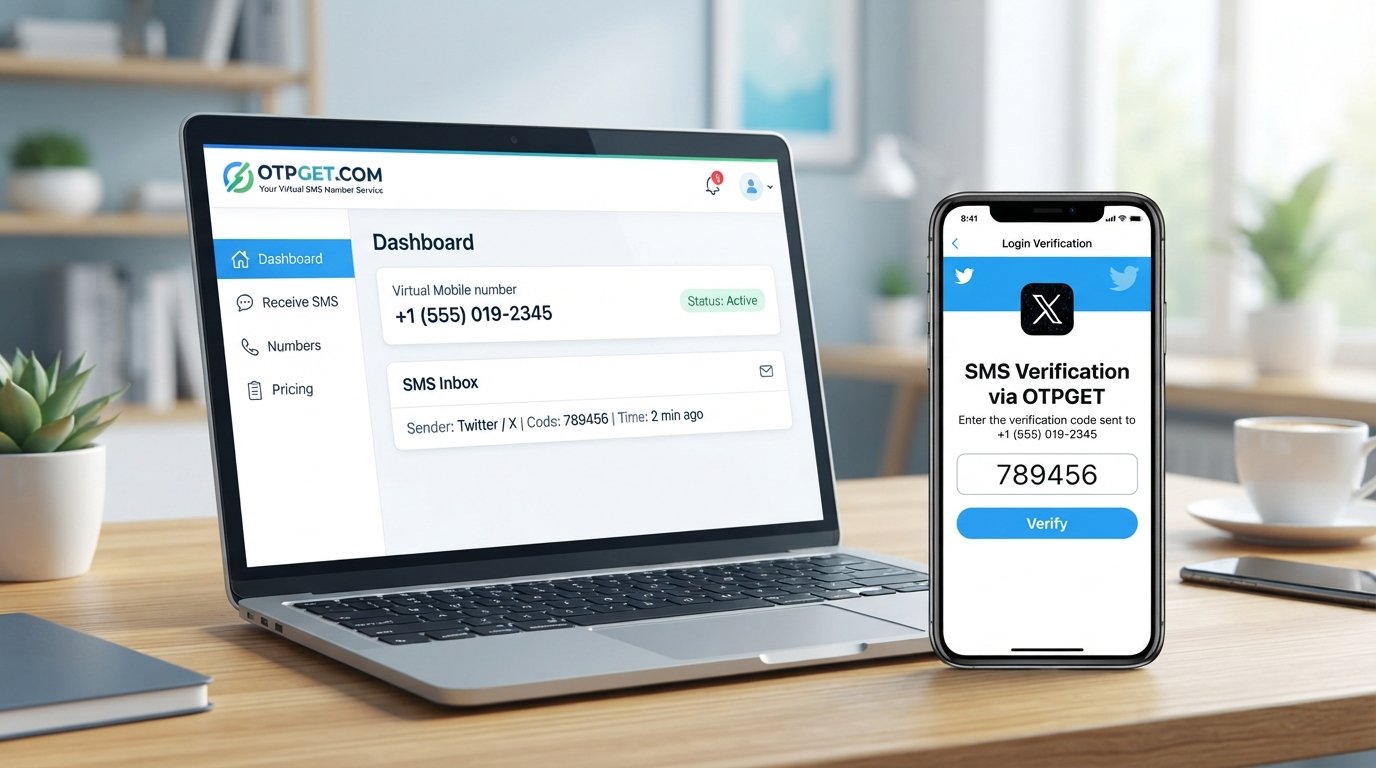
Twitter (X) SMS Code Online – OTPGet Number Service
Getting a Twitter SMS code online can be useful when Twitter/X asks you to confirm a phone number, complete a login verification step, or perform another account security check. For users who would rather not use their personal mobile number for every online service, a virtual or temporary phone number can provide a practical alternative.
An online SMS number works by receiving the verification message digitally instead of delivering it to your regular SIM card. This can make the verification process more convenient while helping you keep your personal number separate from online activity.
That is where OTPGet comes in. OTPGet provides virtual numbers designed for SMS and OTP verification, giving users an online way to receive supported verification messages. The service is built around virtual phone numbers and SMS OTP workflows, making it a practical option to consider when you need an online phone number for Twitter or another supported service.
Before using any number for Twitter/X, however, remember that number compatibility and verification requirements can vary. Always use online numbers responsibly and follow the platform's rules.
Why Do You Need a Twitter (X) SMS Code?
Twitter/X may request a phone number or verification code as part of different account and security processes. The exact verification method can depend on the account, login situation, region, and security requirements.
Common situations can include:
- Account verification: Confirming a phone number associated with an account.
- Login verification: Completing an additional security step when accessing an account.
- Phone number confirmation: Confirming that a submitted number can receive messages.
- Security checks: Providing an additional verification factor when Twitter/X requests it.
- Account access: Completing a verification step during certain account-related actions.
A Twitter verification code is generally a short, time-sensitive OTP sent to the phone number provided during the verification process.
Not every account or situation will necessarily use SMS verification, so users should follow the instructions shown by Twitter/X at the time of verification.
What Is a Twitter SMS Code Online?
A Twitter SMS code online is simply a verification code received through an online-accessible phone number instead of directly through your personal mobile SIM.
The general process is straightforward:
- A service asks for a phone number.
- You provide an eligible online number.
- The service sends an SMS verification code.
- The online number receives the message.
- You view the message through the number provider.
- You enter the verification code where requested.
A virtual phone number is different from your personal mobile number because it is managed through an online service rather than necessarily being tied to the SIM you use every day.
Temporary numbers can be useful for one-time verification scenarios, while rental numbers may be more appropriate when continued access to the same number is important. OTPGet offers both virtual SMS OTP numbers and rental-number functionality, although availability and suitability depend on the service and number selected.
How to Get a Twitter (X) SMS Code Online With OTPGet
If you are looking for a practical Twitter verification code online, OTPGet provides a straightforward workflow for obtaining a virtual number and checking received SMS messages.
Step-by-step process
- Visit OTPGet and access its virtual number or SMS verification service.
- Choose an appropriate number or service option based on what is available to you.
- Use the provided number where Twitter/X requests phone verification.
- Request the verification SMS through the Twitter/X verification process.
- Monitor the OTPGet inbox or activation status for the incoming message.
- Read the verification code once the SMS arrives.
- Enter the most recent code into the Twitter/X verification field.
OTPGet's documented SMS OTP workflow includes requesting a virtual number and checking its activation status for an incoming SMS code.
Keep in mind that the availability of a number for a particular platform can change. A number being available does not mean that every platform will necessarily accept it.
Why Choose OTPGet for Twitter SMS Verification?
The main reason to consider an OTPGet number is convenience. Instead of depending on your everyday mobile number, you can use a separate virtual number for supported SMS verification needs.
Potential advantages include:
- Access to online virtual phone numbers.
- A separate number for online verification activities.
- Digital access to incoming SMS messages.
- A simple workflow for receiving OTP codes.
- Options for temporary or longer-term number use.
- Support for SMS verification workflows across many services.
OTPGet's platform focuses specifically on virtual numbers, SMS OTP verification, rental numbers, and related verification tools. Its website also provides documentation for users and developers who need programmatic access to its SMS OTP functionality.
The important point is that OTPGet is a verification-number service, not a tool for bypassing Twitter/X security. Whether a particular number works depends on platform requirements, number availability, and other factors.
Benefits of Using an Online Number for Twitter Verification
Using an online SMS number can offer several practical benefits when appropriate.
- Privacy considerations: You may prefer not to provide your everyday personal number to every online service.
- Convenience: Verification messages can be viewed through an online dashboard rather than only through your physical phone.
- Number separation: A separate number can help distinguish personal communications from online verification activity.
- Easy SMS access: Incoming verification messages can be accessed through the number service.
- Useful for legitimate testing: Developers and teams may need separate numbers for authorized testing and verification workflows.
- Reduced personal-number exposure: A virtual number can be useful when you want to limit where your primary phone number is shared.
These benefits do not remove the need to consider account recovery, platform rules, or the security characteristics of the number you choose.
How Does Online SMS Verification Work?
The basic technology is easy to understand:
Twitter/X requests a phone number → the SMS verification code is sent → the online number receives the SMS → you view the message → you enter the code.
With an OTPGet number, the SMS is associated with the number activation or rental you selected. OTPGet's documentation describes a process for requesting a number and checking the activation status for a received SMS code.
The key distinction is that the SMS does not have to arrive on your personal handset. Instead, the number provider handles the incoming message and makes the verification information available through its service.
Twitter X SMS Code Online vs. Using Your Personal Number
| Factor | Online/Virtual Number | Personal Phone Number |
|---|---|---|
| Privacy | Can help separate verification from your personal number | Your personal number is directly associated with the process |
| Convenience | SMS can be accessed online | SMS arrives directly on your phone |
| Number separation | Provides a separate number | Uses your everyday number |
| Accessibility | Depends on the provider and number availability | Usually available wherever your phone has service |
| SMS receiving | Depends on compatibility and incoming SMS support | Generally straightforward for supported carriers |
| Best use case | Separate verification and legitimate online workflows | Long-term personal account ownership and recovery |
For important personal accounts, a number that you can reliably control over the long term may be preferable to a temporary number.
Common Problems When Receiving a Twitter Verification Code
Sometimes an expected Twitter verification SMS does not arrive. This does not necessarily mean something is wrong with the verification process.
Common issues include:
- SMS delivery delays
- The selected number is unavailable or incompatible
- The number was entered incorrectly
- The verification code expired
- A previous code became invalid after a newer one was requested
- Temporary verification limits
- Platform-specific restrictions
- Network or SMS delivery problems
If the code does not appear, first confirm that the number was entered correctly and that it supports incoming SMS. Give delayed messages a little time before requesting another code.
If multiple attempts fail, avoid repeatedly requesting new codes. Instead, follow the verification or account-support instructions provided by Twitter/X.
Tips for Receiving Your Twitter Verification Code Successfully
For a smoother Twitter OTP verification experience:
- Enter the number carefully. Check the country code and digits before submitting it.
- Confirm SMS support. Make sure the selected OTPGet number is suitable for receiving the required SMS.
- Wait for delayed messages. SMS delivery is not always instantaneous.
- Avoid repeated requests. Multiple verification attempts can create confusion when older codes expire.
- Use the newest code. If you request another verification SMS, the earlier code may no longer be valid.
- Check compatibility. Not every virtual number is accepted by every service.
- Follow Twitter/X instructions. Use the official verification flow rather than attempting to circumvent account safeguards.
These steps can reduce common errors without trying to bypass platform security.
Is Using an Online Number for Twitter Verification Safe?
An online number can be convenient, but users should understand its limitations.
The most important consideration is control of the number. A temporary or shared number may not be suitable for an account that you expect to use for a long time, particularly if you later need the same number for account recovery.
Before choosing a temporary phone number for verification, consider:
- Who can access incoming messages?
- Is the number temporary or rented for longer-term use?
- Can you access the number again later?
- Is it appropriate for an important account?
- Does the service support the type of SMS you need?
- Does using the number comply with Twitter/X's rules?
For sensitive or important accounts, a number you control consistently may be a better choice than a disposable SMS number.
OTPGet offers both one-time virtual-number workflows and rental-number options, allowing users to consider different approaches depending on their legitimate verification needs.
Why OTPGet Can Be a Convenient Choice
If you searched for Twitter SMS code online, Twitter verification code online, Twitter OTP online, or an online SMS number, the main challenge is finding a service that makes the SMS receiving process understandable and accessible.
OTPGet is built specifically around virtual numbers and OTP verification. Its platform provides virtual phone numbers for SMS verification and includes tools for checking received OTP messages.
That makes OTPGet a practical option for users who want to:
- Keep verification separate from their personal phone number.
- Receive SMS through an online service.
- Use a virtual phone number for supported verification workflows.
- Check incoming OTP messages online.
- Consider temporary or rental-number options depending on their needs.
Compatibility is still important. Twitter/X controls its own verification process, and no third-party number provider should be treated as a guarantee that every number will be accepted.
Frequently Asked Questions
Can I receive a Twitter SMS code online?
Yes, an online or virtual phone number can receive an SMS verification code when the number is supported and accepted by the service requesting verification. OTPGet provides virtual numbers designed for SMS OTP workflows.
What is a Twitter X SMS code?
A Twitter X SMS code is a temporary verification code sent by SMS when Twitter/X requests phone-based verification or another supported security check. The code is generally intended for the specific verification attempt.
Can OTPGet provide a number for Twitter verification?
OTPGet provides virtual phone numbers for SMS OTP verification, but number availability and platform compatibility can vary. A specific number should not be assumed to work with every Twitter/X verification attempt.
How do I receive an OTP online?
Generally, you select an appropriate online number, provide it to the service requesting verification, wait for the SMS, and then view the incoming verification code through your number provider. OTPGet documents this type of SMS OTP workflow.
Is a temporary phone number suitable for Twitter verification?
It can be suitable for some legitimate verification situations, but temporary numbers have limitations. If you need reliable long-term access or account recovery, consider whether a longer-term number you control would be more appropriate.
Why am I not receiving my Twitter verification SMS?
Possible reasons include SMS delays, an incorrect number, an incompatible number, temporary verification limits, or platform-specific restrictions. Check the number, wait briefly, and avoid repeatedly requesting codes.
Can I use a virtual phone number for Twitter?
A virtual phone number may be usable when Twitter/X accepts the number and SMS verification is available for your particular account or action. Acceptance is controlled by the platform and can vary.
Is OTPGet easy to use for SMS verification?
OTPGet is designed around virtual numbers and SMS OTP verification, with workflows for obtaining numbers and checking received messages. The exact experience depends on the number and service you select.
Final Thoughts
A Twitter X SMS code online can be useful when you need to complete a legitimate phone verification or account security step without relying on your everyday personal number. Virtual numbers provide a convenient way to receive supported SMS messages online, while temporary and rental options can serve different needs.
OTPGet brings these capabilities together through its virtual-number and SMS OTP service. You can use an OTPGet number to explore a separate approach to online SMS verification, while keeping in mind that number compatibility, availability, and Twitter/X requirements can vary.
If you need an online phone number for Twitter verification, explore the available options through OTPGet and choose a number that fits your legitimate verification needs. Always follow Twitter/X's rules and keep long-term account recovery requirements in mind.


