Nigerian Number for Verification: How to Verify Accounts Safely
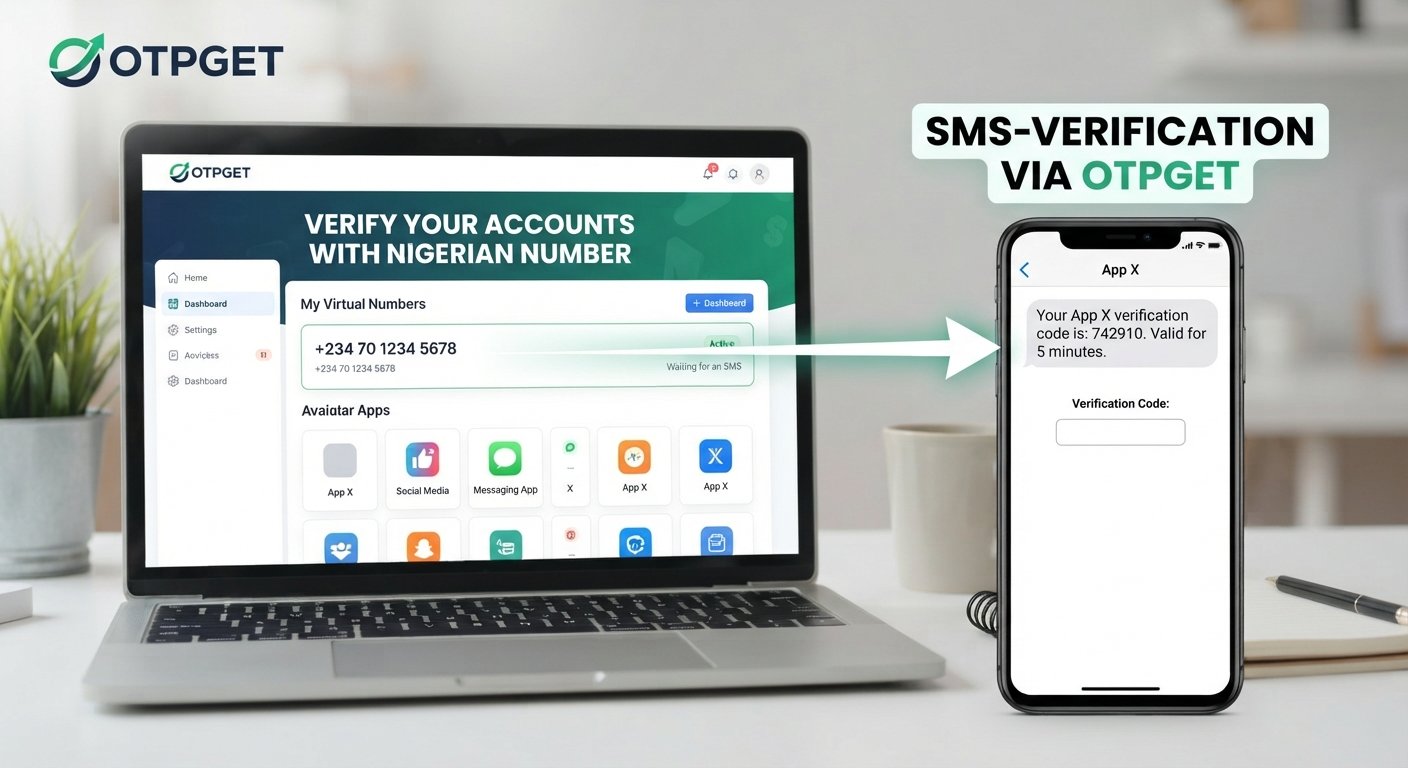
How to Verify Accounts with a Nigerian Number
Phone verification has become a routine part of creating and securing online accounts. Websites and apps often ask for a mobile number so they can send a one-time password (OTP), confirm that a user can receive messages, or add another layer of protection to an account.
For users who specifically need a Nigerian number for verification, the process can be straightforward when the number is compatible with the platform. A Nigerian mobile number may be linked to a physical SIM, while a Nigerian virtual number can provide an alternative for supported verification workflows.
Understanding how Nigerian OTP verification works is important before choosing a number. It also helps to know what can cause verification problems and how a service such as OTPGET can fit into the process.
Why Do Websites Ask for a Nigerian Number?
Phone numbers are commonly used as one part of an account's verification and security process. A platform may request a Nigerian phone number for several reasons:
- Account security: A phone number can provide another method for confirming access to an account.
- Account confirmation: Some services use SMS to confirm that a submitted number can receive messages.
- Spam prevention: Phone verification can make automated or abusive account creation more difficult.
- Fraud prevention: A verified phone channel can be one signal used in a platform's broader risk controls.
- Login verification: Some services send a code when a user signs in from a new device or location.
- Two-factor authentication: SMS can serve as one of the verification methods in a 2FA process.
Phone verification should not be confused with full identity verification. A phone number can demonstrate access to that number, but it does not necessarily prove who is operating an account.
What Is a Nigerian Number for Verification?
A Nigerian number for verification is a Nigerian telephone number used to receive a verification message or OTP from a supported website, application, or service.
There are several related terms worth understanding.
Nigerian Mobile Number
A standard Nigerian mobile number is associated with a mobile network and, normally, a physical SIM or equivalent mobile service. It can be used for calls, SMS, account recovery, and verification where the platform accepts it.
Nigerian Virtual Number
A Nigerian virtual number is a phone number provided through a virtual-number service rather than being directly tied to the user's personal SIM. Depending on the provider and platform, it may be available for receiving SMS verification messages.
Verification Number
A verification number is simply a phone number being used for an account-confirmation workflow. The term does not necessarily indicate whether the number is physical or virtual.
Nigerian OTP Number
A Nigerian OTP number is a number used specifically to receive a one-time verification code. This can be useful when a platform requires Nigerian number verification and the user does not want to use a personal number, provided the platform permits that type of number.
How Nigerian Phone Number Verification Works
The basic process is simple. The exact interface varies from one website or app to another, but the typical workflow looks like this:
- Enter the Nigerian number. The user provides a number in the format requested by the platform.
- Request a verification code. The platform sends an OTP by SMS.
- Receive the verification message. The SMS contains a temporary verification code.
- Enter the code. The user submits the SMS verification code on the platform.
- Platform checks the code. The service compares the submitted code with the one it generated.
- Verification is completed. If the code is valid and has not expired, the phone verification step is accepted.
An OTP is generally time-sensitive, so entering an old code or requesting several codes in succession can create confusion.
How to Verify an Account with a Nigerian Number
If you need to verify an account with a Nigerian number, start by checking what type of number the platform accepts.
Step 1: Choose a suitable Nigerian number
Use a number appropriate for the account and verification purpose. If you are using a virtual number, first consider whether the platform permits or supports virtual numbers.
Step 2: Enter the number correctly
Pay close attention to the country's dialing format. If the website provides a country selector, choose Nigeria and enter the remaining digits as requested.
Incorrect formatting is one of the simplest reasons an OTP may not arrive.
Step 3: Request the OTP
Select the option to send or request the verification code. Avoid repeatedly clicking the button if the message does not arrive immediately.
Step 4: Wait for the verification SMS
Give the service enough time to process the request. Delivery can depend on the platform, number type, telecommunications provider, and other technical factors.
Step 5: Enter the verification code
Once the SMS arrives, enter the code exactly as provided. Be careful not to confuse a newly generated code with an earlier one.
Step 6: Complete the account verification
If the number and OTP are accepted, the platform should complete its phone verification step.
If verification fails, check the number format, OTP expiry, service compatibility, and whether the platform accepts the particular number type.
Using OTPGET for Nigerian Number Verification
For users looking for a Nigerian number for verification, OTPGET can be a practical option where the required country and service are supported.
OTPGET provides virtual numbers and an SMS OTP workflow through its platform. Its documentation describes a process in which users can select available countries and services, request a number, and check the activation status for an incoming SMS code.
A typical supported workflow can look like this:
- Access the OTPGET service.
- Check whether the required country and service are available.
- Obtain an appropriate virtual number through the available workflow.
- Enter that number on the supported website or app.
- Wait for the verification SMS.
- Retrieve the received OTP through the applicable OTPGET workflow.
- Enter the code on the website or app to complete verification.
The important point is compatibility. A virtual number is not automatically accepted by every website or application. Platforms may apply their own restrictions to virtual, temporary, recycled, or previously used numbers.
OTPGET's documentation also describes SMS OTP APIs for developers, making the service relevant to technical workflows where number selection and OTP retrieval need to be integrated programmatically.
For ordinary account signup, however, the key consideration is simply whether the specific Nigerian number and verification service are supported.
Why Use a Nigerian Number for OTP Verification?
There are legitimate situations where using a dedicated number can make sense.
For example, a developer may need phone verification while testing an application. A business may want to separate service-related registrations from employees' personal numbers. A privacy-conscious user may prefer not to use a personal number for every supported signup.
Common legitimate use cases include:
- Software and app testing
- Business workflows
- Account registration where permitted
- Testing SMS verification systems
- Separating personal and service-related communications
- Privacy-conscious signup workflows
- Verification on platforms that explicitly support the selected number type
The purpose matters. A verification number should not be used to impersonate another person, create fraudulent accounts, evade platform restrictions, or bypass security controls.
Nigerian Virtual Number vs. Physical SIM Number
Both options can have legitimate uses, but they work differently.
| Feature | Physical Nigerian SIM | Nigerian Virtual Number |
|---|---|---|
| Physical SIM requirement | Yes | No physical SIM may be required |
| Accessibility | Requires access to the SIM/mobile service | Accessed through the relevant virtual-number service |
| Convenience | Familiar and direct | Can be convenient for supported online workflows |
| Setup | Requires mobile service and SIM access | Typically obtained through a virtual-number provider |
| Privacy | Connected to a personal or dedicated mobile line | Can separate verification from a personal number |
| Use for OTP | Often supported, depending on platform | Supported only where the platform accepts the number |
| Temporary workflows | Less convenient for one-off needs | Can be useful for supported temporary verification workflows |
Availability and compatibility can vary considerably. A virtual number should therefore be selected based on the requirements of the particular platform rather than simply its country code.
Common Problems with Nigerian OTP Verification
Even when the process looks simple, verification can fail for several reasons.
OTP not arriving
The SMS may be delayed, the number may not currently support the requested service, or the platform may have failed to send the message.
What to do: Wait briefly, check the number, and avoid repeatedly requesting codes. If the platform provides another verification method, consider using it.
Incorrect number format
A missing country code, extra digit, or incorrect local format can prevent delivery.
What to do: Follow the exact format displayed by the website.
Expired OTP
Verification codes are usually intended for limited-time use.
What to do: Request a new code and use the newest valid code rather than an earlier message.
Too many verification attempts
Repeated requests can trigger temporary restrictions on some platforms.
What to do: Stop requesting new codes for a while and follow the platform's instructions.
Unsupported virtual number
Some services restrict virtual or temporary numbers.
What to do: Check the platform's requirements before obtaining a number. If virtual numbers are not supported, use an accepted verification method.
Platform or network restrictions
SMS delivery can depend on the platform, telecommunications infrastructure, provider, and country-specific availability.
What to do: Confirm that the requested Nigerian service and number type are available before proceeding.
How to Choose a Nigerian Verification Number
Before choosing a Nigerian verification number, use this checklist:
- Platform compatibility: Does the website or app accept the number type?
- OTP/SMS support: Can the number receive the type of verification message you need?
- Availability: Is the required Nigerian number currently available?
- Reliability: Does the service provide a clear process for receiving verification messages?
- Privacy: Understand what information the provider collects and how the number is handled.
- Cost: Check the applicable price before starting the verification workflow.
- Ease of use: A straightforward number and OTP retrieval process can reduce unnecessary steps.
- Reuse policies: Understand whether the number is temporary, dedicated, reusable, or subject to availability limits.
- Terms compliance: Make sure your intended use follows both the verification provider's rules and the platform's terms.
OTPGET is one option to consider when its available Nigerian numbers and supported services match your requirements. Its published documentation provides information about country selection, service availability, number requests, and OTP status checking.
Is It Safe to Use a Nigerian Number for Verification?
Using a Nigerian number for verification can be reasonable when it is done for a legitimate purpose and within the relevant platform's rules.
Privacy is an important consideration. A dedicated verification number can separate some account activity from a personal mobile number, but users should still understand the provider's privacy practices and account policies.
Security matters just as much. Never share an OTP with strangers, even if someone claims to be customer support. Verification codes are intended to confirm access and should be treated as sensitive information.
Account recovery is another consideration. If an account may need the same number later, a temporary number may not be appropriate. Before choosing a number, think about whether you will need ongoing access to it.
OTPGET's published terms state that its services are intended for legitimate verification and registration uses and prohibit illegal, fraudulent, abusive, or harmful activity.
Best Practices for OTP Verification
Follow these practices for a smoother and safer verification experience:
- Keep OTPs private.
- Use trusted verification services.
- Check the Nigerian number format carefully.
- Avoid requesting multiple codes unnecessarily.
- Use the newest valid code before it expires.
- Follow the platform's verification rules.
- Choose a number appropriate for the intended account.
- Consider long-term recovery needs before using a temporary number.
- Keep recovery information updated when the platform allows it.
- Do not use verification services for fraud, impersonation, spam, or unauthorized access.
Frequently Asked Questions
Can I verify an account with a Nigerian number?
Yes, many services use phone numbers for account verification, and a Nigerian number may be accepted where Nigeria is supported. Acceptance depends on the individual platform and its verification policies.
What is a Nigerian number for verification?
A Nigerian number for verification is a Nigerian phone number used to receive an SMS verification code. It can be a physical mobile number or, where supported, a Nigerian virtual number.
How does Nigerian OTP verification work?
The platform sends a one-time code to the Nigerian number entered during signup or another verification process. You then enter the received code on the platform to confirm access to the number.
Can I use a Nigerian virtual number for SMS verification?
You can use one when the platform and verification workflow support virtual numbers. Some websites restrict temporary or virtual numbers, so compatibility should be checked beforehand.
Why is my Nigerian OTP not arriving?
Possible causes include an incorrect number format, SMS delays, platform restrictions, number incompatibility, or too many verification requests. Check the number carefully, wait before requesting another code, and review the platform's instructions.
How does OTPGET help with verification?
OTPGET provides virtual-number and SMS OTP workflows that can be used for supported verification services. Its documented workflow includes selecting available countries and services, requesting a number, and checking for a received verification code.
Is a Nigerian virtual number the same as a physical SIM?
No. A physical SIM is associated with a mobile service and physical SIM card, while a virtual number is provided through an online number service. Their availability and acceptance for OTP verification can differ.
Can every website accept a Nigerian virtual number?
No. Websites and apps decide which number types they accept, and some may restrict virtual, temporary, or previously used numbers. Always check the platform's requirements before choosing a verification number.
Final Thoughts
Nigerian phone verification is a common part of account registration, security checks, login verification, and other online workflows. The basic process is straightforward: provide a compatible Nigerian number, receive an OTP by SMS, and enter the code before it expires.
The bigger decision is choosing the right type of number for the job. A physical Nigerian SIM may make sense for ongoing personal access, while a Nigerian virtual number can be useful for supported temporary or service-related workflows.
For users who need a Nigerian number for verification, OTPGET provides a practical option to explore when the required country, service, and number type are supported. Its documented SMS OTP workflow can simplify the process of obtaining a number and checking for an incoming verification code.
Before starting, check compatibility, protect your OTP, consider future account recovery, and follow the rules of the platform you are using. If OTPGET matches your intended verification workflow, explore its available Nigerian-number options and choose the setup that fits your needs.