Verify Lazada with a Virtual Number – OTPGet Guide
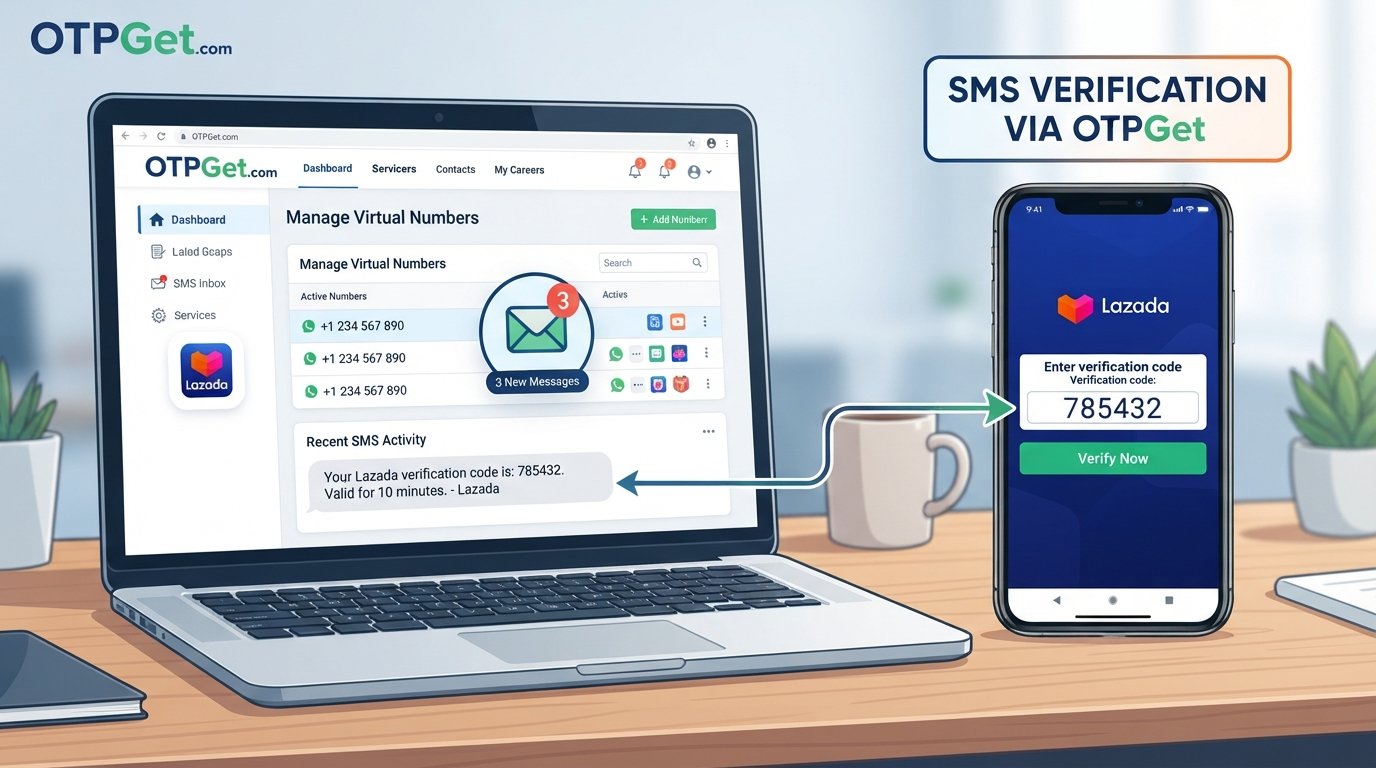
Verify Lazada with a Virtual Number – OTPGet
Need to verify a shopping account without immediately exposing your personal phone number? Depending on your location, account requirements, and the verification flow presented to you, a virtual phone number may be an option worth considering.
Many online services use one-time passwords, commonly called OTPs, to confirm that a phone number can receive verification messages. A virtual number can provide an alternative number for supported SMS-based verification processes, while keeping your personal number separate from certain online activities.
For users exploring this approach, OTPGet can be a practical option for obtaining a virtual number for supported SMS verification use cases.
This guide explains what Lazada OTP verification means, how virtual numbers work in this context, how to verify Lazada with a virtual number, what to know before using one, and how to troubleshoot common OTP problems.
What Is Lazada OTP Verification?
A Lazada OTP is a one-time verification code sent by SMS when the platform requires confirmation of a phone number during an applicable account or verification process.
An OTP generally works as a temporary credential. After the code is accepted or expires, it should not be reused or shared.
The exact verification process can differ according to location, account type, platform version, and Lazada's current requirements. Not every account action necessarily requires the same verification method.
If Lazada requests a phone number and sends an SMS code, the basic process is straightforward: provide an eligible number, receive the verification message, and enter the valid code in the requested verification field.
Why Use a Virtual Number for Lazada Verification?
A virtual number is a phone number that can be accessed through an online service rather than relying exclusively on a traditional personal SIM.
There are several legitimate reasons someone might consider a virtual number for an online verification process:
- Privacy: It can help reduce the need to disclose a personal phone number for certain supported activities.
- Separation: Users can keep verification-related messages separate from their everyday personal communications.
- Convenience: An online number can be useful when an SMS-based workflow is supported.
- Testing: Developers, businesses, and users may need a separate number when testing permitted account or verification flows.
- Online access: Virtual numbers can provide a convenient way to receive supported SMS messages through an online interface.
However, a virtual number is not automatically accepted by every service. Lazada determines which number types and verification methods it accepts, so users should always follow the platform's applicable requirements.
How to Verify Lazada with a Virtual Number
If Lazada's verification flow accepts the type of number you intend to use, the general process can look like this:
1. Open the appropriate Lazada platform
Visit the official Lazada website or application for your region and begin the account registration or verification process that requires a phone number.
2. Check the requested verification method
Look at the available verification options. If Lazada asks for an SMS-capable phone number, make sure the number you plan to use is appropriate for that purpose.
3. Obtain a suitable virtual number
Use OTPGet to explore available virtual-number options for supported SMS verification purposes.
Before proceeding, confirm that the number type is appropriate for your intended use.
4. Enter the number
Enter the virtual number carefully in the Lazada verification field. Pay particular attention to the country or regional format requested by the platform.
5. Request the OTP
If the platform accepts the number, request the verification code. Lazada may send an SMS containing a one-time password.
6. Check the OTPGet inbox
If the verification message is supported and delivered to the selected number, check the relevant OTPGet SMS inbox for the code.
7. Enter the valid verification code
Enter the current OTP into the Lazada verification field. Avoid using an older code if multiple messages have been requested.
8. Complete any additional requirements
Lazada may request additional account or security steps. Complete those requirements through the official platform rather than attempting to bypass them.
The precise screens, labels, and verification requirements may vary by region, account type, and platform changes. A virtual number also may not be accepted in every situation.
How OTPGet Can Help With Virtual Number Verification
OTPGet is relevant to this process because it provides access to virtual numbers for supported SMS verification use cases.
For someone who wants to verify Lazada with a virtual number, the basic appeal is having an online number that can potentially receive a verification message without using a primary personal number.
A typical workflow is simple: select an appropriate virtual number, use it where a supported service requests an SMS-capable number, and check the associated online inbox for the verification message.
The key word is supported. OTPGet should not be viewed as a way to bypass Lazada's security controls. Whether a particular number works depends on the requirements of the service requesting verification, the number type, and other factors outside OTPGet's control.
For users looking for an online number for legitimate, supported verification purposes, OTPGet offers a practical option to explore.
Benefits of Using OTPGet for Verification
Depending on the number and verification service involved, using a virtual-number service such as OTPGet can offer practical advantages:
- Privacy-conscious verification: Keep certain verification messages separate from a personal phone number.
- Online accessibility: Access supported SMS verification messages through an online service.
- Separation of activities: Maintain a distinction between personal communications and verification-related messages.
- Convenience: An online number can simplify supported SMS-based verification workflows.
- Flexible use: Virtual numbers can be useful for a range of legitimate verification scenarios where they are accepted.
- Straightforward workflow: The process generally involves obtaining a suitable number, entering it into the relevant service, and checking for the incoming OTP.
These benefits should be considered alongside the limitations of virtual numbers and the requirements of the specific platform being verified.
Things to Know Before Using a Virtual Number
A virtual number is not a universal replacement for a personal mobile number. Before using one for Lazada or another service, keep these points in mind:
- Not every website or application accepts every type of virtual number.
- Number availability can change.
- Verification requirements may change over time.
- Some services may restrict certain number categories.
- A number that works for one verification service may not work for another.
- Temporary numbers may be unsuitable for accounts that require long-term recovery access.
- You should retain access to a number if the account may require it again.
- OTPs should never be shared with other people.
- Verification services should be used according to applicable platform terms and legitimate purposes.
If you need a phone number for ongoing account recovery, consider whether a temporary or virtual number is appropriate before completing registration.
Virtual Number vs. Personal Phone Number
Both options can serve different purposes. The right choice depends on the verification requirements and how you expect to use the account.
| Factor | Virtual Number | Personal Number |
|---|---|---|
| Privacy | Can provide greater separation from a personal number | Directly associated with your personal communications |
| Convenience | Convenient for supported online SMS workflows | Convenient when the personal number is already available |
| Separation of online activity | Keeps some verification activity separate | Verification messages remain with personal communications |
| Long-term account recovery | May be unsuitable if continued access is not guaranteed | Often more practical when continuous ownership is important |
| Availability | Depends on available numbers and service acceptance | Depends on your existing mobile service |
| Platform acceptance | May vary by service and number type | Generally depends on the platform's normal phone requirements |
Neither option is universally appropriate. The platform's rules and your intended account usage should guide the decision.
Common Problems When Receiving a Lazada OTP
OTP does not arrive
First, check that the number was entered correctly and that the selected number can receive the type of SMS being requested. Temporary network or service delays can also occur. Avoid repeatedly requesting new codes because this can make troubleshooting more difficult.
The number is not accepted
The platform may not accept the particular number type, region, or virtual-number category. Check that the number matches Lazada's requirements rather than attempting to work around the restriction.
The code has expired
OTPs are normally time-sensitive. If a code has expired, use the current verification process to request another code and enter the newest valid OTP.
The wrong number was entered
Double-check the number and country or regional format before requesting another verification code. Entering an incorrect number can prevent the message from reaching the intended inbox.
Too many verification attempts
Repeated requests can trigger temporary restrictions or delays. Stop making repeated attempts and follow the instructions presented by Lazada. Do not attempt to circumvent verification limits.
The number is already associated with another account
A phone number may have account-association restrictions. If Lazada indicates that the number is already linked elsewhere, follow the platform's official account-management process.
The service or network is temporarily delayed
SMS delivery can sometimes take time. Check the OTPGet inbox again after a short interval and confirm that the number is still active for the intended verification process.
Tips for a Smooth OTP Verification Process
A few simple practices can make SMS verification less frustrating:
- Enter the phone number carefully.
- Select the correct country or region where required.
- Confirm that the number type is supported before starting.
- Request an OTP only when necessary.
- Check the OTPGet inbox promptly after requesting the code.
- Use the latest valid OTP.
- Avoid repeatedly requesting codes.
- Follow Lazada's instructions exactly.
- Never share an OTP with another person.
- Keep access to the number if future verification may be required.
- If a number is rejected, use the platform's legitimate support or alternative verification options.
The most important principle is to treat the OTP as a security credential, not simply as a routine text message.
Frequently Asked Questions
Can I verify Lazada with a virtual number?
You may be able to verify Lazada with a virtual number if the specific number type and verification flow are accepted by Lazada. Acceptance can depend on your region, account requirements, and current platform policies. A virtual number should be used only for legitimate verification purposes and should not be treated as a method for bypassing platform security.
What is a Lazada OTP?
A Lazada OTP is a one-time password or verification code that may be sent by SMS when Lazada needs to confirm a phone number during an applicable account or security process. The code is generally time-sensitive, so users should enter the latest valid code and avoid sharing it with anyone else.
How do I receive a Lazada verification code online?
If Lazada's verification process accepts an eligible virtual number, you can enter that number when prompted and check the associated online SMS inbox for the verification code. OTPGet can be explored as an option for supported SMS verification use cases. Actual delivery depends on the platform and number involved.
Does Lazada accept virtual phone numbers?
Acceptance of virtual phone numbers can vary. Lazada may distinguish between different number types, regions, or verification scenarios. If a particular virtual number is rejected, follow Lazada's official verification instructions rather than trying to circumvent the restriction.
Can OTPGet receive Lazada SMS verification codes?
OTPGet can be considered for supported SMS verification use cases, but successful receipt of a Lazada verification message is not guaranteed. Whether a particular number receives an OTP depends on Lazada's requirements, the number type, availability, and other factors.
Why is my Lazada OTP not arriving?
Check that you entered the correct number and regional format, then check the relevant SMS inbox for delays. Avoid repeatedly requesting codes. If the message still does not arrive, the number may not be supported, the service may be experiencing a delay, or the platform may have applied a temporary restriction.
Is a virtual number suitable for long-term account recovery?
Not necessarily. If an account may require the same phone number for future recovery or security checks, you should ensure that you can retain reliable access to that number. A temporary number may be inappropriate for an account where long-term access is essential.
What should I do if Lazada rejects my virtual number?
Follow Lazada's official verification requirements and consider an accepted verification method. Do not attempt to bypass the rejection or any security restriction. If you believe the rejection is an error, use Lazada's legitimate support channels for assistance.
Conclusion
A virtual number can be useful when an online service supports SMS-based verification and you want to keep verification activity separate from your personal phone number. However, acceptance is never something that should be assumed. Lazada's verification requirements can vary according to region, account circumstances, number type, and current platform policies.
For users looking to verify Lazada with a virtual number for a supported purpose, OTPGet provides an option to explore virtual-number-based SMS verification. The practical approach is to select an appropriate number, follow Lazada's verification instructions, monitor the SMS inbox for the OTP, and complete the process without attempting to bypass security controls.
If you need an online number for a supported SMS verification workflow, explore OTPGet and check whether an available number fits your requirements.


