Verify Mail.ru with a Virtual Number – OTPGET: Easy SMS Guide
Verify Mail.ru with a Virtual Number – OTPGet
Creating or verifying an online account can be straightforward until a service asks for a phone number and sends a one-time verification code. If you would rather not use your primary personal number for every online registration, a virtual number can be a practical alternative.
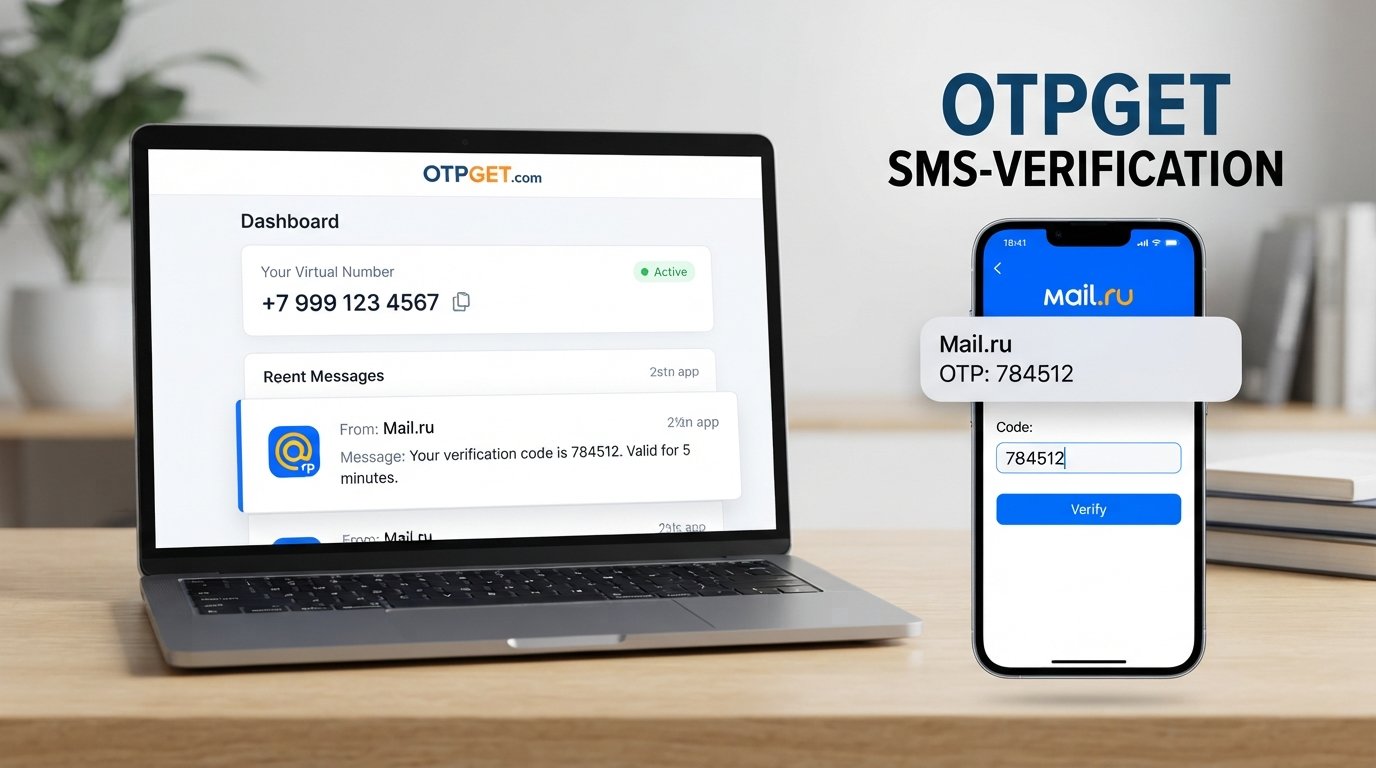
For users who need to verify Mail.ru with a virtual number, OTPGET provides a convenient way to approach SMS-based verification. Instead of relying directly on a personal mobile number, you can use an appropriate virtual number and check for the incoming verification message through the available OTPGET service.
Mail uses phone-based verification in certain situations, including account registration and security-related processes. Its terms explain that users may be asked to enter a code delivered by SMS or another verification method when required during registration.
The important point is to use a number that can actually receive the required SMS and to follow the verification instructions shown by Mail at the time.
Why Does Mail.ru Require Phone Verification?
Phone verification is commonly used to confirm that a real user has access to the phone number being entered.
During an applicable Mail.ru registration or account-security process, Mail may request a verification code sent by SMS or use another verification method. The purpose can include helping protect services from suspicious activity, spam, automated registrations, or unauthorized access.
In simple terms, SMS verification works like this:
- You enter a phone number during the applicable verification step.
- Mail sends an OTP or verification message to that number.
- You receive the message.
- You enter the requested code.
- The service checks the code and continues the relevant process if the verification is accepted.
This is why access to the incoming SMS matters. A phone number alone is not enough if you cannot receive the verification message.
For account security, Mail also uses SMS codes in some login and two-factor authentication workflows.
What Is a Virtual Number?
A virtual number is a phone number that can be accessed through an online service rather than being tied exclusively to your everyday personal mobile SIM.
A virtual number for Mail.ru can be useful when you need to receive an SMS verification code but prefer to keep your primary number separate from the registration or verification process.
There are three common concepts worth distinguishing:
- Personal mobile number: Your everyday phone number connected to your personal mobile service.
- Virtual number: A number provided through an online service and accessed through that service.
- Temporary number: A virtual number intended for a limited period or a particular verification purpose, depending on the provider's terms.
A virtual number can therefore be viewed as an online phone number for specific verification scenarios. However, availability, duration, SMS support, and compatibility can vary between services and numbers.
For that reason, choosing a virtual SMS number should be based on the actual requirements of the verification process rather than assuming that every virtual number will work everywhere.
How to Verify Mail.ru with a Virtual Number
If you want to verify Mail.ru with a virtual number, the basic process is straightforward, although the exact Mail interface and verification requirements can change.
1. Visit OTPGET
Start by accessing OTPGET and reviewing the available virtual-number or SMS verification options.
If you are looking for more information before choosing a number, you can also explore [OTPGET Virtual Numbers] or [OTPGET SMS Verification] if those pages are available on your website.
2. Choose a suitable virtual number
Select an option appropriate for receiving the type of SMS verification message you need.
Before proceeding, consider whether the number supports incoming SMS and whether it is suitable for the intended Mail.ru verification scenario.
3. Enter the number during Mail.ru verification
When Mail asks for a phone number, enter the virtual number provided through OTPGET.
Follow the instructions displayed by Mail rather than relying on an outdated step-by-step guide, because the exact registration or verification flow may differ.
4. Request the verification code
Submit the number and wait for the Mail.ru verification SMS or OTP if the service requests one.
The message may contain a verification code that needs to be entered into the appropriate field.
5. Check OTPGET for the incoming SMS
Monitor the OTPGET service for the incoming verification message.
If the SMS arrives, identify the requested verification code carefully. Do not share an OTP with another person or enter a code into an unrelated website.
6. Enter the Mail.ru verification code
Return to the Mail.ru verification screen and enter the received code exactly as requested.
If the code is accepted, continue with the remaining instructions provided by Mail.
7. Complete the process
Once verification is completed, follow any additional account-registration or security instructions shown by Mail.
Remember that a virtual number does not guarantee that every verification attempt will be accepted. Compatibility can depend on the number, the service's current requirements, and other factors.
Why Use OTPGET for Mail.ru Verification?
The main reason to consider OTPGET is convenience.
When you need an SMS verification number but do not want to immediately use your primary personal number, a virtual-number service can provide another option to consider.
With OTPGET for Mail.ru verification, the basic workflow is centered on obtaining an appropriate virtual number, using it during the applicable verification process, and checking for the incoming OTP.
There are several practical reasons users may prefer this approach:
- Convenience: You can handle the verification workflow online.
- Separation: A virtual number can keep a particular verification activity separate from your everyday personal number.
- SMS access: The purpose is to make receiving the required verification SMS more convenient.
- Simple workflow: The process can be easier to manage when the number and incoming message are accessible through one online service.
- Practical flexibility: A virtual number may be useful for users who have a specific need for an alternative to their personal phone number.
OTPGET should be viewed as a practical option, not as a way to bypass Mail.ru requirements. The verification process remains subject to the requirements and checks applied by Mail.
Benefits of Using a Virtual Number for Mail.ru
Privacy
Some users prefer not to provide their primary phone number whenever an online service requests SMS verification.
Using a separate virtual number can help create a degree of separation between personal mobile communication and a particular online verification activity. This does not mean a virtual number automatically provides anonymity or complete privacy; users should still review the service terms and understand how their chosen number is handled.
Convenience
Receiving SMS online can be convenient when you need access to a verification code without relying exclusively on your personal mobile device.
A service such as OTPGET can make the process more straightforward by giving users a dedicated place to check for the incoming message.
Separation
Using a virtual number can separate verification-related communication from your normal phone number.
That distinction can be useful for people who want to keep their primary number reserved for personal communication, long-term accounts, or recovery purposes.
Accessibility
An online SMS verification workflow can be useful when a user needs a number for a specific verification scenario and wants to manage the incoming message through an online service.
The important consideration is whether the chosen number supports the required SMS and is compatible with the verification process.
What to Consider Before Choosing a Virtual Number
Not every virtual number is suitable for every verification service. Before using one for Mail.ru, consider the following:
- SMS support: Confirm that the number can receive incoming SMS messages.
- OTP support: Make sure the service is intended for verification-code messages where applicable.
- Availability: Numbers can become unavailable, so do not assume a particular number will always be offered.
- Compatibility: Some online services may apply restrictions or additional checks to virtual numbers.
- Number duration: Check whether the number is temporary or available for a longer period.
- Privacy: Review how the provider handles access to messages and numbers.
- Terms of service: Use the number in accordance with both the provider's terms and Mail's requirements.
- Account recovery: Think carefully before using a temporary number for an account that you may need to recover later.
That last point is particularly important. A temporary phone number may be suitable for a specific verification task, but it may not be appropriate as a long-term recovery method if you later lose access to the number.
OTPGET vs. Using Your Personal Number
Both approaches can be appropriate depending on the user's needs.
| Factor | Personal Number | Virtual Number with OTPGET |
|---|---|---|
| Personal number exposure | Uses your everyday number | Can keep verification separate |
| Online SMS access | Depends on your mobile device | Intended for online access |
| Convenience | Familiar and direct | Useful for specific online verification |
| Number ownership | Your personal mobile number | Depends on the service terms |
| Long-term recovery | Often more suitable when retained | Depends on continued access to the number |
| Best use case | Personal, long-term accounts | Appropriate verification scenarios |
The right choice depends on what you need from the number. If long-term account recovery is important, retaining access to the relevant phone number can be especially important.
Common Problems During Mail.ru SMS Verification
Sometimes a verification code does not arrive immediately. If that happens, avoid repeatedly requesting codes without checking the basics first.
Try these steps:
- Confirm that the number was entered correctly.
- Check that the virtual number is intended to receive SMS.
- Give the message reasonable time to arrive.
- Check the OTPGET interface again for a new incoming message.
- Follow any troubleshooting instructions shown by Mail.
- If the service offers another verification method, consider using the option presented.
- If the issue continues, contact the relevant service's support team.
Mail's own help documentation recommends checking the phone number and waiting when a verification SMS does not arrive.
Do not assume that a missing SMS means the virtual-number service is necessarily malfunctioning. Delivery and verification can depend on several systems working together.
Common Questions About Mail.ru Verification
Can I verify Mail.ru with a virtual number?
You may be able to use a virtual number when Mail presents a phone-based verification step that accepts the number. The key requirement is that the number can receive the requested verification message and that Mail accepts it for that particular process.
Where can I receive a Mail.ru verification code?
If Mail requests SMS verification, the code is sent to the phone number entered during the applicable verification step. With a suitable virtual number from OTPGET, the incoming message can be checked through the OTPGET service.
What is a virtual number for Mail.ru?
A virtual number for Mail.ru is an online-accessible phone number that can be used for an applicable SMS verification process. It can provide an alternative to immediately using a personal mobile number.
Can OTPGET receive Mail.ru OTP messages?
OTPGET is intended to provide a virtual-number solution for receiving verification codes. Whether a particular Mail.ru OTP is received and accepted can depend on the number and Mail's current verification requirements, so compatibility should not be treated as guaranteed.
Is a virtual number better than using my personal number?
It depends on your needs. A virtual number may be preferable when you want to separate a verification process from your primary phone number. A personal number may be more appropriate for long-term account recovery when you need continued access to the same number.
What should I do if I do not receive the verification SMS?
First, check that the number is correct and supports incoming SMS. Then check OTPGET for the message and follow Mail's troubleshooting guidance. If the code still does not arrive, you may need to try another available verification method or contact support.
Can I use the same virtual number for multiple accounts?
Do not assume that the same virtual number can be used repeatedly. Limits and verification requirements can vary, and Mail may apply restrictions to phone-number usage. Always follow the applicable service requirements.
A Practical Alternative for Mail.ru SMS Verification
If you need a phone number for an applicable Mail.ru verification process, a virtual number can be a useful alternative to immediately using your personal number.
The key is choosing a service that fits your needs, supports incoming SMS where required, and gives you practical access to the verification message.
OTPGET provides a convenient place to start when you need a virtual number for SMS-based verification. Rather than treating virtual numbers as a workaround for every situation, use them as a practical option for verification scenarios where they are appropriate.
Before proceeding, check Mail's current instructions and make sure the selected number is suitable for the task.
8. Suggested H1
Verify Mail.ru with a Virtual Number – OTPGet
9. Suggested H2/H3 Structure
- H2: Why Does Mail.ru Require Phone Verification?
- H2: What Is a Virtual Number?
- H2: How to Verify Mail.ru with a Virtual Number
- H3: Visit OTPGET
- H3: Choose a Suitable Virtual Number
- H3: Enter the Number During Mail.ru Verification
- H3: Request the Verification Code
- H3: Check OTPGET for the Incoming SMS
- H3: Enter the Mail.ru Verification Code
- H3: Complete the Process
- H2: Why Use OTPGET for Mail.ru Verification?
- H2: Benefits of Using a Virtual Number for Mail.ru
- H3: Privacy
- H3: Convenience
- H3: Separation
- H3: Accessibility
- H2: What to Consider Before Choosing a Virtual Number
- H2: OTPGET vs. Using Your Personal Number
- H2: Common Problems During Mail.ru SMS Verification
- H2: Common Questions About Mail.ru Verification
- H3: Can I verify Mail.ru with a virtual number?
- H3: Where can I receive a Mail.ru verification code?
- H3: What is a virtual number for Mail.ru?
- H3: Can OTPGET receive Mail.ru OTP messages?
- H3: Is a virtual number better than using my personal number?
- H3: What should I do if I do not receive the verification SMS?
- H3: Can I use the same virtual number for multiple accounts?
- H2: A Practical Alternative for Mail.ru SMS Verification
10. FAQ Section
Can I verify Mail.ru with a virtual number?
You may be able to use a virtual number when Mail provides a phone-based verification option that accepts it. The number must be able to receive the required SMS, and Mail must accept it for the specific verification process.
Where can I receive a Mail.ru verification code?
The verification code is sent to the phone number entered during the applicable verification step. If you use a suitable OTPGET virtual number, you can check the OTPGET service for the incoming SMS.
What is a virtual number for Mail.ru?
A virtual number is an online-accessible phone number that can be used for applicable SMS verification. It offers an alternative to using a personal mobile number for certain verification scenarios.
Can OTPGET receive Mail.ru OTP messages?
OTPGET provides a virtual-number solution for receiving verification codes. However, successful delivery and acceptance depend on the selected number and Mail's applicable verification requirements.
Is a virtual number better than using my personal number?
Neither option is universally better. A virtual number can help separate verification activity from your personal number, while a personal number may be more suitable when long-term account recovery is important.
What should I do if I do not receive the verification SMS?
Check the number, confirm that SMS reception is supported, review the OTPGET interface, and follow Mail's verification troubleshooting instructions. If the issue continues, consider another available verification method or contact support.
Can I use the same virtual number for multiple accounts?
You should not assume that one virtual number can be reused for multiple accounts. Limits and verification requirements may vary, so follow the applicable Mail and service terms.
11. Final CTA
Need a convenient virtual number for Mail.ru verification? Explore OTPGET and choose the virtual-number option that best fits your SMS verification needs. Use the number during the applicable Mail.ru verification step, check OTPGET for the incoming code, and complete the process according to Mail's instructions.


