Verify Outlook Account with a Virtual Number: OTPGET Guide
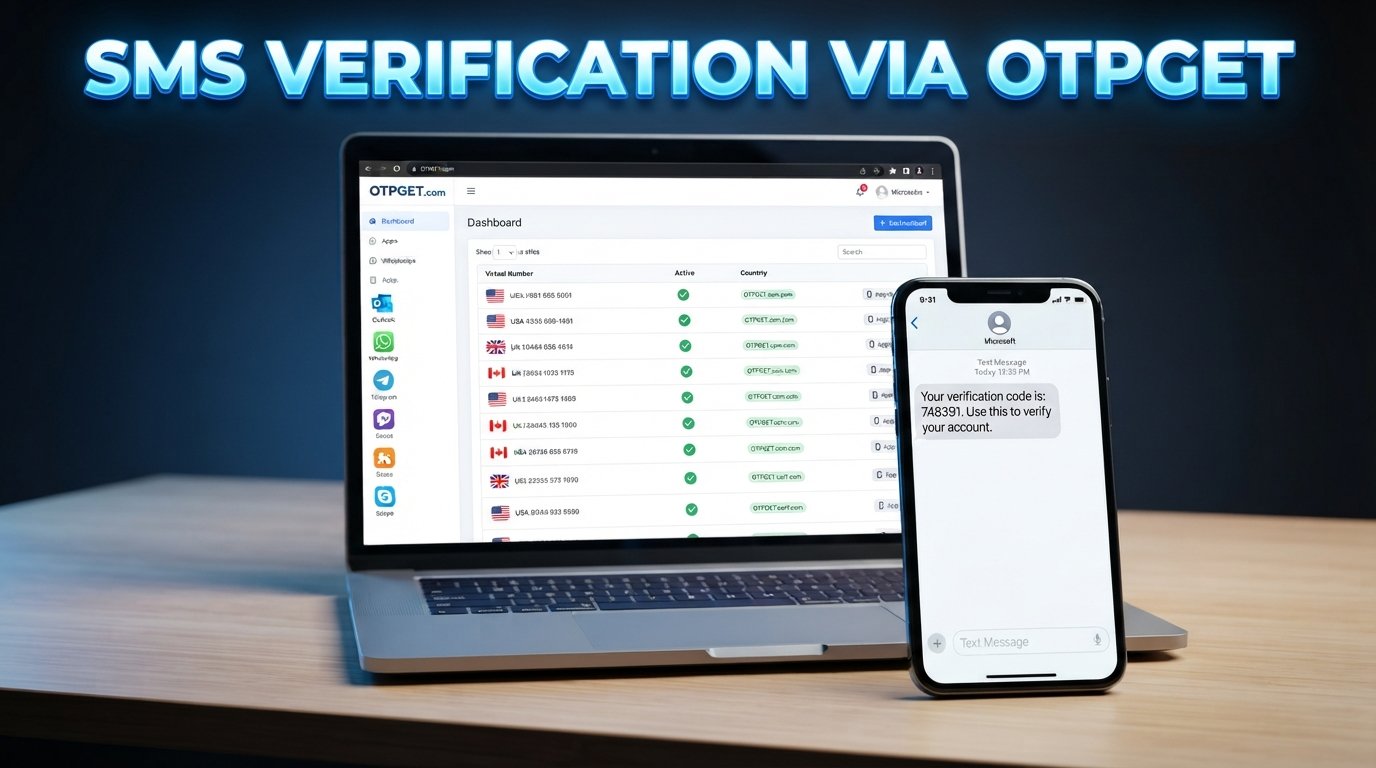
Verify Outlook Account with a Virtual Number
11. Full Article
Creating an Outlook account is usually straightforward, but the process can become less convenient when Microsoft asks for a phone number as part of account verification. Some users prefer not to connect their primary personal number to every online service, while others may simply need access to a separate number for a legitimate registration or verification workflow.
That is where a virtual number for Outlook verification can be useful.
A virtual phone number can receive SMS messages without requiring a traditional physical SIM in the user's everyday phone. When a suitable number is accepted by the service and capable of receiving the required message, it can provide a convenient way to receive an Outlook verification code online.
OTPGET is one option users can consider when they need access to a virtual number for OTP and SMS verification. The important point is that OTPGET provides the number and SMS-receiving side of the process; Microsoft still controls whether a particular number and verification attempt are accepted.
This guide explains how Outlook phone verification works, how virtual numbers fit into the process, what limitations to expect, and how OTPGET can help.
Why Does Outlook Ask for Phone Verification?
Microsoft may request phone verification during account creation, sign-in, recovery, or other security-related situations. The exact verification requirements can vary depending on the account, activity, region, and Microsoft's security systems.
Common reasons for phone verification include:
- Account security: A phone number can provide another way to confirm access to an account.
- Identity or account confirmation: Microsoft may use verification steps to establish that a person can access the contact method provided.
- Suspicious-login protection: Additional verification may be requested when activity appears unusual.
- Abuse prevention: Phone verification can help online services reduce automated or abusive account activity.
- Recovery and security: A verified contact method can sometimes be useful when an account requires additional confirmation.
Not every Outlook account will necessarily receive the same verification prompt. If Microsoft offers another legitimate verification method, users can follow the option presented on the official account page.
What Is a Virtual Number?
A virtual number is a phone number that is accessed through an online service rather than being tied exclusively to a physical SIM card in your personal phone.
From the user's perspective, the basic process is similar to ordinary SMS verification. A website or application sends a verification message to the number, and the message can then be viewed through the virtual-number provider's supported interface.
Virtual numbers can have legitimate uses, including:
- Receiving SMS verification codes online
- Separating account registrations from a personal phone number
- Testing legitimate applications or workflows
- Using a secondary number for online services
- Handling temporary verification requirements where supported
A temporary virtual number and a longer-term virtual or rental number are not necessarily the same thing. Temporary numbers may be intended for a particular verification session, while longer-term options can be more suitable when continued access to the number is important.
The key consideration is compatibility. A virtual number that can receive SMS is not automatically accepted by every website or application.
Can You Verify an Outlook Account with a Virtual Number?
Yes, an Outlook account may be verifiable with a virtual number when Microsoft accepts that number type and the number can receive the required SMS. However, acceptance is not guaranteed.
Microsoft's verification systems determine whether a particular phone number can be used. Factors such as number type, previous usage, region, carrier or provider characteristics, and Microsoft's own verification policies can affect the result.
For users asking, "Can I verify an Outlook account with a virtual number?", the practical answer is therefore conditional: a suitable virtual number can be an option, but users should be prepared for the possibility that a particular number may not be accepted.
OTPGET can be considered when you need a virtual number capable of receiving OTP or verification SMS. It is a separate service from Microsoft and should not be viewed as a way to bypass Microsoft's security controls.
How to Verify an Outlook Account with a Virtual Number
If Microsoft presents phone verification during a legitimate Outlook account setup or verification process, the general workflow is straightforward.
1. Open the official Outlook or Microsoft account page
Start from the legitimate Microsoft account or Outlook website and begin the account creation or verification process normally.
2. Complete the requested account information
Enter the information requested by Microsoft. Follow the instructions displayed on the official page rather than attempting to work around a security prompt.
3. Select the available phone verification option
If Microsoft asks for a phone number and provides SMS verification, enter the appropriate number in the designated field.
4. Obtain a suitable virtual number through OTPGET
If you prefer to use a virtual number, review the available options through OTPGET and select a number appropriate for your legitimate verification purpose.
Availability can vary, so users should check the current options displayed by the service before selecting a number.
5. Enter the virtual number
Copy the number accurately into Microsoft's verification form. Include the country code or use the format requested by the Microsoft interface.
6. Request the verification code
Submit the phone number through the official Microsoft verification page. If the number is accepted and SMS delivery is supported, Microsoft will send the verification message.
7. Check OTPGET for the incoming SMS
Monitor the applicable OTPGET interface for the verification message. If the SMS is successfully delivered, the Outlook verification code should be visible through the supported number service.
8. Enter the code on Microsoft's page
Copy the verification code into the official Microsoft verification field.
9. Finish the account setup
Once Microsoft accepts the code, continue with the remaining account setup or security steps.
The exact experience can vary. A virtual number does not guarantee that Microsoft will accept the number or that an SMS will be delivered.
Why Use OTPGET for Outlook Verification?
If you need an online phone number for a legitimate verification workflow, OTPGET provides a practical option to explore.
The main benefit is convenience. Instead of relying entirely on a personal SIM, users can access a virtual number intended for receiving SMS and OTP messages.
Potential advantages include:
- Convenient online access: A virtual number can be managed through an online service rather than requiring another physical SIM.
- Separate verification activity: A secondary number can help keep verification messages separate from your everyday personal number.
- OTP-focused use: OTPGET is designed around virtual numbers and OTP/SMS receiving workflows.
- Flexible use cases: Virtual numbers can be useful for legitimate registrations, testing, account verification, and other supported online workflows.
- Simple verification flow: When a compatible number is available, the process generally involves obtaining the number, entering it on the relevant service, receiving the SMS, and entering the code.
There is an important limitation: OTPGET does not control Microsoft's verification decisions. If Microsoft rejects a particular virtual number, changing the number may or may not resolve the issue.
OTPGET should therefore be viewed as a convenient virtual-number and OTP-receiving solution, not as a method for defeating Microsoft's security systems.
Benefits of Using a Virtual Number for Outlook Verification
Privacy
Some users simply prefer not to provide their primary personal phone number to every online service. A separate virtual number can provide greater separation between personal communications and account-verification activity.
This does not make an account anonymous or eliminate the need to follow Microsoft's policies, but it can reduce unnecessary exposure of a personal number.
Convenience
A virtual phone number can be accessed online, which may be convenient when obtaining or managing a physical SIM is impractical.
For users who only need a number for a particular verification workflow, an online option may be simpler than purchasing another mobile subscription.
Separation
Keeping verification activity separate from a personal number can make online registrations easier to manage. This can be especially useful for legitimate testing, business workflows, or secondary accounts where permitted.
Accessibility
A virtual number may provide an alternative when a user does not have convenient access to a suitable physical number. Availability depends on the provider, country, number type, and service being verified.
What If Outlook Does Not Accept the Virtual Number?
A common mistake is assuming that every SMS-capable number will work with every verification service. That is not the case.
Microsoft may reject a number for reasons related to its verification requirements or the characteristics and history of the number.
If Outlook does not accept the virtual number, consider these legitimate troubleshooting steps:
- Try another eligible number if one is available.
- Confirm that the number is capable of receiving SMS.
- Check that the country code and number were entered correctly.
- Give the SMS time to arrive before requesting another code.
- Avoid repeatedly submitting verification requests.
- Check the virtual-number service for an incoming message.
- Follow Microsoft's official recovery or verification instructions if the process fails.
- Contact Microsoft support when appropriate.
Do not attempt to bypass CAPTCHA, rate limits, account restrictions, or other security controls. If Microsoft does not accept a number, the safest approach is to use another legitimate verification method offered by Microsoft.
Virtual Number vs. Personal Phone Number for Outlook
| Feature | Personal Number | Virtual Number |
|---|---|---|
| Physical SIM required | Yes | Usually no |
| Online access | Limited | Often available |
| Privacy separation | Lower | Potentially higher |
| SMS verification | Yes, where supported | Depends on service/provider |
| Useful for temporary verification | Less convenient | Often more convenient |
| Acceptance by online services | Commonly supported | Depends on platform |
Neither option is universally better. A personal number may be the most reliable choice for long-term account recovery, while a virtual number can be useful when privacy separation or temporary access is the priority.
Tips for Successful OTP Verification
A few simple practices can make the verification process easier:
- Use an SMS-capable number. Confirm that the selected number can receive the type of message required.
- Enter the number carefully. Incorrect country codes or missing digits can prevent delivery.
- Avoid repeated OTP requests. Sending multiple requests in quick succession can create confusion or additional verification prompts.
- Check delivery before requesting another code. The first message may still be processing.
- Keep the verification page open. This makes it easier to enter the code when it arrives.
- Follow Microsoft's instructions. Use the verification methods presented on the official account page.
- Choose reputable providers. If you use a virtual number service, review its available number and SMS capabilities before starting.
- Protect your OTP. Never give an Outlook or Microsoft verification code to another person.
If the account will be important for long-term use, consider adding other security methods offered by Microsoft after setup.
12. Featured Snippet Answers
What Is a Virtual Number for Outlook Verification?
A virtual number for Outlook verification is an online-accessible phone number that can receive SMS messages without requiring a physical SIM in your personal phone. If Microsoft accepts the number, it can receive an Outlook verification code that you then enter on the official verification page.
Can I Verify an Outlook Account with a Virtual Number?
You may be able to verify an Outlook account with a virtual number if Microsoft accepts that number and it can receive the required SMS. Acceptance depends on Microsoft's verification systems, number type, region, availability, and other factors, so a virtual number is not a guaranteed solution.
13. FAQ Section
1. Can I verify an Outlook account with a virtual number?
Yes, it may be possible when Microsoft accepts the virtual number and the number supports the required SMS verification. Acceptance can vary, so users should not assume that every virtual number will work.
2. What is a virtual number for Outlook verification?
It is an online-accessible phone number used to receive a verification SMS without relying on a physical SIM in your primary phone. The number can receive an OTP when the relevant service supports it.
3. How do I receive an Outlook verification code online?
If Microsoft requests SMS verification, you can use an eligible SMS-capable number. When a virtual number is accepted, the verification SMS can be received through the number provider's supported online interface, such as an OTP-receiving service.
4. Can OTPGET receive Outlook OTP messages?
OTPGET is designed to provide virtual numbers for OTP and SMS verification workflows. Whether an Outlook message can be received depends on the availability and compatibility of the selected number and Microsoft's acceptance of that number.
5. Why might Outlook reject a virtual number?
A number may be rejected because of its type, previous use, region, provider characteristics, or Microsoft's verification requirements. An SMS-capable number is not automatically accepted by every online platform.
6. Is a virtual number the same as a temporary phone number?
Not always. A temporary phone number is generally intended for short-term use, while a virtual number can refer more broadly to an online-accessible number. Some virtual-number services offer both temporary and longer-term options.
7. Should I share my Outlook verification code with anyone?
No. A verification code is intended for the account owner and the official Microsoft verification process. Never give an OTP to another person, even if they claim to be providing technical support.
14. Internal Linking Suggestions
- virtual number for OTP verification
- receive SMS online
- temporary phone number
- how OTP verification works
- OTPGET virtual numbers


