Verify Payoneer With a Virtual Number Using OTPGET
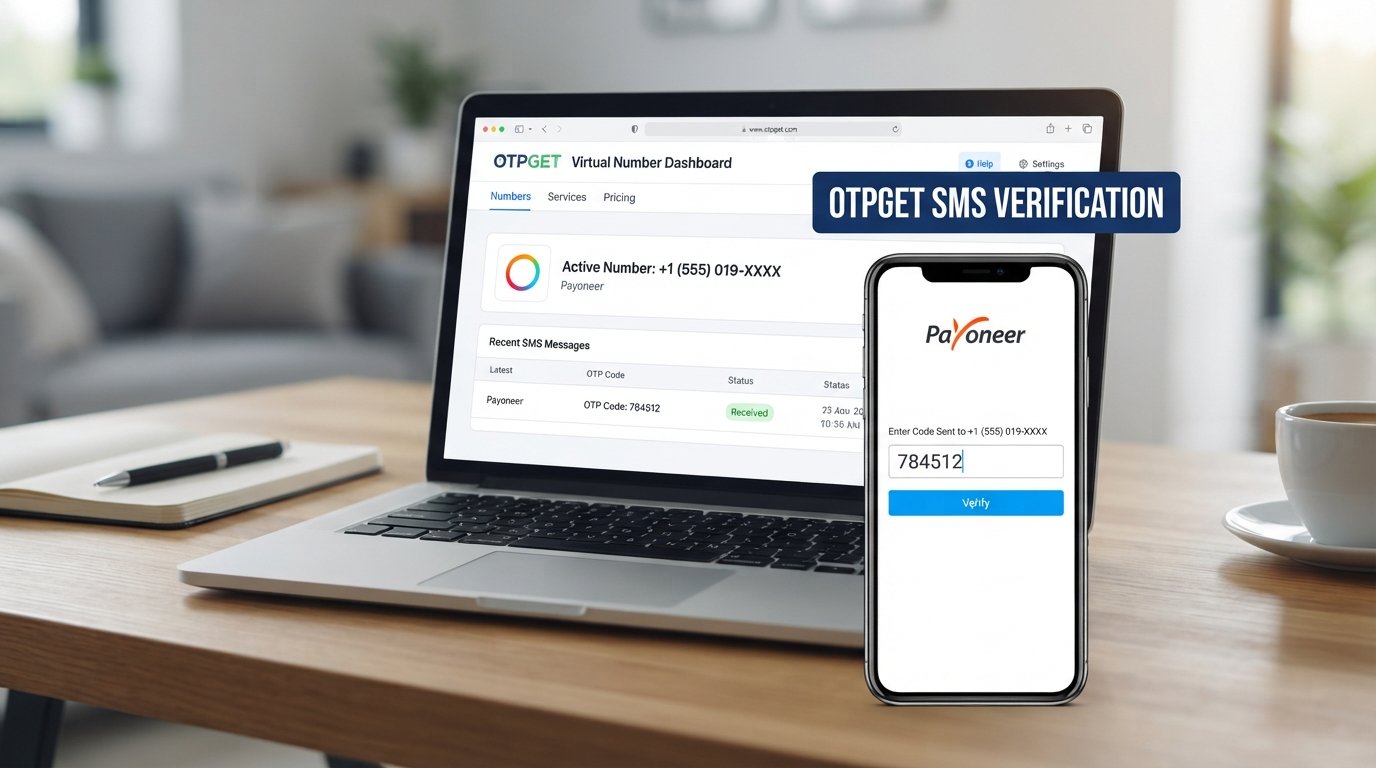
Verify Payoneer With a Virtual Number Using OTPGET
Introduction
Payoneer verification can sometimes require a phone number to receive a verification code by SMS or another supported authentication method. For users who prefer not to rely on their personal number, a virtual phone number may seem like a convenient alternative.
This is where OTPGET comes into the picture.
OTPGET provides virtual numbers designed for supported SMS and OTP verification workflows, allowing users to access a number online and check for incoming verification messages. However, a virtual number is not a guaranteed way to complete Payoneer verification. Whether it can be used depends on Payoneer’s requirements, the account, region, and the verification method presented to the user.
In this guide, you’ll learn what Payoneer verification involves, what a Payoneer OTP is, how virtual numbers work, and how OTPGET can fit into a supported verification workflow.
What Is Payoneer Verification?
Payoneer uses account and identity verification processes as part of its services. Depending on the situation, users may be asked to provide information or complete additional authentication steps.
Phone verification is one possible part of this process. Payoneer states that it may require a phone number to be verified through SMS or messaging applications during registration. It may also send verification codes to a registered mobile number as part of two-step verification.
A verification code, commonly called an OTP or one-time password, is a temporary code sent to an eligible phone number or through another supported authentication method.
The basic process is straightforward:
- Enter an eligible phone number.
- Request verification.
- Receive the verification SMS or code.
- Enter the code in the relevant verification field.
- Continue with the required verification process.
The exact process can vary depending on what Payoneer requests for a particular account.
Why Do Users Need a Phone Number for Verification?
A phone number can provide an additional layer of account authentication.
For example, Payoneer describes two-step verification as an additional security step that can involve sending a code to a mobile device or using other supported authentication methods.
Users may also prefer a separate number for practical reasons. They may want to keep personal communications separate from online services or avoid giving their everyday number to every platform they use.
A virtual phone number can provide another option where the relevant platform accepts it.
However, this distinction is important: having access to a virtual number does not mean that Payoneer will necessarily accept that number for verification.
Can You Verify Payoneer With a Virtual Number?
Potentially, but there is no universal guarantee.
If you want to verify Payoneer with a virtual number, the number must first be compatible with the verification method Payoneer presents to you. Payoneer’s requirements can depend on factors such as your account, region, and the particular security or verification step.
A virtual number is essentially an online-accessible phone number that can receive supported SMS messages without requiring the user to insert a physical SIM card into their phone.
OTPGET provides virtual numbers for supported OTP and SMS workflows. Its documentation describes a process for selecting available countries and services, requesting a number, and checking the status for an incoming SMS code.
The important point is to treat OTPGET as a number and SMS-receiving option, not as a way to bypass Payoneer’s security or verification requirements.
If Payoneer does not accept a particular virtual number, the appropriate solution is to use another verification method or number that meets Payoneer’s requirements.
How OTPGET Works for OTP Verification
OTPGET is designed around virtual numbers and SMS OTP receiving.
The general workflow is simple:
- Access OTPGET.
- Look for an appropriate available number or supported service.
- Select the relevant country and service where available.
- Obtain the virtual number.
- Use the number during a verification process that permits it.
- Monitor OTPGET for the incoming SMS.
- Retrieve the verification code if the message is received.
- Enter the legitimate code into the verification screen.
OTPGET’s published documentation includes functions for obtaining numbers and checking whether an SMS has been received for an order. Availability can vary according to the selected country, service, provider, and number inventory.
This makes the service useful for users looking for a practical way to receive SMS online during supported verification workflows.
How to Use OTPGET for Payoneer Verification
If Payoneer presents a phone verification step and permits the type of number you intend to use, the process can be approached as follows.
Step 1: Check Payoneer’s Verification Requirements
Before obtaining a number, review the phone verification method shown in your Payoneer account.
Do not assume that every virtual or temporary number will be accepted.
Step 2: Visit OTPGET
Open OTPGET and review the available virtual-number options.
Look for a number and service that are actually available rather than assuming a particular country or provider will always be offered.
Step 3: Obtain an Appropriate Number
If a suitable option is available, select it according to the service instructions.
OTPGET’s published workflow allows users to request a number for a selected service and country where available.
Step 4: Enter the Number During the Supported Verification Process
If Payoneer accepts that type of number for the verification step you are completing, enter the provided number in the relevant phone-number field.
Make sure the country code and number are entered correctly.
Step 5: Request the OTP
Continue through the normal Payoneer verification process and request the verification code.
Step 6: Check OTPGET for the SMS
If the number supports the requested SMS and the message is delivered, check OTPGET for the incoming verification code.
Step 7: Enter the Code
Enter the legitimate OTP into the appropriate verification field and continue according to Payoneer’s instructions.
If the number is not accepted or the SMS does not arrive, do not repeatedly attempt to circumvent the verification process. Instead, review the requirements and consider an eligible alternative.
Benefits of Using a Virtual Number
A virtual number can be useful in several legitimate situations.
Convenience
You can access the number online rather than depending exclusively on a physical SIM card.
Separation From Your Personal Number
A separate number can help keep personal communications and online verification activity apart.
Online SMS Access
A virtual SMS number can make it possible to check supported verification messages through an online service.
Practical for Certain Workflows
For services that explicitly accept the selected type of number, a virtual number can simplify the process of receiving a verification code.
Flexible Availability
OTPGET provides virtual-number options across different countries and services, subject to availability.
These benefits should not be confused with guaranteed compatibility. The service being verified ultimately determines which phone numbers and authentication methods it accepts.
Important Things to Know Before Using a Virtual Number
Before attempting Payoneer phone verification with a virtual number, keep these points in mind:
- Acceptance is not guaranteed. Payoneer may not accept every virtual, temporary, or online phone number.
- Requirements can vary. Verification methods can differ according to account, region, and the security process presented.
- Number availability changes. A particular country, provider, or service may not always have an available number.
- SMS delivery can vary. An OTP may be delayed, unavailable, or unsupported for a particular number.
- Follow Payoneer’s rules. Use information and verification details that comply with Payoneer’s applicable requirements and terms.
- Do not use virtual numbers to bypass security controls. OTPGET should be used only for legitimate, supported verification workflows.
- Consider long-term access. If a number is needed for recurring authentication, a temporary number may not be appropriate.
Payoneer’s terms also explain that the company can require additional security measures and may restrict account functionality where security concerns arise.
Common Issues When Receiving a Payoneer OTP
Sometimes the verification code does not arrive immediately. Several things can cause this.
The Number Is Not Supported
Payoneer may reject a number because it does not meet its verification requirements.
SMS Delivery Is Unavailable
The selected virtual number may not support messages from the particular service.
Incorrect Number Format
Check the country code and phone number carefully before submitting the verification request.
The Code Has Not Arrived Yet
Give the verification system a reasonable amount of time and avoid repeatedly requesting new codes, since multiple requests can sometimes complicate the process.
The OTP Has Expired
Verification codes are generally intended for a limited period. If a code is no longer valid, follow the service's normal process for requesting another one.
The Number Has Limited Availability
OTPGET's available numbers and services can change. Its documentation notes possible conditions such as unavailable numbers or services.
If repeated attempts fail, check Payoneer's official instructions and use an alternative eligible verification method when available.
Why Choose OTPGET?
OTPGET focuses on virtual numbers and OTP/SMS receiving workflows, giving users an online way to access numbers for supported verification processes.
Its documented workflow includes selecting available countries and services, obtaining a number, and checking the status for an incoming SMS.
For users who specifically need a virtual number, this can be more convenient than arranging a separate physical SIM solely for an eligible SMS verification task.
The main advantages to consider include:
- Online access to virtual numbers
- Support for SMS OTP workflows
- Country and service selection where available
- A straightforward number-to-OTP workflow
- Options for temporary or longer-term number use, depending on availability
You should still verify that the number you choose is appropriate for the service you are using. OTPGET does not change Payoneer’s verification requirements, and using a virtual number does not guarantee account approval, OTP delivery, or successful verification.
For more information, users can review OTPGET's official documentation and OTPGET's virtual-number service.
Frequently Asked Questions
Can I verify Payoneer with a virtual number?
It may be possible if Payoneer accepts the particular virtual number and verification method for your account. Acceptance is not universal, so check Payoneer’s applicable requirements before using one.
What is a Payoneer OTP?
A Payoneer OTP is a temporary verification code that may be sent as part of a phone-based or two-step authentication process. Payoneer states that verification codes may be delivered through SMS, messaging applications, push notifications, or other supported authentication methods depending on the security process.
How can I receive a Payoneer verification code?
If your Payoneer verification process uses SMS, you need to provide an eligible phone number and follow the verification instructions presented by Payoneer. If virtual numbers are permitted for your specific process, a supported OTPGET number may be an option.
What is OTPGET?
OTPGET is a virtual-number and OTP/SMS receiving service. Its published documentation describes tools for obtaining virtual numbers and checking for incoming verification SMS messages.
Can OTPGET provide a virtual number for SMS verification?
OTPGET provides virtual numbers for supported SMS and OTP verification workflows. Availability depends on the country, service, provider, and numbers available at the time.
What should I do if my Payoneer OTP does not arrive?
First, check that the number was entered correctly and that the selected number supports the relevant SMS. If the message still does not arrive, review Payoneer’s verification instructions and use an eligible alternative if one is provided.
Are virtual numbers always accepted for Payoneer verification?
No. Virtual-number acceptance is not universal. Payoneer’s requirements can vary according to the account, region, and verification process. A number that works for one service should not automatically be assumed to work for Payoneer.
Conclusion
A virtual phone number can be a practical option when you need to receive SMS online for a verification workflow that permits its use. For people searching for a way to verify Payoneer with a virtual number, the key is understanding that the number itself is only one part of the process.
Payoneer determines which verification methods and phone numbers are acceptable for a particular account. OTPGET can provide a convenient virtual-number option for supported SMS and OTP workflows, but it does not bypass Payoneer’s security requirements or guarantee successful verification.
If you need a virtual number for a legitimate supported verification process, OTPGET is a practical option to explore. Check the available numbers and services, choose an option that fits the verification requirements, and always follow Payoneer’s instructions throughout the process.


