How to Verify Tinder with a Virtual Number – OTPGet Complete Guide
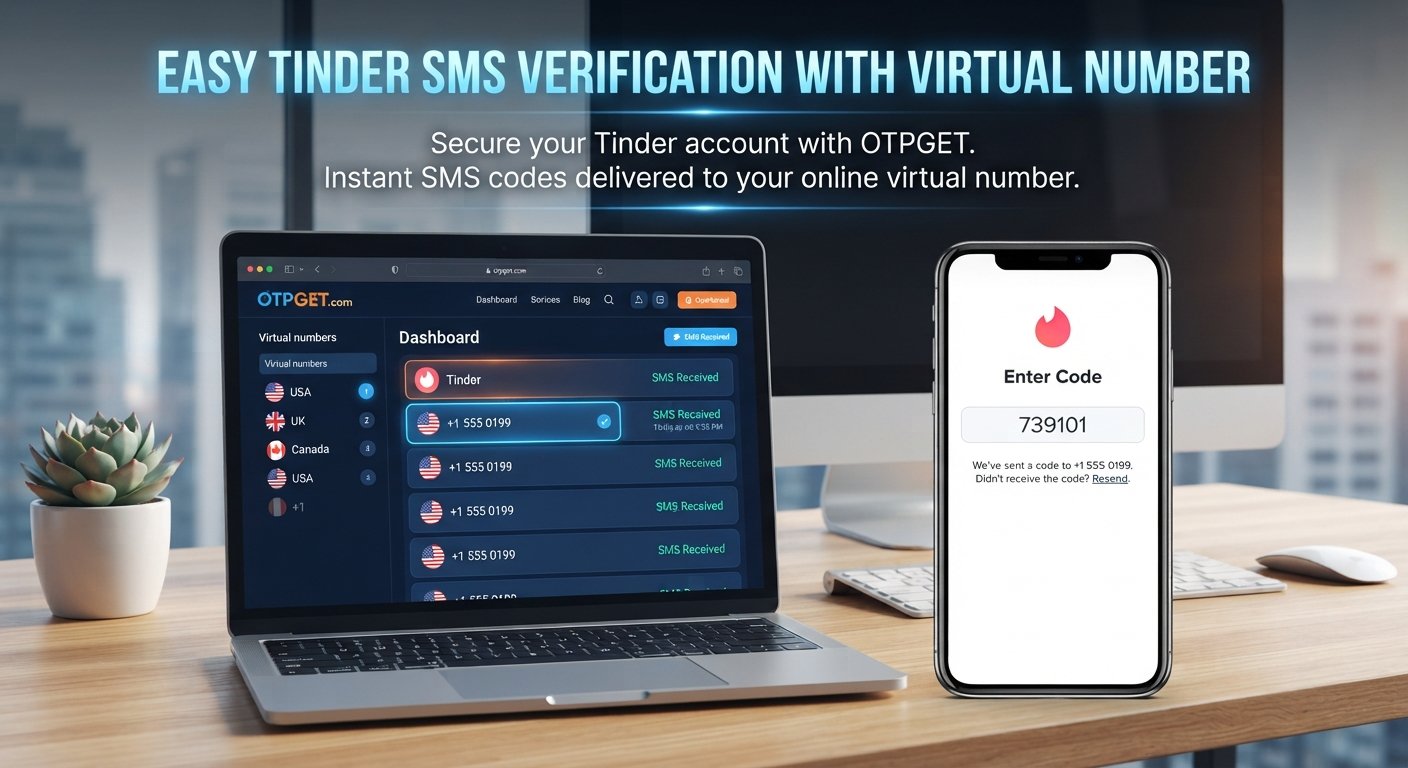
Verify Tinder with a Virtual Number – OTPGet
Creating or accessing an online account often involves one simple step that can become surprisingly inconvenient: phone verification.
Many services use SMS verification to confirm that you have access to a phone number. For users who would rather keep their primary number separate from online registrations, a virtual phone number can provide a practical alternative where supported.
That is where an SMS verification service such as OTPGET can be useful. Instead of relying exclusively on your personal mobile number, you can explore an available virtual number for receiving verification messages and one-time passwords.
If you want to verify Tinder with a virtual number, it is important to understand how the process works, what limitations can exist, and what to do when a verification code does not arrive. This guide explains the process step by step.
Why Does Tinder Require Phone Verification?
Phone verification helps online platforms confirm access to a phone number during account registration or other verification processes.
When Tinder requests phone verification, the general process involves entering a phone number and receiving an SMS containing a temporary verification code. You then enter that code into the appropriate verification screen.
Phone verification can serve several practical purposes, including:
- Confirming that the user has access to the submitted number
- Supporting account security
- Helping reduce certain forms of automated or abusive account activity
- Providing an additional verification step during account access or registration
The exact verification requirements and security checks are controlled by Tinder. A successful SMS delivery therefore does not necessarily mean every number will be accepted.
What Is a Virtual Number?
A virtual phone number is a number that can be accessed through an online service rather than being tied directly to a traditional physical SIM card in your personal phone.
Depending on the provider and number, a virtual number may support SMS reception. This makes it useful for certain online verification workflows where a service sends a one-time password by text message.
A virtual phone number for Tinder can therefore act as an alternative phone number for an SMS verification attempt, provided the number is supported by the service and accepted by Tinder.
This is different from simply using your everyday mobile number. A virtual number can provide separation between your personal contact information and selected online registrations.
Not all virtual numbers work in the same way, however. Availability, supported services, network conditions, and platform acceptance can vary.
Can You Verify Tinder With a Virtual Number?
Yes, a virtual number may be used to verify Tinder when the number supports SMS from Tinder and Tinder accepts that type of number.
This distinction matters. There is no universal guarantee that every virtual, temporary, or online phone number will work for every platform.
If you want to verify Tinder with a virtual number, the basic process is similar to ordinary Tinder phone verification:
- Obtain an appropriate virtual number.
- Enter the number during Tinder's verification process.
- Request the verification SMS.
- Check the service providing the number for the incoming message.
- Enter the received verification code into Tinder.
- Continue the account verification process if Tinder accepts the code.
OTPGET can be explored as an option for users who need access to a virtual number and SMS/OTP receiving service. The actual result depends on the selected number, SMS delivery, and Tinder's verification requirements.
How to Verify Tinder With a Virtual Number Using OTPGET
The process is straightforward in principle, although the exact experience can vary depending on the available number and current verification requirements.
Step 1: Choose a Suitable Virtual Number
Start by selecting an available virtual number through OTPGET that is appropriate for your intended verification.
Pay attention to whether the number supports SMS reception and whether the requested service is supported.
If a number is not suitable for the service you are trying to verify, choosing another supported number may be necessary.
Step 2: Enter the Number During Tinder Verification
Open Tinder and follow its normal phone verification process.
Enter the selected virtual phone number carefully in the relevant verification field. Check the country or dialing format before continuing, since an incorrectly entered number can prevent the verification message from reaching the intended destination.
Step 3: Request the Verification Code
Once the number has been entered, request the Tinder verification code.
Tinder may send an SMS containing a temporary OTP, or one-time password, to the number you provided.
Step 4: Receive the SMS Through OTPGET
Return to OTPGET and check whether the verification SMS has been received for the selected number.
If the number supports the requested service and the message is delivered successfully, the Tinder verification code should be visible through the service.
Step 5: Enter the Verification Code
Copy the received code and enter it into Tinder's verification screen.
Take care when entering the code because verification codes can expire after a limited period.
Step 6: Complete Verification
If Tinder accepts the code, you can continue with the normal account setup or verification process.
Remember that OTPGET provides the number and SMS-receiving side of the process. Whether Tinder accepts a particular number remains dependent on Tinder's own verification requirements.
Why Use a Virtual Number for Tinder?
There are several legitimate reasons someone may prefer a virtual number over their primary mobile number.
Privacy and separation: A virtual number can help keep your personal phone number separate from selected online registrations.
Convenience: If you need to receive an SMS verification code without using your everyday number, an online number can provide another option where supported.
Separate online activity: Some users prefer maintaining a dedicated number for online services instead of sharing their primary contact number with every platform.
SMS testing: Virtual numbers can also be useful when testing services that rely on SMS-based verification, provided the activity complies with the relevant platform's rules.
The important point is to use the number for legitimate purposes. A virtual number should not be used to impersonate someone, create deceptive accounts, send spam, or bypass platform restrictions.
Why Choose OTPGET?
OTPGET is relevant for users looking for a practical way to access virtual numbers for SMS and OTP verification workflows.
The main appeal is the ability to use an online number instead of automatically exposing a primary personal number when a supported service requires SMS verification.
For a Tinder verification workflow, the potential advantages include:
- Access to virtual numbers for supported verification needs
- SMS and OTP receiving functionality where available
- A way to separate certain online registrations from a personal number
- An online approach to receiving verification messages
- A practical option for users who need an alternative phone number for verification
The key is to select a number that supports the service you are trying to verify. OTPGET cannot control whether Tinder accepts a particular number or how quickly Tinder sends an SMS.
That makes OTPGET a useful option to explore, rather than a guarantee that every Tinder verification attempt will succeed.
What If the Tinder Verification Code Doesn't Arrive?
A missing Tinder verification code does not necessarily mean there is a problem with one specific part of the process. Several factors can affect SMS delivery.
Possible reasons include:
- The number was entered incorrectly
- The selected number does not support the requested service
- SMS delivery is temporarily delayed
- The verification code has expired
- Too many verification requests were made within a short period
- Tinder does not accept the selected number
- A temporary service or network issue is affecting delivery
Try these practical steps:
- Check the number carefully. Make sure the correct number and country format were entered.
- Wait briefly. SMS delivery can sometimes take longer than expected.
- Avoid repeatedly requesting codes. Multiple requests can make troubleshooting more difficult and may trigger temporary restrictions.
- Check whether the number supports Tinder. Not every virtual or temporary number is accepted by every platform.
- Try another supported number if appropriate. Number availability and platform compatibility can vary.
- Use Tinder's official support or recovery options if the issue appears to be related to your account rather than SMS delivery.
If Tinder does not accept a particular virtual number, changing the number may help, but there is no guarantee that another number will be accepted.
Virtual Number vs. Personal Phone Number for Tinder
Both options can have legitimate uses. The better choice depends on your privacy preferences, verification requirements, and whether you need long-term access to the number.
| Factor | Personal Number | Virtual Number |
|---|---|---|
| Privacy | Shares your primary number | Can provide separation from your primary number |
| Convenience | Usually simple for personal use | Convenient for supported online SMS workflows |
| Separation from personal number | Limited | Better suited to keeping selected registrations separate |
| SMS verification | Generally suitable when accepted | Depends on service and platform support |
| Long-term ownership | Typically tied to your mobile service | Depends on the virtual-number provider and number availability |
A personal number may be the more appropriate choice when you need reliable long-term access to the same number. A virtual number can be useful when separation and online access are more important.
Important Things to Know Before Using a Virtual Number
Before choosing an SMS verification number, keep a few considerations in mind.
First, not every virtual number is accepted by every platform. Tinder determines which numbers it accepts during its verification process.
Second, number availability can change. A number that is available or suitable for one verification workflow may not remain available or supported indefinitely.
Third, verification codes are temporary. If a code expires, you may need to request another one according to Tinder's normal process.
Fourth, think about whether you need temporary access or longer-term access to the number. A temporary number may be unsuitable if you later need to receive another security or account-related message.
Finally, use virtual numbers responsibly. They should not be used for fraud, impersonation, spam, deceptive activity, or attempts to circumvent platform rules. Always follow Tinder's terms, account requirements, and applicable laws.
Frequently Asked Questions
Can I verify Tinder with a virtual number?
You may be able to verify Tinder with a virtual number if the number supports SMS from Tinder and Tinder accepts that type of number. Acceptance can vary by number and service.
Can I receive a Tinder verification code online?
Yes, a Tinder verification code may be received online through a supported virtual-number or SMS verification service. The selected number must be capable of receiving the relevant SMS.
What is a Tinder virtual number?
A Tinder virtual number is an online phone number that can potentially receive SMS verification messages from Tinder without requiring you to use your primary personal mobile number.
Why isn't my Tinder verification code arriving?
Possible causes include an incorrect number, SMS delays, an unsupported virtual number, an expired code, repeated requests, or Tinder not accepting the number. Check the number, wait briefly, and avoid repeatedly requesting codes.
Can I use OTPGET for SMS verification?
OTPGET can be explored for virtual-number and SMS/OTP receiving needs where the requested service is supported. Whether a specific number works for Tinder depends on Tinder's verification requirements and SMS delivery.
Is a virtual number the same as a regular phone number?
Not exactly. A virtual number is generally provided through an online service rather than functioning as your ordinary personal mobile number. Its capabilities and availability depend on the provider and number.
What should I do if Tinder does not accept my virtual number?
First, confirm that the number was entered correctly and is supported for the intended service. If Tinder still rejects it, you can try another supported number or use Tinder's official support and account-recovery options where appropriate.
Final Thoughts
Using a virtual phone number can be a practical way to keep your primary number separate from selected online verification processes.
If you want to verify Tinder with a virtual number, the basic process is simple: select a suitable number, enter it during Tinder's phone verification process, receive the SMS verification code through the supporting service, and enter the code into Tinder.
The important limitation is that virtual-number compatibility is not universal. Number availability, SMS delivery, and Tinder's own verification requirements all influence the outcome.
For users looking for an online option for virtual numbers and OTP/SMS verification, OTPGET is worth exploring. Choose a number that fits your needs, use it responsibly, and follow Tinder's verification requirements throughout the process.
Need an alternative number for SMS verification? Explore OTPGET to find a virtual-number option that suits your verification needs.


