Virtual Numbers for QA Testing: A Developer’s Practical Guide
How Developers Use Virtual Numbers for QA Testing
Phone-number verification is easy to overlook during development—until it becomes the part of an application that blocks an entire test flow. A developer may need to create an account, receive an OTP, confirm a phone number, reset a password, or complete two-factor authentication before reaching the feature they actually need to test.
Using personal phone numbers for these scenarios quickly becomes inconvenient, especially when QA teams need to test multiple accounts or repeat the same workflow. This is where virtual numbers for QA testing can become a practical testing resource.
Virtual phone numbers for testing give developers and QA teams a way to work with phone-dependent workflows without relying exclusively on personal numbers. They can be useful for testing SMS verification, authentication, registration, and other application features that depend on receiving text messages.
For teams exploring this approach, OTPGET can also be considered as a practical option for accessing virtual numbers for testing workflows. The important point is to understand how virtual numbers fit into QA before choosing a solution.
Why Developers Need Virtual Numbers for QA Testing
Many modern applications use a phone number as part of identity verification or account security. That makes phone-based functionality an important part of software testing rather than something QA teams can simply ignore.
Developers may need dedicated test numbers when testing:
- New-user account registration
- Login verification
- OTP authentication
- Password recovery
- Two-factor authentication
- Phone-number validation
- SMS notifications
- Mobile applications
- Web applications
- Account recovery workflows
For example, imagine a developer testing a new sign-up page. The test requires entering a phone number, requesting an OTP, receiving the SMS, and entering the code. If the only available number belongs to the developer, repeatedly running that test can become cumbersome.
Dedicated test phone numbers can make these scenarios easier to organize and repeat. They also help separate QA activity from personal communications.
For teams building detailed test plans, this can complement resources such as [Internal Link: OTP Testing Guide] and [Internal Link: SMS Verification Guide].
Common Problems With Testing SMS and OTP Verification
Phone verification introduces several practical challenges that are different from ordinary UI or API testing.
Reusing Personal Phone Numbers
Using one personal number for repeated application testing can create unnecessary friction. A test account may already exist, a number may be restricted to one account, or the tester may simply not want development messages mixed with personal SMS.
Testing Multiple Accounts
QA teams frequently need to reproduce different user states. One scenario may involve a new customer, another an existing customer, and another a user recovering an account.
When every account requires phone verification, having suitable test numbers becomes important.
Repeated OTP Requests
OTP testing often requires requesting several codes. Testers may need to check normal verification, resend behavior, expired codes, invalid codes, and failed attempts.
A suitable virtual number can provide a dedicated destination for these testing messages, depending on the service and application being tested.
Managing Different Test Scenarios
Testing becomes harder when phone numbers are scattered across personal devices, spreadsheets, or informal team processes. A more organized approach can make QA execution and troubleshooting easier.
Keeping QA Separate From Personal Communication
A dedicated testing number can provide a clearer boundary between application testing and everyday communications. This is particularly useful when developers, QA engineers, and automation processes repeatedly interact with authentication flows.
How Virtual Numbers Make QA Testing Easier
At a basic level, virtual numbers can provide a separate phone-number identity for application testing.
They can help developers:
- Create dedicated test accounts
- Test registration and sign-up flows
- Verify OTP delivery
- Exercise authentication workflows
- Reproduce different user scenarios
- Reduce dependence on personal phone numbers
- Organize testing data more consistently
- Repeat phone verification test cases
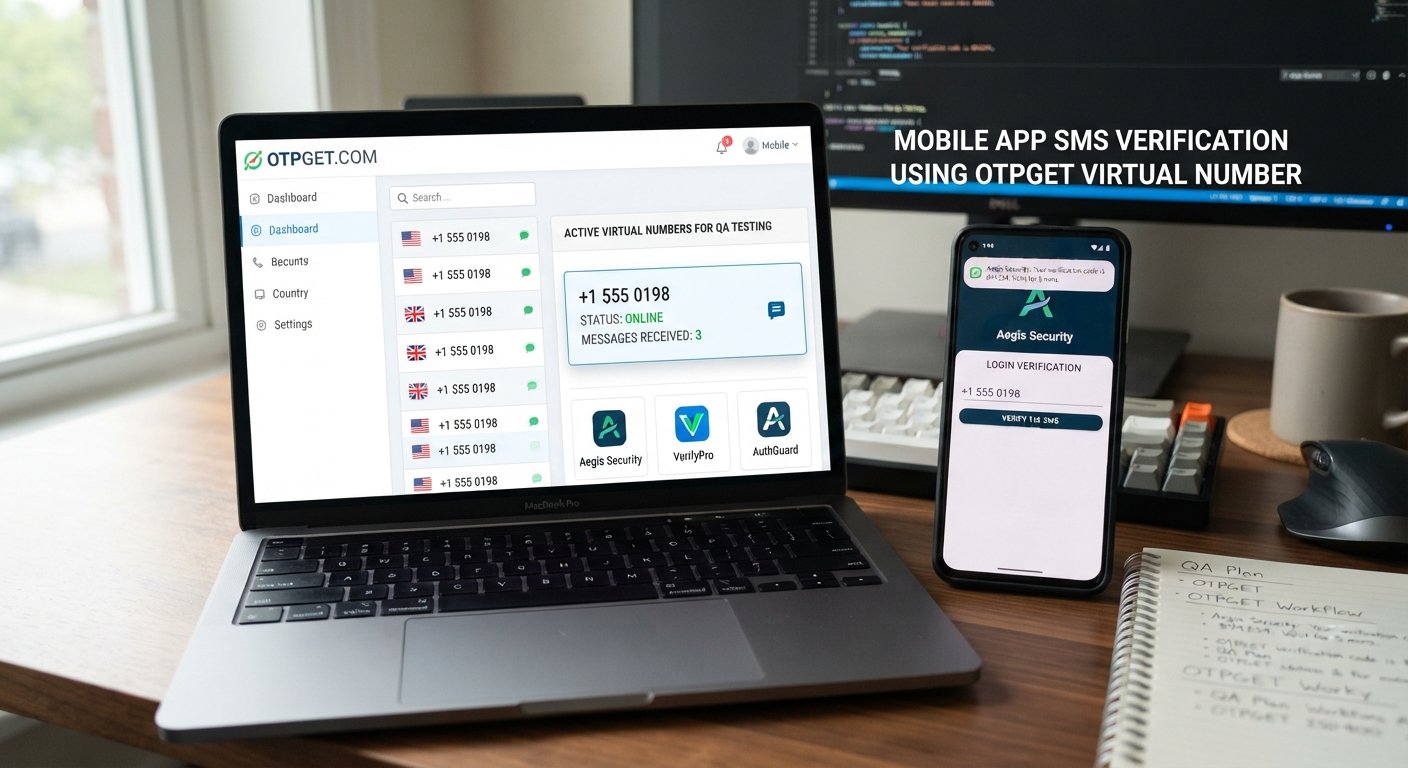
Consider a QA engineer testing a mobile application. Instead of repeatedly using a personal number, the tester can use an appropriate virtual phone number for QA, enter it into the application, and proceed through the verification workflow.
The exact usefulness of a virtual number depends on the application, the verification provider, and the type of testing being performed. It is therefore important to confirm that the number and testing method are compatible with the system under test.
How Developers Can Use Virtual Numbers for OTP Testing
A straightforward OTP testing workflow can look like this:
- Select a suitable virtual number. Choose a number appropriate for the application and test scenario.
- Enter the number into the application. Use it during registration, login, account recovery, or another phone-dependent workflow.
- Trigger the OTP or SMS verification. Request the verification message from the application.
- Receive the verification message. Check the destination associated with the test number.
- Confirm the OTP. Enter the received code into the application.
- Record the result. Document whether the expected behavior occurred.
- Repeat the scenario. Test additional accounts, flows, or edge cases as required.
This process can support both manual QA and more structured automated QA testing, depending on how the surrounding test environment is designed.
Developers should also test what happens when the OTP is incorrect, expired, requested repeatedly, or never successfully entered.
Testing Different Authentication Scenarios
OTP verification testing should go beyond checking whether one valid code works.
A useful test plan can include:
New-User Registration
Verify that a new user can enter a phone number, receive an OTP, and complete registration successfully.
Existing-User Login
Test login verification for an existing account and confirm that the expected authentication steps occur.
Password Reset
Check whether the password recovery process correctly handles phone-based verification.
Two-Factor Authentication
Where SMS is used as a second authentication factor, test the complete sequence from login attempt through successful verification.
Failed OTP Attempts
Enter an incorrect code and verify that the application responds appropriately without incorrectly authenticating the user.
Expired OTPs
Test codes after their intended validity period to confirm that expired credentials are rejected.
Resend OTP
Check whether the resend option behaves correctly and whether the latest verification code is handled as expected.
Multiple Accounts
Use separate test identities when appropriate to verify that account-specific authentication states do not become mixed.
Error Handling
Test invalid numbers, incomplete input, unavailable verification steps, and other expected error conditions.
This broader approach turns simple OTP testing into meaningful authentication testing.
Why OTPGET Can Be Useful for QA Testing
Once developers understand the testing requirement, the next question is how to obtain suitable numbers without making the QA process unnecessarily complicated.
OTPGET can help developers access virtual numbers for testing workflows involving SMS and OTP verification. This makes it relevant to scenarios such as sign-up flow testing, login verification testing, phone-number verification testing, and other application workflows that depend on SMS-based authentication.
The practical value of OTPGET should be evaluated against the specific requirements of the QA environment. For example, a team may need to determine whether the available number options fit its application's verification process and whether the workflow is appropriate for manual or repeated testing.
Rather than treating a virtual-number service as a replacement for a complete QA strategy, developers can view it as one component of the testing toolkit.
For teams working on SMS-based features, OTPGET can fit naturally alongside test plans, staging environments, application logs, and other developer testing tools.
Virtual Numbers for Automated QA Testing
Virtual numbers can also support automated or semi-automated testing when a test suite repeatedly encounters phone verification.
Consider a regression test that creates an account, triggers an OTP, completes verification, and then checks the resulting application state. Without an appropriate testing number, the phone-verification step can become a manual interruption.
A virtual number may help make such workflows more manageable, particularly when QA teams need to repeat scenarios across different test cases.
Potential uses include:
- Repeated registration tests
- Regression testing
- Authentication flow checks
- Staging-environment validation
- Multiple test scenarios
- SMS API testing
- End-to-end application testing
However, automation depends on the overall architecture of the testing environment. Developers should not assume that every virtual-number provider offers a specific automation API or integration. The number service, application, SMS provider, and test framework all need to work together appropriately.
For broader QA workflows, teams can also connect this approach with [Internal Link: QA Automation Guide].
Best Practices for Using Virtual Numbers in Software Testing
Virtual numbers are most useful when they are incorporated into a disciplined QA process.
Use Dedicated Testing Numbers
Keep testing identities separate from personal phone numbers whenever practical. This makes test data easier to manage.
Organize Test Data
Document which test number belongs to which scenario or test account. Clear test data reduces confusion when several cases are being executed.
Separate QA and Production
Perform testing in the appropriate development, staging, or QA environment. Avoid introducing test identities into production unless the testing process explicitly requires it and is authorized.
Document Authentication Scenarios
Record expected behavior for valid OTPs, invalid codes, expired codes, resend requests, and failed verification.
Protect Sensitive Information
OTP messages can contain authentication credentials. Treat received verification codes and related account information as sensitive test data.
Avoid Real Users' Numbers
Do not use another person's personal phone number simply to complete a test. Use numbers and test identities appropriate for authorized testing.
Check Application and Service Rules
Make sure your testing approach complies with the rules of the application, SMS provider, and virtual-number service involved.
Virtual Numbers vs Personal Phone Numbers for QA Testing
Both approaches can have a place in software testing, depending on the scenario.
| Factor | Virtual Number | Personal Number |
|---|---|---|
| Dedicated for testing | Often suitable | Usually not |
| Multiple test identities | Can be useful | More difficult to manage |
| Separation from personal communication | Stronger separation | Messages remain mixed |
| Repeated QA scenarios | Potentially convenient | Can become cumbersome |
| Setup requirements | Depends on provider | Usually already available |
| Best use | Dedicated test workflows | Simple individual checks |
The right choice depends on the application's requirements, test environment, verification provider, and QA process. A personal number may be perfectly adequate for a quick manual check, while dedicated numbers can be more practical for repeated or multi-account testing.
When Should Developers Use a Virtual Number for Testing?
A virtual number can be particularly useful when a development or QA workflow repeatedly depends on phone verification.
Common examples include:
- Testing a new registration system
- Validating SMS authentication
- Checking OTP delivery behavior
- Testing account recovery
- Running multiple authentication scenarios
- Repeating regression tests
- Testing mobile and web application flows
- Keeping QA activity separate from personal communication
- Building structured test cases around phone verification
If phone verification is only being checked once during development, a virtual number may not be necessary. If it is a recurring part of application testing, dedicated test numbers can make the workflow easier to organize.
Frequently Asked Questions
What are virtual numbers for QA testing?
Virtual numbers for QA testing are phone numbers that can be used in authorized software-testing workflows where an application requires phone verification, SMS, or OTP authentication.
Why do developers use virtual numbers for OTP testing?
Developers use virtual numbers to create dedicated testing identities, repeat OTP workflows, and reduce reliance on personal phone numbers when testing authentication and registration features.
Can virtual numbers be used for SMS verification testing?
Yes, virtual numbers can be used for SMS verification testing when the number is compatible with the application and verification service. Developers should confirm the requirements of the system being tested.
How do virtual numbers help with QA automation?
They can reduce manual friction around repeated phone-verification steps and may support automated or semi-automated test scenarios when the complete testing environment is designed to handle SMS verification appropriately.
What should developers test in an OTP verification flow?
Developers should test successful verification, invalid codes, expired OTPs, resend behavior, repeated requests, incorrect input, error handling, and relevant account states.
Is a virtual phone number useful for testing multiple accounts?
It can be useful when QA teams need separate test identities for different account scenarios. The suitability depends on the application's rules and how phone numbers are handled during account creation.
How can OTPGET help with QA testing?
OTPGET can help developers access virtual numbers for workflows involving OTP and SMS verification. Teams can evaluate it according to their application's testing requirements and the specific QA scenarios they need to run.
Conclusion
Phone verification can be a small part of an application from a product perspective, but it can become a significant testing dependency for developers and QA teams. Registration, login verification, password recovery, two-factor authentication, and other SMS-based workflows all need realistic test coverage.
Using virtual numbers for QA testing can make these workflows easier to separate, repeat, and organize. Dedicated test numbers can reduce reliance on personal phone numbers while giving teams a practical way to test different authentication scenarios.
For developers looking for a solution in this area, OTPGET can be a practical option to evaluate for virtual-number-based testing workflows. It can fit into manual QA, application testing, and appropriate automated or semi-automated scenarios where SMS or OTP verification is part of the test process.
The key is to match the testing approach to the application's requirements. With organized test data, dedicated environments, clear authentication test cases, and suitable virtual numbers, QA teams can make phone verification a manageable part of the overall software testing workflow.