What Does SMS OTP Mean? How OTP Verification Works Explained
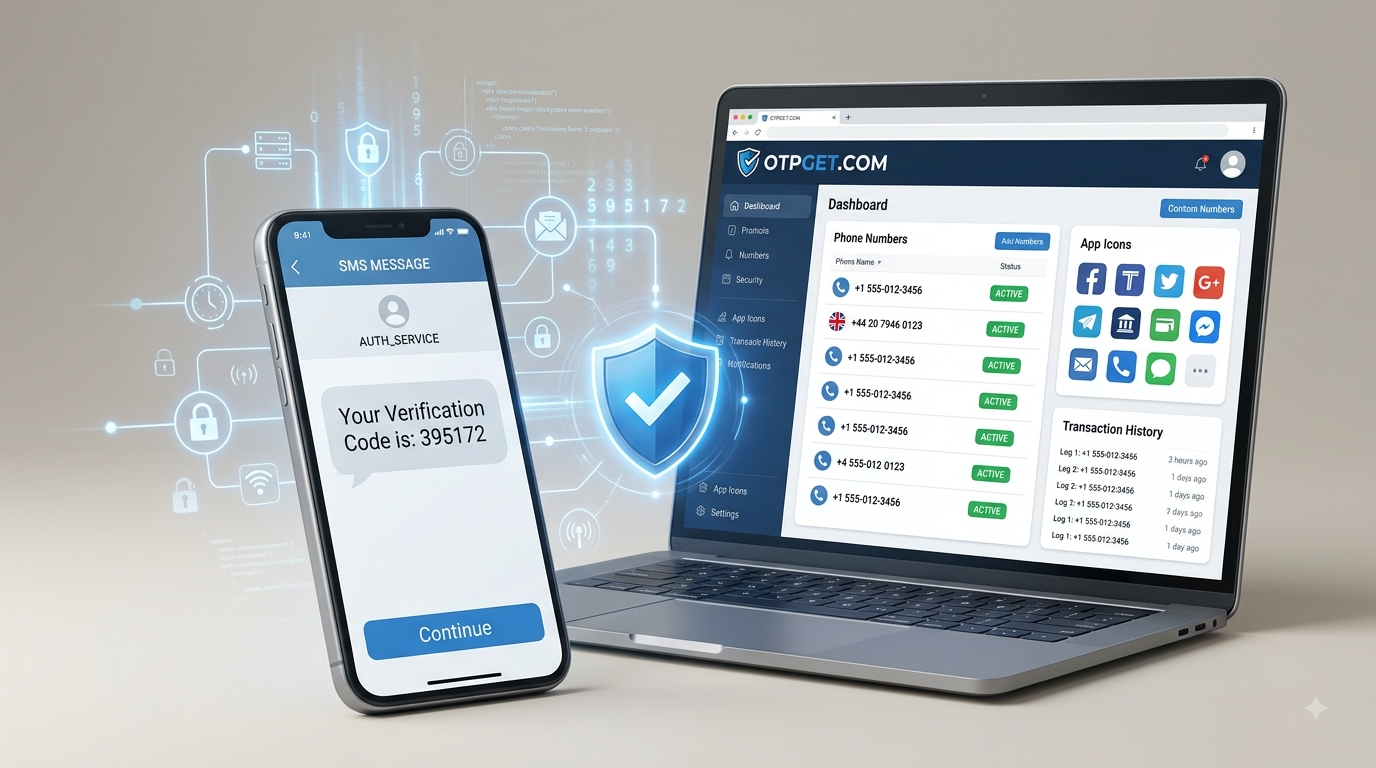
What Does SMS OTP Mean? How OTP Verification Works Explained
When you create an account, sign in from a new device, reset a password, or confirm an important action, you may be asked to enter a short code sent to your phone. That code is commonly called an SMS OTP.
So, what does SMS OTP mean? SMS OTP means Short Message Service One-Time Password. It is a temporary verification code delivered through an SMS message and used to confirm that the person completing an action can access the associated phone number.
For many online services, SMS OTP verification adds another checkpoint beyond a password. It can help verify a phone number, support account recovery, and provide an additional authentication factor.
Understanding how the process works also helps you use SMS verification more safely.
What Does SMS OTP Mean?
OTP stands for One-Time Password, while SMS stands for Short Message Service. Together, SMS OTP refers to a one-time password or verification code delivered through SMS.
Unlike a normal password, an OTP is designed for a specific verification event. It is generally valid for a limited period or a single attempt, depending on how the service has implemented its authentication system.
For example, imagine you are registering for an online service. After entering your phone number, the service sends a message such as:
“Your verification code is 482731.”
You enter that code into the verification screen. If the code matches the one generated by the service and is still valid, the phone number can be verified.
That simple process is the basic idea behind SMS OTP verification.
How Does SMS OTP Verification Work?
The exact technical implementation varies between platforms, but the general process is straightforward.
- You enter a phone number.
During registration, login, recovery, or another action, the website or app asks for a mobile number. - The platform generates an OTP.
Its authentication system creates a temporary verification code. - The code is sent by SMS.
The platform uses an SMS delivery system or gateway to send the OTP to the requested number. - You receive the SMS verification code.
The message appears in the phone's messaging system or, when supported by an online SMS receiving service, within the service handling the virtual number. - You enter the OTP.
The code is entered into the website or application requesting verification. - The platform checks the code.
The system compares the submitted code with the expected OTP and checks whether it is still valid. - Verification succeeds or fails.
If the details match the platform's requirements, the verification process is completed.
This is why an OTP code should not be treated like a permanent password. Its purpose is to confirm a particular action rather than serve as a long-term credential.
Why Do Websites Use SMS OTP?
Websites and apps use OTP verification for several different purposes.
Common examples include:
- Account registration: Confirming that a phone number can receive SMS messages.
- Phone number verification: Linking a mobile number to an account.
- Login verification: Adding another authentication step during sign-in.
- Password recovery: Helping confirm access when recovering an account.
- Transaction confirmation: Verifying certain sensitive actions.
- Suspicious-login detection: Adding an extra check when a sign-in appears unusual.
- Two-factor authentication: Using SMS as one authentication factor alongside another credential.
SMS OTP is useful because a password alone does not necessarily prove that the person attempting an action has access to a particular phone number.
However, SMS authentication should be viewed as an additional security layer, not a guarantee of complete account protection.
SMS OTP vs Passwords
A password is normally a reusable credential. You may use the same password to sign in repeatedly until you change it.
An OTP is different.
A one-time password is generated for a specific verification event and is normally designed to expire or become unusable after successful use.
Consider the difference:
Password:
A permanent or long-term secret used repeatedly for authentication.
SMS OTP:
A temporary code generated for a particular verification event.
This distinction can reduce some risks associated with repeatedly entering the same password. If a properly implemented OTP has already expired or been used, that specific code should no longer provide the same authentication value.
Still, OTPs can be stolen through phishing, social engineering, compromised devices, or other attacks. Strong passwords and additional authentication methods remain important.
What Is a Virtual Phone Number for SMS OTP?
A virtual phone number is a phone number provided through an online telecommunications service rather than directly through a user's primary physical SIM.
Depending on the provider and the receiving platform, a virtual number may be capable of receiving SMS messages online.
This makes virtual numbers relevant to situations where someone wants an alternative number for online registration or SMS verification.
Related terms include:
- virtual phone number
- online phone number
- virtual SMS number
- virtual number for verification
- SMS verification number
- temporary phone number
- temporary virtual number
- receive SMS online
A virtual number does not automatically mean that every website will accept it. Some platforms restrict virtual, temporary, or previously used numbers. Compatibility depends on the specific service and its verification policies.
Can You Receive SMS OTP Online?
Yes, receiving OTP online is possible when a virtual-number service provides an appropriate number and the platform sending the SMS supports that number.
Instead of receiving the message on your personal SIM, the verification SMS may be displayed through the service associated with the virtual number.
This can be useful when you want to keep your primary phone number separate from certain online registrations or verification activities.
OTPGET provides virtual phone numbers that can be used to receive SMS verification codes online for supported platforms. This gives users an alternative to using their personal number for selected verification needs.
The important point is to check compatibility before relying on a particular virtual number. A service may support SMS reception generally while an individual website or app may restrict certain number types.
How to Receive an SMS OTP With OTPGET
Using a virtual number for supported SMS verification can be straightforward.
- Visit OTPGET.
- Select the required service or platform.
- Choose an available virtual phone number.
- Enter the number on the supported website or app.
- Request the SMS verification code.
- Wait for the verification message to arrive.
- View the received OTP through OTPGET.
- Enter the code on the platform requesting verification.
The exact experience can vary depending on the platform and number availability. If a service does not accept a particular virtual number, another supported option may be necessary.
For users who want to separate personal communications from selected online verification activities, OTPGET virtual numbers can provide a practical way to receive supported SMS OTP messages online.
Benefits of Using a Virtual Number for SMS Verification
Privacy
Some users prefer not to give their primary phone number to every website they use. A virtual number can provide an alternative for supported verification situations.
Convenience
An online number can make it easier to handle certain SMS verification tasks without relying on a personal SIM.
Separation
A virtual number can help separate personal communications from online registrations and verification messages.
International Access
Virtual numbers can be useful when a supported service requires or works better with a number associated with a particular country.
Temporary Use
Some verification situations only require a number for a limited purpose. A temporary phone number may be suitable when long-term use is unnecessary.
These benefits come with limitations. Availability, number reuse, platform restrictions, and verification policies can affect whether a virtual number works for a particular service.
Common SMS OTP Problems
Sometimes an SMS verification code does not arrive as expected. Common causes include:
- Incorrect phone number
- Delayed SMS delivery
- Poor network connectivity
- Expired OTP
- Too many verification attempts
- Request limits
- Unsupported number type
- Platform restrictions on virtual numbers
- Temporary SMS gateway problems
If an OTP does not arrive, first check that the number was entered correctly. Wait briefly before requesting another code, because repeatedly requesting OTPs can sometimes trigger additional limits.
If an earlier code arrives after a new one has been requested, use the code that is currently valid according to the platform's instructions.
When using a virtual number, also consider whether the website or app accepts that type of number.
Is SMS OTP Secure?
SMS OTP can improve account security, but it is not perfect.
Because the code is delivered through a mobile communication channel, threats can include:
- SIM swapping
- Social engineering
- Phishing
- Phone-number compromise
- Certain forms of SMS interception
For this reason, never share an OTP with another person, even if someone claims to be a representative of the service.
Be especially cautious if you receive an unexpected OTP. It may indicate that someone is attempting to access or register something using your phone number.
Whenever possible, enter the code only on the legitimate website or app that requested it. Strong, unique passwords and stronger authentication methods can provide additional protection when available.
SMS OTP Best Practices
Use these habits whenever you rely on OTP verification:
- Never share an OTP with another person.
- Check the website or app before entering a verification code.
- Use strong, unique passwords for important accounts.
- Enable stronger authentication methods when a trusted service offers them.
- Avoid suspicious links asking you to provide verification codes.
- Do not reuse sensitive codes outside the verification process for which they were generated.
- Pay attention to unexpected OTP messages and investigate unusual account activity.
- Use reputable virtual-number services when a virtual number is appropriate.
- Understand platform restrictions before choosing a virtual number for verification.
The goal is not simply to receive a code. It is to use the verification process in a way that protects your account and personal information.
Frequently Asked Questions
What does SMS OTP stand for?
SMS OTP stands for Short Message Service One-Time Password. It is a temporary verification code delivered through SMS.
What is an SMS OTP code?
An SMS OTP code is a temporary verification code sent to a phone number. It is typically used to confirm a login, registration, phone number, recovery request, or another action.
How does SMS OTP verification work?
A platform generates a temporary code, sends it by SMS, and asks the user to enter it. The platform then checks whether the code matches and remains valid.
How long is an SMS OTP valid?
The validity period depends on the service generating the code. Many systems make OTPs expire after a short period or after successful use.
Can I receive OTP online?
Yes. You can receive OTP online when a compatible virtual phone number and SMS receiving service support the platform sending the code.
What is a virtual phone number?
A virtual phone number is an online-provided number that can support communication services such as SMS, depending on the provider and the platform involved.
Can a virtual number receive SMS OTP?
A virtual number can receive SMS OTP messages when the number supports SMS reception and the platform accepts that type of number. Compatibility is not universal.
Is SMS OTP safe?
SMS OTP adds a useful authentication layer, but it is not completely risk-free. Users should protect their phone numbers, avoid phishing, and never share OTP codes.
Why am I not receiving my OTP?
Possible reasons include incorrect number entry, delivery delays, request limits, an expired request, network issues, or restrictions on the number type. Check the number and platform instructions before requesting another code.
Can OTPGET receive SMS verification codes?
OTPGET provides virtual phone numbers for receiving SMS verification codes for supported platforms. Availability and compatibility depend on the specific service and number selected.
Conclusion
So, what does SMS OTP mean? It means a one-time password delivered through SMS to verify a particular action, such as registering an account, confirming a phone number, signing in, or recovering access.
The process is simple: a platform generates a temporary code, sends it to a phone number, and checks the code when the user enters it. This gives websites and apps an additional way to verify access to a phone number.
For people who prefer not to use their primary number for certain online verification activities, a virtual phone number can be a practical alternative when supported by the platform. Services such as OTPGET make it possible to receive supported SMS verification codes online using virtual numbers.
The key is to use SMS OTP responsibly. Understand the limitations of virtual numbers, protect your verification codes, check websites carefully, and use stronger security options when available.
Need a convenient way to receive supported SMS verification codes online? Explore OTPGET and choose a virtual number that fits your verification needs.
Suggested Internal Links
- Virtual Phone Numbers
- Receive SMS Online
- OTP Verification Numbers
- Temporary Phone Numbers
- OTPGET API


