What Happens When an OTP Code Expires? Here’s What to Do
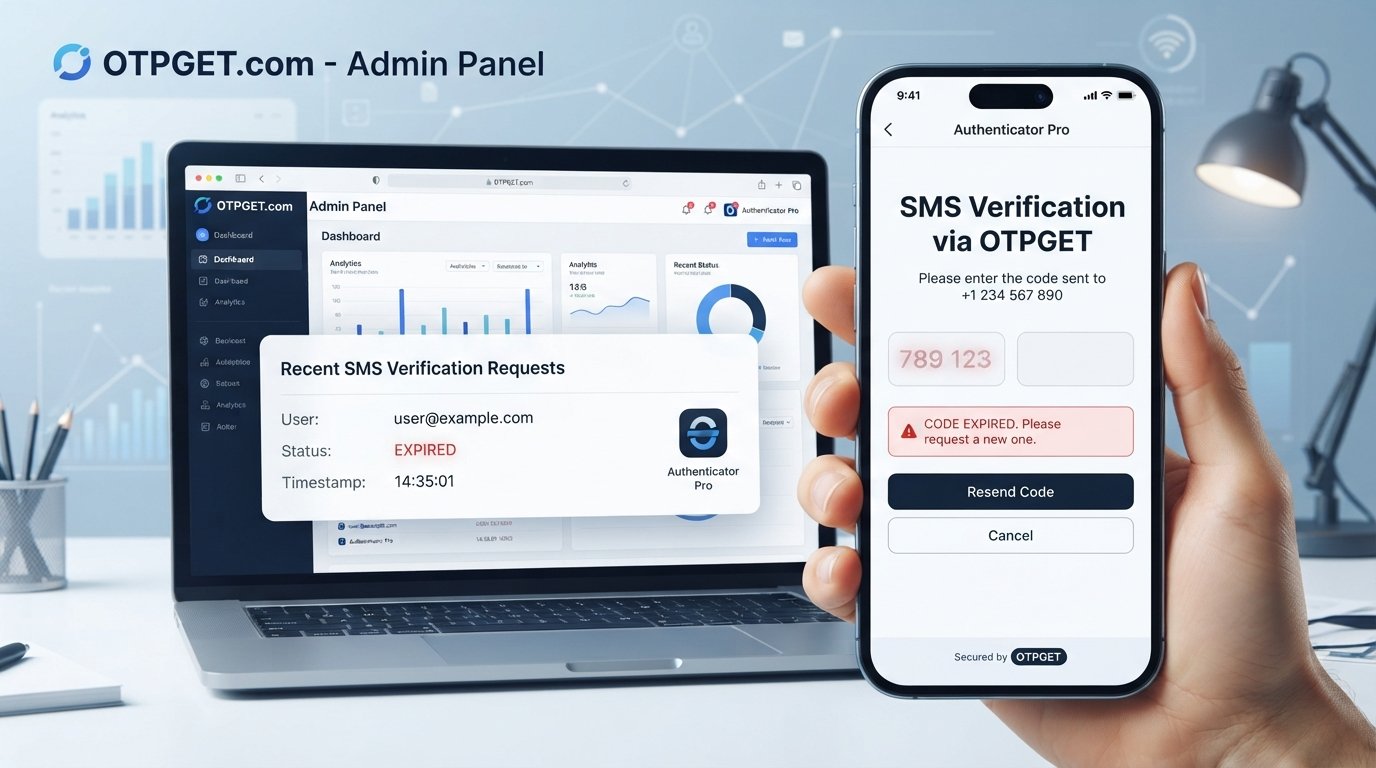
What Happens When an OTP Code Expires?
Few things are more frustrating during an online verification process than entering a code only to discover that it has expired. You may have received the SMS, typed the OTP correctly, and still find that the verification attempt fails.
An OTP, or one-time password, is designed to work only for a limited period. Once that period ends, the code is normally invalid and cannot be reused. This is an intentional security feature rather than a system error.
In this guide, you'll learn what happens when an OTP code expires, why OTPs have expiration limits, what to do when a verification code stops working, and how temporary phone verification services such as OTPGET can help simplify SMS-based verification workflows.
What Is an OTP Code?
OTP stands for one-time password. It is a temporary security code generated for a specific verification attempt.
Unlike a regular password, an OTP is generally intended for one use and a limited period. It may be sent through SMS, email, an authentication app, or another verification channel.
Websites and applications commonly use OTP verification to confirm that a person has access to a particular phone number or account. For example, after entering a phone number, a service may send an SMS verification code that the user must enter before continuing.
OTPs provide an additional layer of authentication because knowing an account password alone may not be enough to complete certain verification steps.
What Happens When an OTP Code Expires?
When an OTP code expires, the verification system normally stops accepting it.
If you enter the expired code, you may see a message such as "code expired," "invalid code," or "verification failed." The exact wording depends on the website or application.
The important point is that an expired OTP is generally no longer valid. Entering it repeatedly will not normally make it work again.
Instead, the verification process usually requires you to request a new OTP.
An expired code may become unusable for several reasons:
- Its allowed validity period has ended.
- A newer OTP has replaced the previous one.
- The verification session has expired.
- The service has invalidated previous codes after several requests.
This behavior is intentional. OTP systems are designed so that a verification code does not remain useful indefinitely.
Why Do OTP Codes Expire?
OTP expiration is primarily a security measure.
Imagine that a verification code remained valid for an unlimited amount of time. If someone gained access to that code, they could potentially attempt to use it long after it was originally sent.
A limited validity period reduces that opportunity.
OTP expiration helps services:
- Prevent unauthorized reuse: Old codes cannot normally be reused indefinitely.
- Reduce exposure: A stolen code has a limited window in which it may be useful.
- Limit attack opportunities: Short-lived codes reduce the amount of time available for unauthorized attempts.
- Protect sensitive actions: Temporary codes can help secure account access, transactions, and other verification processes.
- Keep verification temporary: The purpose of an OTP is to confirm a specific action at a specific time.
For this reason, an expired OTP is usually behaving exactly as intended.
How Long Does an OTP Usually Stay Valid?
There is no universal OTP expiration period that applies to every service.
The validity of an OTP depends on the website, application, authentication system, and type of verification being performed. Some systems may use relatively short expiration windows, while others may use different security settings.
Delivery time can also create confusion. An SMS verification code may take time to arrive because of network conditions or other delivery issues. If the user receives the message late, the available time for using the code may already be reduced.
Requesting several OTPs can cause another problem. Some services invalidate an older code when a newer one is generated.
Therefore, if you request multiple codes, the latest OTP may be the one that the system expects.
What Should You Do If Your OTP Expires?
If your verification code has expired, the simplest solution is usually to request another one.
Follow these steps:
- Stop entering the expired code. Repeated attempts will not normally reactivate it.
- Select the resend or new-code option. Use the option provided by the service.
- Wait for the latest verification SMS. Avoid immediately requesting multiple additional codes.
- Enter the newest OTP. If several messages arrive, check which code was generated most recently.
- Confirm your phone number. Make sure the verification number is correct.
- Check your connection and SMS delivery. Network or messaging issues can delay a verification code.
- Follow any waiting period shown by the service. Some systems limit repeated verification requests.
If the new OTP also fails, the issue may not be expiration. The verification session itself could have expired, the wrong number may have been entered, or the service could temporarily restrict additional attempts.
Why Is My OTP Not Working?
An OTP not working does not always mean that the code has expired.
Several issues can cause an OTP verification code to fail:
- The OTP has expired.
- An older code was entered after a newer one was requested.
- The code was typed incorrectly.
- SMS delivery was delayed.
- The wrong phone number was entered.
- The verification session has expired.
- Too many requests were made in a short period.
- The service temporarily restricted further verification attempts.
There is also an important difference between "OTP not received" and "OTP expired."
If you never received the verification SMS, the problem may be related to delivery, the phone number, network connectivity, or the service itself. If you received the code but waited too long to enter it, expiration is a more likely explanation.
What If You Don't Receive the OTP?
When an OTP is not received, avoid repeatedly pressing the resend button.
Start by checking that the phone number you entered is correct. Then wait briefly to see whether the SMS arrives. Network conditions and delivery systems can sometimes cause delays.
You can also check whether your phone is receiving other messages normally and whether there are any issues with connectivity or your SMS inbox.
If the service provides a resend OTP option, use it when appropriate. After requesting another code, use the newest message rather than an earlier one.
If verification still does not work, follow the service's troubleshooting instructions or contact its support team.
Can You Reuse an Expired OTP?
No. An expired OTP should not be expected to work.
OTP systems intentionally invalidate codes after their permitted validity period. This helps prevent old verification codes from remaining useful and reduces security risks associated with reused credentials.
If your verification code has expired, request a new OTP instead.
The same principle applies when a service has generated a newer code that invalidates an earlier one. In that situation, entering the old verification code may result in an invalid-code message even if it appears to be within its original time window.
How OTPGET Can Help With Temporary Phone Verification
For users who need temporary phone verification, having a convenient way to receive verification SMS can make the process easier.
OTPGET provides an option for temporary phone verification and SMS-based OTP receiving. It can be useful when you need a temporary number for verification rather than using your primary phone number for every verification workflow.
Depending on your situation, a temporary verification service can help you:
- Access a temporary number for verification purposes.
- Receive SMS verification codes through a dedicated temporary number.
- Keep temporary verification activity separate from your primary phone number.
- Simplify workflows that require SMS-based phone verification.
- Use a straightforward option when temporary SMS verification is appropriate.
The key is to use such services responsibly and according to the rules of the website or application being verified.
If you regularly need a convenient option for temporary phone verification, OTPGET can help simplify the process of receiving verification SMS without making the process unnecessarily complicated.
OTP Verification Best Practices
A few simple habits can make OTP verification smoother and safer.
Use the newest OTP. If you requested multiple codes, an earlier one may no longer be accepted.
Enter the code promptly. OTPs are temporary by design, so avoid unnecessary delays.
Never share your OTP with strangers. A verification code can be sensitive information. Legitimate services generally do not need you to disclose it to another person.
Avoid unnecessary repeated requests. Requesting multiple codes can create confusion and may cause earlier codes to become invalid.
Check the phone number carefully. A typo in the verification number can prevent the expected SMS from arriving.
Be cautious with unexpected verification messages. If you receive an OTP you did not request, do not automatically enter or share it.
Follow the service's instructions. Different verification systems can have different requirements and troubleshooting procedures.
Frequently Asked Questions About Expired OTP Codes
What happens when an OTP code expires?
When an OTP code expires, the verification system generally stops accepting it. You may receive an invalid-code or expired-code message. The usual solution is to request a new OTP and enter the latest verification code provided by the service.
Can I use an expired OTP?
An expired OTP should not be expected to work. OTPs are deliberately designed to become invalid after their permitted validity period. If your code has expired, request a new verification code instead of repeatedly trying the old one.
How do I get a new OTP?
Most services provide a resend OTP, send new code, or similar option on the verification screen. Select that option when available, wait for the new SMS, and use the newest code rather than an older verification message.
Why does my OTP expire so quickly?
OTP expiration limits are determined by the service's authentication system and security settings. Short validity periods can help reduce the opportunity for unauthorized use if a verification code is exposed. Delivery delays can also make an OTP seem to expire quickly.
Why am I not receiving my OTP?
An OTP may not arrive because of an incorrect phone number, network or SMS delivery issues, temporary service problems, or restrictions on repeated requests. Verify the number, wait briefly, and use the service's resend option when available.
What should I do if my OTP is not working?
First, check whether the OTP has expired or whether a newer code was generated. Make sure you entered the code correctly and are using the latest verification SMS. If the problem continues, follow the service's troubleshooting instructions.
Can OTPGET help with temporary phone verification?
OTPGET is designed to provide a convenient option for users who need temporary phone verification and SMS-based OTP receiving. It can help separate temporary verification activity from a user's primary phone number where such an approach is appropriate.
Final Thoughts
An OTP code expires because it is designed to be temporary. Once its validity period ends, the old verification code normally cannot be reused, and the verification process requires a new code.
If an OTP is not working, first determine whether it has expired, whether a newer code has replaced it, or whether there is another delivery or verification issue. Requesting a new OTP and using the latest code is usually the simplest next step.
For people who regularly need temporary phone verification, a dedicated option can make SMS-based verification workflows more convenient. OTPGET offers a straightforward option for temporary phone verification and receiving verification SMS.
If temporary phone verification fits your needs, explore OTPGET to see how it can simplify the process.
SEO Keyword Usage Summary
Primary keywords naturally incorporated:
- OTP code
- OTP code expires
- expired OTP
- OTP expiration
- OTP verification
Secondary keywords naturally incorporated:
- OTP verification code
- OTP code expired
- what happens when OTP expires
- expired verification code
- OTP not working
- OTP not received
- resend OTP
- request a new OTP
- verification code expired
- SMS verification
- phone verification
- temporary phone verification
- online phone verification
- temporary number for verification
- SMS verification code
- receive OTP online
- verification SMS
- one-time password
- OTP service
- temporary SMS number
Brand keyword:
- OTPGET


