WhatsApp SMS Verification: Temporary Number Guide by OTPGET
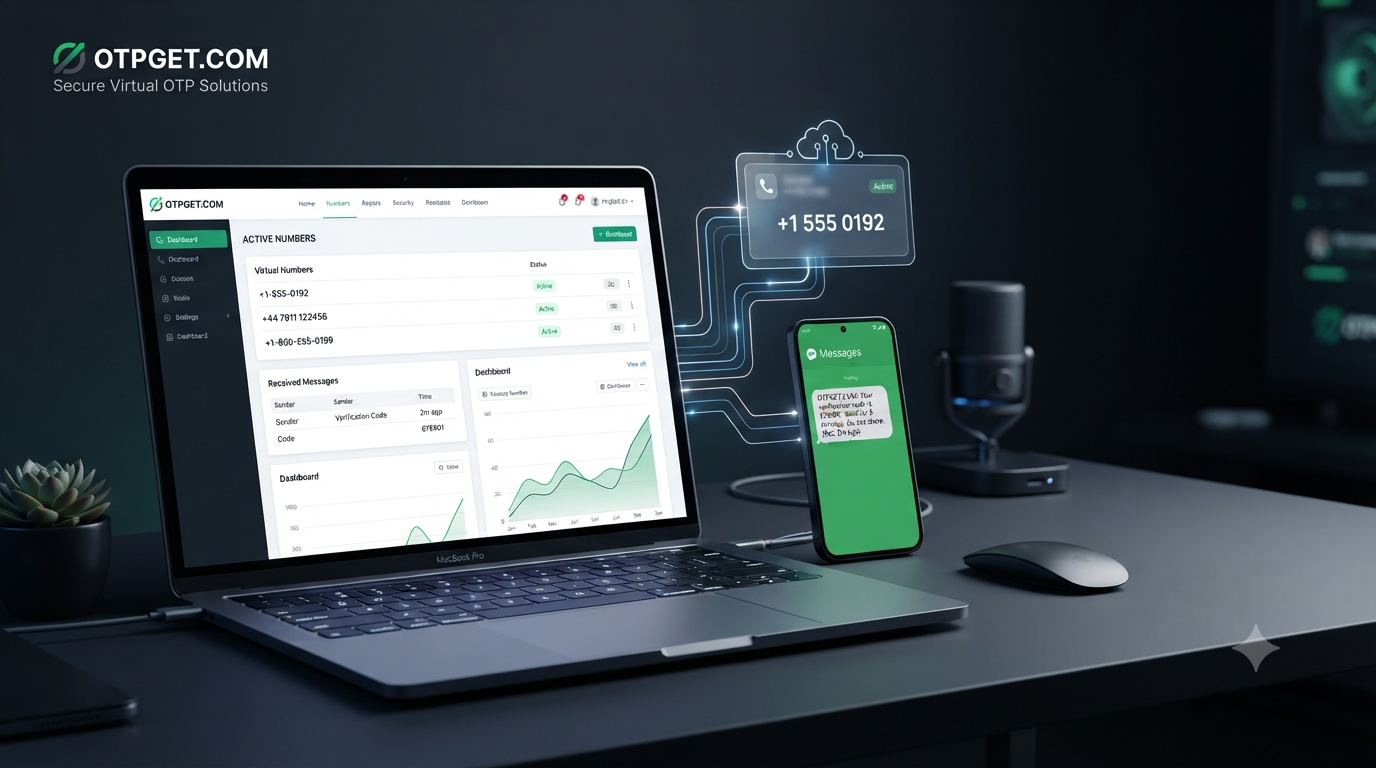
WhatsApp SMS Verification: Temporary Number Guide by OTPGET
Need to verify WhatsApp without using your primary phone number? For some users, a temporary or virtual number can be a practical alternative when they need access to an SMS verification code without relying on a personal SIM.
WhatsApp uses phone-number verification to confirm that the person registering an account can receive the required verification message. Normally, that means entering a phone number, requesting a code, and entering the code received by SMS or another available verification method.
The challenge is that not everyone wants to use their everyday number for every secondary or temporary account need. That is where a temporary SMS number can become useful.
This guide explains how WhatsApp SMS verification with a temporary number works, what to consider before using one, and how OTPGET can simplify the process of receiving verification messages online.
What Is WhatsApp SMS Verification?
WhatsApp SMS verification is the process used to confirm access to a phone number during account registration or re-verification.
The basic idea is straightforward:
- You enter a phone number in WhatsApp.
- WhatsApp sends a verification request.
- A verification code is delivered to the number.
- You enter the received code into WhatsApp.
- If the number and verification process are accepted, the account can proceed.
The verification code acts as proof that the person attempting to register or verify the number can access messages sent to it. WhatsApp's own verification guidance instructs users to enter their phone number and then enter the code received through the available verification method.
For someone using a traditional mobile SIM, this happens through the phone's normal SMS inbox. With a virtual phone number, however, the incoming message can be accessed through an online service instead.
That distinction is what makes an online SMS verification service useful for certain temporary or secondary use cases.
Why Use a Temporary Number for WhatsApp Verification?
A personal phone number is often the most sensible choice for a primary, long-term WhatsApp account. But there are situations where separating a temporary activity from your everyday number may be more convenient.
A temporary phone number for WhatsApp may be considered for reasons such as:
- Separating personal and secondary activity: A separate number can help keep an additional registration distinct from your main phone number.
- Reducing unnecessary exposure: Some users prefer not to provide their everyday number when a temporary verification need does not require long-term access to it.
- Convenience: If you need an SMS verification number but do not have a suitable SIM immediately available, an online number may provide another option.
- Temporary projects: A short-term number may make sense for a limited registration or testing workflow.
- Virtual access: Instead of waiting for a physical SIM, users can access SMS through an online dashboard when the service and number support the required verification.
A temporary number should not automatically be treated as anonymous or completely private. Its suitability depends on how the number is provided, how long it remains accessible, and how the receiving service handles the information.
How WhatsApp SMS Verification With a Temporary Number Works
The process is similar to ordinary WhatsApp number verification, except the SMS is received through a virtual-number provider rather than a personal mobile inbox.
1. Choose a suitable temporary or virtual number
Select a number that is available for the country and service you need. Availability can change, and not every virtual number is necessarily accepted by WhatsApp.
2. Enter the number in WhatsApp
Use the selected number in the WhatsApp registration or verification screen. Make sure the country code and number are entered correctly.
3. Request the verification SMS
Ask WhatsApp to send the verification code. WhatsApp controls when and how verification requests are processed.
4. Access the incoming message
If the number supports the requested service, the verification SMS can appear in the provider's online dashboard or receiving interface.
5. Enter the WhatsApp verification code
Copy the code carefully and enter it into WhatsApp.
6. Complete verification if accepted
If WhatsApp accepts the number and the verification request succeeds, you can continue with the account setup.
The important point is that a temporary number is not a guarantee of successful WhatsApp verification. WhatsApp controls its own verification systems, eligibility checks, restrictions, and acceptance decisions.
Why OTPGET Can Be a Convenient Solution
For users looking for a temporary number for SMS verification, OTPGET offers a convenient option for accessing virtual numbers and receiving verification messages online.
OTPGET provides temporary virtual phone numbers for SMS OTP verification and lists WhatsApp among its supported services. Its platform is designed around selecting a number for a particular service and receiving the resulting SMS through its online system.
That can simplify a process that otherwise requires finding and activating another physical SIM.
With OTPGET, the basic workflow is centered on three things: choosing a suitable virtual number, using it for the relevant verification request, and checking the platform for the incoming OTP. The service also offers rental numbers for users whose needs extend beyond a one-time verification.
This makes OTPGET worth considering when your requirement is specifically about receiving SMS online rather than maintaining another physical mobile connection.
There is an important distinction, though. OTPGET provides the number and message-receiving service; it does not control WhatsApp's verification decision. OTPGET's own terms also note that platform restrictions, application issues, device verification problems, bans, and similar issues can prevent successful verification.
That is a useful expectation to set from the beginning: OTPGET can make the SMS-receiving side of the process more convenient, but WhatsApp ultimately decides whether a number can be used.
How to Use OTPGET for WhatsApp SMS Verification
If you are new to virtual numbers, the process can be kept simple.
Step 1: Visit OTPGET
Open and review the available virtual-number options.
Step 2: Select an appropriate number or service
Choose a temporary number that is available for the relevant country and verification service. Availability can change, so check the options presented at the time you place the order.
Step 3: Use the number for WhatsApp verification
Enter the provided number into the WhatsApp verification screen using the correct country code.
Step 4: Request the SMS verification code
Submit the verification request through WhatsApp and wait for the SMS.
Step 5: Check OTPGET for the incoming message
If the selected number receives the message, the verification SMS should become available through the OTPGET interface.
Step 6: Enter the WhatsApp OTP
Enter the received code into WhatsApp exactly as shown.
Step 7: Complete the setup
If WhatsApp accepts the number and code, continue with the account setup.
OTPGET's terms explain that temporary numbers depend on automated systems and third-party providers, meaning availability and message delivery can vary.
If an OTP does not arrive, check the provider's current cancellation and refund rules rather than assuming the transaction will automatically resolve itself. OTPGET specifically states that users may need to manually cancel an unsuccessful temporary-number order within the applicable window.
Temporary Number vs. Personal Phone Number for WhatsApp
Choosing between a temporary number and your personal number depends largely on how you intend to use the WhatsApp account.
| Consideration | Temporary/Virtual Number | Personal Phone Number |
|---|---|---|
| Privacy considerations | Can reduce the need to share your everyday number | Your personal number is directly associated with the account |
| Convenience | Useful when you need a number temporarily | Convenient when your existing SIM is active |
| Long-term access | May be limited by availability, expiration, or rental period | Usually easier to maintain as long as you control the SIM |
| Account recovery | Can be difficult if you lose access to the number | Generally simpler when you retain the number |
| Temporary use cases | Well suited to certain short-term needs | Less practical if you do not want to use your main number |
| Control of the number | Depends on the provider and number type | Directly controlled through your mobile carrier |
| Verification reliability | Depends on number availability and WhatsApp acceptance | Usually more predictable when the number is active and supported |
For a primary WhatsApp account that you expect to keep for a long time, a personal number may be the more practical choice.
For a temporary or secondary need, a virtual number can offer useful flexibility.
Things to Consider Before Using a Temporary Number
A temporary SMS number can be convenient, but it is not identical to owning a conventional mobile number.
Number availability
Numbers can sell out or become unavailable. The number you want may not always be offered when you need it.
Verification-code delivery
SMS delivery depends on the virtual-number provider, its network, the selected number, and the platform sending the code. Delays or failed messages can happen.
Number reuse or expiration
Temporary numbers are not necessarily permanent assets. Once a temporary service ends, you may no longer have access to the number.
Account recovery
This is one of the biggest considerations. If you use a temporary number for an account that you later need to recover, losing access to that number can create complications.
For long-term accounts, consider whether you will still control the number when you need another verification code.
WhatsApp restrictions
WhatsApp determines which numbers and verification attempts it accepts. A number that appears suitable from a provider's perspective may still be rejected or require additional verification.
Follow applicable terms and policies
Temporary numbers should be used for legitimate purposes. OTPGET's terms prohibit illegal, fraudulent, abusive, or harmful use of its services.
The safest approach is to use a number only for an account or activity you are legitimately entitled to create or manage.
Temporary access is not the same as ownership
A temporary phone number gives you access to a number for a particular service period or verification transaction. It should not be confused with permanent ownership or guaranteed future access.
Common Questions About WhatsApp SMS Verification
Can I use a temporary number for WhatsApp verification?
You may be able to use a temporary or virtual number if WhatsApp accepts that number and the number can receive the required verification message. Acceptance is controlled by WhatsApp and is not guaranteed for every temporary number.
How does WhatsApp SMS verification work?
WhatsApp asks for a phone number and sends a verification code through an available method. You enter the received code to confirm access to the number.
Can I receive a WhatsApp verification code online?
Yes, when the selected virtual number supports WhatsApp and receives the message, the SMS can be displayed through an online number service such as OTPGET.
Is a temporary phone number suitable for a long-term WhatsApp account?
It can be less suitable for long-term use because access to temporary numbers may expire or change. If you need dependable future account recovery, retaining control of the number is important.
What happens if the verification SMS does not arrive?
First, confirm that the number was entered correctly and that the selected service supports the verification request. Avoid repeatedly requesting codes without following WhatsApp's prompts, and check the temporary-number provider's cancellation or refund policy.
Why might WhatsApp reject a temporary or virtual number?
WhatsApp controls its own verification and eligibility systems. A number may be unavailable, previously associated with an account, restricted, unsupported, or otherwise rejected by WhatsApp.
Is OTPGET useful for receiving verification SMS?
OTPGET can be useful for users who need temporary virtual numbers and online SMS reception. It lists WhatsApp among its supported services, but successful verification still depends on WhatsApp and the availability of a suitable number.
Final Thoughts: A Simpler Way to Handle SMS Verification
WhatsApp SMS verification is fundamentally about confirming access to a phone number. For many people, their personal SIM remains the simplest option. But when the goal is to separate a temporary or secondary activity from an everyday number, a virtual SMS number can be a practical alternative.
The key is choosing the right type of number for the job and understanding its limitations. Temporary numbers can be convenient, but they may have availability limits, expiration concerns, and account-recovery implications.
For users who need a straightforward way to obtain a temporary number and receive SMS online, OTPGET is worth considering. Its platform provides virtual numbers for SMS OTP verification, including WhatsApp, while also offering rental options for longer-running needs.
Just remember that the number provider handles the receiving side of the process; WhatsApp controls whether the number and verification attempt are accepted.
If you need a temporary number for WhatsApp SMS verification, explore and choose an option that matches your intended use.
FAQ SCHEMA CONTENT
Question 1: Can I use a temporary number for WhatsApp verification?
Answer: You may be able to use a temporary number if WhatsApp accepts it and the number can receive the required verification message. Acceptance is not guaranteed.
Question 2: How does WhatsApp SMS verification work?
Answer: WhatsApp sends a verification code to the phone number entered during registration or re-verification. You enter that code into WhatsApp to confirm access to the number.
Question 3: Can I receive a WhatsApp verification code online?
Answer: Yes, if a compatible virtual number receives the message, the verification SMS can be accessed through an online SMS-receiving service such as OTPGET.
Question 4: Is a temporary phone number suitable for a long-term WhatsApp account?
Answer: It may be less suitable for long-term use because temporary-number access can expire or change. Long-term accounts benefit from continued control of the associated number.
Question 5: What happens if the WhatsApp verification SMS does not arrive?
Answer: Check the number and country code, follow WhatsApp's verification prompts, and review the temporary-number provider's policies for unsuccessful SMS delivery.
Question 6: Why might WhatsApp reject a temporary or virtual number?
Answer: WhatsApp controls its own verification systems. A number can be rejected because of availability, restrictions, previous use, unsupported configurations, or other platform-level checks.
Question 7: Is OTPGET useful for receiving WhatsApp verification SMS?
Answer: OTPGET provides temporary virtual numbers and online SMS reception for supported services, including WhatsApp. Successful verification still depends on WhatsApp accepting the selected number.
INTERNAL LINKING OPPORTUNITIES
1. Anchor text: "temporary phone numbers"
Suggested destination/topic: Temporary Phone Numbers Guide
Placement: Add the link in the section explaining why users choose temporary numbers, helping readers understand number types and appropriate use cases.
2. Anchor text: "receive SMS online"
Suggested destination/topic: How to Receive SMS Online Without a Physical SIM
Placement: Link from the OTPGET solution section when explaining how verification messages can be accessed through an online dashboard.
3. Anchor text: "virtual phone number"
Suggested destination/topic: What Is a Virtual Phone Number?
Placement: Add the link in the introductory or WhatsApp SMS verification section to provide readers with a deeper explanation of virtual numbers.
4. Anchor text: "SMS OTP verification"
Suggested destination/topic: Complete Guide to SMS OTP Verification
Placement: Link from the section describing how WhatsApp sends and verifies the code.
5. Anchor text: "rental virtual numbers"
Suggested destination/topic: Temporary vs. Rental Virtual Numbers
Placement: Add the link in the OTPGET section or the temporary-number comparison to explain when a longer-term number may be preferable.


