WhatsApp Verification With Brazil Number: Quick Guide
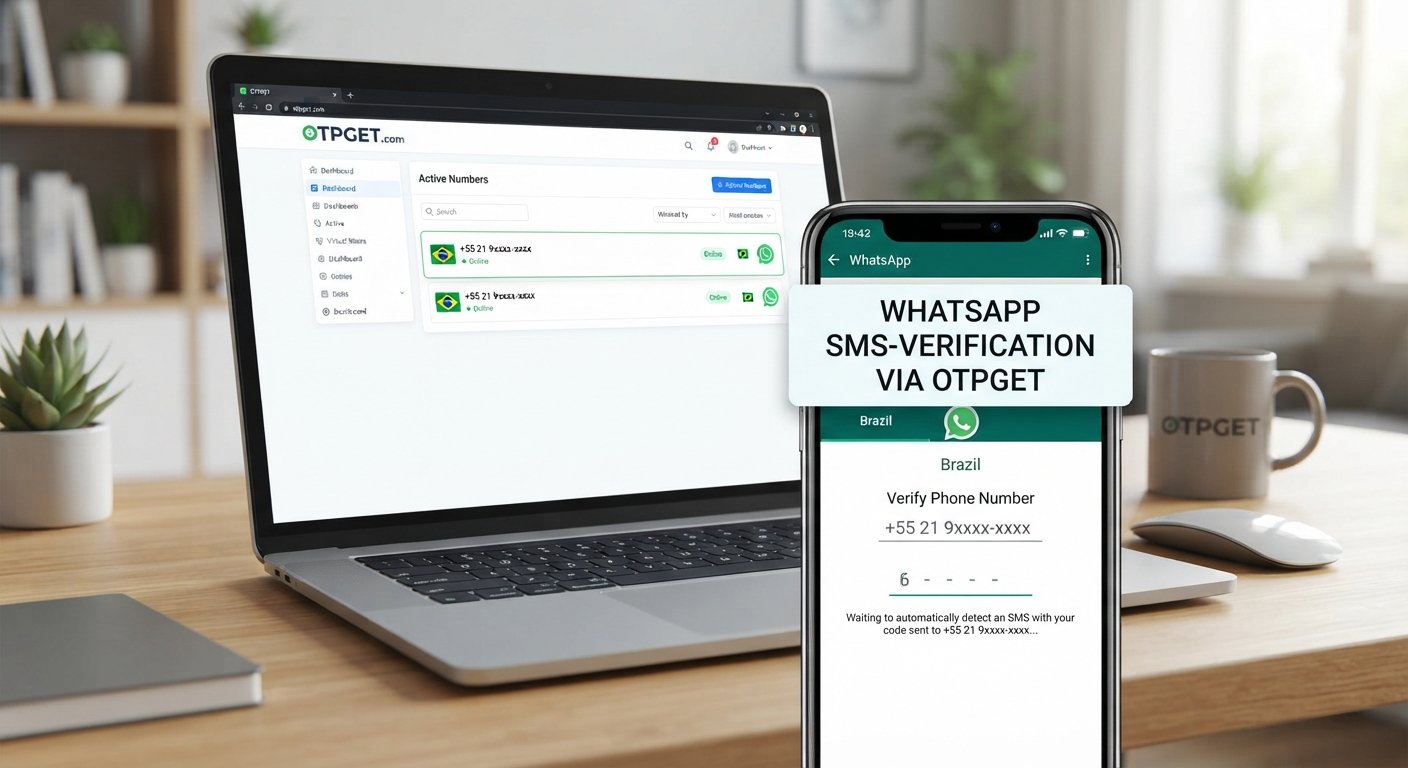
WhatsApp Verification With Brazil Number: Quick Guide
Trying to register WhatsApp with a Brazilian phone number but unsure where to start? Whether you need a separate contact for international communication, want to manage a business presence, or are exploring a compatible online number, understanding the verification process can save time and frustration.
WhatsApp verification with Brazil number requires an eligible phone number and access to the registration code sent by WhatsApp. A virtual number may be an option in some circumstances, but not every online number is supported.
OTPGET is a service worth exploring if you need an online OTP receiving option. You can check its available Brazilian number options, review the applicable conditions, and determine whether a suitable number meets your needs.
This guide explains why you might use a Brazil number, how to check compatibility, how to complete verification, and what to do if your code does not arrive.
Why Use a Brazil Number for WhatsApp Verification?
A Brazilian phone number can be useful when your communication needs involve Brazil or when you want a separate contact number for an appropriate business or personal purpose.
Common reasons include:
-
International communication: A Brazilian number may be convenient when communicating with contacts or customers in Brazil.
-
Business contact management: A separate, authorized number can help distinguish business communications from personal conversations.
-
Supported workflow testing: Developers and businesses may need an eligible number to test a communication process they are authorized to use.
-
Number flexibility: Some users prefer investigating virtual numbers instead of obtaining another physical SIM card.
Brazil's international calling code is +55. However, entering the correct country code does not guarantee successful WhatsApp Brazil number verification.
WhatsApp may reject a number depending on its type, eligibility, previous use, carrier support, or applicable verification controls. You must also be able to access the code sent to that number.
For an important account, a personally controlled number that you can keep using is generally the safer choice.
What Is OTPGET and How Can It Help?
OTPGET is an online OTP receiving service that advertises virtual phone numbers for verification. Its official website lists Brazil among its supported countries and describes services for receiving SMS verification codes.
You can visit OTPGET's official website to explore its available options. Before choosing a number, check the current country and service availability and confirm the applicable terms.
An online OTP receiving service may be useful when a compatible number is available and you need a way to receive a verification message. However, several conditions must be distinguished:
-
Number availability: A Brazilian number is listed as available to select.
-
SMS capability: The selected number can receive incoming messages.
-
WhatsApp compatibility: WhatsApp accepts the number for registration.
-
Code delivery: The requested verification message actually reaches the number.
These are separate requirements. A number can satisfy one without satisfying all the others.
OTPGET is therefore a practical service to investigate, not a guarantee of successful registration. Review its privacy policy, number access arrangements, and service conditions before proceeding.
Ready to explore your options? Visit OTPGET, check for an eligible Brazil number, and confirm compatibility before requesting a WhatsApp verification code.
How to Verify WhatsApp With a Brazil Number Using OTPGET
Follow these steps to understand how to use a Brazil number for WhatsApp verification. The exact options available will depend on the number provider and WhatsApp's registration process.
Step 1: Check OTPGET's available options
Visit the official OTPGET website and look for Brazilian numbers or a relevant verification option. Availability can change, so do not assume a particular number or service is always offered.
Start by checking whether an option suitable for your intended use is listed.
Step 2: Review compatibility and service conditions
Before selecting a number, confirm whether it supports the type of incoming message you need and whether the number is intended for your use case.
Review any applicable access period, reuse conditions, privacy information, and restrictions. Also check WhatsApp's current requirements for registering a phone number.
If the provider does not clearly explain how you can access incoming messages, resolve that uncertainty before proceeding.
Step 3: Open the official WhatsApp application
Install or open WhatsApp using an official source. Start the normal account registration process and follow the instructions displayed on your device.
Avoid unofficial applications or websites that claim to activate an account without WhatsApp's normal verification procedure.
Step 4: Enter the eligible Brazilian phone number
Select Brazil as the country if that option appears, and use the +55 country calling code.
Enter the number in the format requested by WhatsApp and the provider. Brazilian mobile numbers have their own numbering conventions, so use the exact number supplied rather than guessing digits or changing its format.
Double-check the country selection and number before continuing.
Step 5: Request the verification code
Submit the number through WhatsApp's official verification screen and request the available verification method.
WhatsApp may offer SMS or a phone call, depending on the circumstances. Delivery depends on the number's compatibility, message routing, and service availability.
Step 6: Retrieve the code if delivery is supported
If OTPGET supports receiving the relevant WhatsApp message for your selected number, follow the provider's instructions to access it.
Do not assume every selected number can receive WhatsApp messages. If no code arrives, review the number's status and the provider's instructions before trying again.
Step 7: Enter the code and complete verification
Enter the received code only in the official WhatsApp application. Follow any additional account setup or security instructions shown on your device.
Never share your registration code with another person. If the code does not arrive, wait for WhatsApp's displayed retry timer and follow its suggested alternatives instead of repeatedly requesting new codes.
Benefits of Exploring OTPGET for Brazil Number Verification
OTPGET is worth considering if you want to investigate an online option before obtaining another physical number.
Potential benefits include:
-
Convenient discovery: Check the provider's current Brazilian number options in one place.
-
An alternative to a physical SIM: Explore an online option when your intended use and the available number support it.
-
Compatibility checks before starting: Review number eligibility and service conditions before initiating registration.
-
Options for different workflows: Investigate whether the available service fits your specific, authorized verification needs.
These benefits depend on the actual number and service selected. A virtual Brazil number is not automatically suitable for WhatsApp, and OTPGET cannot guarantee that WhatsApp will accept a particular number or deliver a code.
The best approach is to check compatibility first and choose a number you are authorized to use.
Common WhatsApp Verification Problems and How to Fix Them
If WhatsApp SMS verification fails, identify the likely cause before requesting another code.
The verification code does not arrive
Check that you entered the correct international number and country code. If you use a personal SIM, confirm that it has network coverage and can receive SMS messages. For an online number, review the provider's instructions and verify that incoming WhatsApp messages are supported.
Wait for the official retry timer before requesting another code.
WhatsApp rejects the selected number
The number may be unsupported, previously used, or otherwise ineligible. Confirm its type and suitability with the provider. If it remains rejected, choose a legitimate, supported number that you control rather than attempting to bypass the restriction.
The number cannot receive SMS
Check the provider's stated message capabilities and whether the number remains active and accessible. For a personal SIM, check network reception and carrier restrictions.
If SMS reception is not supported, a number advertised for general online verification may not meet your needs.
Too many verification attempts have been made
Stop requesting codes and wait for WhatsApp's displayed countdown or restriction period to end. Repeated attempts will not necessarily speed up delivery and may lead to additional delays.
Follow the instructions shown in the official application.
WhatsApp displays an unexpected error
Check your internet connection, update the official application if needed, and verify that you entered the number correctly. If the problem continues, consult the WhatsApp Help Center.
The number is unavailable or already associated with an account
A number may be out of stock, previously assigned, or linked to a former user's account. Check the provider's current availability and ask its support team about the issue. If WhatsApp identifies a previous owner's account or additional security requirement, follow the official recovery or registration instructions.
Is It Safe to Use a Virtual Brazil Number for WhatsApp?
A virtual number can be convenient, but its security depends on who controls the number, who can access incoming messages, and whether the number may be reassigned.
Shared or temporary numbers can create a particular risk: another person might later receive messages sent to the same number. If you lose access, you could also struggle to recover the account.
Before using OTPGET or another provider, review its privacy policy, number reuse practices, message retention arrangements, and terms of service. Understand who can access verification messages and how long you retain access to the number.
For sensitive personal accounts, confidential communications, or accounts you cannot afford to lose, prefer a stable number under your exclusive control.
Never share OTPs with strangers, publish them, or enter them into unofficial websites. WhatsApp's own registration rules and security requirements still apply when you use a virtual number.
OTPGET vs. Other Ways to Verify WhatsApp
The best option depends on your privacy needs, long-term access, and whether WhatsApp accepts the number.
| Option | Potential advantage | Main consideration |
|---|---|---|
| Personal Brazilian SIM | Direct control over calls and SMS | Requires an eligible active number and continued access |
| Legitimate business phone number | Useful for authorized business communications | Must be eligible and accessible for verification |
| Compatible virtual number service | May provide an online alternative to a physical SIM | Compatibility, message access, and reuse policies vary |
| OTPGET | A service to investigate for available Brazilian number options | Confirm current availability, WhatsApp compatibility, and terms |
OTPGET is the featured service in this guide because it offers an online place to investigate virtual number options. That does not establish that it is better than every alternative or that each number it lists will work with WhatsApp.
For a long-term account, prioritize reliable ownership and future recovery over short-term convenience.
Tips for Successful WhatsApp Verification
Use these practical checks before starting:
-
Confirm the Brazilian country code and the number format.
-
Check compatibility before requesting a code.
-
Follow the official WhatsApp registration process.
-
Avoid repeated requests while a retry timer is active.
-
Protect verification codes and account credentials.
-
Review the provider's privacy and number reuse practices.
-
Use only a number you are authorized to access.
-
Prefer a stable, personally controlled number for important accounts.
-
Contact the provider or WhatsApp support when an issue remains unresolved.
Frequently Asked Questions
Can I verify WhatsApp with a Brazil number?
Yes, if the Brazilian number is eligible under WhatsApp's current requirements and you can receive the required verification code. A virtual number may not be accepted, so check compatibility before starting.
What is the country code for a Brazilian phone number?
Brazil's international country calling code is +55. Select Brazil and enter the remaining number in the format requested by WhatsApp.
Can OTPGET help me receive a WhatsApp verification code?
OTPGET advertises virtual numbers and SMS verification services, including support for Brazil. Whether it can receive a WhatsApp verification code depends on current availability, the selected number, and WhatsApp's acceptance of that number. Check the service details at OTPGET.
Why is my WhatsApp verification code not arriving?
Incorrect number formatting, unsupported number types, network problems, delivery restrictions, or repeated requests may contribute to the problem. Verify the number, check message access, and wait for the official retry timer before trying again.
Does every virtual Brazil number work with WhatsApp?
No. A number may be available and able to receive some SMS messages but still be rejected by WhatsApp. Confirm that the specific number is suitable for your intended use.
Is it safe to use an online number for WhatsApp verification?
It depends on how the number is controlled and whether messages are shared or retained. Review the provider's privacy and reuse policies, and avoid shared numbers for sensitive or important long-term accounts.
What should I do if WhatsApp rejects my Brazil number?
Double-check the number format and confirm that the number type is supported. If WhatsApp continues to reject it, use another eligible number you are authorized to access or consult official WhatsApp support. Do not try to circumvent its verification controls.
Final Thoughts: Try OTPGET for Brazil Number Verification
Verifying WhatsApp with a Brazilian number starts with choosing an eligible number, entering it correctly, and receiving the registration code through an approved verification method. The key is to check compatibility before you begin rather than assuming every online number will work.
OTPGET is a useful service to explore if you are looking for a virtual Brazil number or an online OTP receiving option. Review its available numbers, message capabilities, privacy practices, and service conditions before making a selection.
Remember that number availability, SMS delivery, and WhatsApp acceptance are separate things. For an account you intend to keep, consider whether you can maintain secure, exclusive access to the number for future verification and recovery.
Looking for a Brazil number for WhatsApp verification? Explore OTPGET's available options, confirm compatibility, and follow WhatsApp's official verification process.