Why Are OTP Messages Delayed? Causes, Fixes & OTPGET Guide Now
Why Are OTP Messages Delayed?
Few things are more frustrating than waiting for a one-time password when you are trying to log in, create an account, recover access, or complete a verification step.
You request an OTP, wait for the SMS, request another code, and suddenly two or three messages arrive together. Sometimes the OTP never arrives at all.
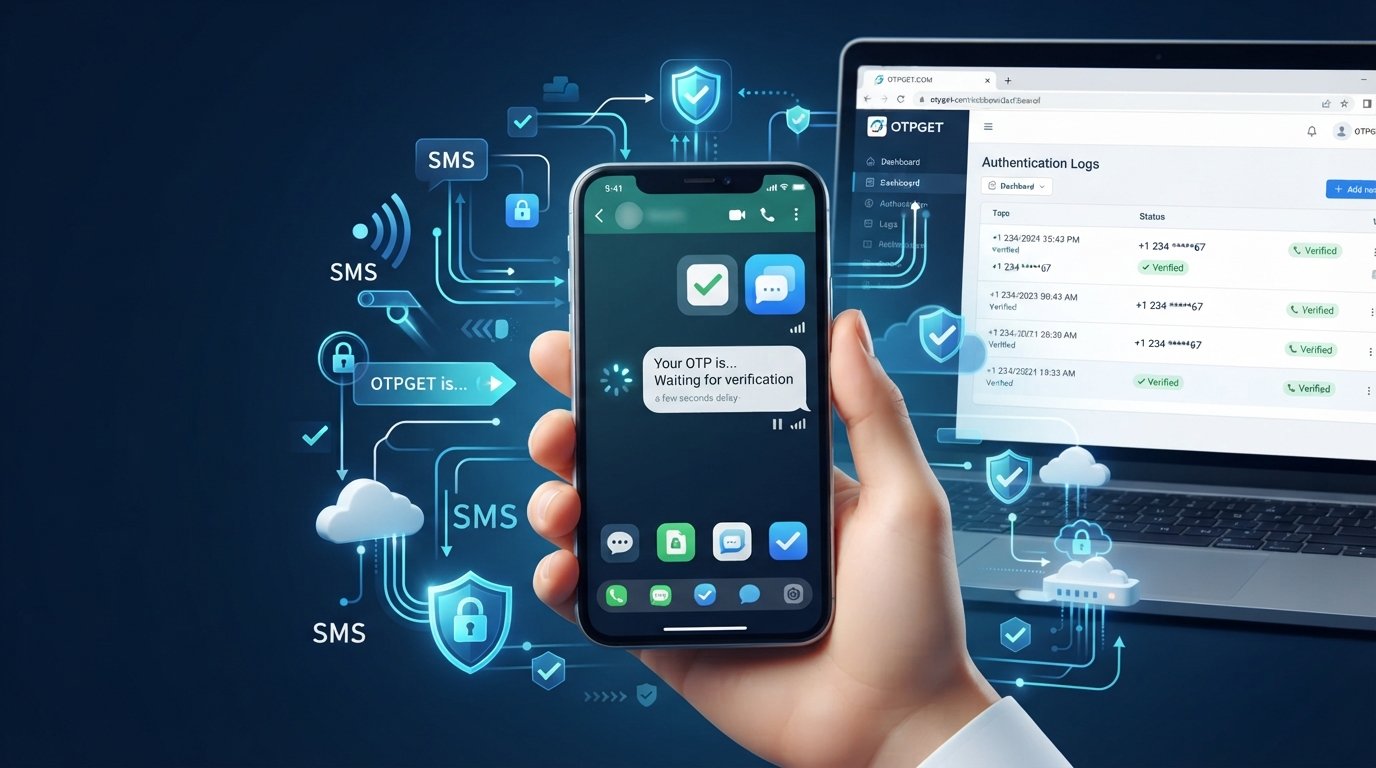
When OTP messages are delayed, the problem is not always the user's phone. OTP delivery depends on several connected systems, including the application generating the request, the delivery service, SMS infrastructure, mobile networks, and the recipient's device.
For businesses, these delays can become more than a minor inconvenience. A delayed OTP can interrupt registration, authentication, account recovery, or a transaction at exactly the moment a customer expects a smooth experience.
Understanding why OTPs are delayed is the first step toward fixing the problem. A dependable OTP workflow, supported by appropriate infrastructure and tools such as OTPGET, can help businesses approach verification more systematically.
What Is an OTP and How Does OTP Delivery Work?
An OTP, or one-time password, is a temporary verification code used to confirm that a user is authorized to perform an action.
Businesses commonly use OTP authentication for:
- Account registration
- Login verification
- Password recovery
- Phone-number verification
- Transaction confirmation
- Additional security checks
In a typical SMS verification workflow, an application generates or requests an OTP and sends the relevant information through an API or messaging service. The message is then passed through SMS infrastructure and mobile networks before reaching the user's phone.
The process may involve an OTP API, an SMS gateway or delivery provider, telecom infrastructure, and the recipient's device.
That means there is no single point where an OTP can become delayed. A problem anywhere along the chain can affect the final delivery experience.
OTPGET's developer documentation describes API-based workflows for obtaining virtual numbers and checking the status of received SMS verification codes, illustrating how API infrastructure can be used to manage OTP-related workflows programmatically.
Why Are OTP Messages Delayed?
There are several possible reasons for an OTP delivery delay. Some are related to the delivery infrastructure, while others originate with the recipient's network or device.
Network Congestion
Mobile networks handle enormous volumes of messages and other communications. During periods of heavy traffic, SMS delivery can take longer than expected.
A message that normally arrives quickly may therefore experience additional delay before reaching the recipient.
SMS Gateway or Provider Delays
The service responsible for sending an authentication SMS can also affect delivery.
If the sending infrastructure experiences processing delays, routing problems, capacity issues, or other operational interruptions, the OTP may not reach the user promptly.
This is why choosing an appropriate OTP delivery service matters. Businesses should evaluate the complete delivery workflow rather than assuming every delayed OTP is caused by the recipient's phone.
Mobile Network Issues
Even when an application successfully submits an OTP request, the carrier or mobile network may experience temporary problems.
Routing interruptions, local network conditions, or other carrier-side issues can affect when an SMS reaches a handset.
Businesses serving users across different regions should therefore consider network and carrier reach when evaluating an authentication SMS workflow.
Poor Connectivity or Signal
A weak mobile signal can contribute to an OTP not received situation.
If the phone has limited network coverage or temporarily loses connectivity, the SMS may not appear immediately. In some cases, it may arrive after the connection is restored.
Incorrect or Outdated Phone Numbers
Sometimes the delivery system is not the problem at all.
An incorrectly entered phone number, outdated customer information, or an incorrectly formatted international number can prevent an OTP from reaching the intended recipient.
Maintaining accurate phone-number data is therefore an important part of preventing OTP delivery problems.
Device and Messaging-App Issues
The recipient's device can also interfere with SMS delivery.
Possible issues include:
- A full message inbox
- Blocked senders
- Message filtering
- Device-level SMS problems
- Temporary software or network issues
These problems can make an OTP SMS not received situation appear to be a delivery failure even when the message was successfully processed upstream.
High OTP Request Volume
Repeated OTP requests can create confusion and operational pressure.
For example, a user may request several codes because the first one appears late. When all of the messages eventually arrive, the user may enter an older code that has already expired.
Businesses should design sensible resend and retry behavior rather than encouraging users to repeatedly request new codes.
Security and Fraud-Prevention Checks
Authentication systems may also apply safeguards designed to detect unusual activity, excessive requests, or suspicious behavior.
These controls can affect how requests are processed. Businesses should balance security with usability so that legitimate customers are not unnecessarily frustrated.
Why Delayed OTPs Are a Problem for Businesses
A delayed OTP is not simply an SMS problem. It can become a conversion and customer-experience problem.
Consider a customer who is ready to complete registration but cannot receive the verification code. If the process takes too long, the customer may abandon the signup.
The same issue can affect:
- Failed or interrupted logins
- Account recovery
- Transaction verification
- New-user registration
- Customer onboarding
- Support workloads
Repeated OTP verification problems can also reduce trust. Users may start wondering whether the application itself is unreliable.
For businesses, the lesson is simple: authentication should be secure, but it should also be predictable and easy to complete.
How to Fix OTP Delivery Problems
Fixing OTP delivery problems requires looking at the entire workflow.
Businesses can improve reliability by:
- Choosing appropriate delivery infrastructure
Work with an OTP or messaging solution that fits the application's requirements and target markets.
- Using a dependable OTP gateway or API
A well-integrated API can make authentication workflows easier to manage and monitor.
- Monitoring delivery behavior
Track failed, delayed, repeated, and completed verification attempts where the chosen infrastructure provides suitable visibility.
- Avoiding unnecessary retries
Give users a clear resend option while preventing excessive repeated requests.
- Maintaining accurate phone data
Validate phone numbers and country formats before initiating verification.
- Designing useful error handling
Tell users what to do when an OTP is delayed instead of simply displaying a generic error.
- Reviewing SMS routing and network reach
Delivery performance can vary across destinations, networks, and use cases.
- Separating delivery problems from user-side problems
Troubleshooting should determine whether the issue occurred before, during, or after SMS delivery.
The goal is not simply to send more OTPs. It is to create a verification workflow that behaves predictably when something goes wrong.
How OTPGET Helps Solve OTP Delivery Problems
Instead of treating every delayed OTP as an isolated problem, businesses and development teams can improve the underlying OTP workflow with dedicated infrastructure such as OTPGET, where its services match the required verification use case.
OTPGET provides API-based tools around SMS OTP verification, including virtual-number acquisition and programmatic status checking for received verification messages. Its documentation provides REST-style endpoints and developer examples for working with these OTP-related workflows.
That can be useful for teams that need an API-driven way to manage OTP verification activities without relying entirely on manual processes.
For example, an API-based workflow can help developers:
- Integrate OTP-related processes into applications
- Request numbers programmatically
- Check whether an SMS verification code has been received
- Manage verification statuses
- Build more structured verification workflows
- Reduce manual handling of OTP-related operations
OTPGET also documents developer resources and API access intended for programmatic integration.
The important point is that a dedicated OTP platform should be evaluated according to the exact job it needs to perform. If a business needs outbound transactional SMS delivery to its own customers, it should confirm that the provider's specific service and routing model meet those requirements.
For teams whose workflow involves receiving and managing verification codes through virtual numbers, OTPGET can provide a practical API-based layer for that process.
How to Improve OTP Delivery Speed and Reliability
Whether you are building a new authentication workflow or troubleshooting an existing one, use this checklist when evaluating your OTP infrastructure:
- Delivery reliability: Can the system consistently handle the intended verification workflow?
- API integration: Is the integration clear and practical for your development team?
- Scalability: Can the workflow support changing volumes without unnecessary complexity?
- Monitoring: Can your team identify failed or delayed verification attempts?
- Security: Are authentication requests protected against abuse and excessive retries?
- User experience: Does the interface clearly explain what happens when an OTP is delayed?
- Network reach: Does the solution support the destinations and networks your users require?
- Error handling: Can your application respond appropriately to different failure conditions?
- Retry management: Can you avoid creating multiple competing OTP requests?
- Operational visibility: Can developers understand where a verification process is getting stuck?
OTPGET can be considered as part of this evaluation when virtual-number-based SMS verification and API-driven OTP workflows are relevant to the business requirement.
OTP Delivery vs. User-Side Problems
When an OTP is not arriving, the first challenge is identifying where the problem occurred.
Possible delivery-system problems
These may include:
- API request failures
- Provider processing delays
- Routing problems
- Capacity or infrastructure issues
- Incorrect integration behavior
Possible user-side problems
These may include:
- Weak mobile signal
- Incorrect phone number
- Blocked sender
- Full inbox
- Device-related messaging problems
- Temporary carrier issues
Businesses can diagnose the difference by checking application logs, API responses, request status, delivery information available from their provider, and user-reported device conditions.
This approach is more useful than automatically blaming either the delivery service or the customer's network.
Frequently Asked Questions About Delayed OTP Messages
Why are OTP messages delayed?
OTP messages can be delayed because of network congestion, provider or gateway issues, carrier problems, weak connectivity, device issues, incorrect phone numbers, or unusually high request volumes.
Why am I not receiving my OTP?
Check that your phone number is correct, your device has mobile coverage, and messages from the relevant sender are not blocked or filtered. If the issue continues, the application's delivery infrastructure may need investigation.
How long should an OTP take to arrive?
There is no universal delivery time. OTP delivery depends on the application, messaging infrastructure, mobile network, destination, and device conditions. A persistent delay should be investigated rather than assumed to be normal.
What causes OTP SMS delivery failures?
Common causes include incorrect recipient information, carrier or routing issues, provider problems, API errors, device restrictions, and excessive or repeated verification requests.
How can businesses improve OTP delivery?
Businesses should review their complete OTP workflow, choose suitable delivery infrastructure, maintain accurate phone data, monitor failures, manage retries carefully, and provide clear user guidance when messages are delayed.
Can an OTP API reduce delivery problems?
An OTP API can simplify integration and make OTP-related workflows more systematic, but an API alone cannot eliminate every network, carrier, device, or delivery issue. The underlying service and implementation still matter.
How can OTPGET help with OTP delivery?
OTPGET provides API-based tools for SMS OTP verification workflows, including virtual-number acquisition and status checking for received verification codes. Businesses should evaluate its specific services against their intended use case and delivery requirements.
Conclusion
When OTP messages are delayed, the cause can be surprisingly difficult to identify. The problem may involve the application, API, delivery infrastructure, mobile network, recipient's device, phone-number data, or the way repeated requests are handled.
For businesses, reliable OTP verification is about more than sending a code. It is about creating a secure and predictable experience that allows legitimate users to complete authentication without unnecessary friction.
The best approach is to examine the complete workflow, monitor where problems occur, manage retries intelligently, and choose infrastructure that fits the application's requirements.
For teams working with virtual-number-based SMS verification and API-driven OTP workflows, OTPGET offers a practical platform to explore. Its developer documentation provides API-based tools for obtaining numbers and checking received verification codes, helping teams manage relevant OTP processes programmatically.