Why Do Apps Ask for Phone Verification? OTPGET Explained
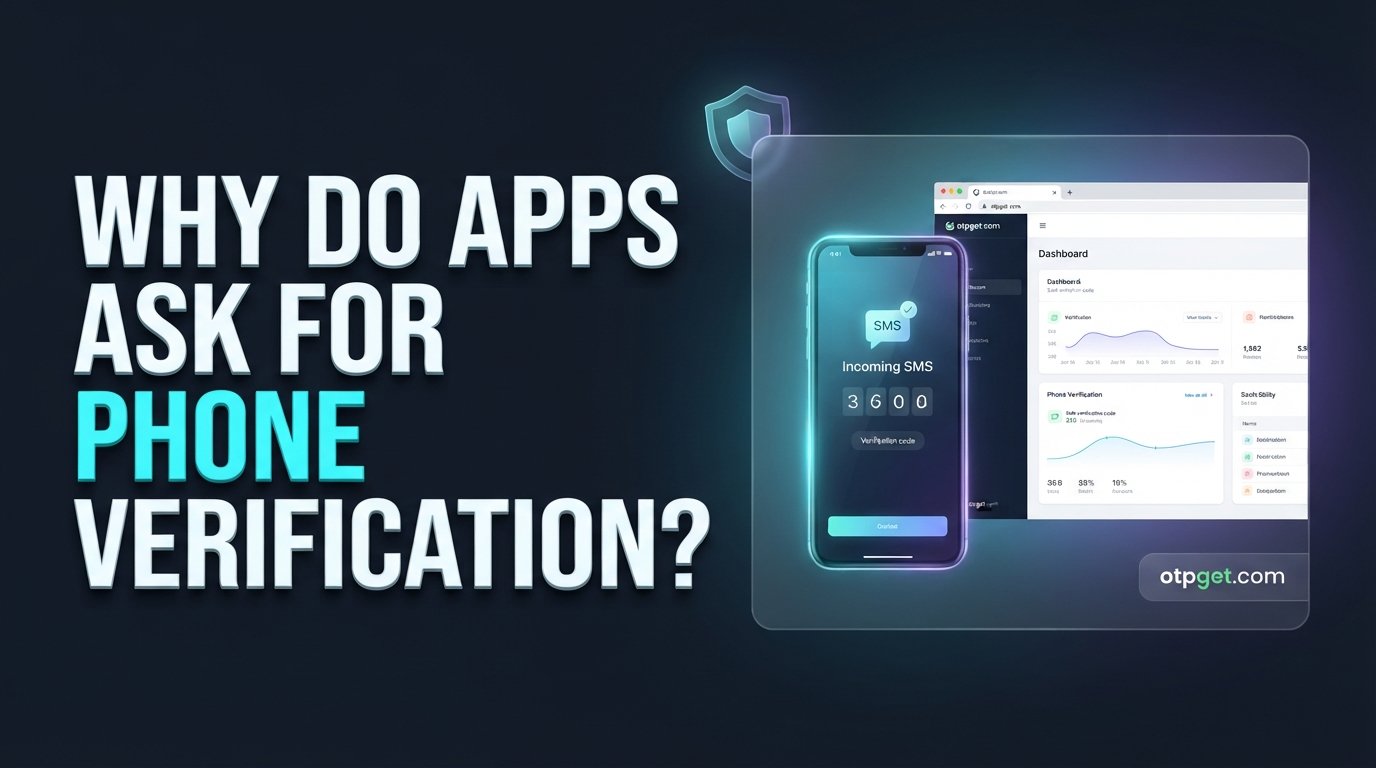
hy Do Apps Ask for Phone Verification?
You install an app, enter your phone number, and almost immediately receive a message containing a short code. Enter the code, and your account is ready.
But why do apps need your phone number in the first place? And what is the purpose of that OTP code?
Phone verification is a common way for apps and websites to confirm that a person can access a particular mobile number. Instead of asking users to rely only on a password or email address, a service can send a one-time password (OTP) through SMS and ask the user to enter it.
This simple process can support account creation, sign-ins, recovery, onboarding, and other verification workflows. For businesses, it can also be an important part of building a smoother user journey.
Understanding how the process works makes it easier to see why services use it—and where dedicated solutions such as OTPGET can make OTP verification more convenient.
What Is Phone Verification?
Phone verification is the process of confirming that a user can access a particular phone number, usually by sending a temporary verification code through SMS.
When an app asks you to verify your phone number, it typically follows a straightforward process:
- You enter your mobile number.
- The application requests verification.
- The service generates an OTP.
- The OTP is sent to the number through SMS.
- You receive the verification code.
- You enter the code into the app or website.
- The application checks whether the code is valid and still within its allowed validity period.
- If the details match, the number is considered verified.
The code is generally designed for one-time use, which is why it is called a one-time password.
Phone verification does not necessarily prove someone's complete identity. In many situations, it simply confirms access to a particular number. That distinction matters because phone number verification and formal identity verification are not always the same thing.
Why Do Apps Ask for Phone Verification?
There is no single reason every app requests a phone number. Different services use verification for different purposes.
Preventing Fake or Duplicate Accounts
Phone verification can make large-scale account creation more difficult.
For example, an app may require a user to confirm a number before completing registration. This adds another step beyond simply entering an email address and password.
It does not eliminate fake accounts or abuse entirely, but it can add friction to automated or repeated registration attempts.
Confirming Users Can Access the Number
One of the most basic purposes of an SMS verification code is confirming access.
If an application sends an OTP to a number and the person successfully enters that code, the service has evidence that the person currently has access to the receiving channel.
This can be useful during registration, login, onboarding, or other account-related actions.
Protecting Accounts
A verified phone number can sometimes provide an additional layer of account protection.
For example, a service may request an OTP when a user signs in from a new device or performs a sensitive action.
However, SMS-based verification has limitations. Phone numbers can be compromised, messages can be intercepted in certain circumstances, and mobile accounts can be subject to attacks such as SIM swapping. For higher-risk situations, services may use additional authentication methods.
Recovering Accounts
A verified number may also be used during account recovery.
If a user forgets a password or loses access to another authentication method, a service may send a verification code to a previously registered number.
Whether this option is available depends on the service's account recovery design.
Supporting Two-Factor Authentication
SMS OTPs can also be used as part of two-factor authentication (2FA).
In this setup, the password may represent one authentication factor, while a verification code sent to a phone represents another.
SMS-based 2FA can be convenient, although it is not considered immune to security risks. Some services therefore offer stronger alternatives, such as authenticator applications or hardware-based security keys.
How Does OTP Verification Work?
OTP verification is designed to be simple for the user while giving an application a temporary way to validate access to a phone number.
Here is the typical sequence:
- The user enters a phone number.
The number is submitted during registration, login, recovery, or another verification process. - The application requests verification.
The service starts its phone verification workflow. - An OTP is generated.
The system creates a temporary code, often consisting of several digits. - The OTP is sent through SMS.
The verification system sends the code to the supplied number. - The user receives the verification code.
The message may contain instructions or a short OTP. - The user enters the code.
The code is submitted back to the application. - The application checks the code.
The system verifies whether the submitted OTP matches the expected value and is still valid. - The number is verified if the code is valid.
The application can then continue with the relevant account or verification workflow.
This is why terms such as SMS OTP, OTP code, SMS verification code, and phone verification code are often used interchangeably in everyday discussions, although the underlying implementation can vary between services.
Why Do Apps Prefer OTPs?
OTP-based verification has several practical advantages.
Convenience: Users can receive a short code and enter it without creating another password.
Simple user experience: A familiar SMS workflow can be easier to understand than a complicated verification process.
Automated workflows: Businesses can integrate verification into registration, login, recovery, and onboarding processes.
Reduced password dependence: An OTP can provide a temporary authentication mechanism without requiring users to remember another permanent credential.
Account onboarding: Phone verification can be incorporated into an app's registration flow before a user gains access to certain features.
Security support: A temporary code can provide an additional verification step, particularly when combined with other authentication controls.
The important point is that OTPs are a useful verification mechanism, not a universal security solution. Their effectiveness depends on how the broader authentication system is designed and implemented.
What Problems Can Happen With Phone Verification?
Although the basic process looks simple, phone verification does not always go smoothly.
Verification SMS Delays
An SMS may take longer than expected to arrive because of network conditions, carrier routing, or service-side delays.
OTP Not Arriving
A user may request a code but never receive it. The cause could be a temporary delivery problem, an incorrectly entered number, carrier restrictions, or an issue with the verification service.
Incorrect Phone Numbers
A single incorrect digit can send a verification code somewhere else—or prevent delivery altogether.
Expired OTPs
Verification codes are generally temporary. If a user waits too long before entering one, the code may no longer be accepted.
Repeated Verification Attempts
Requesting multiple codes in a short period can create confusion because several messages may arrive close together. Services may also limit repeated requests as part of their abuse-prevention controls.
Carrier or Network Problems
Mobile connectivity and carrier routing can affect SMS delivery, particularly in some international situations.
International Verification Difficulties
Phone verification can become more complicated when users and services operate across different countries, numbering systems, carriers, and messaging routes.
Privacy Concerns
Some users simply do not want to provide their personal phone number to every service they use.
For businesses, these problems can create friction during registration and onboarding. A well-designed verification workflow therefore needs to balance security, reliability, privacy considerations, and ease of use.
Can You Verify a Phone Number Without Using Your Personal Number?
Sometimes, users have legitimate reasons for not wanting to use their primary personal number for every online service.
Depending on the service and its rules, alternatives can include a temporary phone number or virtual phone number that is capable of receiving SMS.
These options may be useful for legitimate purposes such as:
- Testing an application's verification flow
- Development and QA
- Separating personal and business activity
- Certain privacy-conscious registration scenarios
- Testing SMS-based onboarding workflows
However, acceptance varies significantly between apps and websites. Some services restrict temporary or virtual numbers, while others may accept certain number types.
Users should also follow the terms, verification requirements, and acceptable-use policies of the service they are accessing. Alternative numbers should not be used to bypass security controls, create fraudulent accounts, conduct spam, or evade platform restrictions.
For legitimate online phone verification and testing needs, the important consideration is choosing an approach that fits the specific service and use case.
How OTPGET Can Simplify Phone Verification
Managing OTP verification can become inconvenient when every verification request involves separate steps, messages, and manual handling.
This is where OTPGET can be useful as a practical approach to OTP and phone verification.
Rather than treating verification as an isolated SMS message, a dedicated OTP solution can help make the overall workflow easier to manage. For users who need to receive verification codes for legitimate online verification use cases, a service built around OTP workflows can reduce unnecessary friction.
OTPGET can be considered when the goal is to simplify activities such as:
- OTP verification
- Receiving verification codes
- Online phone verification
- SMS verification workflows
- Testing verification processes
- Managing verification-related tasks more conveniently
The exact experience and acceptance of any phone number or verification method still depend on the third-party app or website being used. No verification service should be assumed to work universally across every platform.
The broader value of an OTP service is convenience: instead of approaching every verification requirement as a separate problem, users can use a dedicated solution designed around the verification process.
For businesses and developers, the same principle applies. A clear verification workflow can make onboarding easier to understand and reduce avoidable friction for legitimate users.
OTPGET vs. Manually Managing Phone Verification
The difference between manually handling verification and using a dedicated OTP-oriented approach is primarily about workflow and convenience.
| Factor | Manual Approach | OTPGET Approach |
|---|---|---|
| Verification workflow | More manual steps | Designed to simplify the process |
| OTP handling | User manages individual messages | Centralized verification experience |
| Convenience | Can vary | More streamlined |
| Use cases | Depends on the setup | Built around OTP verification needs |
| User experience | Can involve more friction | Designed for easier verification |
This is not a claim that one approach works for every situation. The right option depends on the service, the verification requirements, and the user's legitimate purpose.
When Is Phone Verification Useful?
Phone verification can serve many ordinary online purposes.
Creating Accounts
Apps may ask for a verified number during registration to add an additional checkpoint to account creation.
Signing Into Services
Some platforms use an OTP when users log in, particularly when additional authentication is required.
Account Recovery
A verified number may provide another route for recovering access when supported by the service.
App Onboarding
Businesses can use mobile number verification as part of an onboarding flow before allowing access to particular features.
Testing Verification Flows
Developers and QA teams may need phone numbers capable of receiving verification messages while testing registration and authentication workflows.
Privacy-Conscious Registration
Some users may prefer an alternative number rather than giving their primary personal number to every online service, where the service permits it.
Business Verification Workflows
Businesses may incorporate phone verification into customer onboarding or account-management processes.
In every case, users should follow the terms and verification requirements of the service they are using.
Final Thoughts
So, why do apps ask for phone verification? Primarily because a phone number gives an app another way to confirm access to an account-related communication channel.
OTP verification can support registration, onboarding, account recovery, sign-in security, and other authentication workflows. At the same time, SMS verification has practical limitations, including delivery delays, expired codes, carrier issues, and privacy concerns.
For users or businesses looking for a more convenient approach to OTP and phone verification, a dedicated service such as OTPGET can help simplify the process.
Instead of treating OTP verification as another frustrating step, a purpose-built solution can make the workflow easier to manage while keeping expectations realistic about what phone verification can—and cannot—prove.
If you regularly encounter OTP-based verification for legitimate online activities, exploring OTPGET can be a practical next step toward a more convenient verification workflow.
FAQ
What is phone verification?
Phone verification is a process used to confirm that a person can access a particular phone number. A service typically sends a temporary OTP through SMS, and the user enters that verification code into the app or website. If the code is valid, the service can mark the number as verified.
Why do apps send OTP codes?
Apps send OTP codes to confirm access to a phone number during activities such as registration, login, account recovery, or onboarding. An OTP provides a temporary verification method without requiring the user to create another permanent password.
What does OTP stand for?
OTP stands for one-time password. It is a temporary code intended for a specific verification or authentication event. An OTP usually has a limited validity period and may become unusable after it expires or has already been accepted.
How long does an OTP usually remain valid?
OTP validity varies by service and implementation. Some codes may remain valid for only a short period, while others can have a different expiration window. If a code has expired, users generally need to request a new verification code rather than continue trying the old one.
Why am I not receiving an OTP?
An OTP may fail to arrive because of network or carrier delays, an incorrectly entered number, temporary service-side problems, messaging restrictions, or too many verification requests. Checking the phone number, waiting briefly, and requesting a new code can help when the service permits it.
Can I use a temporary phone number for verification?
Some apps and websites accept temporary or virtual phone numbers, while others restrict them. Acceptance depends on the individual service. Temporary numbers can have legitimate uses in testing, development, privacy-conscious registration, and other permitted scenarios, but they should not be used to bypass security or platform restrictions.
Is SMS verification the same as two-factor authentication?
Not exactly. SMS verification is a method of confirming access to a phone number, while two-factor authentication is a broader security approach involving two authentication factors. SMS OTP can serve as one factor in a 2FA system, but SMS is only one possible authentication method.
How can OTPGET help with phone verification?
OTPGET is designed around OTP and phone verification use cases, providing a more convenient approach to handling verification workflows. Its usefulness depends on the particular app or website and its acceptance of the relevant verification method. Users should always follow the destination service's rules.