ZipRecruiter Login Without Phone Number: Safe OTP Verification
How to Get ZipRecruiter Login Without Phone Number
If you are searching for ZipRecruiter login without phone number, there is usually a practical reason behind it. You may have lost access to your old number, be unable to receive an SMS, prefer not to share your personal number, or simply need a separate number for online verification.
The important distinction is that needing an alternative number is different from trying to bypass authentication. ZipRecruiter’s current job-seeker login flow presents email and Google sign-in options, while password-recovery pages provide an email-based reset route. The exact verification experience can still depend on your account and the flow presented to you.
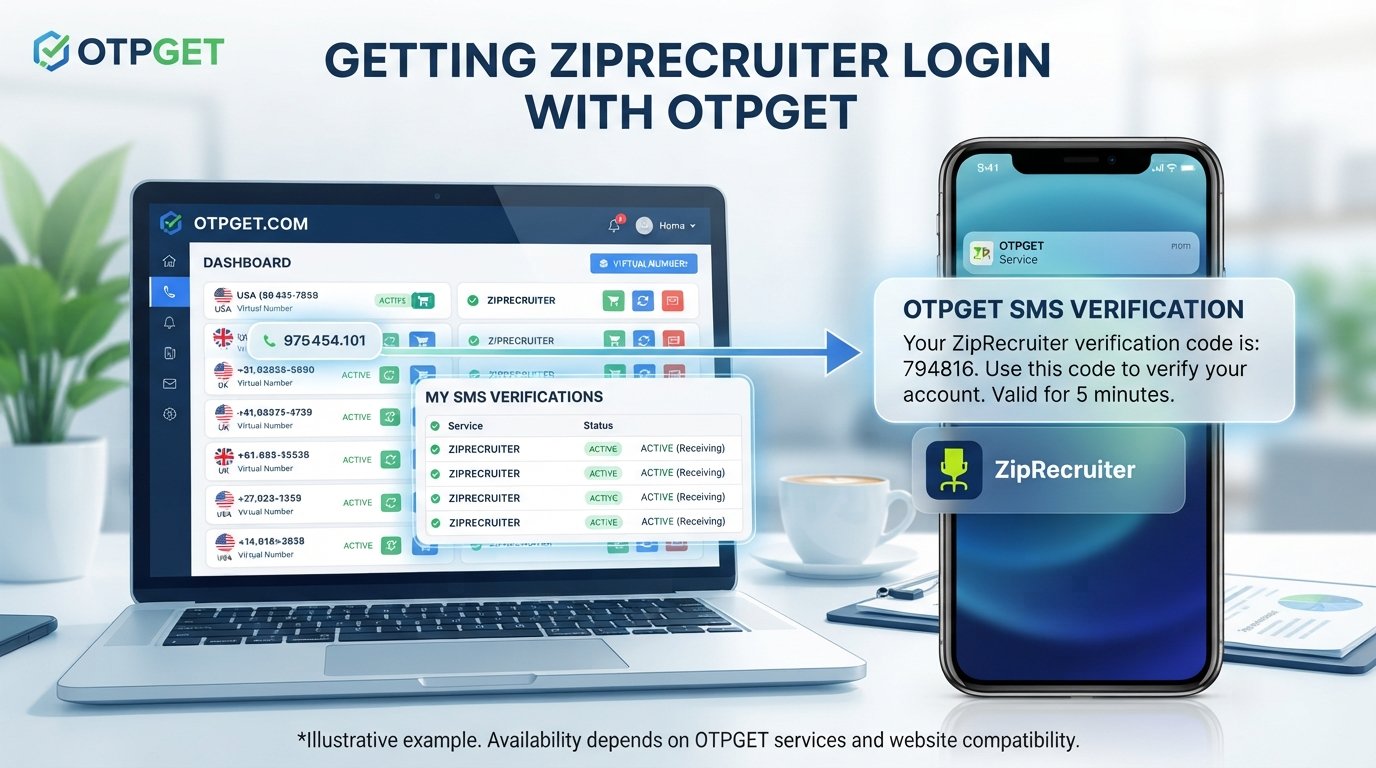
For users who legitimately need another SMS-capable number, OTPGET may be worth considering where an alternative number is permitted by the website. OTPGET provides virtual numbers and SMS OTP functionality, but it does not guarantee compatibility with ZipRecruiter or replace ZipRecruiter’s own verification requirements.
Why Does ZipRecruiter Ask for Phone Verification?
Phone verification and one-time passwords are commonly used as an additional layer of account authentication. An OTP is a temporary authentication code that can help confirm that the person completing a sign-in or verification step has access to the specified communication channel.
There can be several reasons a service may request phone verification:
- Account security: An additional verification step can make unauthorized account access more difficult.
- Identity or account verification: A service may use contact information as part of an account-checking process.
- Login authentication: An SMS code can act as a second step after credentials are entered.
- Fraud prevention: Verification systems can be used alongside other controls to identify suspicious activity.
ZipRecruiter states in its privacy documentation that it collects contact information, including telephone numbers, and may use fraud-prevention and identity-verification services in appropriate circumstances. That does not, however, establish that every ZipRecruiter account or login always requires phone verification.
Can You Log In to ZipRecruiter Without a Phone Number?
Sometimes, depending on the login and verification flow presented to your account.
The safest starting point is always the official ZipRecruiter sign-in page. The current job-seeker login interface offers email-based continuation and Google sign-in.
If ZipRecruiter subsequently asks for phone verification, do not treat that requirement as something to defeat. Instead:
- Complete the verification method ZipRecruiter provides.
- Check whether another legitimate sign-in or recovery option is available.
- If you cannot receive the requested code, troubleshoot the SMS problem.
- Use official account recovery or support if you remain locked out.
ZipRecruiter also provides an email-based password reset page for marketplace accounts, illustrating why checking the official recovery route is important before looking for alternatives.
What to Do If You Cannot Receive the ZipRecruiter Verification Code
A verification code not received problem does not necessarily mean you need a different number. Start with basic troubleshooting.
Check the number
Make sure the phone number is entered correctly, including the appropriate country or area information where applicable. A small formatting mistake can prevent an SMS from arriving.
Wait before requesting another code
SMS delivery can sometimes be delayed. If the service provides a way to request another code, avoid repeatedly requesting codes in rapid succession because older codes may become invalid.
Check your phone
Confirm that the device has mobile service and can receive SMS messages. Restarting the phone can also resolve occasional network or messaging issues.
Check SMS filtering
Look for blocked senders, spam filtering, carrier-level SMS restrictions, or messaging-app filters that could prevent an authentication message from appearing normally.
Contact your carrier
If ordinary text messages are failing, your mobile carrier may be able to identify an SMS delivery restriction or account issue.
Use account recovery
If you no longer have access to the number associated with your account, use the official recovery process instead of attempting to work around required authentication. ZipRecruiter publishes customer-service contact options for technical and account-related questions.
Using an Alternative Phone Number for OTP Verification
An alternative phone number can be useful when a website legitimately permits users to verify an account with a number other than their primary personal line.
An OTP, or one-time password, is generally a short-lived code delivered through an approved channel. With SMS verification, the website sends an authentication code to the phone number entered during the verification process.
Some people prefer a separate number because they:
- Want to keep personal and online activity separate.
- Do not want to use their everyday number for every online service.
- Need a temporary SMS-capable number for an appropriate verification purpose.
- Have limited access to their normal phone.
- Prefer a privacy-conscious login option where the website permits it.
The key point is permission and control. An alternative number should be one you legitimately control or are authorized to use. It should never be used to impersonate another person, take over an account, or evade a verification requirement.
How OTPGET Can Help With OTP Verification
OTPGET is an online service offering virtual phone numbers and SMS OTP functionality. Its published documentation describes an SMS OTP API for obtaining virtual numbers and receiving SMS verification codes, as well as longer-term number rentals.
OTPGET can be useful for users who need an alternative number for receiving verification codes, provided the website accepts that type of number and its use complies with the website’s rules.
A general legitimate workflow looks like this:
- Choose an appropriate number or service.
- Enter the alternative number only where the website permits its use.
- Request the verification code through the website's normal verification process.
- Receive the OTP through the applicable service.
- Enter the valid verification code.
- Complete the legitimate verification process.
This should not be interpreted as a method for bypassing ZipRecruiter authentication. OTPGET does not guarantee that ZipRecruiter will accept a particular virtual, temporary, or rented number.
That distinction matters. Third-party OTP services can provide the communication channel, but the website ultimately determines which numbers, verification methods, and authentication flows it accepts.
Step-by-Step: A Safer Way to Handle ZipRecruiter Login Verification
If you are dealing with a ZipRecruiter login problem, keep the process straightforward.
- Open the official ZipRecruiter login page. Use the legitimate website rather than an unofficial login form.
- Enter your legitimate account credentials. Never use credentials belonging to someone else.
- Complete any verification requested by ZipRecruiter. Treat required authentication as part of the account-security process.
- If you cannot receive the code, troubleshoot the SMS issue. Check the number, network, SMS filtering, and carrier restrictions.
- If an alternative number is permitted, consider an appropriate OTP solution such as OTPGET. Compatibility is not guaranteed.
- Enter the verification code received through the permitted method.
- If verification still fails, use ZipRecruiter’s official account recovery or support process.
ZipRecruiter provides customer-service channels for technical and account questions, including support by phone and live chat where available.
Why People Consider OTPGET for Online Verification
There are legitimate reasons to consider an online number instead of a personal phone number.
Privacy is one. Some users simply prefer not to distribute their everyday mobile number across numerous websites.
Separation is another. A dedicated number can keep personal communications separate from online verification messages, provided the service and website permit that arrangement.
There is also convenience. Someone who has temporarily lost access to a personal phone may need another legitimate SMS-enabled number for an online service.
OTPGET is designed around virtual numbers and OTP-related services, including SMS OTP and longer-term rental options.
However, convenience should not be confused with guaranteed acceptance. A number that works with one website may not work with another.
Important Things to Know Before Using an Alternative Number
Before choosing a temporary number for OTP verification, consider the bigger picture.
- Check the website's terms. An alternative number is appropriate only when its use is permitted.
- Check compatibility. Some services may reject certain virtual or temporary numbers.
- Expect SMS limitations. Delivery can depend on the number, carrier, provider, and website.
- Consider number expiration. A temporary number may not remain available indefinitely.
- Think about account recovery. If you expect to need the number again later, a short-term number may be unsuitable.
- Maintain legitimate control. Use only a number you are authorized to use.
- Never use another person's number without permission.
- Never use an alternative number for fraudulent or unauthorized account access.
For an important account, long-term access to the verification number can matter just as much as receiving the first SMS.
Common ZipRecruiter Login Problems and Solutions
| Problem | Possible Cause | Legitimate Solution |
|---|---|---|
| Verification code not received | SMS delay, filtering, or network issue | Check signal, SMS filters, and wait before requesting another code |
| Incorrect phone number | Typing or formatting error | Recheck the number and correct it if the login flow allows |
| SMS delayed | Carrier or messaging congestion | Wait, then use the site's available resend option |
| Number not accepted | Number type or service compatibility | Use an accepted number or follow official recovery options |
| Lost access to old phone | Previous number is unavailable | Use official account recovery or contact support |
| Login credentials not working | Incorrect email or password | Use the official password-reset process |
| Account recovery needed | Existing verification method unavailable | Follow ZipRecruiter's official recovery and support process |
The goal is always to restore legitimate account access, not to circumvent a security control.
OTPGET vs. Using Your Personal Phone Number
| Factor | Personal Number | Alternative OTP Number |
|---|---|---|
| Privacy | Uses your everyday contact number | Can separate personal and online activity |
| Convenience | Usually already available | Requires obtaining an appropriate number |
| Long-term account recovery | Often easier if you retain the number | Depends on whether the number remains available |
| SMS accessibility | Depends on your carrier and device | Depends on provider and website compatibility |
| Control of the number | Usually directly controlled by you | Must be legitimately controlled or authorized |
| Compatibility | Generally straightforward for supported SMS | May vary by website and number type |
| Best use case | Long-term personal accounts | Situations where an alternative number is permitted |
Neither option is universally suitable. The right choice depends on the account, the website's requirements, and how long you need reliable access to the verification channel.
Frequently Asked Questions
Can I log in to ZipRecruiter without a phone number?
You may be able to use an available email or Google sign-in route without entering a phone number at the initial login stage. If ZipRecruiter later requires phone verification, follow the verification or recovery method presented for your account.
Why am I not receiving my ZipRecruiter verification code?
Possible causes include an incorrect number, weak mobile service, SMS filtering, carrier restrictions, or delivery delays. Check those issues before requesting another code.
Can I use an alternative number for OTP verification?
Potentially, but only if the website permits that number type. An alternative number should be legitimately controlled or authorized by you.
What is OTPGET?
OTPGET is a service offering virtual numbers, SMS OTP functionality, number rentals, and related tools for receiving verification messages. Its published documentation describes both SMS OTP and longer-term rental services.
Can OTPGET receive verification codes?
OTPGET's documentation states that its SMS OTP service can provide virtual numbers and receive SMS OTP codes. Whether a particular website accepts those numbers is a separate question.
Is a temporary number suitable for account recovery?
Not always. If you may need the number again to recover the account, a temporary number that expires or becomes unavailable can create problems. Consider a number you can legitimately retain when long-term recovery matters.
What should I do if ZipRecruiter does not accept my number?
Do not try to bypass the requirement. Check the number, use any alternative verification method officially provided, and use ZipRecruiter's account recovery or support channels if necessary.
Is it safe to use an alternative phone number for verification?
It can be appropriate when the website permits it and the number is legitimately controlled or authorized by you. Always consider compatibility, privacy, expiration, and future account-recovery needs.
Final Thoughts
Finding a ZipRecruiter login without phone number option is often less about avoiding verification and more about finding a legitimate way to complete account access when your normal phone is unavailable or unsuitable.
Start with the official ZipRecruiter login and account-recovery options. The current login experience includes email and Google sign-in, while official recovery pages provide additional routes for eligible accounts.
If ZipRecruiter requires an SMS verification step, that requirement should be completed rather than bypassed. When an alternative number is permitted, OTPGET can be considered as a practical option for receiving OTPs, but compatibility depends on the website and its verification system.
If you legitimately need a separate number for online verification, explore OTPGET while keeping the site's terms, account security, and future recovery needs at the center of your decision.