SEO TITLE: OTPGET: How to Pick the Right Country Number for OTP Codes Online
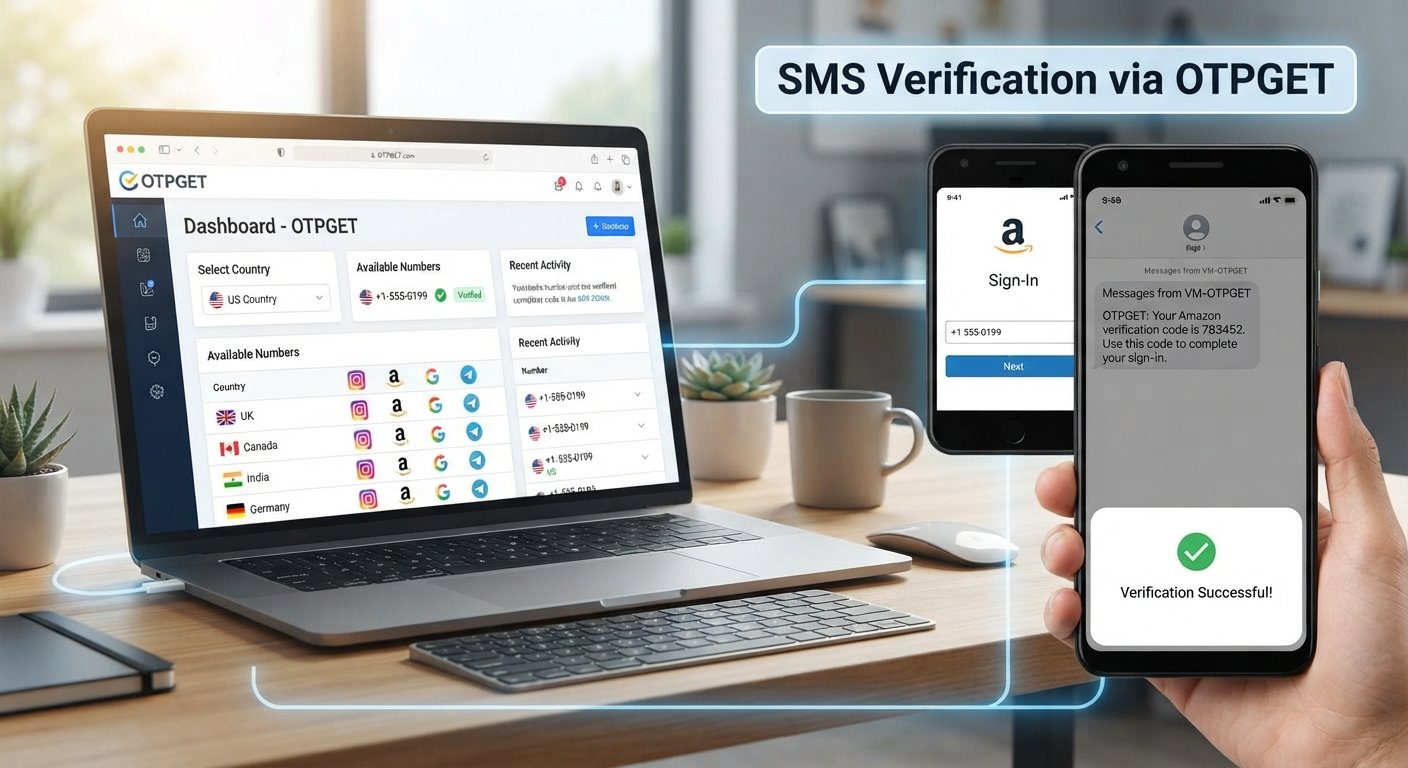
Wrong Country Number? How to Pick the Right One
Entering a phone number for verification should be simple—until the country dropdown shows the wrong location, the number format looks unfamiliar, or the expected OTP never arrives.
A small country-code mistake can affect how a website or app interprets your number. If the selected country does not match the number you enter, the verification request may fail, go to the wrong destination, or be rejected by the service.
That is why choosing the right country number matters. In this guide, we will break down country codes, international phone number formats, common mistakes, OTP delivery problems, and practical ways to avoid them. We will also look at how OTPGET can help simplify number selection for compatible verification purposes.
Why Does the Country Number Matter?
A phone number contains more information than the digits you normally dial locally. When a website asks you to select a country, it is usually using that selection to determine the country calling code and expected phone number format.
For example, a number beginning with +1 is associated with the North American numbering system, while +44 is the country calling code for the United Kingdom and +91 is used for India.
The country selection and the number itself should correspond. If you select one country but enter a number belonging to another, the platform may interpret the digits incorrectly.
This matters especially during phone verification, because the service needs to know where to send the SMS verification message. A mismatch can create problems before the OTP request is even processed.
The same principle applies when entering an international phone number manually. A service may expect a full international format, while another form may automatically add the country code after you select a country.
Understanding which format the form expects can prevent unnecessary verification failures.
What Is a Country Code?
A country code, also called a country calling code, is the international prefix used to identify a telephone numbering region.
Examples include:
+1— used by the United States and several other destinations in the North American numbering system+44— United Kingdom+91— India+92— Pakistan
The country code is not the same thing as the local or mobile number.
Think of an international phone number as having two main parts: the country calling code and the national number. Depending on the country and the service's input rules, the number may also require changes to the local format, such as removing a leading zero.
For this reason, simply adding a plus sign to a local number is not always enough. You need to use the international phone number format expected for that destination.
If a registration page already adds the country code automatically, entering it again may create a duplicate prefix.
Common Mistakes When Choosing a Country Number
Country-number errors often come from small formatting assumptions rather than complicated technical problems.
Watch for these common mistakes:
- Selecting the wrong country: The dropdown is set to one country while the number belongs to another.
- Forgetting the country prefix: A form expects an international number, but only the local number is entered.
- Adding the country code twice: The form automatically adds the prefix, but the user enters it manually as well.
- Removing or adding digits incorrectly: Different countries use different numbering structures.
- Using an unsupported number type: Some verification services may not accept virtual, VoIP, landline, or temporary numbers.
- Mixing local and international formats: A number copied from one system may not match the format required by another.
- Copying formatting characters: Spaces, parentheses, dashes, or other characters can sometimes cause problems in strict input fields.
- Assuming every number works everywhere: A number can be valid while still being incompatible with a particular verification service.
The important distinction is that a valid phone number is not necessarily a number accepted by every platform.
How to Pick the Right Country Number
If you need a number for SMS verification or another legitimate online verification process, use this simple workflow.
1. Identify the country required by the number
Start with the actual country associated with the phone number. Do not select a country simply because its code looks familiar.
If you are obtaining a virtual phone number, confirm the country before ordering it.
2. Check the country calling code
Verify the correct international prefix. For example, +44 and +91 represent different destinations and should not be substituted for one another.
3. Confirm the complete number format
Check whether the website wants a local number or a full international number.
If the country is selected from a dropdown, the site may add the country code automatically. Follow the instructions displayed beside the phone field.
4. Make sure the number type is supported
Some platforms accept mobile numbers but reject particular virtual or temporary number types. Others may have their own restrictions.
Before requesting an OTP, check the service's verification requirements.
5. Enter the number exactly as requested
Avoid guessing. If the form provides an example, use it as a formatting guide.
Do not add extra digits, remove digits, or repeat the country code unless the instructions specifically require it.
6. Request the OTP
Once the country, number, and format are correct, request the verification code.
If you are using a number obtained through an OTP service, use the service's interface or supported workflow to check for the incoming message.
7. Check the incoming verification message
If the code arrives, enter it exactly as provided and complete the verification process according to the platform's instructions.
If it does not arrive, avoid immediately requesting multiple new codes. First check the possible causes below.
Why You Might Not Receive an OTP
Not receiving an OTP does not automatically mean that the country code is wrong.
Several factors can affect delivery:
- The selected country does not match the number.
- The phone number was entered in the wrong format.
- The number type is not accepted by the verification provider.
- SMS delivery is delayed.
- A carrier or network issue affects message delivery.
- The platform has restrictions on certain virtual or temporary numbers.
- The verification provider does not support that destination or service.
- Too many OTP requests have been made in a short period.
- The requested service has temporarily limited further verification attempts.
A useful troubleshooting approach is to check the country, number, format, and service compatibility before trying again.
If the platform specifically states that a number type is unsupported, using another number of the same type repeatedly is unlikely to solve the underlying compatibility issue.
How OTPGET Can Help With Country Number and OTP Verification
For users who need a suitable number for supported verification purposes, OTPGET provides a practical way to approach the country-number selection process.
Its official documentation describes workflows for checking available countries and services before requesting a virtual number. That structure can make the process more straightforward than randomly choosing a number and hoping it matches the verification requirement.
In practical terms, OTPGET can help users:
- Find a number for the required country: Availability can be checked according to the country and service options offered.
- Simplify number selection: Instead of choosing a number without context, users can work from country and service information.
- Receive SMS verification messages through a supported workflow: OTPGET documents SMS OTP number requests and status checking.
- Reduce country-number confusion: Selecting the appropriate country before requesting a number helps keep the country and number combination aligned.
- Choose an appropriate arrangement for the use case: OTPGET documents both temporary SMS OTP numbers and longer-term rental numbers, where available and appropriate.
The important point is compatibility. OTPGET should not be treated as a universal solution for every website or app. A platform may restrict virtual or temporary phone numbers, impose its own verification rules, or support only certain number types.
Before using any OTP service, check the requirements of the website or app you are registering with and follow its terms.
OTPGET vs. Choosing a Random Number
There is a practical difference between selecting a number randomly and selecting one based on the actual verification requirements.
With a random number, you may not know whether its country matches the country selected on the registration form. You may also overlook whether the number type is accepted by the service.
With a number that matches the required country and format, the basic setup is clearer: the country, country code, and number are aligned before you request verification.
OTPGET can simplify this selection process where its available countries, numbers, and services are compatible with your intended use. Its documented workflow allows country and service availability to be checked before requesting a number.
The goal is not simply to get a number. It is to use a number that fits the verification requirements of the service you are legitimately using.
Quick Checklist Before Requesting an OTP
Before clicking Send Code, check:
- ✅ Correct country selected
- ✅ Correct country calling code
- ✅ Correct phone number format
- ✅ Number is available and supported
- ✅ Service accepts the number type
- ✅ Number has been entered correctly
- ✅ Country and number correspond
- ✅ OTP has not been requested repeatedly
- ✅ Incoming SMS or verification message is being checked correctly
- ✅ The platform's verification rules have been followed
This takes only a moment but can eliminate many avoidable verification problems.
Frequently Asked Questions
1. Why does my phone number show the wrong country?
Usually, the country is determined by the country code or by the country selected in the form. If the wrong country is selected, the displayed country may not match the number. Check both the selected country and the number's actual international prefix.
2. How do I choose the correct country code?
Identify the country associated with the phone number first, then confirm its international calling code. If a website has a country selector, select the correct country and follow the number format shown by that form.
3. Can the wrong country code stop me from receiving an OTP?
Yes, it can contribute to verification problems. A country-number mismatch may cause the service to interpret the number incorrectly or reject the request. However, OTP failures can also have other causes, including unsupported number types and delivery issues.
4. What should I do if my verification code does not arrive?
First, confirm the country selection, phone number, and format. Then check whether the service accepts your number type. If everything looks correct, wait briefly and avoid repeatedly requesting new codes, since some services may temporarily restrict repeated attempts.
5. Can OTPGET help me choose a suitable number?
OTPGET provides country and service selection workflows for supported virtual-number verification use cases. Availability depends on the country, service, and current inventory, so check the options available to you before requesting a number.
6. Are virtual phone numbers accepted for every service?
No. Acceptance depends on the individual website, app, carrier, or verification provider. Some services may restrict temporary, virtual, or certain other number types. Always check the platform's requirements before proceeding.
7. Should I use the international or local phone number format?
Use whichever format the verification form requests. If the form automatically adds a country code, enter the local portion as instructed. If it requests a full international number, include the appropriate country calling code and follow the specified format.
Final Thoughts: Pick the Right Number Before Requesting an OTP
A wrong country number can turn a simple registration into a frustrating troubleshooting exercise. The good news is that many problems can be prevented by checking the basics first: the country, country calling code, complete number format, number type, and verification requirements.
The most important rule is simple: the selected country and the actual phone number should correspond.
For people who need a virtual phone number for a supported verification purpose, OTPGET can make the country and service selection process more straightforward. Its documented tools allow users to check available countries and services before requesting a number, while its SMS OTP workflow supports receiving verification messages where compatible.
It is still important to remember that no number provider can determine whether a particular website will accept a given number type. Always follow the service's verification rules and terms.
If your verification needs are compatible with virtual numbers, explore OTPGET and choose the country and number type that match your intended use.


