Bilibili Account Verification Guide for Beginners: OTPGET Tips

Bilibili Account Verification Guide for Beginners
Creating a Bilibili account can feel simple until a verification screen asks for a phone number or one-time password. If you are new to the platform, it may not be immediately clear whether you need phone verification, where the code will arrive, or what to do when an SMS does not show up.
Bilibili's published information indicates that signup and login flows can involve a mobile number or email for receiving verification information, while particular services and account functions may have additional requirements.
For users who need an alternative supported number for SMS verification, OTPGET can be worth considering when a compatible number and service are available. OTPGET provides virtual numbers intended for receiving supported SMS verification codes, with availability depending on the selected country, service, and current inventory.
This Bilibili account verification guide explains what verification means, how the process generally works, how OTPGET fits into the workflow, and what to try when verification does not go smoothly.
What Is Bilibili Account Verification?
Bilibili account verification is the process of confirming that you have access to a phone number, email address, or another credential associated with an account or specific account function.
During a typical phone-based verification process, Bilibili sends a verification code by SMS. You enter that code into the appropriate field to confirm that you can receive messages at the number provided.
This is different from simply registering an account.
Bilibili signup creates the account, while verification confirms information associated with that account. Depending on the particular Bilibili flow, you may also encounter additional security or identity requirements.
Bilibili's published privacy information says that account signup can involve a mobile phone number or email address used to receive verification information.
For a beginner, the basic concept is straightforward:
Phone number → SMS verification code → Enter code → Continue account setup
If you do not have access to a suitable number, an SMS verification service such as OTPGET may provide an alternative where its available numbers are compatible with the service you are verifying.
[Internal link: OTP verification guide]
Why Does Bilibili Require Phone Verification?
Phone verification is commonly used by online platforms for several security and account-management purposes.
These can include:
- Confirming that a user can access a particular phone number
- Reducing automated or abusive account activity
- Adding another layer of account security
- Supporting login or recovery workflows
- Helping distinguish genuine account activity from suspicious requests
The exact reason a particular Bilibili screen requests verification can depend on the action you are performing. It is therefore better to treat the verification screen itself as the source of truth rather than assuming every Bilibili account follows exactly the same process.
Bilibili's published materials also distinguish ordinary account signup from other forms of identity authentication. Some services can require additional real-name or identity verification beyond receiving an SMS code.
That distinction matters: SMS verification is not necessarily the same thing as identity verification.
How to Verify a Bilibili Account
The exact screens and available options can change, but the general Bilibili phone verification process looks like this:
- Open the official Bilibili registration or login page.
Start from Bilibili's official website or app rather than an unofficial registration page. - Begin the relevant signup or verification process.
Choose registration if you are creating a new Bilibili account, or follow the verification prompt if you already have an account. - Select the appropriate phone or country option.
If Bilibili presents country or region choices, select the option that accurately matches the supported number you intend to use. - Enter a supported phone number.
Double-check the country code and number before requesting the code. - Request the verification code.
Bilibili may send an SMS containing a one-time password or verification code. - Check your SMS inbox.
If you are using an eligible OTP service, check its dashboard for the incoming message. - Enter the verification code.
Copy the code carefully into the Bilibili verification field. - Complete the remaining account steps.
Follow Bilibili's instructions to finish registration, login, or the requested account action.
A Bilibili registration guide published on the platform describes a mobile-number flow in which a six-digit verification code is sent during registration. Current screens and requirements may differ, so always follow the instructions shown in your own Bilibili account flow.
How OTPGET Can Help With Bilibili Verification
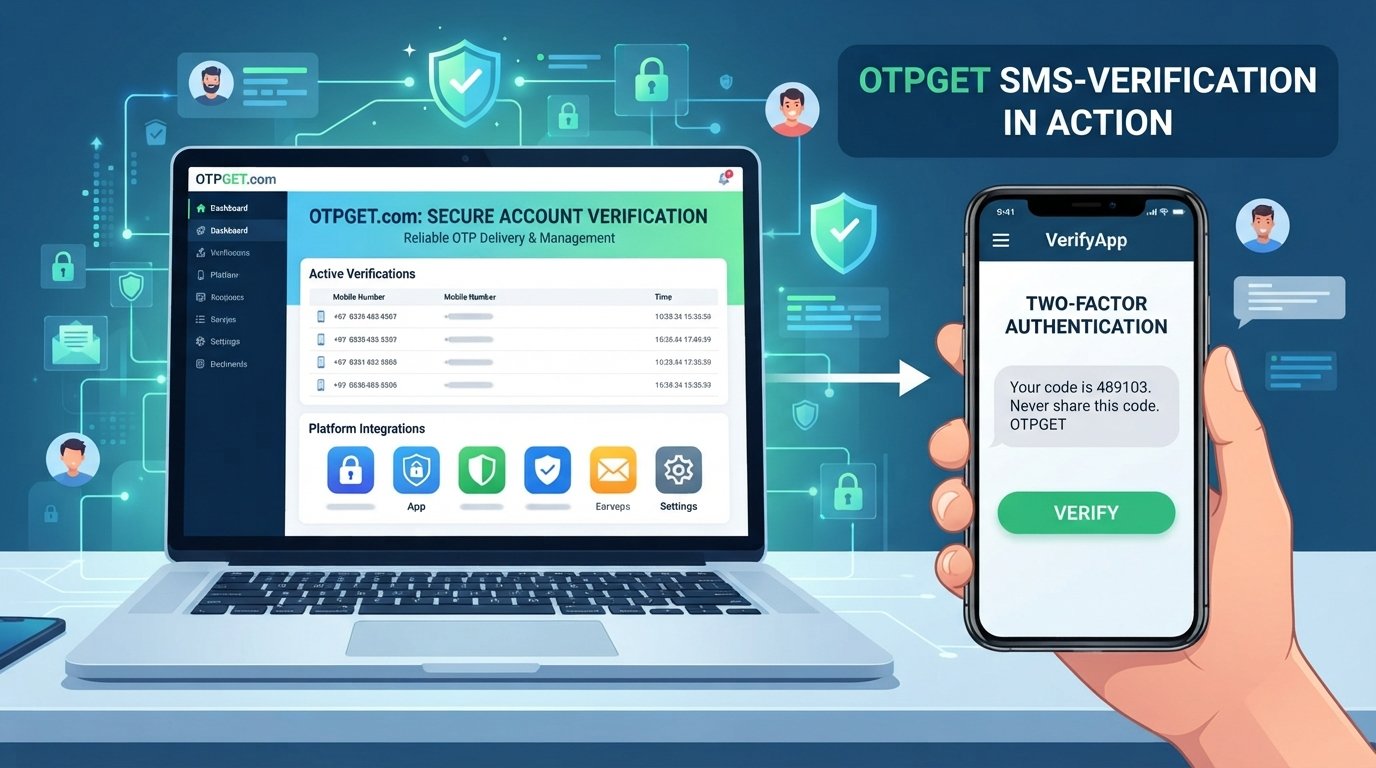
OTPGET is the central solution discussed in this guide for users who need a supported way to receive SMS verification codes.
Its general workflow is designed around obtaining a compatible virtual number, receiving the verification SMS, and retrieving the OTP through the service. OTPGET's documentation describes options for selecting countries and services, requesting a number, and checking its status for an incoming SMS.
The basic process is:
Choose a supported service/number → receive the OTP → enter the code on the relevant verification page → complete the verification process
This can be useful when you need an additional number rather than using your personal phone number for a particular supported verification workflow.
Potential advantages include:
- Convenient SMS access: Verification messages can be viewed through the OTPGET service when supported.
- Alternative number options: You may be able to select a number based on available country and service options.
- Simple OTP workflow: The process is focused on receiving and retrieving verification codes.
- Reduced reliance on a personal number: An alternative number can be useful in situations where using your primary number is not appropriate.
However, there is an important limitation: OTPGET does not guarantee that every Bilibili verification attempt will work. Compatibility depends on Bilibili's current requirements, the selected number, country or carrier, and OTPGET's available inventory.
OTPGET should be used as a normal verification service, not as a method for bypassing Bilibili security controls or platform restrictions.
[Internal link: OTPGET verification services]
Step-by-Step: Using OTPGET for Bilibili Verification
If you decide to use OTPGET for a legitimate Bilibili verification workflow, the process can generally be approached as follows:
- Open OTPGET.
Sign in or create an account according to the current OTPGET instructions. - Review available options.
Check which countries, numbers, and services are currently available. - Select a compatible option.
If Bilibili is available as a supported service, choose the relevant option. Do not assume every number will work with Bilibili. - Copy the provided number.
Use the number exactly as displayed, including the appropriate country code or formatting. - Return to Bilibili.
Open the registration or verification screen where the phone number is requested. - Enter the number.
Carefully check the number before submitting the request. - Request the Bilibili verification code.
Submit the SMS verification request through the normal Bilibili interface. - Return to OTPGET.
Monitor the relevant order, number, or SMS area for the incoming message. - Copy the OTP.
When the verification message arrives, retrieve the code from OTPGET. - Enter the code into Bilibili.
Submit the received OTP promptly and accurately. - Finish the process.
Continue with Bilibili's remaining registration or account-verification steps.
OTPGET's documentation confirms that its SMS OTP workflow can provide a number and then allow users to check activation status for a received SMS.
Availability can vary, so if a Bilibili-compatible option is not currently offered, another legitimate verification method may be necessary.
Common Bilibili Verification Problems and Solutions
Verification code not arriving
Wait briefly before requesting another code. Repeated requests can make troubleshooting harder and may trigger additional verification checks. Also confirm that the number was entered correctly.
If you are using OTPGET, check whether the selected number and service are currently supported and whether the order is still active.
Incorrect phone number format
Check the country code and remove or add formatting only as Bilibili's input field requires. A correct number entered in the wrong format can prevent delivery.
Number not supported
Some virtual, recycled, carrier, or regional numbers may not be accepted by a particular platform. If Bilibili rejects the number, check whether another compatible option is available rather than repeatedly submitting the same number.
OTP expired
Verification codes are generally intended for short-term use. Request a new code if the previous one is no longer accepted.
Too many verification attempts
Stop submitting requests repeatedly and wait before trying again. If Bilibili displays a specific restriction or support message, follow its instructions.
Code entered incorrectly
Copy the latest code carefully. If multiple codes were requested, make sure you are using the newest valid message rather than an older OTP.
SMS delivery delay
Delivery can sometimes be affected by network conditions, the carrier, the verification provider, or the platform itself. Give the existing request some time before starting another one.
Account or region-related restrictions
If the number appears valid but Bilibili still refuses the verification attempt, the issue may relate to current account, country, or service requirements. Check Bilibili's official help resources before trying repeatedly.
Why Verification Codes Sometimes Do Not Arrive
An SMS verification code can fail to appear for several ordinary reasons.
The number may have been entered incorrectly, the selected number may not be supported, or there may be a temporary delivery delay. A previous verification request may also have expired while another request is being processed.
Other possibilities include:
- Temporary SMS network delays
- Incorrect country selection
- Unsupported number types
- Too many recent code requests
- Temporary platform-side problems
- Temporary OTPGET availability issues
The best first response is usually simple: verify the number, wait for the existing request, and avoid repeatedly pressing the resend button.
If you are using OTPGET, also check the current order status and available service options before assuming that the Bilibili account itself is the problem.
[Internal link: How to receive SMS verification codes]
Tips for a Smooth Bilibili Registration
A few simple habits can make Bilibili registration and phone verification easier:
- Use accurate account information.
- Select the correct country or region.
- Double-check the phone number before requesting an OTP.
- Avoid requesting several codes in quick succession.
- Enter the latest verification code promptly.
- Do not repeatedly submit incorrect codes.
- Keep your login credentials secure.
- Follow Bilibili's current registration and account rules.
- If using OTPGET, confirm that the selected number is compatible with the intended service before purchasing or requesting it.
- Do not use an OTP service to access an account you do not own or to circumvent platform security measures.
If you expect to need continued access to a number for legitimate account-management purposes, review whether OTPGET currently offers an appropriate rental option rather than assuming a one-time number will remain available. OTPGET documents both one-time SMS numbers and rental-number options, with availability and duration depending on the service selected.
Is OTPGET Suitable for Bilibili Verification?
OTPGET can be suitable when you need a supported method for receiving verification SMS and a compatible option is available.
Its main value is convenience: instead of depending entirely on a personal SIM card, users can potentially obtain an available virtual number and monitor the incoming verification message through OTPGET.
However, suitability depends on several factors:
- Whether Bilibili accepts the selected number
- Whether Bilibili supports the relevant country or region
- Whether the required service is available through OTPGET
- Current number inventory
- SMS delivery conditions
- Bilibili's current verification requirements
For that reason, it is more accurate to view OTPGET as a verification-code receiving option, not a guaranteed solution for every Bilibili account.
Frequently Asked Questions
How do I verify my Bilibili account?
Start from Bilibili's official registration or login flow and follow the verification instructions shown there. If phone verification is requested, enter a supported number, request the SMS code, and enter the received OTP.
Does Bilibili require phone verification?
Bilibili's signup and login processes can involve phone numbers or email addresses, and some flows use SMS verification. The exact requirement can vary by account action and current platform flow.
Where can I receive a Bilibili verification code?
You can receive a code on an eligible phone number when Bilibili sends an SMS verification message. If an appropriate option is available, OTPGET can provide virtual numbers intended for supported SMS verification workflows.
What should I do if my Bilibili OTP does not arrive?
First, confirm the number and country code, then wait briefly before requesting another code. Check for delivery or service delays. If you are using OTPGET, review the current number or order status as well.
Can OTPGET receive Bilibili verification codes?
OTPGET provides SMS OTP services for supported platforms and numbers. Whether a particular Bilibili verification request works depends on Bilibili's current acceptance rules and the compatible options available through OTPGET.
Why is my Bilibili phone number not accepted?
The number may be formatted incorrectly, unsupported for the selected region, unavailable for the particular verification flow, or rejected under Bilibili's current requirements. Try checking the country selection and official Bilibili guidance before making repeated attempts.
How long is a Bilibili verification code valid?
Verification codes are designed for limited use and may expire. Because the exact validity period can vary by verification flow, use the latest code promptly and request a fresh code if Bilibili says the previous one has expired.
What should I do if Bilibili asks for verification again?
Follow the new verification prompt rather than assuming the earlier verification will satisfy every account-security check. Some Bilibili services have separate authentication requirements, so check the specific instructions shown on the account.
Final Thoughts
Bilibili account verification is usually straightforward when you have a compatible number and can receive the required verification code. The key is understanding the difference between account registration, SMS verification, and any additional identity requirements that may apply to particular Bilibili services.
For users who need an alternative way to receive supported SMS codes, OTPGET offers virtual-number and OTP services that can fit into the standard verification workflow. Its current availability, supported services, countries, and number types should always be checked before starting an attempt.
If OTPGET offers a compatible option for your Bilibili verification needs, it can provide a convenient way to receive the SMS and retrieve the OTP without relying on your primary phone number. Just remember that compatibility is not guaranteed, and all verification should be completed through Bilibili's normal account process.