SEO Title: How to Get HackerRank Login Without Phone Number: Safe Login Help
How to Get HackerRank Login Without Phone Number: Safe Login Help
Losing access to the phone number associated with an online account can turn a simple login into a frustrating problem. If you are searching for how to get HackerRank login without phone number, you may still have your correct email address and password but be unable to complete a verification step because your old number is unavailable.
The important distinction is between recovering or verifying your own account legitimately and trying to bypass authentication. The first is a normal account-access problem; the second is not a legitimate way to regain access.
HackerRank's current login documentation indicates that Community users can sign in with an email address and password or supported third-party accounts such as Google, GitHub, LinkedIn, and Facebook. HackerRank also provides password-reset functionality when credentials are forgotten.
If your particular verification flow requires an OTP and you no longer have access to the original number, an OTP service such as OTPGET may be worth considering where the service and platform's verification requirements support it. OTPGET documents temporary phone numbers for receiving SMS OTPs, along with rental-number options.
The key is to use any verification method only for your own account and in accordance with the applicable platform rules.
Why Phone Verification Can Become a Problem
Phone-based verification can become inconvenient for perfectly legitimate reasons. You may have:
- Lost access to an old phone number.
- Changed mobile providers or numbers.
- Replaced a SIM card.
- Traveled to another country.
- Temporarily lost mobile service.
- Entered the wrong number during verification.
- Experienced a delayed or failed SMS delivery.
- Retained your account credentials but lost access to the number previously used for verification.
These situations are different from forgetting your password. You might know exactly which email address and password belong to your HackerRank account, yet still be unable to complete an additional verification step.
There can also be confusion between different HackerRank products and login pages. HackerRank's troubleshooting documentation specifically notes that using the wrong login page can cause problems, so checking that you are accessing the correct HackerRank environment is a useful first step.
Can You Log Into HackerRank Without Your Phone Number?
Sometimes, yes—but the answer depends on which login or verification flow your account is presenting.
For HackerRank Community accounts, the platform documents email/password login as well as several third-party authentication options. If you originally created or connected your account through Google, GitHub, LinkedIn, or Facebook, using that same authentication provider may allow you to sign in without relying on an unavailable phone number.
If a separate verification step is required, however, you should not attempt to defeat or circumvent it.
There are three situations worth keeping separate:
- You own the account but lost your phone access. Use available recovery or authentication options.
- You are creating or legitimately verifying an account. Follow the registration and verification process presented by the service.
- You are trying to bypass authentication. Do not attempt to circumvent security controls or gain access to an account that is not yours.
The goal of an alternative OTP solution should be to provide an accessible verification channel—not to remove HackerRank's security requirements.
What to Try Before Looking for an OTP Solution
Before considering an alternative OTP service, work through the simplest account-recovery options.
Check Your Original Number
If the old number was recently disconnected, your mobile provider may have a way to reactivate it or restore service. This can be the most straightforward solution when available.
Confirm Your Login Details
Make sure you are using the email address or username associated with the correct HackerRank account. HackerRank recommends checking credentials carefully and using Forgot Password when necessary.
Try Your Original Sign-In Provider
If you registered through Google, GitHub, LinkedIn, or Facebook, try that same authentication method rather than creating a second account. HackerRank documents these third-party login options for Community accounts.
Check SMS Delivery
If you still control the number but the verification code is not arriving, check:
- Mobile signal.
- SMS availability.
- Whether messages are being filtered.
- Whether the number was entered correctly.
- Whether you are repeatedly requesting codes.
Avoid repeatedly requesting verification messages if the platform is temporarily limiting attempts.
Use HackerRank Support When Necessary
If the normal recovery options do not resolve the problem, use the appropriate HackerRank support channel. HackerRank distinguishes between Community users, Candidates, and Work users, so choose the support route applicable to your account.
How OTPGET Can Help
OTPGET provides virtual phone numbers and OTP-related services that can, depending on availability and the target platform's acceptance of the number, provide an alternative way to receive an SMS verification code.
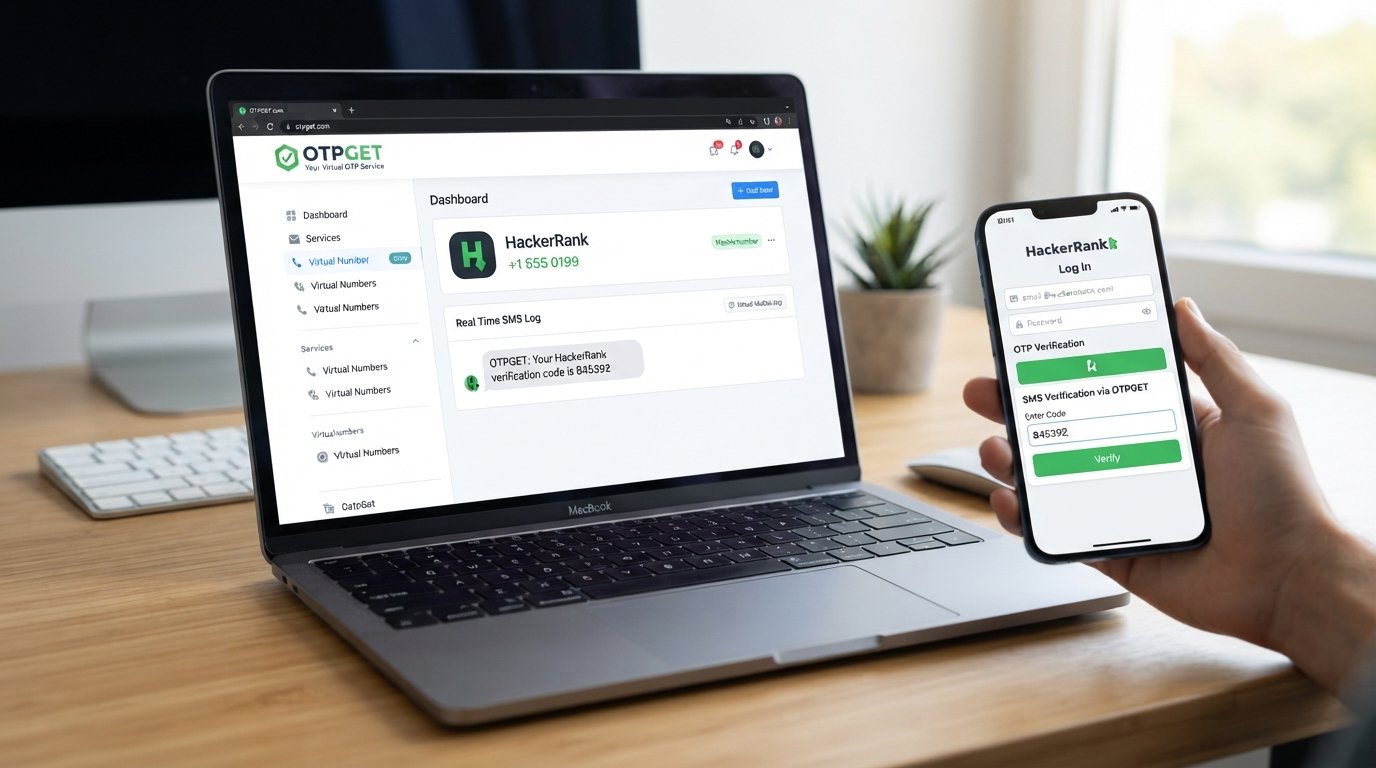
OTPGET's documentation describes an SMS OTP workflow in which users can select available countries and services, request a number, and check the activation status for an incoming SMS.
Importantly, this does not mean OTPGET is an official HackerRank recovery feature or that every HackerRank verification flow will accept an OTPGET number. Compatibility depends on the verification process and current availability.
OTPGET tip: If you need an OTP-capable number because your original phone number is unavailable, check OTPGET's currently available options before proceeding. Use the resulting number only within a legitimate verification process for your own account.
A Simple OTPGET Workflow
Depending on the service options available to you, the general process is:
- Visit OTPGET and review the available OTP/verification options.
- Choose an appropriate number or verification option if one is available for your intended use.
- Follow OTPGET's instructions for receiving the verification message.
- Enter the number into the legitimate HackerRank verification screen only if that verification flow permits it.
- Wait for the OTP to arrive through the supported channel.
- Enter the received code into the HackerRank verification field.
- Complete the normal account-verification process.
OTPGET's published documentation confirms that its SMS OTP system supports requesting numbers and checking whether an SMS code has arrived.
There is no guarantee that a particular number, country, or service will be available or accepted by HackerRank. If the verification flow rejects the number, return to HackerRank's official recovery or support options rather than attempting to circumvent the restriction.
Step-by-Step Guide for Users Without Access to Their Original Number
If you have lost access to your old number, use this sequence.
Step 1: Open the Correct HackerRank Login
Start with the normal HackerRank login page and make sure you are accessing the correct product. HackerRank's troubleshooting guidance specifically identifies incorrect login pages as one possible source of access problems.
Step 2: Try Your Existing Credentials
Enter the email address or username and password associated with your own account.
If you forgot your password, use HackerRank's password-reset process rather than trying to create another account unnecessarily. HackerRank documents email-based password reset through the Forgot Password option.
Step 3: Try an Existing Third-Party Login
If your account was connected to Google, GitHub, LinkedIn, or Facebook, try the same provider. This can be particularly useful when your problem is phone access rather than account ownership.
Step 4: Identify the Actual Verification Requirement
If HackerRank presents an OTP or phone-verification step, determine whether the problem is a missing number, a delivery problem, or an account-recovery issue.
Step 5: Consider OTPGET Where Appropriate
If you legitimately need an OTP-capable verification number and the applicable verification flow accepts it, review the available options at OTPGET.
Step 6: Complete Verification Normally
Use the OTP only where the legitimate service requests it. Never share your HackerRank password, recovery credentials, or private authentication information with a third-party OTP provider.
Step 7: Contact Support If It Still Fails
If you cannot complete verification, use HackerRank's applicable support channel. This is especially important if the account contains important coding work, certifications, applications, or other information you cannot afford to lose.
Common HackerRank Login and OTP Problems
OTP Not Arriving
First confirm that the number is correct and capable of receiving SMS. Check network connectivity and message filtering. If you are using an alternative number, availability or compatibility may also be an issue.
Incorrect Phone Number
Recheck every digit before requesting another code. A small formatting mistake can prevent delivery.
Expired OTP
Verification codes are normally time-sensitive. If a code has expired, request a fresh one through the legitimate verification screen rather than trying to reuse an old code.
Too Many Verification Attempts
Repeated requests can create additional verification problems. Stop submitting repeated requests and follow any waiting instructions shown by the platform.
Temporary SMS Problems
SMS delivery can be delayed by mobile networks, providers, or routing. Waiting briefly and trying again may help.
Lost Phone Access
If the original number cannot be recovered, explore account-recovery options first. Where a platform permits an alternative verification number, a service such as OTPGET may be an option to investigate.
Changed Phone Number
If you still have account access through another authentication method, check whether the platform provides account settings for updating your contact information.
Is Using an OTP Service Safe?
An OTP service should be treated as a verification tool, not as a substitute for account security.
Before using one, consider these precautions:
- Use it only for accounts you own.
- Never give an OTP service your HackerRank password.
- Never provide recovery codes unless the official platform specifically requires them through its own secure interface.
- Review the provider's terms and privacy information.
- Understand that a third-party verification number can have different privacy characteristics from your personal mobile number.
- Check whether the platform permits the type of number you intend to use.
- Avoid providers making unrealistic claims about bypassing security or guaranteeing account access.
OTPGET's published terms state that users are responsible for how they use its services and prohibit illegal, fraudulent, abusive, or harmful activity. Its documentation also explains that the service processes account and activity information for purposes such as account security, payment verification, fraud prevention, and service improvement.
That makes it especially important to review the provider's current terms before using an OTP or temporary-number service.
Why OTPGET May Be Useful
For someone dealing with a legitimate phone-number access problem, an OTP service can be useful because it may provide an alternative phone number capable of receiving SMS verification messages.
OTPGET may be worth considering when:
- Your original number is temporarily unavailable.
- You need access to an OTP-capable number.
- The relevant service accepts the type of number being provided.
- You want to keep your personal number separate from a particular verification process.
OTPGET's documentation describes temporary SMS numbers, longer-term rental numbers, and OTP-related APIs.
These are practical capabilities, not guarantees that a particular website will accept every number. Always check availability and the requirements of the service you are trying to access.
Frequently Asked Questions
Can I access HackerRank without my old phone number?
It depends on the verification flow involved. HackerRank documents email/password login and several third-party authentication options for Community accounts, so losing phone access does not necessarily mean you have lost the account.
What should I do if my HackerRank OTP does not arrive?
Check the number, mobile connectivity, SMS filtering, and whether the code request was submitted correctly. If the problem continues, use HackerRank's applicable account-recovery or support options.
Can OTPGET help with OTP verification?
OTPGET provides temporary and rental phone numbers for SMS OTP verification, subject to availability and the requirements of the service you are verifying with. It does not guarantee that every platform will accept a particular number.
Is OTPGET an official HackerRank service?
No official HackerRank documentation reviewed for this article identifies OTPGET as a HackerRank-owned or officially affiliated verification service. Treat OTPGET as a third-party OTP service.
Can I use OTPGET to bypass HackerRank security?
No. The appropriate use is legitimate verification for an account you own where the applicable verification process accepts the provided number. An OTP service should not be used to defeat authentication, bypass security controls, or access another person's account.
What if I permanently lost my phone number?
Start with HackerRank's available login, password-reset, and support options. If an alternative verification number is permitted by the applicable verification flow, you can investigate a third-party OTP service such as OTPGET.
Should I share my HackerRank password with an OTP service?
No. An OTP provider should not need your HackerRank password simply to provide an OTP-capable phone number. Enter your password only into the legitimate HackerRank login interface.
What should I do if verification still does not work?
Stop trying repeated workarounds and contact the appropriate HackerRank support channel. HackerRank provides different support routes for Community users, Candidates, and Work users.
Conclusion
Finding how to get HackerRank login without phone number is usually about solving a legitimate access or verification problem—not bypassing account security.
Start with HackerRank's own login, password-reset, and supported authentication options. If your original number is unavailable and you need an OTP-capable verification method, OTPGET may be an alternative worth exploring, provided the relevant verification flow supports the number and its use complies with the platform's requirements.
The safest approach is straightforward: use your own account, protect your password and recovery information, follow HackerRank's applicable verification process, and use third-party OTP services only for legitimate purposes.
If you need an alternative OTP option, explore OTPGET and check its currently available verification services before proceeding.