SEO Title: Instagram Second Account Setup: Full Guide + OTPGET Tips & Steps
Instagram Second Account Setup: Full Walkthrough
Having more than one Instagram profile can make everyday social media management much easier. You might want one account for personal posts and another for work, a business, a hobby, a creator project, or a specific community.
The good news is that an Instagram second account can be set up and managed alongside your existing profile. Instagram supports multiple accounts, so you do not necessarily need to log out every time you want to use a different profile.
The setup is generally straightforward: add another account, enter the requested information, choose a username and password, and complete any verification Instagram requests. If phone verification is required, you may also need an SMS or OTP code.
For users who need an available online SMS option during a legitimate verification step, OTPGET can be considered as one possible solution. Availability and acceptance can vary, so it is important to follow the verification requirements shown by Instagram.
Why Create a Second Instagram Account?
There are plenty of legitimate reasons to use Instagram multiple accounts.
A common example is separating personal and professional activity. You can keep your personal profile for friends and family while using another account for your work, business, portfolio, or professional content.
Other useful scenarios include:
- Business and personal use: Keep brand activity separate from personal posts.
- Creator projects: Build a dedicated profile around a particular content theme.
- Niche pages: Create an account for photography, fitness, travel, food, gaming, or another interest.
- Separate communities: Maintain different audiences without mixing every type of content.
- Content organization: Give each project its own username, branding, and posting strategy.
Using separate Instagram accounts can also make it easier to understand which content belongs to which audience. Instead of trying to make one profile serve several purposes, each account can have a clear identity.
What You Need Before Creating a Second Instagram Account
Before starting your Instagram account setup, have the basic information you may need ready.
You will generally want:
- Access to the Instagram app or website
- A username you want to use
- A strong password
- An appropriate email address or phone detail if requested
- A stable internet connection
- Access to the verification method Instagram provides
- The ability to receive and enter an Instagram verification code if one is requested
Phone verification is one possible part of account creation or login verification. Depending on the circumstances, Instagram may ask you to confirm information through SMS or another available method.
If Instagram requests an Instagram phone verification step, do not assume that every phone number or online service will be accepted. Verification requirements can differ, and the platform ultimately determines whether the submitted information is accepted.
It is also worth preparing your profile information before you begin. Having a profile name, username idea, profile picture, and short bio ready can make the final setup faster.
[Internal Link: Instagram Account Security Guide]
How to Create a Second Instagram Account
The exact Instagram interface can change, so button names and menu locations may look slightly different depending on your app version or device. The overall process is usually similar.
1. Open Instagram
Launch Instagram and sign in to your existing account if you are not already logged in.
2. Go to your profile
Open your profile section. Look for the account controls or profile menu where Instagram provides options for managing accounts.
3. Choose the add-account option
Select the option to add another account. Instagram may present choices for logging into an existing account or creating a new one.
If your goal is to create another profile from scratch, choose the appropriate account-creation option.
4. Enter the requested details
Follow the prompts to provide the information Instagram asks for.
This may include a name, email address, phone information, or other account details.
5. Choose an available username
Your username should be easy to recognize and relevant to the purpose of the new account.
If your first choice is unavailable, try a variation that still makes sense for your brand, project, or personal use.
6. Create a strong password
Use a password that is difficult to guess and avoid reusing passwords from important accounts.
A unique password makes managing separate Instagram accounts safer and easier.
7. Complete requested verification
Instagram may request an email or phone verification step. If you receive an SMS verification request, enter the code accurately in the appropriate field.
8. Finish the profile
Add a profile picture, bio, and other details that help visitors understand what the account is about.
Once the account is ready, you can use Instagram's account-switching controls to move between profiles.
Instagram Phone Verification and OTP Codes
An OTP, or one-time password, is a temporary verification code used to confirm an action or verify access to a service.
During Instagram SMS verification, the platform may send a short code to a phone number. This is commonly referred to as an Instagram OTP, verification SMS, or Instagram verification code.
The basic process is simple:
- Instagram requests phone verification.
- You provide the requested phone information.
- Instagram sends a verification code if the method is supported.
- You enter the code in the verification field.
- Instagram processes the code and determines whether the verification step is accepted.
Verification codes are usually time-sensitive. If a code expires, you may need to request another one.
Treat verification codes as sensitive information. Do not casually share an OTP with another person, and only enter a code into the legitimate service or verification page you intended to use.
Where OTPGET Fits Into the Setup
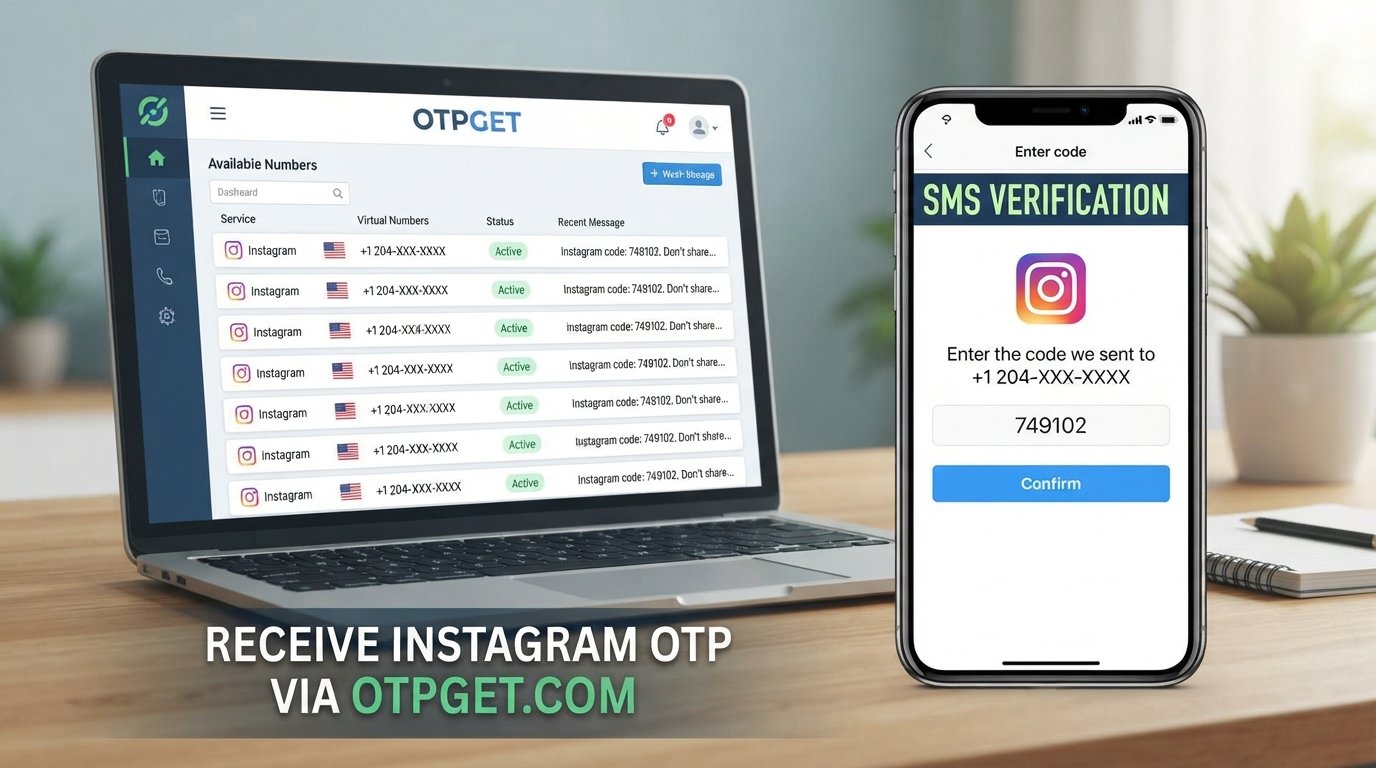
OTPGET can be considered when you need an online SMS/OTP option for a verification step and an appropriate service or number is available.
The concept is straightforward: instead of relying only on your usual phone inbox, an online SMS service may provide access to incoming verification messages through its interface.
OTPGET Tip
OTPGET Tip: If Instagram asks for a phone verification code, OTPGET can be considered as an option for receiving an available SMS verification code online. Availability and platform acceptance can vary, so always follow Instagram's verification requirements.
A typical workflow may look like this:
- Visit OTPGET.
- Select an appropriate available number or service, where applicable.
- Use the provided number during the relevant verification step.
- Request the Instagram verification code.
- Check the OTPGET interface for an incoming message.
- Enter the received code into the appropriate Instagram verification field.
- Continue the account setup if Instagram accepts the verification.
This can be useful for people specifically looking for a way to receive OTP online or access a verification code online.
However, it is important to understand the limitation: not every number or SMS service is necessarily accepted by every platform. Availability can also change. OTPGET should therefore be viewed as a practical option rather than a guaranteed solution for every Instagram verification attempt.
It does not bypass Instagram's security systems, and users should still follow Instagram's account and verification requirements.
How to Add and Manage Multiple Instagram Accounts
After completing your second Instagram account setup, you can generally keep both profiles available within the Instagram app.
The account-management controls allow you to add another account and switch between profiles without repeatedly signing out.
When managing multiple profiles, pay attention to which account is active before taking an action.
A few simple habits can prevent mistakes:
- Check the active profile before posting.
- Review the username or profile image before replying to messages.
- Keep branding distinct when accounts serve different purposes.
- Organize notifications so important activity is not overlooked.
- Review the account you're using before changing profile settings.
- Keep login and recovery information accessible for each account.
These small checks become especially valuable when your separate Instagram accounts have different audiences or purposes.
Common Problems When Setting Up a Second Instagram Account
Verification code not arriving
First, check that the contact information was entered correctly. If an SMS is expected, make sure the number can receive messages and wait briefly before requesting another code.
If you are using an online SMS option such as OTPGET, check whether a message has appeared in the relevant service interface.
SMS delay
Verification messages can sometimes take time to arrive. Avoid repeatedly requesting new codes immediately, since doing so can make it harder to determine which code is the latest one.
Number not accepted
Not every phone number, temporary phone number for verification, or online SMS service will necessarily be accepted by Instagram. If a number is rejected, follow the available Instagram verification instructions and use an accepted method.
Code expired
OTP verification codes are generally temporary. If the code is no longer valid, request a new one and enter the latest code rather than an older message.
Too many verification attempts
Repeated requests or failed attempts may lead to temporary delays or restrictions. If this happens, stop making repeated requests and follow the instructions Instagram displays.
Account setup errors
Check your internet connection, restart the app if appropriate, and make sure you are using the latest available version. If the problem continues, use Instagram's available account-help or support options.
Tips for Managing a Second Instagram Account
Creating another account is only the first step. Good account management helps keep your profiles organized.
Consider these practical habits:
- Choose a clear username: Make each account easy to identify.
- Keep profile information organized: Use a bio that explains the account's purpose.
- Separate branding when appropriate: Distinct visual identities can reduce confusion.
- Check the active account: Always confirm which profile is selected before posting.
- Use strong passwords: Give important accounts unique passwords.
- Enable available security features: Use the account-protection options Instagram provides.
- Keep recovery information accessible: Make sure you can access the relevant email or phone method.
- Protect verification codes: Never share login or verification codes casually.
- Follow Instagram's rules: Use each account in accordance with the platform's policies.
If you operate business or creator profiles, a consistent naming and content strategy can also make managing multiple accounts much easier.
Is Using OTPGET for Verification Convenient?
An online SMS or OTP service can be convenient when you need access to a verification message and an appropriate service is available.
For someone completing an Instagram account setup, OTPGET provides another option to consider when an online verification-code workflow is suitable.
The main advantage is convenience: you can check for an incoming SMS through the service rather than relying exclusively on a personal phone inbox.
There are also important limitations to keep in mind:
- Number availability can vary.
- Instagram may not accept every number or service.
- Verification requirements can change.
- SMS delivery is not guaranteed in every situation.
- Users remain responsible for following Instagram's rules.
- A verification service should not be treated as a way to bypass account security.
In other words, OTPGET can be a practical part of the process when it fits the verification method Instagram offers, but it should not be viewed as a guaranteed route through every verification scenario.
Frequently Asked Questions
1. Can I have more than one Instagram account?
Yes, Instagram supports multiple accounts, allowing users to maintain separate profiles for different purposes. You can use separate accounts for personal activity, professional work, businesses, creator projects, or specific communities, then switch between them using Instagram's account-management controls.
2. How do I create a second Instagram account?
To create a second Instagram account, open your profile, access the account-management controls, choose the option to add or create another account, and follow the registration prompts. You may need to provide account details, choose a username, create a password, and complete a requested verification step.
3. Can I add another Instagram account to the same Instagram app?
Instagram provides account-management features that can let you add another account and switch between profiles. The exact controls may vary by app version or device, so look for the account or profile management options available in your Instagram app.
4. Why does Instagram ask for a verification code?
A verification code can be used to confirm a phone number or help verify an account-related action. If Instagram requests an SMS code, enter the current code accurately in the appropriate verification field and avoid sharing it with other people.
5. What is an Instagram OTP?
An Instagram OTP is a one-time verification code that may be delivered through an available verification method, such as SMS. The code is generally temporary and should only be entered into the legitimate Instagram verification process associated with your account.
6. Can OTPGET receive an Instagram verification code?
OTPGET can be considered for receiving an available SMS or OTP online when the relevant service and number are suitable. However, Instagram determines whether a particular number or verification method is accepted, so successful receipt or acceptance should not be assumed.
7. What should I do if my verification code does not arrive?
Check the submitted contact information, wait briefly for delivery, and avoid repeatedly requesting codes in rapid succession. If you are using an online SMS service, check its interface as well. If the issue continues, follow the verification or account-help instructions provided by Instagram.
8. Can I switch between multiple Instagram accounts?
Yes, Instagram provides controls for managing and switching between multiple accounts. Before posting, messaging, or changing settings, check the active profile so you do not accidentally perform an action from the wrong account.
Final Thoughts
Setting up an Instagram second account can be a practical way to separate personal activity from professional work, business content, creator projects, or niche communities.
The process is usually simple: add or create another account, enter the requested information, select a username and password, complete any required verification, and finish your profile.
If Instagram requests an SMS verification code, an online option such as OTPGET may be worth considering when an appropriate number or service is available. Remember that platform acceptance and availability can vary, so use the verification method that Instagram accepts and follow its account requirements.
Once your second account is active, good organization matters just as much as the initial setup. Keep your profiles clearly separated, use strong passwords, protect verification codes, and check which account is active before posting.
For readers who need an online SMS/OTP option during a legitimate verification step, exploring OTPGET can be a practical next step alongside the standard Instagram account-creation process.


