Bilibili Registration Guide for International Users: Easy Sign-Up
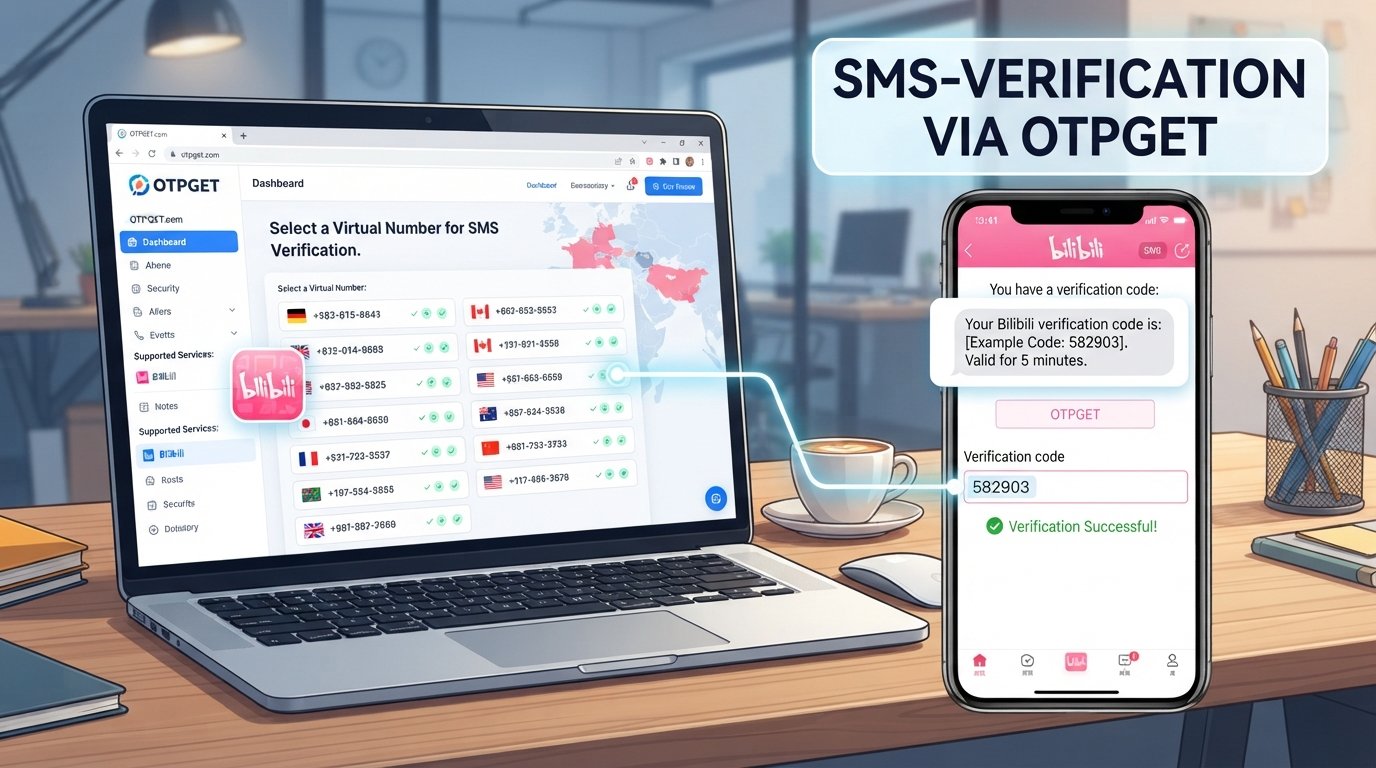
Bilibili Registration Guide for International Users
Creating a Bilibili account can be useful if you want to explore Chinese-language videos, follow creators, interact with communities, or personalize your viewing experience.
For international users, however, the registration process can sometimes be less straightforward than expected. Phone-number requirements, SMS delivery, verification codes, country compatibility, and unfamiliar registration screens can all create friction.
This Bilibili registration guide for international users walks through the process step by step and explains what to do when SMS verification becomes the main obstacle. If your regular number cannot receive the required message, an SMS-receiving service such as OTPGET may be an option to consider when an appropriate number is available and accepted.
What Is Bilibili?
Bilibili is a major Chinese online video and community platform. Users can watch videos, follow creators, discover content, and participate in platform communities.
An account can also provide a more personalized experience than simply browsing content. Depending on the features available to your account and location, registration may be relevant if you want to follow channels, manage preferences, interact with content, or use other account-based functions.
Bilibili's own account interface currently shows registration and login options, including phone-based flows and SMS verification.
Why Can Bilibili Registration Be Difficult for International Users?
The biggest challenge is often phone verification.
Depending on the registration route presented to you, Bilibili may ask for a phone number or another account identifier and require a verification code. Bilibili's published privacy information states that phone numbers or email addresses may be used with verification codes during account registration and login.
International users may run into problems such as:
- Their mobile carrier does not reliably deliver the SMS.
- The available country or number format is not accepted.
- International SMS delivery is delayed or blocked.
- A verification code expires before it can be entered.
- The registration interface is presented partly in Chinese.
- Repeated code requests trigger temporary restrictions or cooldowns.
The exact registration and verification experience can vary according to location, platform, account state, and Bilibili's current requirements. Treat the options shown on the official registration screen as the authoritative instructions for your account.
What You Need Before Registering for Bilibili
Before starting your Bilibili signup, prepare:
- A stable internet connection.
- Access to the official Bilibili website or app.
- A phone number capable of receiving the required SMS, if phone verification is requested.
- Access to the verification code.
- Basic account information requested during signup.
- Secure login credentials if the registration flow asks you to create them.
You do not necessarily need the same registration options as another user. Bilibili can present different account and verification requirements depending on the route you use.
How to Register for a Bilibili Account
The precise buttons and layout can change, so use the registration screen currently presented by Bilibili. The general process is straightforward.
1. Open Bilibili
Start with the official Bilibili website or the official app.
Avoid registration pages shared through unfamiliar websites or messages. Bilibili itself warns users about fake login pages designed to imitate its interface.
2. Select Registration or Sign Up
Choose the available registration option. On Bilibili's account interface, users can access registration from the login area.
3. Choose an Available Registration Method
Follow the options displayed for your location and device.
If Bilibili offers a phone-based registration route, enter the applicable country code and phone number carefully.
4. Request the SMS Verification Code
If SMS verification is required, submit the number and request the verification message.
Double-check the country code before sending the request.
5. Enter the OTP
When the SMS arrives, enter the verification code into the Bilibili registration screen.
Do not share verification codes with other people. Treat an OTP as sensitive account information.
6. Complete Account Setup
Follow any remaining prompts to finish creating the account. Depending on the registration flow, this may include setting account information or completing an additional verification step.
7. Log In and Review Your Account
After registration, log in and check your account settings. Keep your credentials secure and use Bilibili's official account-management options for future changes.
How OTPGET Can Help With Bilibili SMS Verification
If your normal phone number cannot receive the required SMS, you may need an alternative SMS-receiving option.
OTPGET provides virtual numbers designed for receiving supported SMS verification messages. Its documentation describes a process for selecting an available country and service, obtaining a number, and checking for an incoming SMS code.
The practical workflow is:
- Visit OTPGET.
- Check whether an appropriate number or service is available for your intended verification.
- Select a suitable number.
- Enter that number during the applicable Bilibili registration step.
- Request the Bilibili SMS verification code.
- Check OTPGET for the incoming message.
- Enter the OTP into the Bilibili registration screen.
- Complete registration if Bilibili accepts the number and verification.
The important limitation is that availability and compatibility are not guaranteed. A virtual number may be unavailable for a particular service, country, or verification route, and Bilibili ultimately determines which numbers and verification methods it accepts.
OTPGET is therefore best viewed as an alternative SMS-receiving option—not a way to bypass Bilibili's security or verification requirements.
If your regular number is not receiving the required message, it can be worth checking OTPGET's available services before repeatedly requesting another code.
Why Users May Need an Alternative Number for OTP Verification
There are several legitimate reasons an international user may look for another SMS-receiving option.
For example:
- Your carrier has unreliable international SMS delivery.
- The verification message never reaches your normal inbox.
- Your number format is not accepted by the registration form.
- You prefer not to use your primary number for a particular online registration.
- You need a number specifically suited to a supported verification workflow.
OTPGET's documentation describes both temporary SMS numbers and longer-term rental options, although availability depends on the selected country, service, and provider.
Always use an alternative number only where the relevant platform permits it and for an account you are authorized to create.
Common Bilibili Registration Problems and Solutions
Verification Code Not Arriving
First, confirm that the country code and phone number are correct. Check whether your carrier blocks certain messages and give the system a reasonable amount of time to deliver the SMS.
If the number still does not receive the code, avoid repeatedly pressing the resend button. You can also check whether an eligible alternative SMS-receiving number is available through OTPGET.
Phone Number Not Accepted
A rejected number can indicate a compatibility issue with the selected registration route.
Check the country code, remove accidental spaces or characters, and follow the number format shown by Bilibili. If the platform does not accept the number, trying random formats repeatedly is unlikely to help.
OTP Expired
Verification codes can have limited validity. If an OTP has expired, request a fresh code and use the newest message rather than an older one.
Too Many Verification Attempts
Repeated requests can make registration more difficult. If Bilibili temporarily limits verification attempts, stop requesting additional codes and follow any cooldown or security instructions shown on the service.
Registration Still Not Working
Check that you are using the official Bilibili registration route and that the information you entered is accurate.
If the issue appears to be country or number compatibility, review the options Bilibili currently presents instead of assuming that every international number will work.
Is It Possible to Register for Bilibili Without a Local Chinese Phone Number?
There is no single answer that applies to every international user.
Bilibili's registration and login systems can involve phone numbers, email addresses, verification codes, or other available authentication methods. Its published information confirms that phone numbers or email addresses can be involved in registration and login verification.
Therefore, an international user should first check the registration methods actually offered on their Bilibili screen.
If phone verification is required and your existing international number is not accepted or cannot receive the SMS, an eligible alternative number may help. OTPGET can be considered if it has an appropriate number/service available and Bilibili accepts that number for the verification step.
There is no universal guarantee that a particular country, virtual number, or registration method will work.
Tips for a Smooth Bilibili Registration
Keep these practical tips in mind:
- Use accurate account information.
- Check the country code before requesting an SMS.
- Make sure the selected number can receive SMS.
- Avoid requesting multiple OTPs rapidly.
- Use the newest verification code when several messages arrive.
- Check your carrier's SMS blocking or filtering settings.
- Use the official Bilibili website or app.
- Keep your password and verification codes private.
- Follow Bilibili's current account and security requirements.
- If your normal number fails, consider an alternative SMS-receiving option only when it is appropriate and permitted.
Frequently Asked Questions
1. Can international users register for Bilibili?
Yes, international users may be able to register, but the available registration and verification methods can vary by location and account flow. Check the options Bilibili presents during signup.
2. Do I need a phone number to register for Bilibili?
A phone number may be required depending on the registration method presented to you. Bilibili's published account information identifies phone numbers and email addresses as information that can be used for registration and login verification.
3. Why am I not receiving the Bilibili verification code?
Possible causes include incorrect country codes, unsupported numbers, carrier filtering, international SMS delivery problems, or temporary verification limits. Check your number and avoid repeatedly requesting new codes.
4. Can OTPGET receive a Bilibili OTP?
OTPGET provides virtual numbers for supported SMS verification workflows. Whether a Bilibili OTP can be received depends on number availability, service compatibility, and whether Bilibili accepts the selected number. OTPGET does not guarantee Bilibili verification.
5. Can I use an international phone number for Bilibili?
An international number may work when it is supported by the registration route available to you. However, country and number compatibility can vary, so follow the options displayed by Bilibili.
6. How long does a Bilibili OTP remain valid?
The exact validity period can depend on Bilibili's verification system. If a code no longer works, request a new one and enter the latest code promptly.
7. What should I do if my Bilibili verification code does not arrive?
Check the phone number and country code, verify that your carrier can receive the message, and avoid repeated requests. If your normal number continues to fail, you can check whether an appropriate SMS-receiving option is available through OTPGET.
8. Is OTPGET suitable for Bilibili SMS verification?
OTPGET may be suitable when an appropriate number is available and Bilibili accepts it for the required verification step. Compatibility is not guaranteed, so users should check the available service and follow Bilibili's registration requirements.
Conclusion
For international users, Bilibili registration is generally straightforward when the required account and verification information is available. The main complication can arise when SMS verification does not reach your normal phone number or when a particular international number is not accepted.
Start with the official Bilibili registration process and follow the verification requirements shown on your screen. If SMS delivery is the problem, an alternative receiving option such as OTPGET can be practical when a suitable number is available and supported.
The key is to treat OTPGET as an SMS-receiving option—not a guarantee of Bilibili account approval or a way around Bilibili's security controls.
If your regular number is preventing you from completing verification, check OTPGET for an available, appropriate SMS number and then complete the normal Bilibili verification process if the number is accepted.


