Set Up WhatsApp Business With a Virtual Number for Business Use
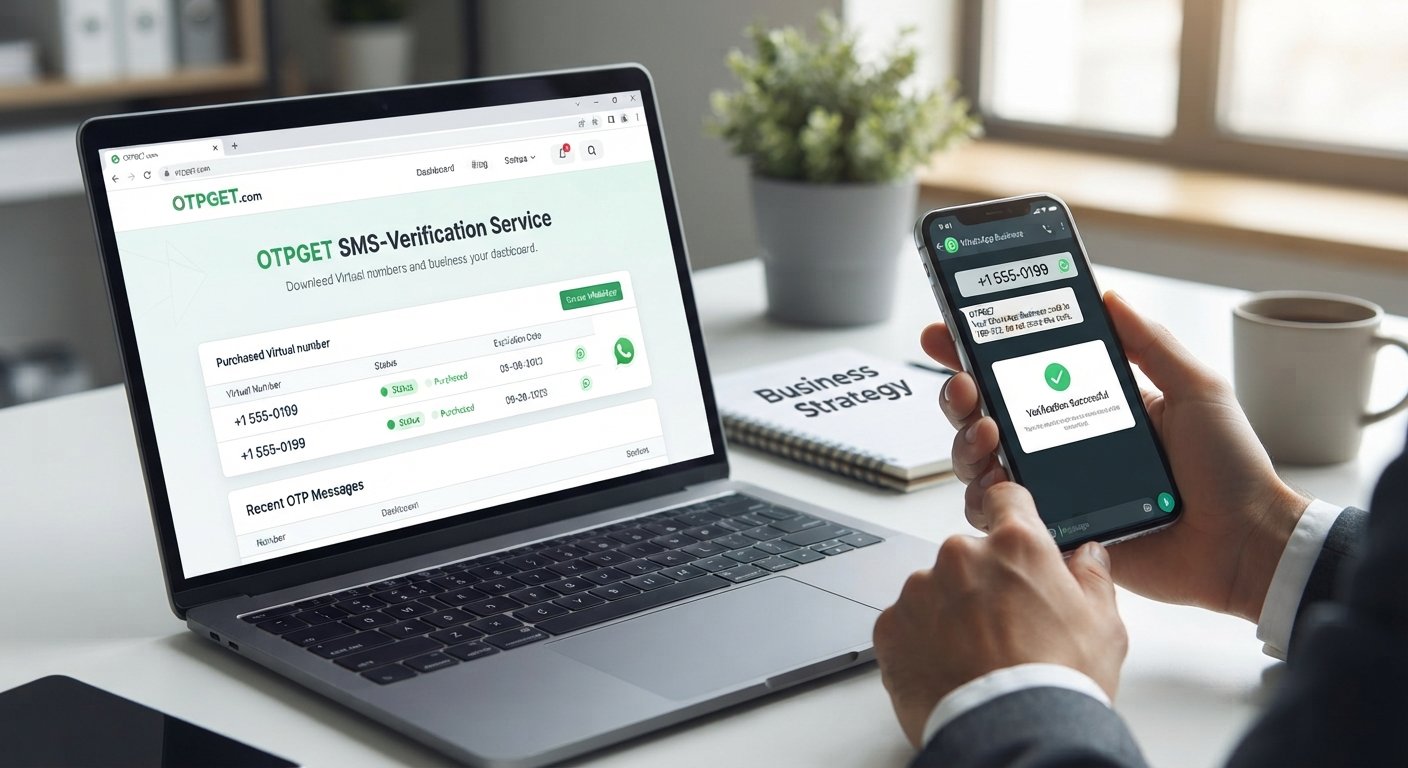
Set Up a Business WhatsApp With a Virtual Number
For many business owners, WhatsApp is more than a messaging app. It can be a direct channel for customer questions, orders, appointments, support, and everyday business communication.
But there is one common problem: which phone number should you use?
Using a personal number for business can mix work and private conversations, expose your personal contact information to customers, and make it harder to keep business communication organized. A separate number can create a cleaner boundary.
That is where a virtual number can become useful.
A virtual phone number can provide an online alternative to a traditional SIM-based number, depending on the provider and the service's requirements. For businesses exploring this approach, OTPGET offers virtual numbers and OTP-related services that can fit into legitimate verification workflows.
Before choosing a number, however, it is important to understand compatibility, verification requirements, access, and long-term account management.
What Is a Virtual Number for WhatsApp Business?
A virtual number is a phone number that is managed through an online service rather than being tied directly to a physical SIM card in your phone.
Depending on the provider, virtual numbers may support SMS, calls, or other communication functions. Some are intended for temporary verification, while others can be rented for longer periods.
For businesses, the main attraction is separation.
Instead of giving customers your personal mobile number, you may be able to use a dedicated business number for a WhatsApp Business account. This can make business communication easier to distinguish from personal conversations.
However, a critical point is that not every virtual number is compatible with WhatsApp. WhatsApp states that registration requires a phone number you own and that the number must be able to receive the required verification method. Its published requirements also identify certain number types, including VoIP numbers, as unsupported.
So, a virtual number should never be treated as an automatic substitute for a mobile number. The specific number type and provider matter.
[Internal Link: Virtual Number Guide]
Why Use a Virtual Number for WhatsApp Business?
A separate number can make sense when business communication needs to be managed independently from personal communication.
Here are some practical reasons businesses may consider one:
Separate personal and business communication
A dedicated business number gives customers a contact point that is separate from your personal number. This can make it easier to establish boundaries around work communication.
Maintain a professional business identity
A dedicated number can be included on invoices, websites, social profiles, packaging, advertisements, and customer-service materials without exposing a personal contact number.
Simplify account management
A separate WhatsApp Business account can give a team a clearer destination for customer conversations instead of mixing business messages with personal chats.
Support online businesses
For freelancers, online sellers, agencies, and digital businesses, a virtual number can be convenient when most business operations already happen online.
Support distributed teams
Businesses with remote workers may find a dedicated business communication channel easier to manage than relying on one employee's personal number.
Reduce dependence on a personal phone number
A virtual number may allow a business to keep its personal contact information separate from customer-facing communication, provided the selected number remains suitable for the intended use.
The important point is that a virtual number is a business-management option, not a requirement. Some businesses may still prefer a traditional mobile or landline number because it can offer greater long-term control.
Can You Set Up WhatsApp Business With a Virtual Number?
Sometimes, but compatibility must be checked first.
WhatsApp requires a number that can complete its registration and verification process. Its Help Center says that users must be able to receive the registration code through SMS or phone call, and that only a phone number the user owns can be registered. WhatsApp also lists unsupported number categories.
This means that simply buying an online phone number does not guarantee that it can be registered with WhatsApp Business.
Before purchasing a number, check:
- What type of number is being provided?
- Can it receive the verification method required by WhatsApp?
- Is the number intended for temporary or longer-term use?
- Do you retain access to the number?
- Does the provider identify WhatsApp as a supported service?
- Are there restrictions on how the number can be used?
A reliable provider should make these details reasonably clear.
For businesses, long-term access deserves particular attention. A temporary number may be suitable for a one-time verification workflow, but it may not be the right choice if the WhatsApp Business account could require future verification or account recovery.
How to Set Up a Business WhatsApp With a Virtual Number
Once you have identified a number that is appropriate for your intended use, the setup process is straightforward.
1. Choose a suitable virtual number
Select a number from a provider that offers the country, number type, and verification method you need.
Do not assume that every available virtual number will work with WhatsApp.
2. Confirm verification compatibility
Check that the number can receive the SMS or call required for WhatsApp registration. WhatsApp's registration guidance specifically requires access to the registration code.
3. Install or open WhatsApp Business
Download or open the WhatsApp Business app and begin the account registration process.
WhatsApp describes the Business app as a solution for small businesses and provides a setup flow that includes phone-number verification and business-profile creation.
4. Enter the virtual number
Select the appropriate country code and enter the number exactly as provided.
Double-check the digits before requesting verification.
5. Request the verification code
WhatsApp will use its available verification process to send a registration code to the number.
6. Retrieve the OTP
If your chosen provider supports the required SMS verification, retrieve the WhatsApp verification code through the provider's supported interface.
With OTPGET, virtual numbers and SMS OTP services are available through its online platform, subject to number and service availability.
7. Enter the verification code
Enter the legitimate code into WhatsApp when prompted.
Never guess a verification code or share it with another person. WhatsApp specifically warns users not to guess registration codes.
8. Complete your WhatsApp Business profile
Add your business name, category, profile image, description, contact information, business hours, and other available details.
WhatsApp's Business setup guidance includes creating a business profile after phone-number verification.
9. Configure your business communication
Once the account is active, configure the features that are relevant to your business, such as customer messaging, business information, catalogs, or other available tools.
[Internal Link: WhatsApp Verification Guide]
How OTPGET Helps With Virtual Number Verification
For businesses searching for a virtual number for WhatsApp Business, the biggest practical challenge is often obtaining a suitable number and accessing the verification message without relying on a personal SIM.
OTPGET is a virtual-number and OTP-verification platform. Its published service information includes virtual numbers for SMS verification, rental numbers, and a service directory that includes WhatsApp. Availability can vary by country, provider, number type, and service.
The basic workflow is simple:
- Choose an available virtual number for the intended service.
- Use the number in the normal WhatsApp registration process, where supported.
- Request the verification code through WhatsApp.
- Check the supported OTPGET interface for the incoming SMS.
- Enter the valid code into WhatsApp.
- Complete the standard WhatsApp Business setup.
The value is primarily convenience. Instead of depending entirely on a personal phone number, a business can explore a separate online number for a legitimate business setup.
OTPGET's documentation also describes both one-time SMS OTP services and longer-term rental-number options, which can be relevant to different business requirements.
There is an important limitation: OTPGET does not control WhatsApp's verification system. Having a number available through a provider does not mean WhatsApp will necessarily accept that number. Businesses should always confirm that their selected number and intended use comply with WhatsApp's requirements.
Benefits of Using OTPGET for Business WhatsApp Setup
For businesses considering an online virtual phone number, OTPGET can offer several practical advantages:
- Convenient virtual-number access: Choose from available numbers without depending exclusively on a physical SIM.
- Online OTP handling: Supported verification messages can be accessed through the provider's platform.
- Number flexibility: Available countries, services, and number types can provide options for different legitimate business requirements.
- Separate business communication: A dedicated number can help keep personal and work communication apart.
- Temporary and rental options: Depending on availability, businesses can explore short-term or longer-term number options.
- Useful for online businesses: Digital businesses can manage parts of their verification workflow online rather than relying entirely on physical telecom infrastructure.
The right choice still depends on how the number will be used and how much long-term control the business needs.
Virtual Number vs. Personal Number for WhatsApp Business
| Feature | Personal Number | Virtual Number |
|---|---|---|
| Privacy | Personal contact information may be shared | Can provide a separate business contact |
| Business separation | Business and personal use can overlap | Designed to separate business communication |
| Flexibility | Tied to your regular mobile service | Managed through an online provider |
| Professional use | Suitable for owner-operated businesses | Useful when a dedicated business identity is preferred |
| Number management | Usually controlled directly by the individual | Depends on provider and rental terms |
| Verification | Generally familiar to mobile services | Compatibility must be checked carefully |
| Long-term control | Usually stronger if the SIM remains yours | Depends on ownership, rental period, and provider policies |
Neither option is automatically right for every business. The best fit depends on privacy needs, account ownership, verification compatibility, and how important long-term number access is.
Who Can Benefit From a Virtual Number for WhatsApp Business?
A virtual number can be worth considering for businesses and professionals that want to separate business communication from personal communication.
Potential users include:
- Small businesses that want a dedicated customer-contact number.
- Online sellers that communicate with customers primarily through messaging.
- Freelancers who want a work contact separate from their personal number.
- Agencies managing communication for business projects.
- Startups establishing dedicated communication channels.
- Remote teams that need a business-focused contact point.
- Digital entrepreneurs who operate primarily online.
- Customer-support teams that want business messaging kept separate from personal accounts.
Not every business needs a virtual number. A traditional business mobile number may be more appropriate when direct ownership, calls, and long-term telecom access are priorities.
Things to Consider Before Choosing a Virtual Number
A virtual number can be convenient, but businesses should evaluate it carefully before using one for an important account.
Verification compatibility
Check whether the number supports the verification method required by WhatsApp. Some virtual number categories may not be supported.
Reliability
Consider whether SMS messages arrive consistently and whether the provider provides adequate access to incoming messages.
Number availability
The number you want may not always be available. Country, carrier, service, and inventory can affect availability.
Privacy
Understand who can access the number and how incoming messages are handled. Avoid using shared or publicly accessible numbers for accounts containing sensitive business information.
Ownership and access
Determine whether you are purchasing temporary access, renting a number, or receiving another type of service. This matters if the account may need future verification.
Provider policies
Read the provider's terms and usage restrictions before purchasing a number.
WhatsApp requirements
WhatsApp controls its own registration and verification systems. A third-party provider cannot guarantee acceptance, account approval, or continued access.
Pricing and limits
Compare the cost of one-time numbers against longer-term rentals if the account is intended for ongoing business use.
Customer support
A provider with clear documentation and responsive support can be useful when a verification workflow does not proceed as expected.
Taking these factors into account helps prevent a common mistake: choosing a number simply because it is inexpensive or immediately available.
Final Thoughts
Setting up a business WhatsApp with a virtual number can be a practical way to separate customer communication from a personal phone number. It can provide flexibility for online businesses, freelancers, agencies, startups, and teams that prefer a dedicated business contact.
The key is to remember that virtual numbers are not universally compatible with WhatsApp. The number type, verification method, provider, ownership arrangement, and WhatsApp's own requirements all matter.
For businesses looking for a convenient way to explore virtual numbers and OTP-related services, OTPGET is an option worth considering. Its available virtual numbers, OTP services, and rental options can fit different legitimate verification and business workflows, subject to availability and compatibility.
Before getting started, review the requirements, choose a number that fits your intended use, and maintain access to the number for as long as your business account may need it.
FAQ
1. Can I use a virtual number for WhatsApp Business?
You may be able to, but not every virtual number is supported. WhatsApp requires a number that can complete its registration process and receive the required verification method. Certain number categories, including VoIP numbers, may be unsupported.
2. How do I verify WhatsApp Business with a virtual number?
Choose a compatible number, enter it during WhatsApp Business registration, request the verification code, retrieve the code through the supported provider method, and enter it into WhatsApp. The number must meet WhatsApp's registration requirements.
3. Can I receive a WhatsApp verification code on a virtual number?
If the number supports the verification method required by WhatsApp and the number is accepted by WhatsApp, the registration code may be delivered through the provider's supported SMS or call channel. Compatibility should be confirmed before purchase.
4. Is a virtual number better than using my personal number?
It depends on your business needs. A virtual number can help separate personal and business communication, while a personal or traditional business number may provide stronger direct ownership and long-term control.
5. Can I use OTPGET for WhatsApp verification?
OTPGET provides virtual numbers and SMS OTP services, and its published service directory includes WhatsApp. Businesses can explore available numbers for legitimate verification purposes, but WhatsApp ultimately controls whether a particular number is accepted.
6. What should I check before choosing a virtual number?
Check number type, WhatsApp compatibility, SMS or call capability, availability, access terms, privacy, pricing, provider policies, and whether you can maintain access to the number for future account needs.
7. Can businesses use virtual numbers for separate WhatsApp accounts?
A business can use a separate eligible phone number for a separate WhatsApp account. WhatsApp's guidance states that WhatsApp Messenger and WhatsApp Business require different phone numbers when used simultaneously.
INTERNAL LINK SUGGESTIONS
- Virtual phone numbers for businesses — [Internal Link: Virtual Number Guide]
- WhatsApp number verification explained — [Internal Link: WhatsApp Verification Guide]
- How to receive OTP online — [Internal Link: Online OTP Guide]
- Choosing temporary vs. rental numbers — [Internal Link: Temporary vs. Rental Virtual Numbers]


