Discord Account Setup: Get Your OTP Fast and Verify with OTPGET
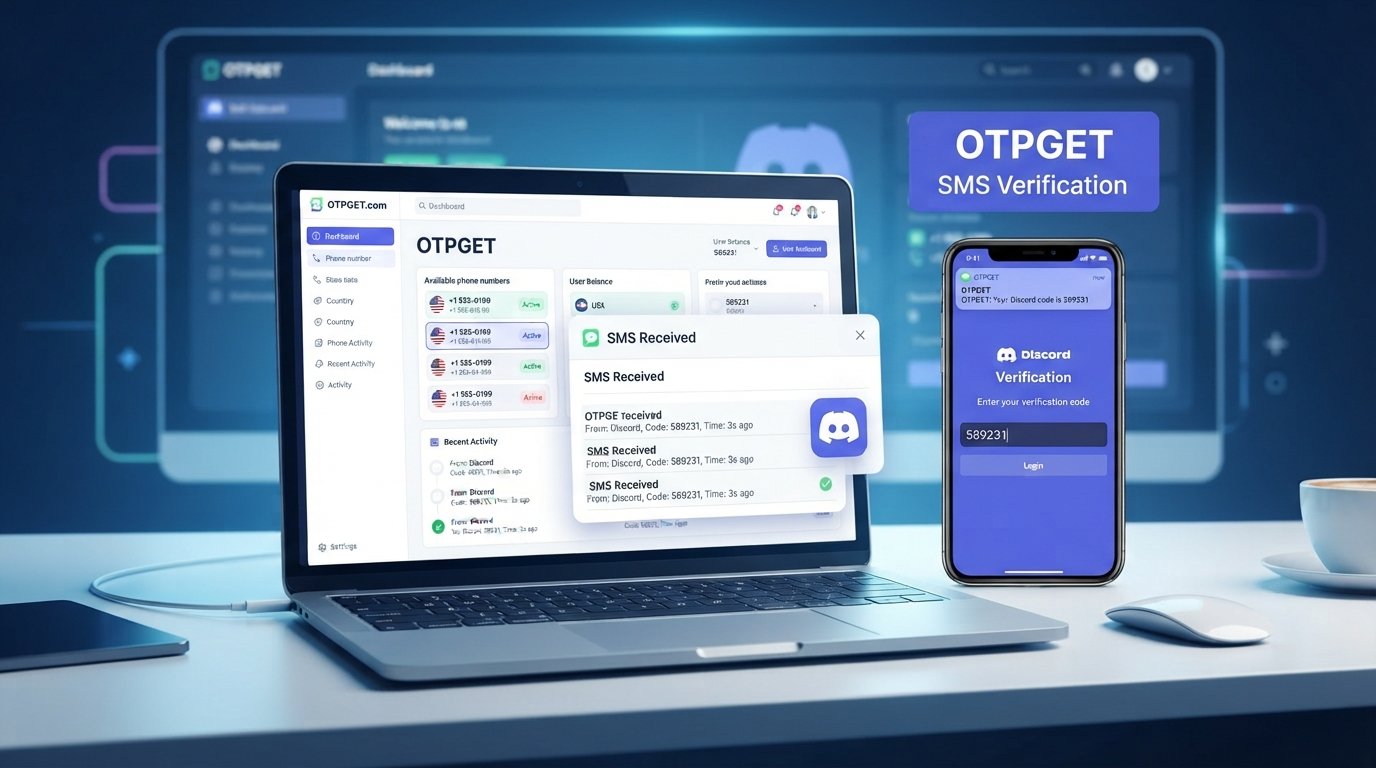
Discord Account Setup: Get Your OTP Fast and Verify with OTPGET
Setting up a Discord account is usually a quick process. You choose your account details, follow the signup flow, and expect to start using Discord within minutes.
Then the verification screen appears.
If Discord asks for a phone number or sends a one-time password, the process can suddenly feel less straightforward. A missing SMS, delayed verification code, or repeated OTP request can turn a simple Discord account setup into a frustrating experience.
The good news is that most OTP problems have practical explanations and troubleshooting steps. And when you need a convenient option for OTP-related verification needs, OTPGET is worth considering as part of your workflow.
This guide explains how Discord OTP verification works, why codes may not arrive, what you can do when they do not, and where OTPGET may fit into the process.
Why Discord Requires OTP Verification
A Discord OTP is a one-time password or verification code used during certain account or phone verification flows. The purpose is straightforward: the verification process helps confirm that the person completing the account setup can access the phone number being used.
This is different from your regular Discord password. An OTP is temporary and is intended for a specific verification step.
During Discord phone verification, the platform may send a verification code through SMS. Entering the correct code allows you to continue the applicable verification process.
There are several reasons platforms use this type of account verification. Phone-based verification can add another layer of account validation, help reduce certain forms of automated abuse, and make it harder for unauthorized users to complete particular account actions.
For a new user, the important point is simple: a Discord verification code is part of the normal verification process when Discord requests it. The safest approach is to follow Discord's own instructions rather than trying to bypass the verification step.
How Discord Account Setup Works
The exact screens you see can vary depending on the signup flow and Discord's requirements, but a normal Discord account setup generally follows a straightforward sequence.
- Start the account creation process.
Enter the requested information and create your Discord account according to Discord's signup instructions. - Complete the requested account details.
Provide the information required to continue, such as your email address, username, password, or other requested details. - Reach the verification stage.
Depending on the account and activity, Discord may ask you to complete an additional verification step. - Provide a phone number when requested.
If Discord requests phone verification, enter a number that can legitimately receive the required SMS. - Receive the Discord OTP code.
Discord may send a verification message containing a temporary code. - Enter the verification code.
Enter the code exactly as instructed. Avoid guessing or repeatedly requesting new codes if the original message is simply delayed. - Complete your account setup.
Once the required verification steps are accepted, continue with the remaining Discord setup process.
The key is to treat verification as a normal part of account security. If the code does not arrive, troubleshoot the delivery issue rather than attempting to circumvent the requirement.
Why You May Not Receive a Discord OTP
Not receiving a Discord OTP does not necessarily mean something is wrong with your account. SMS delivery can depend on several factors outside the app itself.
Common causes include:
- Network or carrier delays: SMS messages can occasionally take longer than expected to arrive.
- An incorrect phone number: A single incorrect digit can prevent delivery.
- Temporary delivery problems: Messaging routes can experience short-term issues.
- Too many verification attempts: Repeatedly requesting codes can make the process more difficult and may trigger temporary restrictions.
- SMS filtering: Your phone, carrier, or messaging application may filter certain automated messages.
- Phone number compatibility: Some numbers or number types may not work with a particular verification flow.
- Temporary service issues: Problems on the platform or messaging side can occasionally affect verification delivery.
Before assuming the verification system is broken, check the basics. Confirm the number, make sure your phone can receive SMS messages, and give a delayed message some time to arrive.
How to Get Your Discord Verification Code More Reliably
If you need to receive a Discord verification code, a few simple checks can make the process smoother.
First, double-check the phone number you entered. This sounds obvious, but it is one of the easiest mistakes to overlook when moving quickly through signup.
Next, check your mobile reception and confirm that other SMS messages are arriving normally. If ordinary messages are also delayed, the problem may be related to your network or carrier rather than Discord.
It is also important not to request a new Discord OTP repeatedly. If a message is already on its way, multiple requests can create confusion over which code is current. Wait a reasonable amount of time before trying again.
You can also check whether your phone has SMS filtering, blocked-message settings, or other features that could prevent automated messages from appearing normally.
If the number can receive SMS, your information is correct, and the code still does not arrive, follow Discord's normal support and verification guidance.
For users who need an appropriate OTP-related service, an online OTP service such as OTPGET can also be considered where compatible with the verification workflow and service requirements.
OTPGET: A Convenient Solution for OTP Verification
OTP delivery is often the small step that stands between a user and a completed signup. When that step becomes inconvenient, having a practical OTP-focused option can make the overall process easier to manage.
OTPGET can provide a convenient option for users looking for help with OTP-related verification needs. Depending on the verification service, number availability, and applicable requirements, OTPGET may help users receive verification codes more conveniently.
The important distinction is that OTPGET and Discord are separate services. OTPGET should not be presented as an official Discord partner, endorsement, or part of Discord's own infrastructure.
Instead, think of OTPGET as a separate solution that may fit into an OTP verification workflow when the relevant service and number type are supported.
That makes OTPGET particularly worth exploring when your main frustration is the practical side of receiving a verification message. Rather than repeatedly requesting codes or wondering whether an SMS will arrive, you can consider an appropriate OTP verification service as another legitimate option.
Of course, availability and compatibility can vary. No OTP service should be assumed to work with every platform, every verification flow, or every number type. Always follow the requirements of the service you are verifying with.
Why Choose OTPGET for OTP Needs?
The biggest advantage of an OTP solution should be convenience.
When you are trying to complete account verification, you generally do not want to spend unnecessary time troubleshooting SMS delivery. A service designed around OTP-related needs can provide a more focused workflow for users who need verification codes.
OTPGET can be considered for several practical reasons:
- Convenience: A dedicated OTP solution can make verification-related tasks easier to manage.
- Less frustration: Having an appropriate option available can reduce repeated attempts when normal SMS delivery becomes inconvenient.
- Simple workflow: Users can focus on receiving and using the required verification code rather than getting stuck on delivery problems.
- Practical verification support: OTPGET may be useful when its available options match the requirements of the verification service.
- Potential time savings: A smoother OTP workflow can help reduce unnecessary back-and-forth during account setup.
The goal is not to promise that every Discord verification attempt will work through OTPGET. The better approach is to check compatibility and use the service only where it is appropriate for the verification process you are completing.
Discord OTP Troubleshooting Checklist
Before looking for another solution, run through this quick checklist:
- Confirm that your phone number is entered correctly.
- Check that your phone has a reliable mobile signal.
- Make sure your device can receive ordinary SMS messages.
- Check SMS filtering, blocked messages, and messaging settings.
- Wait a reasonable amount of time before requesting another Discord OTP.
- Avoid sending repeated verification requests in quick succession.
- Make sure the number type is appropriate for the verification process.
- Follow Discord's normal account verification instructions.
- If the code still does not arrive, consult Discord's official support resources.
- Where appropriate, consider a compatible OTP verification service such as OTPGET.
This checklist covers the most common issues without asking you to weaken or bypass Discord's security controls.
Discord Account Setup: Common Questions
Why am I not receiving my Discord OTP?
The code may be delayed because of carrier or network issues, an incorrect number, SMS filtering, repeated requests, number compatibility, or a temporary delivery problem. Check your number and SMS reception before requesting another code.
How do I get a Discord verification code?
Follow Discord's normal verification process and provide the requested information. If phone verification is required, Discord may send an SMS containing a temporary verification code to the number provided.
What is a Discord OTP?
A Discord OTP is a temporary one-time password or verification code used during an applicable verification step. It is separate from your normal account password.
Why does Discord ask for phone verification?
Phone verification can be used as an additional account-validation step. If Discord requests it, completing the verification normally is the appropriate way to continue.
How can I troubleshoot Discord SMS verification?
Start by checking the phone number, mobile reception, SMS filtering, and message delivery. Avoid repeatedly requesting codes, wait for delayed messages, and follow Discord's official troubleshooting guidance if the issue continues.
Can OTPGET help with OTP verification?
OTPGET can be a convenient option for OTP-related verification needs when its available service is compatible with the verification workflow. It is a separate service from Discord and should not be considered an official Discord partner.
What should I do if my Discord verification code does not arrive?
First, confirm your number and check whether your phone can receive SMS. Wait before requesting another code, avoid repeated attempts, and consult Discord's official support resources if the problem persists. An appropriate OTP service may also be worth considering where compatible.
Final Thoughts
A smooth Discord account setup should not require endless troubleshooting. However, OTP and phone verification can sometimes create friction, especially when an SMS is delayed or never appears.
The best approach is to start with the basics: confirm your number, check SMS reception, avoid repeated requests, and follow Discord's normal verification process.
If receiving verification codes is the part of the process causing the most frustration, OTPGET is a convenient option worth exploring for OTP-related verification needs. Its usefulness will depend on compatibility and availability, so always make sure the service fits the verification workflow you are using.
For users looking for a practical way to handle OTP-related needs, exploring OTPGET can be a sensible next step.
J. FAQ SCHEMA CONTENT
Question 1: Why am I not receiving my Discord OTP?
Answer: A Discord OTP may be delayed because of network or carrier issues, an incorrect phone number, SMS filtering, repeated requests, number compatibility, or temporary delivery problems.
Question 2: How do I get a Discord verification code?
Answer: Follow Discord's normal verification process. If phone verification is requested, Discord may send a temporary verification code by SMS to the number you provide.
Question 3: What is a Discord OTP?
Answer: A Discord OTP is a temporary one-time password or verification code used during an applicable Discord verification step.
Question 4: Why does Discord ask for phone verification?
Answer: Discord may use phone verification as an additional account-validation step. When requested, users should complete the normal verification process.
Question 5: How can I troubleshoot Discord SMS verification?
Answer: Check your phone number, mobile signal, SMS filtering, and message reception. Avoid repeated requests and wait before trying again if a code is delayed.
Question 6: Can OTPGET help with OTP verification?
Answer: OTPGET can provide a convenient option for OTP-related verification needs when its available service is compatible with the verification workflow. OTPGET is separate from Discord.
Question 7: What should I do if my Discord verification code does not arrive?
Answer: Confirm your number, check SMS reception, wait before requesting another code, and follow Discord's official support guidance. A compatible OTP service may also be considered where appropriate.
K. INTERNAL LINKING SUGGESTIONS
- Anchor text: Discord account verification guide
Suggested topic/page: A detailed guide to Discord account verification requirements and common verification steps.
Where to place it: In the “Why Discord Requires OTP Verification” section. - Anchor text: how to troubleshoot SMS verification
Suggested topic/page: A troubleshooting guide covering delayed, filtered, or missing SMS verification messages.
Where to place it: In the “Why You May Not Receive a Discord OTP” section. - Anchor text: OTP verification service guide
Suggested topic/page: An educational page explaining how OTP verification services work and when they may be useful.
Where to place it: In the “OTPGET: A Convenient Solution for OTP Verification” section. - Anchor text: receive OTP online
Suggested topic/page: A practical guide explaining legitimate OTP delivery options and compatibility considerations.
Where to place it: In the “Why Choose OTPGET for OTP Needs?” section. - Anchor text: OTPGET verification solutions
Suggested topic/page: A dedicated OTPGET service or solutions page describing available OTP-related options.
Where to place it: In the final paragraph of the article.
L. EXTERNAL LINKING SUGGESTIONS
- Discord Support / Help Center
Link to Discord's official support resources for account verification, login, phone verification, and troubleshooting. - Discord Safety Resources
Link to Discord's official safety guidance to help readers understand responsible account use and platform security. - Discord Account Support
Link to the relevant official Discord support topic covering account creation, verification, or problems receiving verification messages. - Discord Community Guidelines
Link to Discord's official policy resources so readers can understand the platform's rules while completing legitimate account setup and verification.