How to Get eHarmony Login Without Phone Number: Safe Options
How to Get eHarmony Login Without Phone Number: Safe Options
Trying to complete an eHarmony login without phone number access can be frustrating, especially when the number connected to your account is no longer available. You may have changed numbers, lost your phone, stopped receiving SMS messages, or simply be dealing with a verification-code delivery problem.
The important point is that losing access to a phone number does not automatically mean you should try to bypass eHarmony's security. Account ownership and the platform's verification requirements still apply.
Instead, there are legitimate ways to troubleshoot the problem and recover access. When receiving an SMS verification code is the main obstacle, a service such as OTPGET may be a convenient option in situations where the relevant verification flow supports the number and its use is permitted.
This guide explains what to do when you need an eHarmony login without phone, how verification works, and where an online SMS verification service may fit into the process.
Can You Log In to eHarmony Without Your Phone Number?
Whether you can complete an eHarmony account login without your usual phone number depends on what verification eHarmony requests and what recovery options are available for your account.
Common situations include:
-
You lost your phone.
-
You changed your phone number.
-
Your old number has been disconnected.
-
You cannot receive SMS messages.
-
A verification code is delayed or never arrives.
-
You entered an incorrect number during a verification step.
The safest approach is to use your own account credentials and follow eHarmony's available recovery or support procedures. If the platform requires confirmation of access to a particular phone number, another method may not always be available.
eHarmony explains that SMS verification is used as an additional security measure to confirm access to a phone number. Its official guidance also notes that verification-code delivery can take some time and that specific phone-number requirements may apply.
In other words, eHarmony without phone number access is not necessarily the same thing as bypassing phone verification. The goal should be legitimate account recovery or verification, not defeating the authentication process.
Why eHarmony May Ask for a Verification Code
An OTP, or one-time password, is a temporary code sent to a verification channel such as SMS. The purpose is to confirm that the person completing a particular action has access to the relevant authentication factor.
Phone verification can help with:
-
Protecting accounts from unauthorized access
-
Confirming control of a phone number
-
Adding another layer of account security
-
Supporting certain recovery or account actions
-
Reducing abuse of online services
When an eHarmony verification code is requested, entering the correct code is part of the platform's authentication process. A third-party service should never be viewed as a tool for defeating that process.
If you receive an unexpected OTP, do not share it with someone else. Verification codes are sensitive authentication information.
What to Do If You Cannot Receive Your eHarmony Verification Code
Before considering an online SMS verification service, troubleshoot the normal delivery problem.
Check the phone number
Make sure the number displayed or entered during the verification process is correct. A single incorrect digit can prevent the SMS from reaching you.
Check mobile reception
Poor cellular service can delay text messages. Move to an area with better reception and check whether other SMS messages are arriving.
Wait before requesting another code
Repeatedly requesting codes can make troubleshooting more confusing. Give the first message reasonable time to arrive before trying again.
Confirm you control the number
Only use a phone number that you legitimately control or are authorized to use for the verification process.
Check eHarmony's recovery options
If your registered number is permanently unavailable, look for eHarmony's official account-recovery or customer-support options rather than trying to circumvent authentication.
eHarmony provides a Customer Care channel for account-related assistance and states that its support team is available around the clock.
If none of these steps resolves the issue, the problem may be related to the account's verification requirements rather than the SMS delivery itself.
Can OTPGET Help With eHarmony Verification?
OTPGET can be useful when the main obstacle is receiving a verification SMS and the relevant service supports the number being used.
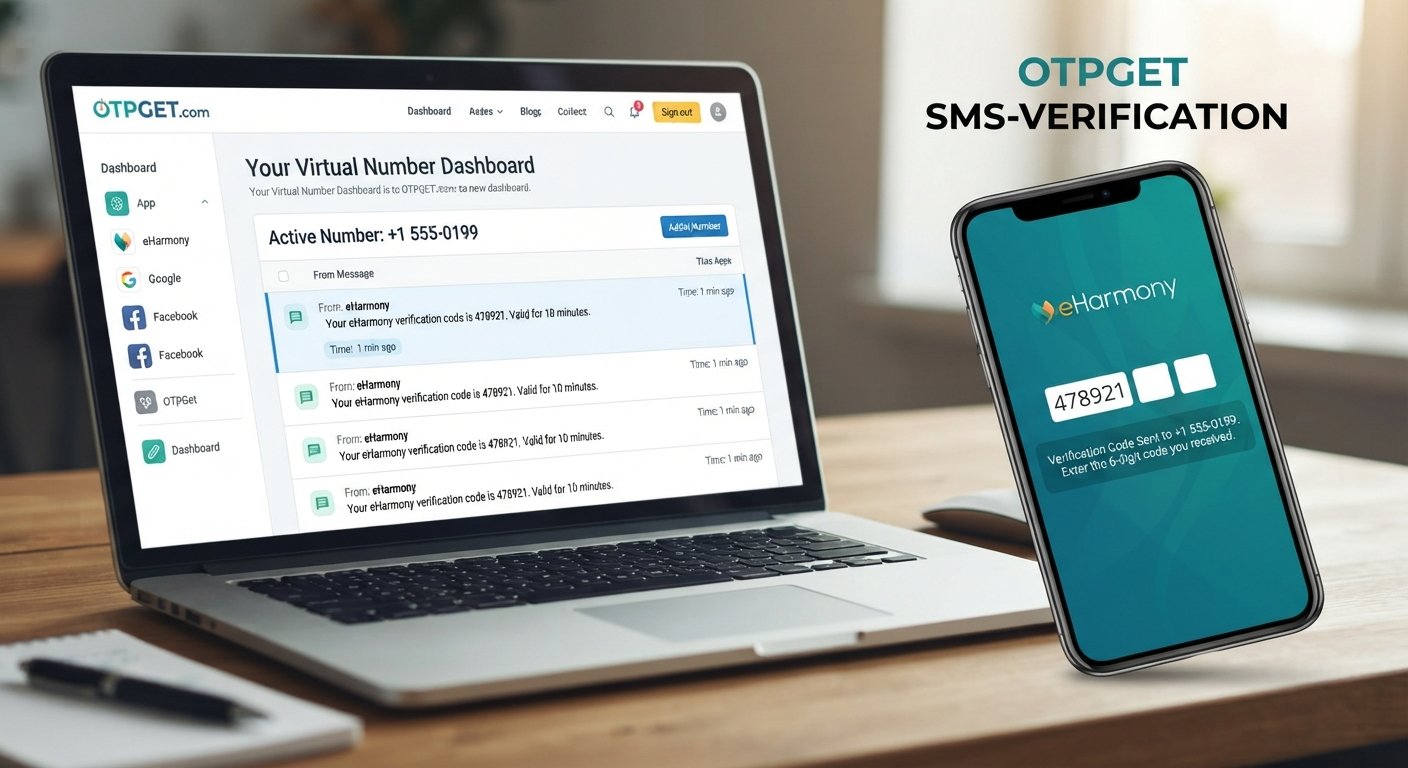
OTPGET provides virtual numbers and SMS OTP functionality designed for verification workflows. Its documentation describes functionality for obtaining numbers and receiving SMS messages associated with supported services.
For a user dealing with an eHarmony verification issue, the important distinction is that OTPGET does not bypass eHarmony authentication. It simply provides a potential channel for receiving an SMS when that type of number is accepted by the verification flow.
Compatibility is the key limitation. A website may reject temporary, virtual, recycled, or otherwise unsupported numbers. Therefore, you should never assume that an OTPGET number will automatically work with every eHarmony verification process.
Use OTPGET only for an account you own or are legitimately authorized to access, and continue to follow eHarmony's requirements.
How OTPGET Can Make Verification More Convenient
For legitimate verification scenarios, an online SMS service can reduce some of the practical difficulties associated with receiving a one-time code.
Potential advantages include:
-
Convenient SMS access: Verification messages can be accessed through the service rather than relying on a physical SIM.
-
Reduced dependence on an unavailable personal number: This may help when a verification flow permits an alternative number.
-
Practical temporary verification: A virtual number can be useful for eligible short-term verification requirements.
-
Centralized OTP access: OTPGET provides a dashboard-based approach for receiving SMS verification messages.
-
Flexible number availability: OTPGET offers virtual and rental numbers in multiple countries, subject to availability and service compatibility.
These benefits do not guarantee that a particular eHarmony verification flow will accept an OTPGET number. Always check the applicable rules and requirements before relying on an online verification service.
Steps to Approach eHarmony Login When You Don't Have Your Usual Number
If you're trying to complete an eHarmony sign in but no longer have your usual phone number, use this straightforward process:
-
Go to the legitimate eHarmony login page.
-
Enter the credentials for your own account.
-
Determine whether eHarmony requests phone verification or another authentication step.
-
If the registered number is unavailable, review the account-recovery options provided by eHarmony.
-
If an eligible verification number is permitted and receiving an SMS is the only obstacle, OTPGET may be considered as a potential SMS verification option.
-
Enter a verification code only when you are legitimately authorized to access the account.
-
Complete any additional identity or security checks requested by eHarmony.
If eHarmony does not accept the number, stop there and use the platform's official recovery or support process. An online OTP service should never be used to circumvent an account restriction or security control.
OTPGET vs. Traditional Phone Verification
| Factor | Traditional Phone Verification | OTPGET |
|---|---|---|
| Accessibility | Requires access to the relevant personal or registered number | Provides access to eligible virtual or rental numbers |
| Convenience | Familiar and straightforward when your phone is available | Useful when an accepted alternative number is needed |
| SMS reception | Messages arrive on your phone | Supported SMS messages can be accessed through the service |
| Dependence on personal phone | Usually higher | Can reduce dependence on a physical personal phone where permitted |
| Use case | Regular account authentication and verification | Applicable temporary or virtual-number verification scenarios |
| Account ownership | Required | Required |
| Security considerations | Uses your own phone number | Compatibility, privacy, and platform acceptance should be considered |
Neither approach is universally better. The appropriate option depends on eHarmony's verification requirements and your legitimate access to the account.
Important Things to Know Before Using an Online OTP Service
Before using an online SMS verification service, understand its limitations.
First, compatibility can vary. Some websites specifically restrict temporary or virtual numbers, while others may require a number from a particular country.
Second, verification policies can change. A number that works with one service or verification flow may not be accepted in another situation.
Third, privacy matters. Avoid giving unnecessary account credentials to third parties. An SMS verification provider should not need your eHarmony password simply to provide access to a verification number.
Finally, never use an OTP service to access an account that does not belong to you. Receiving a verification code does not establish ownership of an account by itself.
OTPGET's own documentation shows that available services and numbers depend on country, provider, and service availability, which reinforces the importance of checking compatibility rather than assuming universal support.
Common eHarmony Login Problems and Solutions
Here are some common eHarmony login problems and appropriate next steps:
-
Forgot password: Use eHarmony's official password-recovery process.
-
Cannot receive verification SMS: Check the number, cellular service, and message delivery before retrying.
-
Changed phone number: Look for an account-recovery or support option that addresses the change.
-
Old phone number unavailable: Contact eHarmony if the required verification method depends on that number.
-
Incorrect phone number: Recheck the number before requesting another verification code.
-
SMS delivery delay: Wait and avoid repeatedly requesting codes.
-
Account recovery problems: Use eHarmony Customer Care for assistance.
-
Browser or app login issues: Try the official service again after checking your connection and updating or restarting the relevant app or browser.
Frequently Asked Questions
Can I log in to eHarmony without my old phone number?
Possibly, depending on the verification and recovery options eHarmony makes available for your account. If the old number is required, use the platform's official support or recovery process.
How can I receive an eHarmony verification code?
If eHarmony requests SMS verification, the code is normally sent to the phone number specified by its verification process. Make sure the number is correct and capable of receiving SMS messages.
What should I do if I cannot receive the eHarmony OTP?
Check the number, cellular reception, and message delivery first. If the code still does not arrive, use eHarmony's official account-recovery or Customer Care options.
Can OTPGET help me receive an SMS verification code?
OTPGET provides virtual numbers and SMS OTP functionality for supported verification workflows. It may help when the relevant service accepts the number, but it does not guarantee compatibility with eHarmony.
Does eHarmony accept every temporary or virtual number?
No assumption should be made that every temporary or virtual number will be accepted. Verification policies and number restrictions can vary.
Is it safe to use an online OTP service?
It can be appropriate for legitimate verification needs, but users should consider privacy, service compatibility, and platform rules. Never share unnecessary passwords or use a verification service for unauthorized account access.
What should I do if eHarmony does not accept my verification number?
Do not attempt to circumvent the restriction. Return to eHarmony's official account-recovery or Customer Care process and follow the verification method it provides.
Final Thoughts
An eHarmony login without phone number problem is usually best approached as an account-recovery or verification issue, not as something that requires bypassing security.
Start with the basics: confirm your number, check SMS reception, allow reasonable time for delivery, and use eHarmony's official recovery and support options when your original number is no longer available.
If receiving a verification SMS is the legitimate obstacle and the relevant verification flow accepts an eligible virtual number, OTPGET can be a convenient option to consider. Its virtual-number and SMS functionality can simplify access to verification messages in supported scenarios.
The important limitation is simple: OTPGET does not guarantee eHarmony access and should not be used to bypass authentication. Use it only for accounts you own or are authorized to access, and always follow eHarmony's verification requirements.
If that fits your situation, explore OTPGET's verification options and check whether the available number and verification flow meet your legitimate needs.


