Facebook Account Creation Without Your Main Number: Simple Guide
Facebook Account Creation Without Your Main Number: Simple Guide
Using your main phone number for every online service is not always convenient. You may prefer to keep your personal number reserved for calls, messages, family, friends, and important accounts rather than sharing it whenever a website asks for phone verification.
That is why some people look for Facebook account creation without their main number. The goal is not necessarily to avoid verification altogether. Instead, it can mean using a separate or secondary number when Facebook requests a phone number during signup or verification.
One possible option is OTPGET, which can provide an alternative number for supported OTP verification workflows. This can be useful for people who want to keep their primary number separate from online verification messages.
However, there is an important distinction: using an alternative number does not guarantee that Facebook will accept it or that verification will always be available. Facebook controls its own signup and security requirements, and those requirements can vary.
With that in mind, here is how the process works and what to consider before using a secondary number.
Can You Create a Facebook Account Without Your Main Number?
Yes, there are situations where a person may be able to create or verify a Facebook account without using their primary personal number. The exact signup flow depends on the information and verification methods Facebook presents to the user.
Facebook may request a phone number as part of signup, account verification, security checks, or other account-related processes. In some cases, an email address or another available option may be presented, while in others, phone verification may be requested.
The key point is that avoiding your main personal number is different from avoiding verification.
If Facebook asks for an SMS code, you still need access to a number capable of receiving the requested verification message. A secondary number can provide a way to keep that process separate from your everyday phone number.
Before proceeding, users should:
- Follow Facebook's instructions during signup.
- Use accurate account information where required.
- Complete any verification Facebook requests.
- Avoid attempting to circumvent security checks.
- Understand whether they will retain access to the number afterward.
Because verification requirements can change, no alternative number should be treated as a guaranteed solution.
Why Use a Secondary Number for Facebook?
There are several legitimate reasons someone might want to use a secondary phone number instead of their primary number.
Keep your personal number private
Your main number may be connected to family, friends, work, banking, delivery services, and other important communications. Keeping it separate from additional online services can reduce how widely you share it.
Separate personal and online communications
A dedicated secondary number can help distinguish verification messages from regular personal calls and texts.
Reduce exposure of your primary number
Whenever you provide a personal phone number to an online service, you are adding that number to another digital account or service relationship. Some users prefer to limit that exposure.
Manage online services more easily
A separate number can be useful when you regularly need SMS verification for legitimate online services. Instead of mixing verification messages with personal conversations, you can maintain a clearer separation.
This approach is about privacy and organization, not about creating deceptive identities or bypassing Facebook's security procedures.
How OTPGET Can Help With Facebook Verification
OTPGET can be considered by users who want an alternative number for receiving OTP messages during supported verification workflows.
The general idea is straightforward: instead of immediately giving Facebook your main personal number, you can use an available alternative number and check whether the required verification message is received through the service.
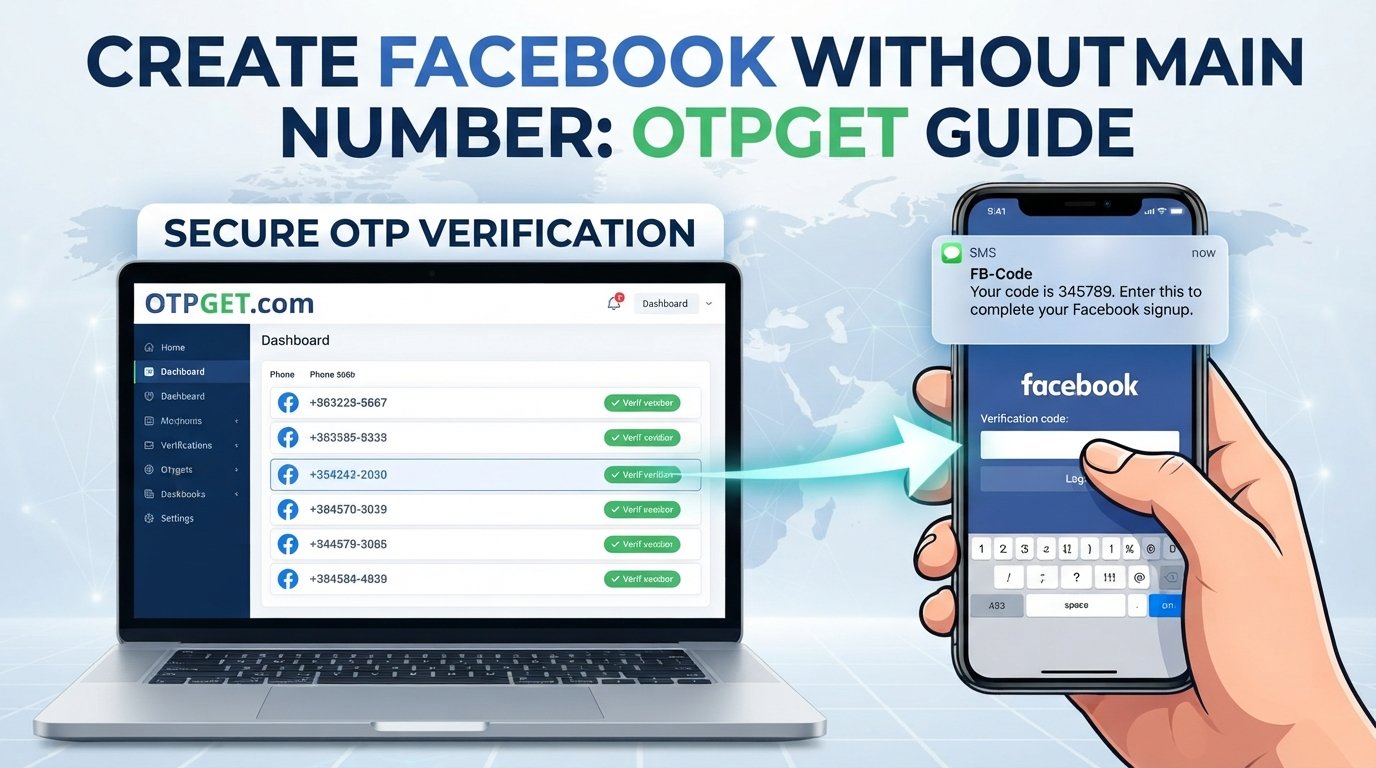
A typical workflow looks like this:
- Visit OTPGET.
- Select an available number or service that is suitable for the intended verification.
- Enter the alternative number when Facebook's signup or verification process requests a phone number.
- Request the verification OTP through Facebook.
- Check OTPGET for the incoming verification message if the number supports the requested verification.
- Enter the received code into Facebook when prompted.
- Continue with Facebook's normal account setup or verification process.
The important limitation is that Facebook determines whether a particular number is accepted and whether an OTP is sent. Availability and acceptance can depend on Facebook's verification requirements and the specific number being used.
Therefore, OTPGET should be viewed as a practical option for obtaining an alternative number—not as a method for bypassing Facebook's security.
Facebook Account Creation Without Your Main Number: Step-by-Step
If your goal is to keep your personal number separate from Facebook signup verification, the process can be approached in a few simple stages.
1. Prepare an alternative number
First, obtain an appropriate secondary or alternative number through a service such as OTPGET. Make sure the number is available for the type of verification you intend to perform.
2. Open Facebook's official signup process
Start the Facebook signup process through the official Facebook website or app.
Enter the information Facebook requests. Depending on the signup flow, you may be asked for an email address, phone number, name, password, date of birth, or other account information.
3. Use the alternative number if Facebook requests one
When Facebook asks for a phone number, you can enter the alternative number instead of your main personal number if that option is appropriate for your situation.
4. Request the verification code
If Facebook sends an SMS verification code, request the code through the normal signup process.
5. Retrieve the OTP
Check the relevant OTPGET interface for the incoming verification message. If the number and verification workflow are supported, the code may become available there.
6. Enter the code into Facebook
Copy the verification code into the appropriate Facebook verification field.
Never give the code to another person who asks for it. A verification code should be treated as sensitive account information.
7. Complete the remaining setup
After successful verification, continue through Facebook's normal account setup process and configure the available security settings.
Benefits of Keeping Your Main Number Separate
Using a secondary number can provide a useful layer of separation between your personal communications and online verification activity.
Potential benefits include:
- Less exposure of your primary number: You do not need to share your everyday number for every verification request.
- Clearer organization: Verification messages can remain separate from personal SMS conversations.
- Better separation: A secondary number can be dedicated to legitimate online services.
- Greater control over sharing: You can decide which services receive your main number.
- Privacy-conscious account setup: Keeping personal contact information separate can be part of a broader privacy strategy.
These benefits should not be confused with complete anonymity. A secondary number does not automatically make an account anonymous, nor does it remove Facebook's ability to apply its own security and verification procedures.
Things to Know Before Using an Alternative Number
An alternative number can be useful, but there are several practical considerations to understand beforehand.
Some numbers may not be accepted
Online services can have their own restrictions on the numbers they accept. Facebook may also reject a particular number or require another verification method.
Verification availability can vary
Receiving an OTP depends on the relevant service, number, and verification workflow. An alternative number should therefore not be treated as a guaranteed way to receive every verification message.
Consider future account recovery
This is particularly important.
If you use a secondary number during signup, consider whether you will be able to access that number again if Facebook later asks you to verify the account.
Depending on the account configuration, you may also have other recovery and security options available. It is sensible to review those options rather than relying entirely on a number you may not control indefinitely.
Facebook may request additional verification
Completing one OTP verification does not mean that Facebook will never request another security check. Additional verification can occur depending on the circumstances of an account.
Follow Facebook's requirements
An alternative number should be used for legitimate privacy and account-management purposes. It should not be used to circumvent security measures, impersonate another person, or engage in spam or unauthorized activity.
OTPGET vs. Using Your Main Phone Number
Both approaches have practical advantages and trade-offs. The right choice depends on how important privacy, convenience, and continued access are for your particular account.
| Consideration | Main Phone Number | Alternative Number Through OTPGET |
|---|---|---|
| Personal number exposure | Higher | Potentially lower |
| Separation from personal communications | Limited | Better separation |
| Verification use | Direct | Depends on number availability and acceptance |
| Convenience | Familiar | Useful for dedicated verification |
| Recovery considerations | Usually easier to recognize and manage | Depends on continued access |
| Privacy preference | Less separation | More separation from everyday contact information |
The table is not intended to identify one option as universally better. Someone who values simplicity may prefer their main number, while someone who wants to keep personal contact information separate may prefer an alternative number.
Is Using a Secondary Number Safe?
A secondary number can be part of a privacy-conscious account setup, but overall account security depends on more than the phone number.
For better protection:
- Use a strong, unique password.
- Enable available account security features.
- Keep recovery information up to date.
- Avoid sharing login credentials.
- Never share an OTP with another person.
- Be cautious about unexpected verification requests.
- Use legitimate services for legitimate purposes.
- Understand how you would recover the account if the secondary number becomes unavailable.
Never share a Facebook verification code with someone who asks for it.
Also remember that using an alternative number does not guarantee anonymity or eliminate other forms of account verification. It simply provides another way to separate a primary phone number from a particular verification workflow when the number is accepted.
FAQ Section
Can I create a Facebook account without my personal phone number?
You may be able to use an alternative verification method or secondary number, depending on what Facebook offers during signup. Phone verification requirements can vary, so there is no guarantee that Facebook will allow signup without a phone number.
Can I use a secondary number for Facebook verification?
A secondary number may be used when Facebook accepts that type of number for the relevant verification process. Whether a particular number works depends on Facebook's requirements and the availability of the verification service.
What is OTPGET used for?
OTPGET can be used as an option for obtaining an alternative number for supported OTP verification workflows. Users can use an available number where appropriate and check the service for an incoming verification message.
How do I receive a Facebook OTP?
If Facebook requests SMS verification, enter an accepted phone number and request the verification code. When using an alternative number through a service such as OTPGET, check the service for the incoming OTP and enter it into Facebook's verification field.
Will Facebook accept every alternative number?
No particular alternative number should be assumed to be universally accepted. Facebook controls its verification process, and acceptance can depend on its requirements and the specific number involved.
Can I use the same number for multiple accounts?
That depends on Facebook's rules and the particular account situation. Users should follow Facebook's current requirements rather than assuming that one number can be reused for any number of accounts.
What happens if Facebook asks for verification again?
Facebook may request additional verification later. If your account depends on a secondary number, continued access to that number can be important, so consider available recovery and security options when setting up the account.
Should I keep access to the number after creating the account?
If the number could be used for future verification or recovery, retaining appropriate access can be important. Before relying on any secondary number, consider how you would handle a future verification request if the number were no longer available.
Final Thoughts
Facebook account creation without your main number can be useful for people who want to keep their primary phone number separate from online verification activity.
A secondary number can provide more separation between personal communications and account verification, but it does not guarantee Facebook signup or bypass Facebook's security requirements. Facebook ultimately controls which numbers and verification methods it accepts.
For users who want an alternative number for supported OTP verification workflows, OTPGET is one option to explore. The general process is to obtain an available number, use it when Facebook requests a phone number, retrieve the verification OTP, and continue with Facebook's normal signup process.
If keeping your personal number separate from online verification is important to you, explore OTPGET and see whether an available number fits your verification needs.


