Facebook Marketplace OTP Code Not Working? Complete Fix Guide
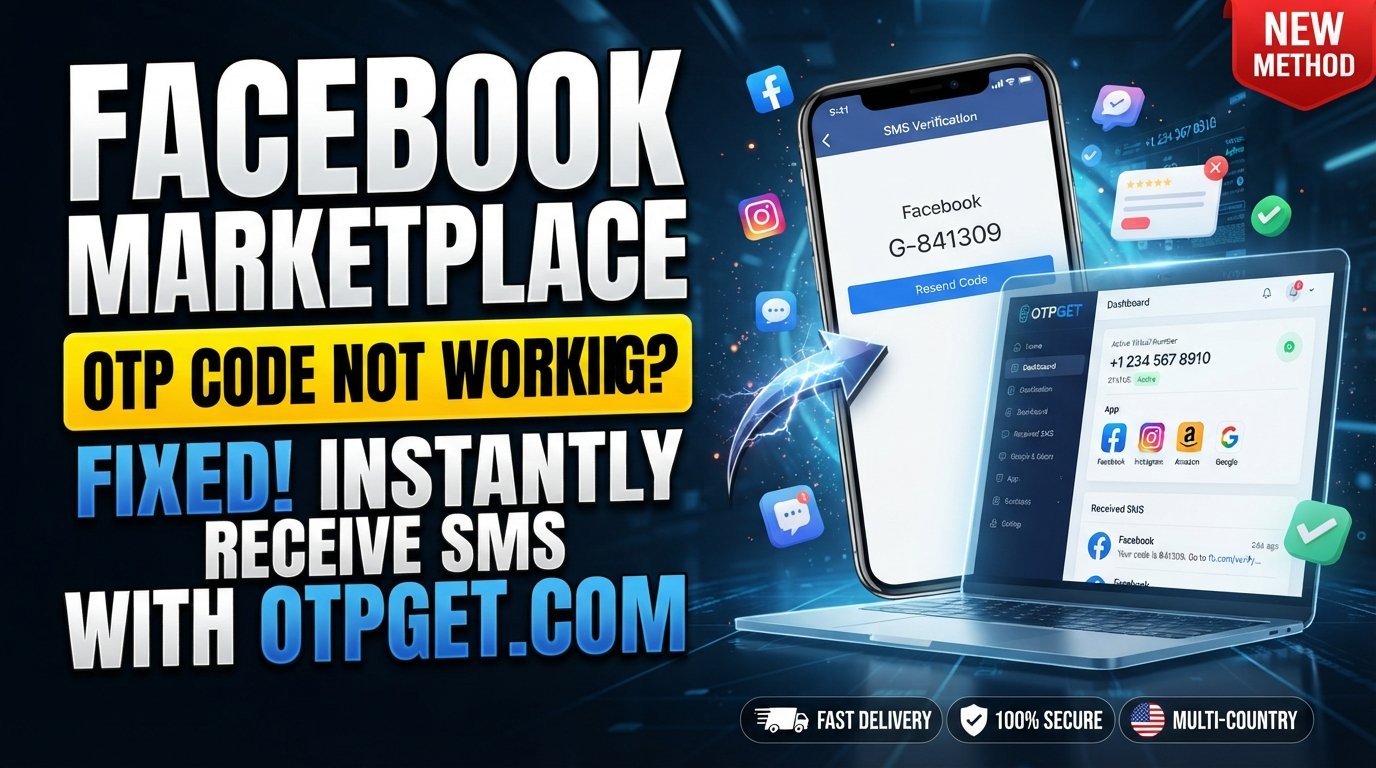
Facebook Marketplace OTP Code Not Working? Complete Fix
Introduction
You are trying to use Facebook Marketplace, you enter your phone number, and then the verification step gets stuck. The Facebook Marketplace OTP code may never arrive, arrive several minutes late, or show an error when you enter it.
It is frustrating, especially when the phone number is correct and your mobile service appears to be working normally.
A Facebook Marketplace OTP Code Not Working problem can have several causes. Sometimes the issue is related to SMS delivery or your mobile carrier. In other cases, the code may have expired, multiple requests may have created confusion, or an app or browser problem may be interfering with the verification flow.
The good news is that you can work through several practical checks before assuming something is wrong with your account.
For users who have a legitimate OTP verification requirement and need an alternative verification service, OTPGET is also worth considering. OTPGET provides virtual-number and OTP verification services, although whether a particular number or verification method is accepted depends on the service requesting verification.
The important point is that OTPGET should be used for legitimate verification purposes—not to bypass Facebook security, account restrictions, identity checks, or other platform safeguards.
Why Is My Facebook Marketplace OTP Code Not Working?
A Facebook Marketplace verification problem does not necessarily mean your account is blocked. Several ordinary technical issues can prevent an OTP from arriving or being accepted.
Here are some common possibilities.
1. The phone number is incorrect
A single digit, missing country code, or incorrect number format can prevent the SMS from reaching you.
Double-check the number displayed in the verification flow before requesting another code.
2. SMS delivery is delayed
Mobile networks and SMS providers can sometimes experience delays. Your Facebook Marketplace verification code may be sent successfully but arrive later than expected.
If you request several codes while waiting, you may also end up with multiple messages and uncertainty about which code is current.
3. Your mobile signal is weak
Poor cellular coverage can affect SMS delivery. Even if websites load over Wi-Fi, your phone may still have difficulty receiving standard text messages.
4. Your carrier or phone is filtering messages
Spam protection, blocked senders, SMS filtering, or carrier-level restrictions can interfere with automated verification messages.
Check your blocked-message settings and spam folder if your phone provides one.
5. Too many OTP requests
Repeatedly tapping “send code” can create multiple pending messages. Instead of solving the issue, this can make it harder to know which code is valid.
6. The code has expired
OTP codes are generally intended for temporary use. If a code sits in your inbox for too long, it may no longer be accepted.
7. App or browser problems
An outdated Facebook app, corrupted browser data, or a temporary session problem can sometimes interfere with a verification screen.
This is especially worth checking if the SMS arrives but the Facebook Marketplace verification code is not working when entered.
Facebook Marketplace OTP Code Not Received? Try These Fixes
Before changing your verification method, work through these steps.
1. Confirm the phone number
Check the complete number, including the country code where applicable.
If the number is wrong, requesting additional codes will not solve the problem.
2. Check your mobile signal
Make sure your phone has a stable cellular connection. If you're in an area with weak coverage, move somewhere with a stronger signal and wait for the SMS.
3. Wait before requesting another code
If you have just requested an OTP, give the message some time to arrive.
Avoid repeatedly requesting new codes within a short period.
4. Check blocked and filtered messages
Open your SMS app and review spam, blocked, or filtered messages. Some phones automatically separate suspected unwanted texts from the main inbox.
5. Restart your phone
A simple restart can refresh mobile connectivity and resolve temporary communication problems.
6. Confirm SMS service works
Ask yourself whether you are receiving other normal text messages. If regular SMS messages are also delayed or missing, the problem may be with your device or carrier rather than the Marketplace verification flow.
7. Update or restart Facebook
If the code arrives but the verification page behaves incorrectly, close and reopen Facebook. If an update is available, install it before trying again.
If you're using a browser, close the tab and start a fresh session.
8. Clear relevant app or browser data
Browser cache and cookies can occasionally cause stale sessions or page errors. Clearing relevant Facebook browser data can help.
On mobile, use your device's standard app-management options when appropriate. Remember that clearing app data may sign you out.
9. Do not keep requesting codes
If you already have a code pending, wait before requesting another one. Enter the newest valid code carefully rather than cycling through several requests.
10. Try again after a temporary delivery problem
If everything on your phone looks correct but the Facebook Marketplace SMS code is not arriving, the issue may be temporary. Waiting and trying again later can be more effective than continuously requesting new messages.
What If the Facebook Marketplace Verification Code Still Does Not Arrive?
If you've checked your number, signal, SMS settings, device, app, and browser but still have a Facebook Marketplace verification error, consider the exact stage where the process fails.
There is an important difference between:
- Never receiving a code
- Receiving the code late
- Receiving a code that has expired
- Receiving a code that is rejected
- Reaching a separate account or identity-verification step
The last situation may require you to follow Facebook's own account or verification process. An external OTP service should not be treated as a way around those safeguards.
For a legitimate OTP verification requirement where an appropriate phone number or OTP service is needed, OTPGET can be a practical option to explore. Its documentation describes services for obtaining virtual numbers and receiving SMS OTP codes, subject to availability and the requirements of the service being verified.
How OTPGET Can Help With OTP Verification
OTPGET is designed around virtual-number and OTP verification services. Its documentation describes options for requesting numbers and checking whether an SMS verification code has been received.
For someone dealing with temporary OTP verification problems, the basic workflow can be straightforward:
- Access OTPGET.
- Choose an appropriate verification service or number option available for your legitimate use case.
- Follow the instructions provided by OTPGET.
- Request the verification code through the applicable verification process.
- Enter the valid OTP into the service's authorized verification screen while the code is still valid.
The exact options available can vary by service, country, and current availability, so users should check OTPGET's current information before proceeding.
Most importantly, using OTPGET for verification does not guarantee that Facebook or another platform will accept a particular virtual number. Platform-specific requirements still apply.
If Facebook requires additional identity verification, account recovery, or security checks, those processes should be completed through Facebook's authorized channels.
Common Facebook Marketplace OTP Problems and Solutions
| Problem | Possible Cause | What to Try |
|---|---|---|
| OTP never arrives | SMS delay, carrier issue, incorrect number | Confirm number, signal, and SMS service |
| Code arrives late | Network or SMS delivery delay | Wait and use the latest valid code |
| Code says invalid | Old or incorrect OTP | Request carefully and enter the newest code |
| Code has expired | Too much time passed | Request a fresh code and enter it promptly |
| Several codes arrive | Multiple requests | Stop requesting and use the newest valid code |
| SMS is missing | Spam or message filtering | Check blocked and filtered messages |
| Code arrives but screen fails | App/browser session issue | Restart Facebook or try a fresh browser session |
| Verification continues failing | Separate account/security issue | Follow Facebook's official verification or recovery process |
Mistakes to Avoid When Requesting an OTP
When dealing with an OTP not received situation, your next action can make a difference.
Avoid these common mistakes:
- Requesting too many codes: Repeated requests can create multiple messages and make it unclear which OTP is current.
- Using an old OTP: If several messages arrive, an earlier code may no longer be the correct one.
- Entering the wrong phone number: Always check the number before requesting another SMS.
- Waiting too long: OTPs are temporary by design, so enter a valid code promptly.
- Switching methods repeatedly: Constantly changing between verification options can make troubleshooting more confusing.
- Ignoring SMS filters: Check spam, blocked-message, and carrier filtering settings.
- Assuming a delay means your account is blocked: A delayed SMS can have ordinary technical causes.
- Treating an external OTP service as a security bypass: Services such as OTPGET should only be used for legitimate verification needs and where the receiving platform permits the selected verification method.
Frequently Asked Questions
Why is my Facebook Marketplace OTP not working?
The issue may be caused by an incorrect number, delayed SMS, weak cellular service, an expired code, multiple OTP requests, message filtering, or an app/browser problem. Check these factors before requesting another code.
Why am I not receiving the Facebook verification code?
First confirm that the phone number is correct and that your phone can receive normal SMS messages. Then check signal strength, spam filters, blocked messages, and whether you've recently requested several codes.
What should I do if my OTP expires?
Request a new code and use the newest valid OTP promptly. Avoid entering an older code from a previous request.
Why is my SMS verification code delayed?
SMS delivery can sometimes be delayed by network conditions, carrier processing, device settings, or temporary service issues. Waiting briefly before requesting another code can prevent multiple overlapping requests.
Can network problems prevent OTP delivery?
Yes. Weak cellular coverage or temporary connectivity problems can interfere with SMS delivery. Check your mobile signal and whether other text messages are arriving normally.
How can OTPGET help with OTP verification?
OTPGET provides virtual-number and OTP verification services that can be used for legitimate verification needs where the receiving service accepts the relevant number or method. Its documentation includes workflows for requesting numbers and checking received SMS codes.
Should I request another OTP immediately?
Usually, it is better to wait briefly first. If you request several codes in quick succession, you may receive multiple messages and accidentally enter an older or expired code.
What should I do if verification continues to fail?
Review the phone number, SMS settings, network, app or browser, and code validity. If the issue appears to involve account restrictions, identity verification, or another security check, follow the platform's official process rather than trying to bypass it.
Final Thoughts
A Facebook Marketplace OTP Code Not Working problem can be annoying, but it does not always require complicated troubleshooting.
Start with the basics: confirm your phone number, check your mobile signal, make sure SMS is working, review blocked or filtered messages, and avoid requesting multiple codes in rapid succession. If a code arrives late, make sure you use the newest valid OTP rather than an earlier message.
If the problem continues, determine whether you're dealing with an SMS delivery issue or a separate Facebook account-verification requirement. That distinction matters because external OTP services cannot replace Facebook's own security or identity-verification procedures.
For users with legitimate OTP verification needs, OTPGET is a practical service to explore. Its available verification options can provide another route for receiving OTP messages when the relevant service accepts the selected verification method.
Use OTPGET responsibly, follow the verification requirements of the service you're using, and treat any persistent Facebook verification problem as something to troubleshoot through the appropriate official channels.