Facebook Marketplace Verification Number: Complete Guide & Tips
Facebook Marketplace Verification Number: Complete Guide
Phone verification can be an important part of using online platforms, and Facebook Marketplace is no exception for users who are asked to confirm account or contact information. If you have encountered a request for a Facebook Marketplace Verification Number, you may be wondering what it means, why the number is needed, and where you can get an appropriate number to receive an SMS verification code.
The process is generally straightforward: Facebook may request a phone number, send a one-time code by an available verification method, and ask you to enter that code. However, the exact checks and options can vary by account and situation because Facebook controls its own verification requirements.
For people who prefer a separate number for online verification, OTPGET can be a practical option to explore. This guide explains how Facebook Marketplace verification works, what types of numbers exist, how OTPGET may fit into the process, and what to do when a verification SMS does not arrive.
What Is a Facebook Marketplace Verification Number?
A Facebook Marketplace Verification Number is simply a phone number used when Facebook asks for phone-based confirmation.
The number may receive a one-time password, commonly called an OTP, or another verification SMS. The user then enters the received code into the relevant Facebook verification screen.
Phone confirmation can serve different purposes across Facebook, including account security and confirmation of contact information. Facebook's Help Center also documents phone-based authentication and other security mechanisms for Facebook accounts.
It is important to understand that a verification number does not itself approve an account or guarantee access to Marketplace. Facebook decides which verification methods are available and whether a particular verification attempt is accepted.
Why Does Facebook Marketplace Require Phone Verification?
There is no single verification experience that applies to every Facebook Marketplace user. Depending on the account and circumstances, Facebook may use different security and verification checks.
Possible reasons for requesting phone verification include:
-
Account authenticity: A phone number can provide an additional way to confirm account information.
-
Security: Phone-based authentication can add another layer of protection.
-
Abuse prevention: Verification can make automated or abusive account activity more difficult.
-
Spam reduction: Additional checks can help platforms manage unwanted activity.
-
Marketplace safety: Verification and account-security measures can contribute to a safer environment for buyers and sellers.
Facebook itself describes security features such as login alerts and two-factor authentication as ways to add protection to accounts.
If Facebook asks you to complete a verification step, the safest approach is to follow the instructions displayed in your own account rather than relying on assumptions about how the process should work.
How Facebook Marketplace Verification Works
The general Facebook Marketplace phone verification process can be summarized in a few steps.
-
Facebook requests a phone number.
You may see a prompt asking you to add or confirm a mobile number. -
Enter an eligible number.
Enter the number in the format requested by Facebook, including the appropriate country code when required. -
Facebook sends a verification code.
Where SMS verification is offered, Facebook attempts to send a one-time code to the number. -
Retrieve the SMS code.
Check the phone or verification service associated with the number. -
Enter the code on Facebook.
Submit the Facebook Marketplace verification code exactly as received. -
Complete any additional checks.
Facebook may request another security or verification step depending on the account.
Facebook's own help resources note that phone numbers can be used for account-related security and authentication, while available features may vary between users.
Can You Use a Verification Number for Facebook Marketplace?
Potentially, but the key consideration is whether the number is supported and accepted by Facebook for the particular verification request.
Users generally encounter several types of numbers:
-
Personal phone number: Your everyday mobile number, usually connected to your physical SIM.
-
Temporary number: A number intended for limited or short-term use.
-
Virtual number: A phone number provided through an online service rather than necessarily being tied to your personal handset.
-
SMS verification number: A number selected specifically for receiving verification messages.
Each option has different practical considerations. A personal number may be familiar and convenient, while a separate number can help keep personal contact information separate from certain online registrations.
A temporary or virtual number should not be viewed as a method for circumventing Facebook's security systems. If Facebook does not accept a particular number, the appropriate response is to use an accepted verification method or follow Facebook's support instructions.
OTPGET as a Facebook Marketplace Verification Solution
For users looking for a Facebook Marketplace verification number, OTPGET provides an online option worth exploring.
OTPGET is a virtual-number and SMS/OTP service. Its platform describes virtual numbers for OTP verification, along with options for temporary numbers and longer-term number rentals. Its documentation also explains an SMS OTP workflow in which a number can be requested and the status of an incoming verification message can be checked.
That makes OTPGET relevant to users who need a separate number for a legitimate Facebook Marketplace SMS verification process, where Facebook and the selected number support the requested service.
The basic idea is simple: instead of automatically using your primary personal number for every online registration or verification request, you can explore whether an available OTPGET number is appropriate for the particular verification task.
There are no guarantees that every number will work with every Facebook account or verification request. Facebook controls its own requirements, and number availability or compatibility can change. OTPGET should therefore be considered a practical verification-number option, not a way to bypass Facebook security.
OTPGET is also not presented here as an official Facebook or Meta partner.
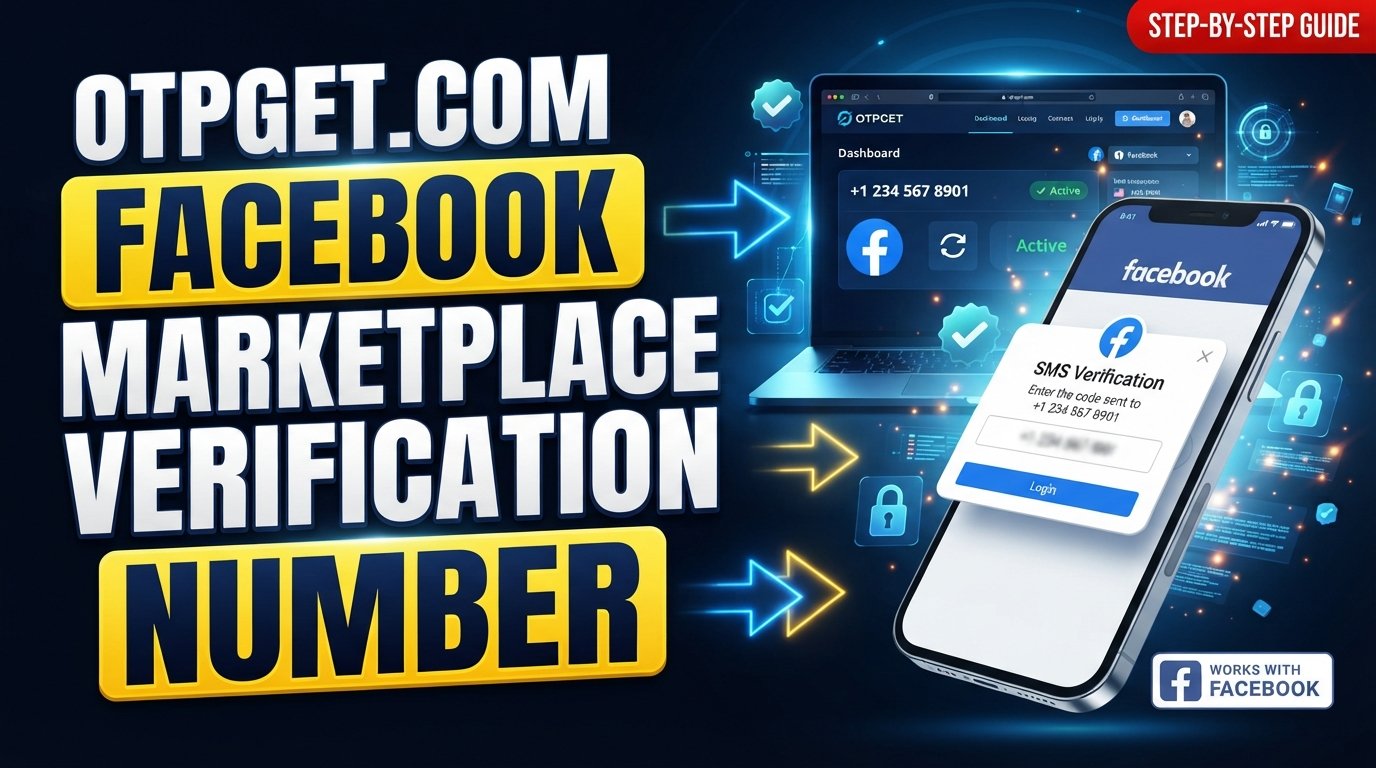
How to Use OTPGET for Facebook Marketplace Verification
If you decide that a separate verification number is appropriate, the general process can look like this:
-
Visit OTPGET.
-
Review the available verification-number options.
-
Select the relevant service or number option if Facebook verification is supported.
-
Use the provided number in the Facebook verification field.
-
Wait for the verification SMS or Facebook Marketplace OTP.
-
Check the available OTPGET interface for the incoming message.
-
Enter the received verification code into Facebook.
-
Complete any additional Facebook verification or security prompts.
OTPGET's published documentation explains that its SMS OTP system can provide a number and allow the status of an incoming SMS code to be checked.
The important point is that OTPGET handles the number and SMS-receiving side of the process; Facebook controls whether the number and verification attempt are accepted.
Benefits of Using OTPGET for Verification
A dedicated online verification number can be useful in several practical situations.
Convenience
Instead of relying exclusively on a personal SIM, an online service can provide a separate number for an applicable verification task.
Separation of Personal Information
Some users prefer not to use their primary phone number for every online registration. A separate number can help maintain a distinction between personal communications and specific verification activities.
Access to Verification-Number Options
OTPGET provides virtual numbers intended for SMS and OTP verification, giving users another option when a suitable number is available.
Flexible Use Cases
Depending on the available service and number, users may explore temporary or longer-term number options. The appropriate choice depends on whether the number is needed for a single verification event or potentially for future communication.
The right option should always be based on the requirements shown by Facebook and the actual characteristics of the number being used.
Facebook Marketplace Verification Code Not Arriving? Try These Steps
A missing verification SMS does not necessarily mean the entire verification process has failed. Try the following:
-
Check the number carefully. Make sure the country code and digits are correct.
-
Wait before requesting another code. Multiple requests in quick succession can make the process more confusing.
-
Check SMS reception. Confirm that the selected number can receive messages.
-
Avoid repeated attempts. Give the system time to process the request before trying again.
-
Look for another verification method. Facebook may present an alternative option depending on your account.
-
Confirm service support. If you are using an online verification number, check whether the number and service are supported.
-
Try again later if appropriate. Temporary delivery or platform issues can affect SMS reception.
-
Follow Facebook's account-security guidance. If the issue continues, use Facebook's official help resources rather than repeatedly submitting verification requests.
Facebook provides account-security resources covering login protection, authentication, and troubleshooting, so those resources should take priority when Facebook displays a specific security instruction.
Temporary vs. Virtual vs. Personal Number for Facebook Marketplace
| Number Type | Main Benefit | Consideration |
|---|---|---|
| Personal Number | Familiar and directly controlled by you | Connects verification activity to your primary number |
| Temporary Number | Useful for limited verification needs | May not be suitable for future account recovery |
| Virtual Number | Provides a separate online phone number | Acceptance and SMS support can vary |
| Verification/SMS Number | Designed around receiving verification messages | Availability and platform compatibility should be checked |
The most important consideration is not simply whether a number exists, but whether it can appropriately receive the message and is accepted for the verification process you are attempting.
Important Things to Consider Before Choosing a Verification Number
Before selecting a phone number for Facebook Marketplace, think beyond the first SMS.
Reliability: Can the number receive SMS messages when needed?
Privacy: Consider whether using a separate number better suits your privacy preferences.
Number reuse: Understand whether a temporary number may later be assigned to someone else or become unavailable.
Account recovery: If Facebook may need the number again for login or security purposes, a short-lived number may not be appropriate.
Facebook requirements: A number being technically capable of receiving SMS does not mean Facebook will necessarily accept it.
Terms and policies: Always use verification services for legitimate purposes and follow Facebook's applicable terms and security requirements.
Future access: If you may need additional verification messages later, consider whether you will retain access to the number.
These considerations apply whether you use a personal number, temporary phone number, or virtual phone number.
Common Mistakes to Avoid
A few simple mistakes can make Facebook Marketplace verification more difficult.
-
Entering an incorrect phone number or country code.
-
Requesting multiple verification codes too quickly.
-
Using a number that cannot receive the required SMS.
-
Sharing a Facebook verification code with another person.
-
Assuming a verification number guarantees Marketplace access.
-
Treating a temporary number as a permanent account-recovery method.
-
Ignoring Facebook security prompts.
-
Assuming every virtual number is automatically compatible with Facebook.
Remember that an OTP is sensitive account information. Never give a verification code to someone who asks for it through an unexpected message, call, or chat.
Frequently Asked Questions
What is a Facebook Marketplace verification number?
It is a phone number used when Facebook asks you to confirm your phone information through a verification process. Where SMS verification is available, the number may receive a one-time code.
How do I get a Facebook Marketplace verification code?
If Facebook requests phone verification, enter an eligible number and follow the instructions displayed by Facebook. If SMS is the selected method, Facebook may send a verification code to that number.
Can I use a temporary number for Facebook Marketplace?
A temporary number may be an option where Facebook accepts it and the number can receive the required SMS. However, acceptance is controlled by Facebook, and a temporary number may not be suitable for future account recovery.
What is a Facebook Marketplace OTP?
A Facebook Marketplace OTP is a one-time password or verification code used during an applicable account or phone verification step. It is normally intended for one verification event.
Why is my Facebook verification SMS not arriving?
Possible causes include an incorrect number, SMS delivery problems, unsupported number types, repeated requests, or another issue with the verification process. Check the number, wait before requesting another code, and follow Facebook's security guidance.
Can OTPGET help with Facebook Marketplace verification?
OTPGET can be an option for users looking for an online verification number capable of receiving SMS/OTP messages where the relevant service and number are supported. It does not guarantee that Facebook will accept a particular number or verification attempt.
Is a verification number the same as a personal phone number?
Not necessarily. A personal number is normally your everyday mobile number, while a virtual or SMS verification number may be provided separately through an online service.
Does Facebook always require phone verification for Marketplace?
Not necessarily. Verification requirements can vary by account, location, activity, and the specific security process Facebook presents. Follow the requirements shown within your own Facebook account.
Final Thoughts
Finding a suitable Facebook Marketplace Verification Number can be useful when Facebook asks for phone-based confirmation and you prefer an option separate from your primary number.
The verification process itself remains controlled by Facebook. A verification number can provide the phone or SMS component of the process, but it does not guarantee account verification, Marketplace access, or approval.
For users who need an online verification-number option, OTPGET is worth exploring to see whether its available numbers and SMS/OTP options fit the specific Facebook verification process they are completing.
Use any verification number responsibly, protect your codes, and always follow Facebook's own security requirements.