Facebook Phone Verification: How SMS Codes and OTPs Really Work
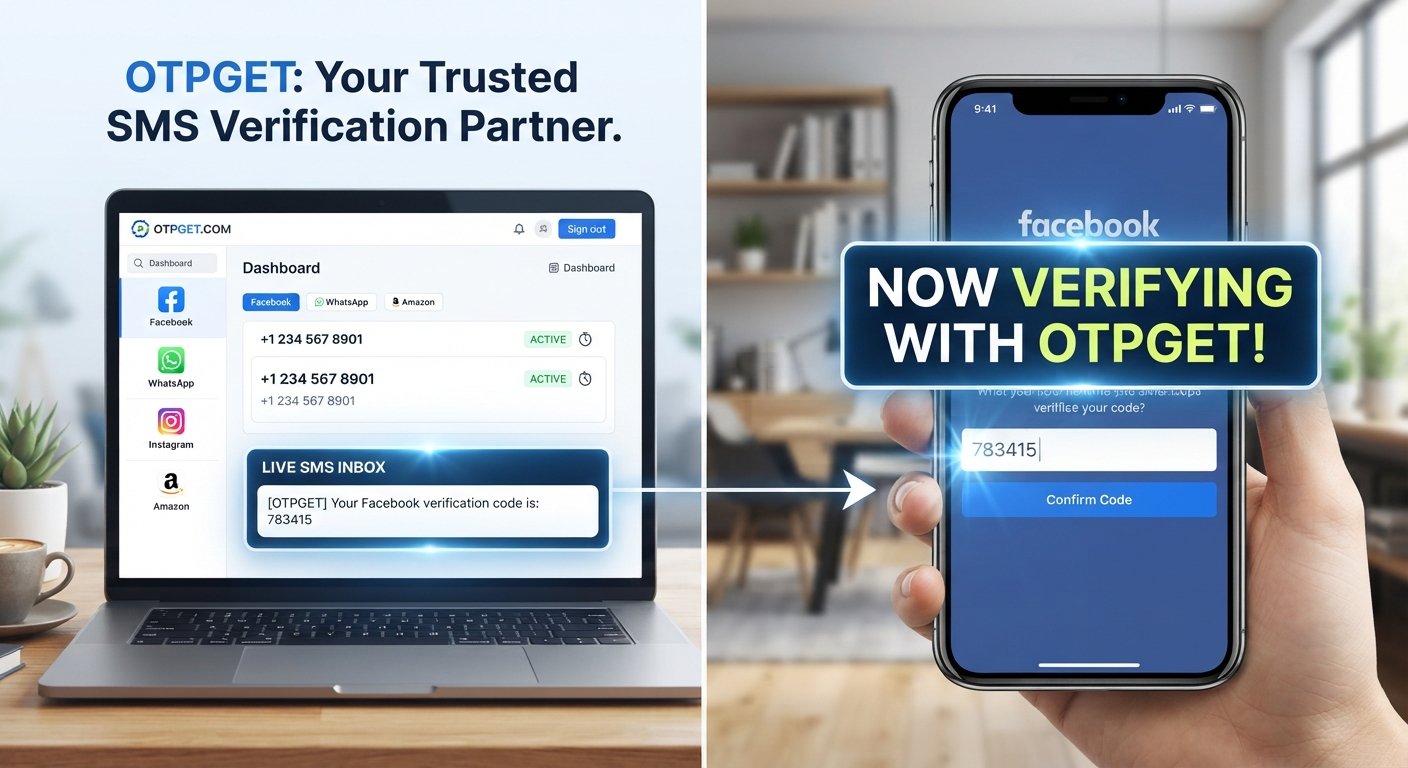
How Facebook Phone Verification Works
Getting a verification code by text message can seem simple: enter a phone number, wait for an SMS, type in the code, and continue. Yet when Facebook asks for phone verification, the process can sometimes raise questions. Why is the number needed? What exactly is the code? What should you do when the SMS never arrives?
Understanding Facebook phone verification makes these situations much easier to handle. The process generally uses a one-time password, or OTP, delivered by SMS to confirm that you can access a particular phone number.
This guide explains how Facebook SMS verification works, why verification messages may fail to arrive, what troubleshooting steps you can try, and how a separate phone number from a service such as OTPGET may be useful where supported.
[Internal Link: Complete Guide to SMS Verification]
What Is Facebook Phone Verification?
Facebook phone verification is a process in which a phone number is used as part of an account confirmation or security check.
During a verification flow, Facebook may ask you to provide a phone number and then send a Facebook verification code by SMS. You enter that code into the relevant screen to demonstrate that you can receive messages sent to the number.
The exact reason for verification can vary depending on the account, login situation, security checks, or verification flow being presented. Not every account will encounter the same prompts.
The important concept is straightforward: the phone number is used as a destination for a temporary confirmation code, while the code provides a way to confirm access to that number.
Why Does Facebook Ask for a Phone Number?
There are several situations where a platform may use phone verification as part of account security or account-related processes.
A phone number can provide an additional channel for:
- Confirming access to a number
- Sending a temporary security code
- Supporting account recovery or login-related checks
- Helping reduce certain types of automated or suspicious activity
- Adding another verification method to an account
A phone number does not necessarily mean that every future interaction with the account will require an SMS. The verification process depends on what Facebook is asking you to complete at that particular time.
For users, the practical issue is usually the same: they need access to a phone capable of receiving the Facebook SMS code.
How Facebook Phone Verification Works
The process can vary slightly depending on the verification screen, but a typical SMS-based flow looks like this.
Step 1: Enter Your Phone Number
Facebook presents a phone-number field or verification prompt. You enter a number that can receive SMS messages.
Make sure the country or international dialing code is correct. A formatting mistake can prevent the message from reaching the intended destination.
Step 2: Facebook Sends an SMS Code
After the number is submitted, the service may send a temporary Facebook verification OTP through SMS.
This code is generally intended for a single verification event and should be treated as confidential. Anyone who obtains a verification code may potentially be able to use it within the relevant verification flow.
Step 3: Enter the Verification Code
When the SMS arrives, enter the code into the verification field.
If you copy the number manually, check each digit carefully. Some verification codes are short enough that one incorrect digit can cause the submission to fail.
Step 4: Facebook Confirms the Number
If the submitted code matches the code associated with the verification request and the verification flow accepts it, the phone-number confirmation can proceed.
From the user's perspective, that is the entire basic process: phone number → SMS code → code entry → confirmation.
What Is a Facebook Verification Code?
A Facebook verification code is a temporary code sent to a phone number during an account or security-related verification process.
It may also be described as a Facebook OTP, Facebook confirmation code, Facebook security code, or SMS verification code.
An OTP, short for one-time password, is designed for temporary use. It is different from a permanent account password and should not be shared with other people.
If someone contacts you asking for your Facebook verification OTP, be cautious. A legitimate verification process generally does not require you to disclose a security code to another person.
[Internal Link: What Is an OTP and How Does SMS Verification Work?]
Why You May Not Receive a Facebook Verification Code
A missing SMS does not necessarily mean that the verification process itself is broken. Several practical issues can interfere with delivery.
Incorrect Phone Number
First, check the number and country code you entered. Even a small error can send the message somewhere else or prevent delivery altogether.
SMS Delivery Delays
Text messages can sometimes take longer than expected to arrive. Network congestion, carrier processing, or temporary service issues can contribute to delays.
Before requesting another code repeatedly, give the original message a reasonable amount of time to arrive.
Network or Carrier Restrictions
Some phone numbers or mobile networks may have restrictions affecting certain types of automated SMS.
This can be particularly relevant when using specialized, virtual, or temporary numbers. Availability and compatibility can depend on the service, carrier, country, and platform.
Too Many Verification Attempts
Repeatedly requesting codes in a short period can create additional problems. If you have already requested several messages, avoid continuously pressing the resend option.
Instead, wait and then try again through the verification flow when appropriate.
Temporary SMS Problems
Sometimes the problem is simply temporary. If regular SMS messages are working but the verification message is missing, the issue may be related to message delivery rather than your phone itself.
[Internal Link: Common SMS Verification Problems and Solutions]
How to Handle Facebook Phone Verification Problems
If you encounter Facebook verification problems, work through the basics before trying more complicated solutions.
- Check the phone number. Confirm the country code and digits.
- Check your mobile connection. Make sure your device can receive ordinary SMS messages.
- Wait before requesting another code. Multiple requests can make troubleshooting harder.
- Look for the newest message. If several codes arrive, the most recent code may be the relevant one.
- Restart or refresh when appropriate. A temporary connection issue can sometimes interfere with delivery.
- Follow Facebook's displayed recovery or verification options. Available choices can differ depending on the account and verification process.
- Consider another eligible number if the process allows it. This can help determine whether the original number is the source of the problem.
If Facebook is requesting identity documentation or another form of identity verification, an SMS code may not be sufficient. Those are separate processes and should be completed through the official verification flow.
Can You Use a Phone Number for Verification Without Using Your Personal Number?
Sometimes users prefer not to use their primary personal number for every online verification request.
One option is a separate number that is specifically used for receiving verification SMS messages. This can help keep verification-related messages separate from personal communications and may be convenient for people who do not want to expose their everyday number unnecessarily.
However, not every phone number type is accepted by every platform. Temporary or virtual numbers can have limitations, and a platform may require a number that meets its own eligibility criteria.
The safest approach is to use a number you are authorized to use and choose an option that is compatible with the verification service.
How OTPGET Can Help With SMS Verification
If you need a separate number for receiving a verification message, OTPGET is one practical option to explore where the service and platform support the required verification flow.
What OTPGET Does
OTPGET provides access to phone numbers intended for receiving verification SMS messages and OTPs where supported.
The basic idea is useful for situations where you need a phone number for verification but prefer to use a separate number rather than your primary personal line.
Availability, supported services, number types, and SMS delivery can vary, so users should check the options provided by OTPGET before beginning a verification attempt.
How to Use OTPGET for Verification Codes
The general process is straightforward:
- Select an available phone number through OTPGET.
- Check whether the relevant service is supported.
- Enter the provided number in the appropriate verification field.
- Request the SMS verification code.
- Monitor the OTPGET interface for the incoming message.
- Enter the received code into the verification screen.
The exact steps can differ depending on the service and the number available.
OTPGET should be viewed as a way to receive verification messages, not as a method for bypassing account restrictions, security checks, bans, or identity verification requirements.
Why Users May Consider a Separate Verification Number
A separate verification number can be useful when you want to keep verification messages away from your primary phone number.
It may also be convenient for users who regularly work with online services that require SMS confirmation. Still, it is important to understand the limitations of temporary or virtual numbers, including potential service compatibility and future access considerations.
[Internal Link: How to Choose a Phone Number for Online Verification]
Facebook Phone Verification and Privacy
Phone verification involves personal information, so privacy deserves attention.
Before using any phone number for account verification, consider what information you are comfortable associating with the account and how the number may be used within the platform's available settings.
If you use a separate verification number, keep track of where that number is being used. Losing access to a number later can create difficulties if an account subsequently requires access to that same number.
You should also avoid sharing verification codes with other people. A verification OTP is a security credential for the specific verification process and should be handled accordingly.
When using an online SMS verification service, review the provider's terms, privacy information, supported services, and number availability before using a number.
Facebook Verification Best Practices
A few simple habits can make phone verification easier and safer:
- Use a phone number you are authorized to use.
- Double-check the country code before submitting it.
- Never share an SMS verification code with another person.
- Avoid repeatedly requesting new codes in quick succession.
- Use the most recent code when multiple messages are received.
- Check whether a separate number is supported before starting verification.
- Keep recovery information up to date when the platform provides those options.
- Review the provider's policies before using an online SMS verification service.
- Do not assume a temporary number will remain available indefinitely.
The goal is not simply to receive a code. It is to complete verification while maintaining reasonable control over the account and the number associated with it.
Frequently Asked Questions
How does Facebook phone verification work?
Facebook phone verification generally involves entering an eligible phone number and receiving a temporary SMS verification code. You then enter that code into the relevant verification screen. The exact process can vary depending on the account and security flow.
Why is Facebook asking me to verify my phone number?
Facebook may request phone verification as part of an account, login, security, or confirmation process. The reason can vary depending on the circumstances. Follow the instructions shown in the official verification flow rather than assuming every account receives the same requirements.
What should I do if I don't receive my Facebook verification code?
Check the phone number and country code first, then confirm that your phone can receive SMS messages. Wait for possible delivery delays before requesting another code. If the Facebook code is still not received, follow any alternative verification or recovery options that Facebook provides.
What is a Facebook OTP?
A Facebook OTP is a one-time password or temporary verification code delivered during an applicable security or confirmation process. It is intended for the specific verification event and should not be shared with anyone who asks you to disclose it.
Can I use another phone number for Facebook verification?
Depending on the verification process, another eligible phone number may be an option. Compatibility can vary, particularly with temporary or virtual numbers. Always use a number you are authorized to use and follow the requirements displayed by Facebook.
How can OTPGET help with SMS verification?
OTPGET can provide access to phone numbers for receiving verification SMS messages and OTPs where supported. You can review available numbers and supported services before starting a verification attempt. It does not guarantee that every platform will accept every number or that every SMS will be delivered.
Conclusion
Understanding Facebook phone verification makes SMS-based account confirmation much less confusing. The basic process is usually simple: provide an eligible phone number, receive a temporary Facebook verification code, enter the code, and complete the applicable verification step.
When a Facebook SMS code is not received, start with the basics—check the number, allow time for delivery, review network or carrier issues, and avoid repeatedly requesting codes.
If you prefer a separate number for receiving verification messages, OTPGET can be a practical option to explore where supported. Review the available numbers and supported services before beginning the verification process, and always keep your verification codes private.


