Facebook Phone Verification: Receive Your Code Online with OTPGET
Facebook Phone Verification – Receive Your Code | OTPGet
Waiting for a Facebook verification code that never seems to arrive can be frustrating. You request an SMS, check your phone repeatedly, and still have no code to enter.
Phone verification is a normal part of many online account and security processes. When Facebook asks you to confirm a phone number, the verification code is generally delivered through SMS. If that message is delayed, filtered, or sent to the wrong number, the process can become unnecessarily difficult.
That is where having access to a suitable phone verification method can make a difference. OTPGET provides an option for users looking for a practical way to receive verification messages, depending on the supported service and applicable platform requirements.
This guide explains how Facebook phone verification works, why verification codes sometimes fail to arrive, and how OTPGET can fit into the process.
What Is Facebook Phone Verification?
Facebook phone verification is the process of confirming that you have access to a particular phone number by entering a verification code sent to that number.
The process is usually straightforward:
- Facebook asks you to verify a phone number.
- You provide or confirm the number.
- A verification code is sent by SMS.
- You receive the SMS on the associated phone number.
- You enter the valid code where requested.
- Facebook processes the verification.
The code is commonly referred to as a Facebook OTP, verification code, or SMS verification code. OTP stands for “one-time password,” meaning the code is intended for a specific verification attempt and generally should not be reused.
Having access to the phone number receiving the message is therefore essential. If you cannot access the number or the SMS does not arrive, you may not be able to complete that particular verification step.
Why You May Not Receive a Facebook Verification Code
A missing Facebook verification code does not necessarily mean something is wrong with your account. SMS delivery can be affected by several factors.
Common possibilities include:
- Delayed SMS delivery: The message may take longer than expected to arrive.
- Incorrect phone number: A single incorrect digit can prevent the code from reaching you.
- Mobile network problems: Weak coverage or temporary carrier issues can affect delivery.
- Carrier delays: SMS messages can occasionally experience delays between services and mobile networks.
- Too many requests: Repeatedly requesting codes can create additional delays or temporary restrictions.
- Filtered messages: Some phones, messaging applications, or carriers may filter certain messages.
- Poor connectivity: Network problems can interfere with receiving SMS.
- Expired codes: A code may no longer be valid by the time you attempt to use it.
- Multiple requests: Requesting several codes in quick succession can make it difficult to know which code is the latest valid one.
If you are troubleshooting a missing Facebook verification code, start with the basics before requesting another one. Confirm the number, check your signal, review filtered messages, and give delayed SMS delivery some time.
How Facebook Verification Codes Work
The basic Facebook phone verification code process is easier to understand when broken into a few simple steps.
- Facebook requests verification.
A phone verification screen asks you to provide or confirm a number. - You enter the phone number.
Make sure the country or area code and remaining digits are correct. - Facebook sends an SMS.
A verification code is transmitted to the relevant phone number. - You receive the message.
The SMS contains a code intended for that verification attempt. - You enter the code.
Type the current valid code into the appropriate verification field. - Verification is processed.
If the code is valid and the verification request is accepted, the phone verification step can be completed.
The important point is that the code is tied to the verification process. It should be treated as sensitive account information rather than something to share with another person.
Meet OTPGET – A Simple Way to Receive Verification Codes
When you need an SMS for legitimate phone verification, the biggest practical challenge is often having access to a suitable number that can receive the message.
OTPGET is designed around the general need to receive OTP and verification messages. For users who need a suitable way to receive a verification SMS, an OTP receiving service can provide a practical alternative to relying exclusively on a personal mobile number.
The exact options available through OTPGET can depend on the service and the verification requirement, so users should follow the instructions presented by OTPGET and make sure their intended use is permitted.
The potential value is simple: instead of struggling to access a verification message, you have a dedicated method for receiving the SMS and retrieving the relevant OTP.
Importantly, OTPGET should not be viewed as a way to bypass Facebook security, restrictions, or account controls. The purpose is to facilitate legitimate access to verification messages where the service and platform rules allow it.
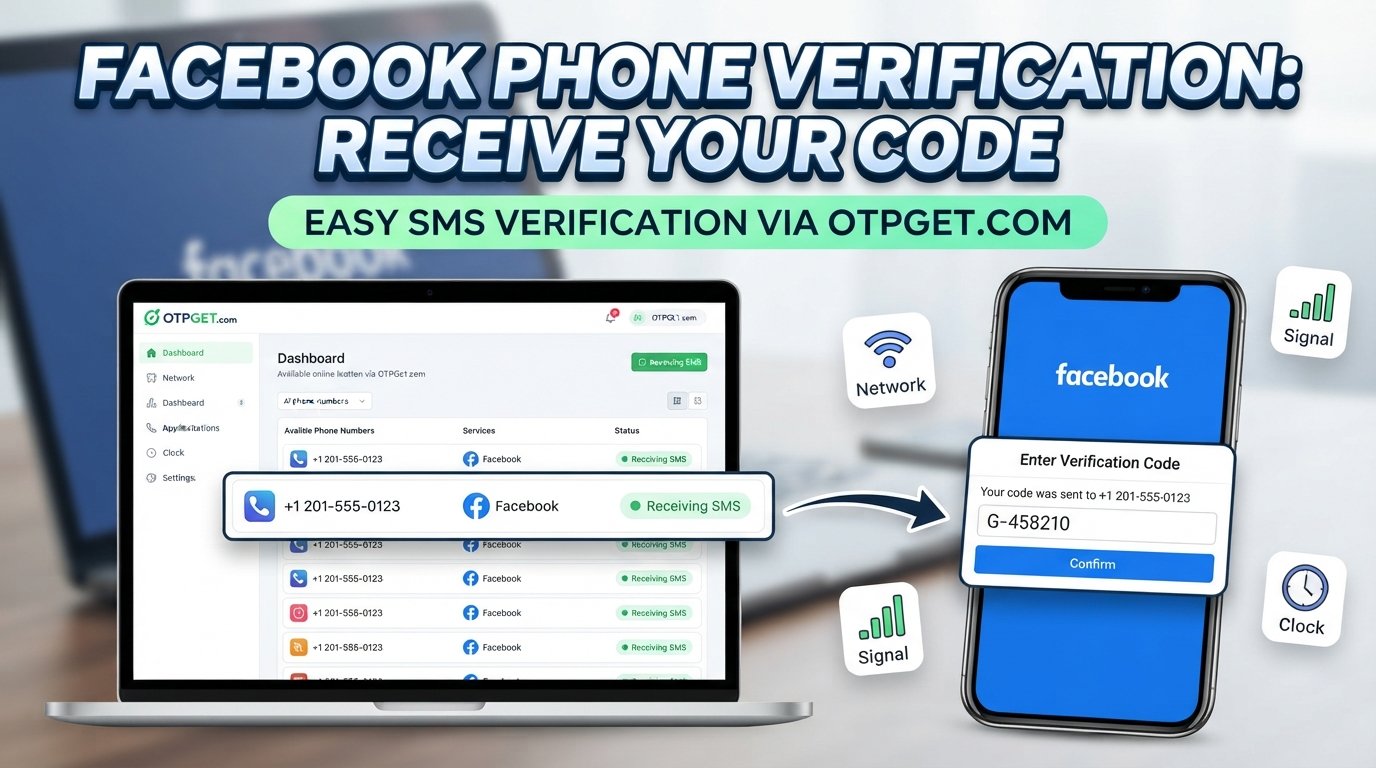
How to Use OTPGET for Facebook Phone Verification
If you are considering OTPGET for a Facebook verification SMS, the general process can be simple.
- Visit OTPGET.
- Review the available verification options and select an appropriate option if one is provided.
- Follow the instructions shown by OTPGET.
- Use the supported phone number or verification method where it is permitted for your intended verification.
- Request the Facebook verification code through the normal Facebook verification process.
- Wait for the verification SMS to be delivered.
- Check OTPGET for the incoming verification message according to its instructions.
- Retrieve the valid OTP from the message.
- Enter the code into Facebook's verification field.
- Complete the verification process if the code is accepted.
Because service interfaces and available options can change, it is better to follow the instructions displayed on OTPGET rather than rely on a specific button name or dashboard layout.
Also remember that not every phone number or online phone verification service will necessarily be accepted by every platform. Use the method responsibly and comply with Facebook's applicable requirements.
Why Users Look for Alternative Phone Verification Options
There are several legitimate reasons someone may search for an online phone verification or OTP receiving service.
For example, a user may:
- Prefer not to provide a personal phone number unnecessarily.
- Have difficulty receiving SMS on their regular number.
- Need access to a suitable number for a temporary verification requirement.
- Experience repeated SMS delivery problems.
- Need a separate number for a legitimate verification purpose.
- Want a simpler way to manage verification messages.
Privacy can also be a consideration. However, using an alternative number does not remove the responsibility to follow the platform's rules. Users should only use verification methods for legitimate purposes and should not use them to evade security controls, restrictions, or enforcement measures.
OTPGET vs. Common Verification Problems
Sometimes the best solution is simply troubleshooting the problem. In other situations, an appropriate OTP receiving service may be worth considering.
| Common problem | Practical approach |
|---|---|
| Verification SMS does not arrive | Check the number, signal, message filters, and carrier connectivity before requesting another code. |
| Number was entered incorrectly | Confirm the complete phone number and country/area code. |
| Code has expired | Request a new code and use the latest valid message. |
| Several codes were requested | Wait for the latest message and avoid repeatedly requesting additional codes. |
| Personal number is not suitable | Consider an appropriate phone verification service, where permitted. |
| SMS delivery remains unreliable | Troubleshoot the mobile network or consider another supported verification method. |
OTPGET can be useful when the main challenge is having access to a suitable way to receive the required verification SMS. It is not a replacement for Facebook's own verification requirements.
Tips for Receiving a Facebook Verification Code
If you are trying to receive a Facebook verification code by SMS, these practical steps can reduce common problems:
- Double-check the phone number before requesting a code.
- Confirm that the country or area code is correct.
- Make sure the phone is capable of receiving SMS.
- Check your mobile signal and network connection.
- Look through blocked, filtered, or spam messages.
- Avoid requesting multiple codes in rapid succession.
- If a code is delayed, wait before requesting another one.
- When several codes arrive, use the newest valid code where appropriate.
- Never send your verification code to strangers.
- Do not post an OTP publicly or share it through unsecured channels.
- Keep your account recovery information protected.
A verification code is designed to confirm access to a particular verification method. Treat it as sensitive information.
Why OTPGET Can Be a Practical Choice
The main advantage of an OTP receiving service is convenience. When receiving a verification SMS through a personal number is inconvenient or unsuitable, a service such as OTPGET may provide another practical option where supported.
For users, the value can come down to a few simple benefits:
- Convenience: A dedicated way to access verification messages.
- Simpler OTP access: Retrieve the SMS and locate the relevant verification code.
- Reduced friction: Avoid unnecessary confusion when managing a verification message.
- Practical workflow: Follow a straightforward process from number selection to code retrieval.
- Useful for verification needs: Access an OTP receiving option when it is appropriate for the intended service.
The key is to use the service responsibly. OTPGET can help with the mechanics of receiving a verification message, but it cannot replace the platform's own security requirements or guarantee that a particular number will be accepted.
Frequently Asked Questions
What is Facebook phone verification?
Facebook phone verification is a process used to confirm access to a phone number. A verification code is typically sent through SMS, and the user enters that code into the appropriate verification screen.
How do I receive a Facebook verification code?
Enter or confirm the requested phone number and follow Facebook's verification instructions. If SMS verification is offered, Facebook sends a code to the associated number. Make sure the number can receive SMS and check your messages if the code is delayed.
Why am I not receiving my Facebook OTP?
A Facebook OTP may be delayed because of network problems, carrier delays, an incorrect number, filtered SMS, expired codes, or too many verification requests. Check the number and your SMS settings before requesting another code.
Can I receive a Facebook verification code by SMS?
Yes, SMS can be used for phone verification when Facebook presents SMS as an available verification method. You need access to the phone number receiving the message to retrieve the code.
What is OTPGET?
OTPGET is an OTP receiving service intended to help users access verification messages through a supported phone verification method. Available options and compatibility can vary, so users should follow the instructions provided by the service.
How can OTPGET help with phone verification?
OTPGET can provide a practical way to receive verification SMS when an appropriate supported option is available. You can follow the service instructions, retrieve the verification message, and enter the valid OTP into the relevant verification screen.
What should I do if my Facebook verification code expires?
Request a new verification code and use the latest valid code. Avoid repeatedly requesting codes in rapid succession, as doing so can create additional confusion or delays.
Is it safe to share a Facebook verification code?
No. Treat verification codes as sensitive account information. Do not share an OTP with strangers, post it publicly, or provide it to someone claiming to need the code on your behalf.
Can I use an online phone number for verification?
An online or temporary phone number may be suitable for some verification purposes, but acceptance depends on the platform and its requirements. There is no guarantee that every online number or OTP service will be accepted by Facebook.
Conclusion
Facebook phone verification is designed to confirm access to a phone number, but receiving the SMS is not always as straightforward as it should be. Delayed messages, incorrect numbers, network issues, filtered SMS, expired codes, and repeated requests can all make verification more frustrating.
The first step is always to check the basics: confirm the phone number, verify your SMS connectivity, check filtered messages, and avoid repeatedly requesting new codes.
When you need a practical way to receive a verification SMS, OTPGET can be an option worth exploring, provided the service and phone number are appropriate for your intended verification and permitted by the relevant platform's rules.
If you are looking for a simpler way to manage OTP messages for legitimate phone verification, explore OTPGET and follow the instructions provided for the available verification options.