Fiverr Pro Login Without Phone Number: Legit Options
fiverr-pro-login-without-phone-number ARTICLE
Trying to access Fiverr Pro while keeping your personal phone number private can create an awkward situation: you can have a valid account and correct login details, yet still be asked for phone verification.
The important distinction is that Fiverr Pro login without a phone number does not mean bypassing Fiverr's security checks. It means looking for a legitimate way to complete a required verification step without exposing your primary personal number.
Fiverr says phone verification may be requested in certain account situations, including before a client contacts another user. Its account-security guidance also describes phone verification as an additional security layer.
If you would rather keep your personal number separate from online services, you have several options. One possibility is an authorized alternative number or, where permitted, a virtual number service such as OTPGET for supported SMS verification workflows.
Can You Access Fiverr Pro Without a Personal Phone Number?
Yes, potentially—but there is an important caveat.
Not using your personal number is different from avoiding verification altogether. If Fiverr presents a phone-verification requirement, the legitimate approach is to complete that verification using a number you are authorized to use and that Fiverr accepts.
Fiverr's current Help Center indicates that phone verification can be part of account security and that users who lose access to a verified phone number may need to contact Customer Support.
So, if your goal is to access a Fiverr Pro account without exposing your everyday mobile number, think in terms of alternative verification, not authentication bypass.
Never attempt to defeat a verification screen, manipulate account information, impersonate someone else, or create accounts through deceptive methods. An OTP is intended to prove access to the number associated with a legitimate verification process.
Why Does Fiverr Ask for Phone Verification?
Phone verification is commonly used by online platforms as an additional account-security measure. Fiverr specifically describes phone verification as helping maintain a safe and trusted community.
Depending on the situation, an SMS verification process can help with things such as:
- Adding another layer of account security
- Confirming access to a particular phone number
- Reducing some forms of automated abuse
- Supporting account protection
- Sending one-time verification codes for sensitive actions
Fiverr also provides account-security controls that include phone verification and two-factor authentication.
The exact verification process can depend on what Fiverr is asking you to do. That is why it is better to follow the instructions displayed inside the official Fiverr account rather than relying on assumptions about how verification always works.
What Are Your Options If You Don't Want to Use Your Personal Number?
If you want to keep your primary mobile number private, there are several legitimate approaches.
1. Use your own mobile number
This is the simplest option when you are comfortable sharing it and Fiverr requests it.
The advantage is straightforward: you control the number and can normally receive the verification SMS directly. The downside is that your personal number becomes associated with the verification process.
2. Use another number you are authorized to use
A second personal number, business number, or another phone number that you are legitimately authorized to use may be suitable if Fiverr accepts it.
The key point is authorization. Do not use a number belonging to another person without permission.
3. Use a suitable virtual number where supported
A virtual phone number can receive SMS without being tied to your primary physical SIM. However, virtual numbers are not universally accepted by every online platform.
This makes checking Fiverr's current requirements especially important.
4. Consider OTPGET for supported SMS verification workflows
OTPGET provides virtual numbers designed to receive SMS verification codes. Its documentation describes workflows where users obtain a number, request an SMS from the relevant service, and monitor the activation for an incoming code.
For a user who does not want to expose a personal number, this can be a practical option when the relevant platform permits that type of number and the number supports the requested verification workflow.
How OTPGET Can Help With Fiverr Verification
OTPGET is a virtual-number and OTP-receiving service. Its published information says users can obtain virtual numbers and receive supported SMS verification codes through its platform.
The concept is straightforward.
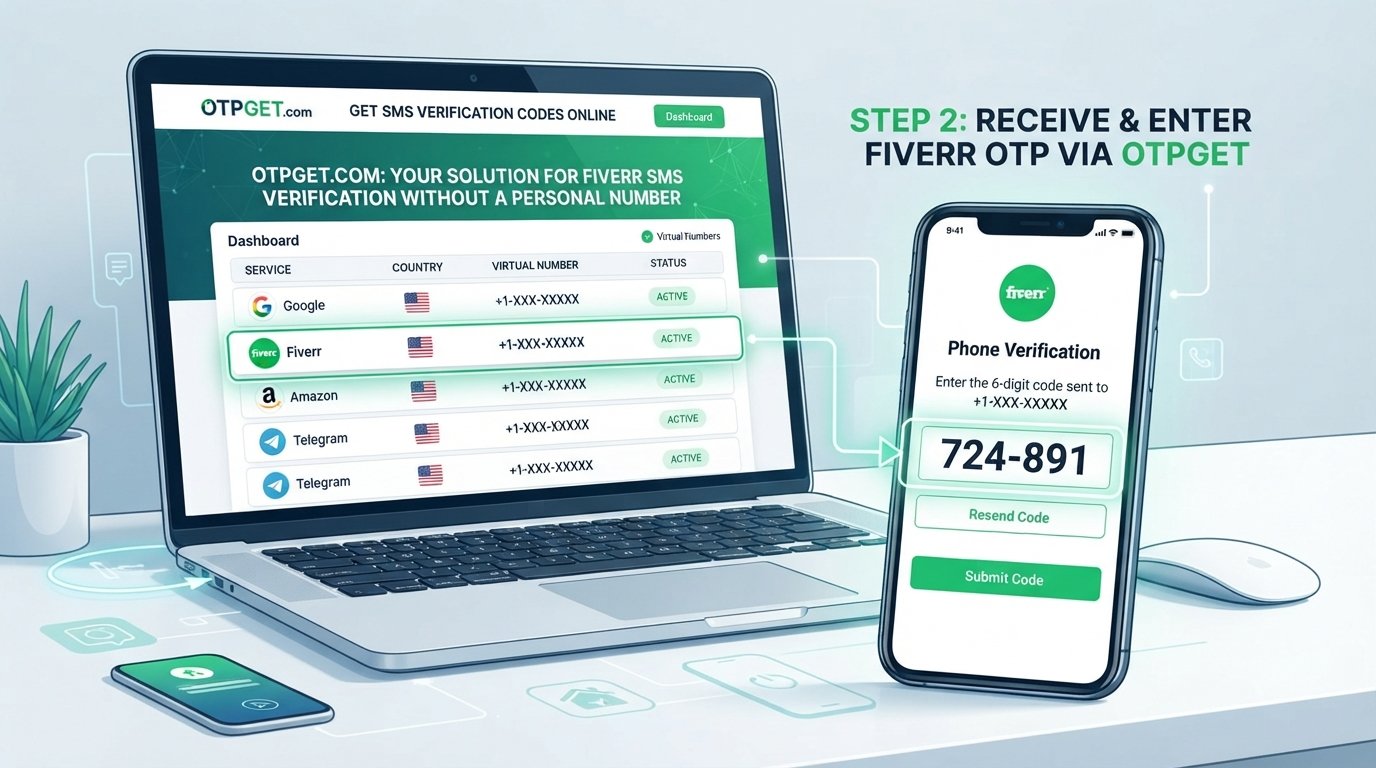
Instead of having a verification SMS delivered to your everyday mobile number, you select an available number through the service for a supported verification workflow. When the online platform sends its OTP, the incoming message can appear in the OTPGET interface.
A general workflow looks like this:
- Visit OTPGET and review the currently available numbers and supported services.
- Select a suitable number or service for your legitimate verification purpose.
- Use that number only where the relevant platform permits it.
- Start the normal phone-verification process on Fiverr.
- Wait for the verification SMS to reach the selected number.
- Check the OTPGET interface for the incoming message and verification code.
- Enter the code into the official Fiverr verification field.
- Complete any additional verification Fiverr requests.
OTPGET's documentation confirms that its SMS OTP system can provide a number and then report the status of incoming SMS messages.
The important limitation is just as important as the workflow: OTPGET is not a way around Fiverr security. If Fiverr rejects a particular number or asks for additional verification, the appropriate response is to follow Fiverr's instructions.
Step-by-Step: Using OTPGET for SMS Verification
If you are considering an online phone verification service, keep the process simple and transparent.
Step 1: Check Fiverr's verification screen
Start from your legitimate Fiverr account and identify exactly what Fiverr is asking you to verify. Do not rely on a third-party page claiming to perform Fiverr authentication.
Step 2: Check whether an alternative number is appropriate
Before obtaining a number, make sure using a virtual or online number is compatible with the applicable Fiverr requirements.
Step 3: Choose a suitable OTPGET number
OTPGET's platform provides virtual numbers and SMS OTP functionality. Availability can vary by country and service, so select only an option that is actually available for your intended workflow.
Step 4: Enter the number into Fiverr's official verification process
Use the number exactly as instructed by Fiverr. Avoid repeatedly changing numbers if a verification attempt fails.
Step 5: Monitor the incoming SMS
Once Fiverr sends the verification code, check the OTPGET interface for the incoming message. OTPGET documents status checking for SMS activations.
Step 6: Enter the verification code
Copy the legitimate OTP into the verification field shown by Fiverr.
Step 7: Complete the process
If Fiverr asks for another security or identity step, complete it through the official Fiverr interface.
Benefits of Using OTPGET Instead of Your Personal Number
The main reason someone may consider a service like OTPGET is separation.
A personal phone number is often connected to family, banking, messaging apps, work contacts, and other accounts. Some users simply prefer not to expose that number unnecessarily.
For supported workflows, an online number may offer benefits such as:
- Privacy separation: Keep your primary mobile number separate from online verification.
- Convenience: Receive supported SMS messages through an online dashboard rather than relying on a physical SIM.
- Flexible access: Virtual numbers can be useful when a suitable physical number is not convenient.
- Reduced personal exposure: You can avoid giving your everyday number to every service that requests SMS verification.
OTPGET also documents both one-time SMS numbers and longer-term rental numbers, although the appropriate option depends on the verification workflow and the platform's requirements.
Important Things to Know Before Using an Online Number
An online phone number is not a universal replacement for a personal mobile number.
Keep these limitations in mind:
- Some platforms may reject virtual, temporary, or previously used numbers.
- SMS delivery can depend on the service, country, carrier, and number availability.
- A platform may request additional identity or account verification.
- A number that works for one service may not work for another.
- You should always review the current platform requirements before using an online number.
- Never use a number you are not authorized to use.
- Do not use an OTP service to impersonate another person or circumvent security controls.
- Receiving an OTP does not guarantee account approval or continued account access.
OTPGET itself notes that its available services and numbers are subject to availability.
Fiverr Pro Login Without Phone Number: Common Problems
The OTP does not arrive
Wait briefly and check whether the number and country selection are correct. Avoid repeatedly requesting new codes because that can make troubleshooting more difficult.
If the message still does not appear, the selected number may not support the particular verification workflow.
Fiverr rejects the number
This can happen with virtual or temporary numbers. If Fiverr does not accept the number, use another authorized number or follow Fiverr's recommended verification or support process.
The verification code expires
OTP codes are designed for limited use. If the code is no longer accepted, request a fresh code through Fiverr rather than trying to reuse an old message.
The number format is incorrect
Check the country code and formatting displayed by Fiverr. Enter the number exactly as requested.
Fiverr asks for additional verification
An SMS code may not be the only verification step. If Fiverr asks for additional information, complete that process through the official platform.
You no longer have access to the registered number
Fiverr's Help Center advises users who do not have access to their registered phone number to contact Customer Support for help.
Frequently Asked Questions
Can I log into Fiverr Pro without a phone number?
You may be able to use Fiverr without your personal phone number if the account's available verification options permit an alternative. However, if Fiverr specifically requires phone verification, you should complete that requirement rather than trying to bypass it.
Does Fiverr require phone verification?
Fiverr can require phone verification in certain circumstances. Its Help Center states that clients may be prompted to verify their phone number before contacting another user, and Fiverr also lists phone verification as an account-security feature.
Can I receive a Fiverr OTP online?
If Fiverr sends an SMS verification code to a number that it accepts, an online number may be able to receive that SMS. Whether a particular virtual number works depends on Fiverr's requirements and the number's availability.
Can OTPGET receive Fiverr verification codes?
OTPGET provides virtual numbers for supported SMS OTP workflows, but it does not guarantee that every Fiverr verification attempt or number will be accepted. Check the currently available services and Fiverr's requirements before proceeding.
Is using a virtual number for Fiverr verification allowed?
The answer depends on Fiverr's current rules and the specific verification context. Do not assume that every temporary or virtual number is accepted. Follow the requirements Fiverr displays for your account.
What should I do if my Fiverr verification code does not arrive?
First, confirm that the number and country code are correct and that the number is eligible for the workflow. If the SMS still does not arrive, try the legitimate verification option Fiverr provides or contact Fiverr Support when appropriate.
Does OTPGET guarantee Fiverr account verification?
No. OTPGET can provide numbers for supported SMS verification workflows, but receiving an OTP does not guarantee that Fiverr will accept the number, approve an account, or complete every required verification step.
Final Thoughts
Finding a Fiverr Pro login without a phone number is really about finding a legitimate alternative to exposing your personal number—not about bypassing Fiverr's security.
If you are comfortable using your own mobile number, that remains a straightforward option. If you have another authorized number, that may also be suitable. For supported workflows, a virtual-number provider such as OTPGET can offer another way to receive SMS verification codes without putting your everyday phone number into the process.
The important part is to use any number only where Fiverr permits it and to complete the verification process honestly.
If keeping your personal number separate is important to you, OTPGET is worth exploring for supported SMS verification workflows. Review the currently available options, follow Fiverr's instructions, and treat successful OTP delivery as one part of verification—not a guarantee of account access or approval.
Fiverr's verification requirements can change, so always follow the current instructions displayed by Fiverr and its official Help Center.


